
Introduction
Thank you for choosing the BLACK+DECKER AF5800 12-in-1 Large Air Fryer. This appliance utilizes rapid hot air circulation to cook a variety of foods with little to no oil, offering a versatile cooking solution for frying, grilling, roasting, and baking. This manual provides essential information for the safe and efficient operation, maintenance, and troubleshooting of your air fryer.
Important Safety Instructions
When using electrical appliances, basic safety precautions should always be followed to reduce the risk of fire, electric shock, and injury to persons, including the following:
- Read all instructions before using the appliance.
- Do not touch hot surfaces. Use handles or knobs.
- To protect against electric shock, do not immerse cord, plugs, or appliance in water or other liquid.
- Close supervision is necessary when any appliance is used by or near children.
- Unplug from outlet when not in use and before cleaning. Allow to cool before putting on or taking off parts.
- Do not operate any appliance with a damaged cord or plug, or after the appliance malfunctions or has been damaged in any manner.
- The use of accessory attachments not recommended by the appliance manufacturer may cause injuries.
- Do not use outdoors.
- Do not let cord hang over edge of table or counter, or touch hot surfaces.
- Do not place on or near a hot gas or electric burner, or in a heated oven.
- Extreme caution must be used when moving an appliance containing hot oil or other hot liquids.
- Always attach plug to appliance first, then plug cord into the wall outlet. To disconnect, turn any control to "off", then remove plug from wall outlet.
- Do not use appliance for other than intended use.
- Ensure the appliance is placed on a stable, heat-resistant surface.
- Do not block any ventilation openings.
Product Overview
The BLACK+DECKER AF5800 Air Fryer features a sleek design with a digital touch control panel and a large viewing window to monitor cooking progress. Key components include:
- Main Unit: Houses the heating element and fan for rapid air circulation.
- Digital Touch Control Panel: For setting temperature, time, and selecting preset programs.
- Viewing Window: Allows observation of food during cooking without opening the basket.
- Cavity Lamp: Illuminates the interior for clear viewing.
- Food Basket (5.8L capacity): Removable basket for holding food.
- Removable Crisper Plate: Separates fat from food and promotes even crisping.
- Cool-Touch Housing and Handles: For safe handling during and after operation.

Image: The BLACK+DECKER AF5800 Air Fryer showing the main unit, digital control panel, viewing window, and the food basket containing a cooked chicken and vegetables.
Setup and First Use
- Unpacking: Carefully remove all packaging materials and promotional labels from the air fryer.
- Cleaning: Wash the food basket and crisper plate with hot water, dish soap, and a non-abrasive sponge. Wipe the interior and exterior of the appliance with a damp cloth. Ensure all parts are completely dry before use.
- Placement: Place the air fryer on a stable, level, and heat-resistant surface. Ensure there is at least 10 cm (4 inches) of free space on the back and sides, and above the appliance, for proper air circulation.
- Power Connection: Plug the power cord into a grounded wall outlet.
- Initial Run (Optional but Recommended): For the first use, it is recommended to run the air fryer empty for about 10-15 minutes at 180°C (350°F) to burn off any manufacturing residues. A slight odor may be present, which is normal.
Operating Instructions
The AF5800 Air Fryer features a digital touch panel for easy operation. Ensure the food basket with the crisper plate is properly inserted into the main unit before starting.
Basic Operation (Manual Mode)
- Power On: Press the Power button (U) to turn on the appliance. The display will light up.
- Set Temperature: Use the Temperature Up/Down buttons (+ / - TEMP) to adjust the cooking temperature between 80°C and 200°C.
- Set Time: Use the Time Up/Down buttons (+ / - TIME) to set the cooking time, up to 60 minutes.
- Start Cooking: Press the Start button (START) to begin the cooking cycle.
- Pause/Stop: Press the Stop/Cancel button (STOP/CANCEL) to pause or stop the cooking process.
Using Preset Programs
The air fryer comes with 11 preset cooking programs for common dishes. To use a preset:
- Power on the appliance.
- Select the desired preset icon from the digital touch panel. The display will show the default temperature and time for that program.
- You can adjust the temperature and time manually after selecting a preset if needed.
- Press the Start button to begin.

Image: The BLACK+DECKER AF5800 Air Fryer displayed in a kitchen setting, showcasing a variety of meals that can be prepared, such as roasted chicken, fish, shrimp, fries, onion rings, steak, muffins, and pizza.
Special Functions
- Preheat Function: Activates to quickly bring the air fryer to the desired temperature for more evenly cooked results. Select the Preheat option before adding food.
- Dehydrate Function: Allows for homemade dehydrated fruits, meats, and vegetables. Set temperature between 35-80°C and time up to 24 hours.
- Reheat Function: Heats food and leftovers to preserve texture and taste close to their original state.
- Keep Warm Function: Maintains food at a desired temperature for up to 30 minutes after cooking is complete.
- Turn Alert Reminder: The appliance will beep to remind you to toss or shake food for even, crispy results, especially for items like fries or chicken wings.
Cooking Tips
- For best results, preheat the air fryer before adding food.
- Do not overfill the basket. Cook in smaller batches if necessary to ensure even cooking and crisping.
- Shake or flip food halfway through cooking for uniform results.
- Lightly brush or spray food with oil for extra crispiness, especially for fresh ingredients.
- The removable crisper plate helps separate fat from food, contributing to healthier and crispier outcomes.
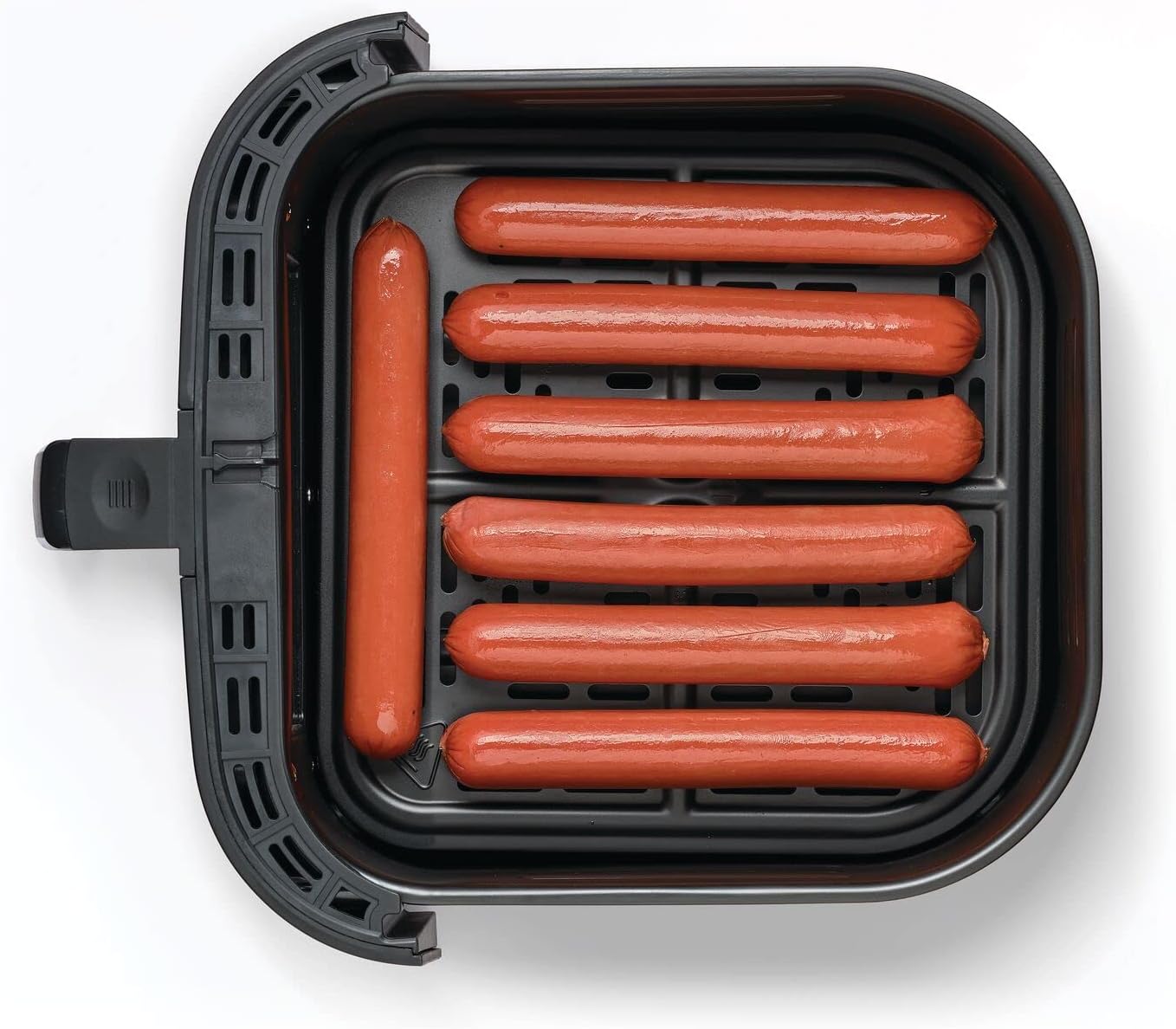
Image: Hot dogs placed neatly in the air fryer basket, ready for cooking.

Image: Several fish fillets arranged in the air fryer basket, suitable for air frying.
Cleaning and Maintenance
Regular cleaning ensures optimal performance and extends the lifespan of your air fryer.
- Before Cleaning: Always unplug the appliance and allow it to cool completely before cleaning.
- Basket and Crisper Plate: These parts are dishwasher safe. Alternatively, wash them with hot water, dish soap, and a non-abrasive sponge. For stubborn food residues, soak them in hot water for about 10 minutes.
- Interior: Wipe the interior with a damp cloth. For heavy grease, use a mild detergent. Avoid abrasive cleaners or scouring pads.
- Exterior: Wipe the exterior with a damp cloth. Do not immerse the main unit in water or any other liquid.
- Heating Element: Use a cleaning brush to remove any food residues from the heating element.
- Storage: Ensure all parts are clean and dry before storing the air fryer in a cool, dry place.
Troubleshooting
If you encounter issues with your air fryer, refer to the following common problems and solutions:
| Problem | Possible Cause | Solution |
|---|---|---|
| Air fryer does not turn on. | Appliance not plugged in; power outlet not working; basket not inserted correctly. | Ensure the power cord is securely plugged into a working outlet. Push the basket fully into the appliance. |
| Food is not cooked evenly. | Basket is overcrowded; food not shaken/flipped. | Cook in smaller batches. Shake or flip food halfway through cooking. |
| Food is not crispy. | Not enough oil (for fresh food); temperature too low; cooking time too short. | Lightly brush or spray food with oil. Increase temperature or cooking time. Ensure crisper plate is used. |
| White smoke coming from the appliance. | Grease from previous use; fatty food being cooked. | Clean the basket and crisper plate thoroughly. Remove excess oil from food before air frying. |
| Appliance emits a burning smell. | Food residue on heating element; plastic parts touching heating element. | Unplug and let cool. Clean the heating element. Ensure no plastic parts are in contact with the heating element. |
Specifications
Technical specifications for the BLACK+DECKER AF5800 Air Fryer:

Image: The BLACK+DECKER AF5800 Air Fryer with its height (39cm), width (35cm), and depth (34cm) clearly indicated.
| Feature | Detail |
|---|---|
| Model Number | AF5800 |
| Brand | BLACK+DECKER |
| Capacity | 5.8 Liters |
| Power / Wattage | 1800 Watts |
| Voltage | 240 Volts |
| Product Dimensions (D x W x H) | 34 x 35 x 39 cm |
| Item Weight | 6 Kilograms |
| Material | Aluminum, Plastic |
| Color | Black |
| Special Features | Temperature Control, Auto Shutoff, Digital Touch Screen, Viewing Window, 12 Programs |
Warranty and Support
BLACK+DECKER products are manufactured to high-quality standards. This product is covered by a limited warranty. For detailed warranty information, please refer to the warranty card included with your purchase or visit the official BLACK+DECKER website.
For technical assistance, troubleshooting not covered in this manual, or to order replacement parts, please contact BLACK+DECKER customer support. Contact details can typically be found on the product packaging or the official brand website.


