
1. Product Overview
The ACEBELL Wireless WiFi Video Doorbell Intercom System provides enhanced home security with its 1080P video doorbell camera and a 7-inch HD touch screen monitor. Designed for ease of use, this system operates wirelessly and offers remote control via the TuyaSmart APP, ensuring you stay connected to your home from anywhere.
- 100% Wireless & Easy Installation: No complex wiring required. The system uses a private 915MHz protocol for strong signal penetration.
- APP Remote Control & Dual-Band WiFi: Compatible with TuyaSmart APP for remote monitoring, answering calls, and unlocking doors. Supports both 2.4G and 5G WiFi.
- 1080P Camera & 160° Wide-Angle Lens: Delivers clear, high-quality images with a broad field of view.
- Night Vision: Equipped with 4 advanced infrared lights for clear visibility at night.
- 7-inch HD Touch Screen Monitor: Features a minimalist system for easy operation, similar to a smartphone.
- Local Storage & No Monthly Fees: Recorded videos are stored on an included TF card and can be viewed on the monitor or via the TuyaSmart APP, with no subscription costs.
- PIR Motion Detection & 2-Way Audio: Sends alerts to your phone and monitor upon motion detection, automatically recording video. Allows for simultaneous two-way communication with visitors.
- Dual Power Supply & IP55 Waterproof: Doorbell has a 7000mAh rechargeable battery (60-90 days life) and can be hardwired (12-24V). Monitor has a 5000mAh battery (5-8 hours home use). IP55 rating ensures outdoor durability.

Figure 1: The ACEBELL Wireless WiFi Video Doorbell Intercom System, showcasing the 7-inch monitor and the sleek doorbell camera.
2. What's in the Box
Your ACEBELL Wireless WiFi Video Doorbell Intercom System package includes the following components:
- 1 x Doorbell Camera
- 1 x 7-inch Display Monitor
- 1 x Memory Card (TF card)
- 1 x Double-ended Charging Cable
- 1 x Charger (Power Adapter)
- 1 x Unlock Module
- 1 x Bag of Accessories (screws, anchors, etc.)
- 1 x User Manual (5-language)
3. Setup Guide
3.1 Initial Charging
Before first use, ensure both the doorbell camera and the monitor are fully charged using the provided charging cable and adapter. The doorbell camera has a 7000mAh battery, and the monitor has a 5000mAh battery.

Figure 2: The 7-inch monitor connected to its power adapter for charging.

Figure 3: The doorbell camera showing its removable rechargeable battery and terminals for optional hardwiring.
3.2 Doorbell Camera Installation
The doorbell camera can be installed using either the included 3M adhesive strips or screws. Ensure the installation surface is clean and dry. If using adhesive, firmly press the doorbell onto the desired location. If hardwiring, connect to existing doorbell wires (12-24V recommended). Avoid installing the doorbell camera on metal doors or metal walls, as this can interfere with wireless signals.

Figure 4: The doorbell camera securely mounted on a wall, demonstrating its sleek design.

Figure 5: A diagram illustrating optimal and unsuitable locations for doorbell installation, emphasizing avoidance of metal surfaces.
3.3 Monitor Placement
The wireless monitor can be placed anywhere within your home. It features a built-in kickstand for tabletop use or can be mounted on a wall. The 915MHz frequency offers good penetration through walls, but actual signal performance may vary based on environment.
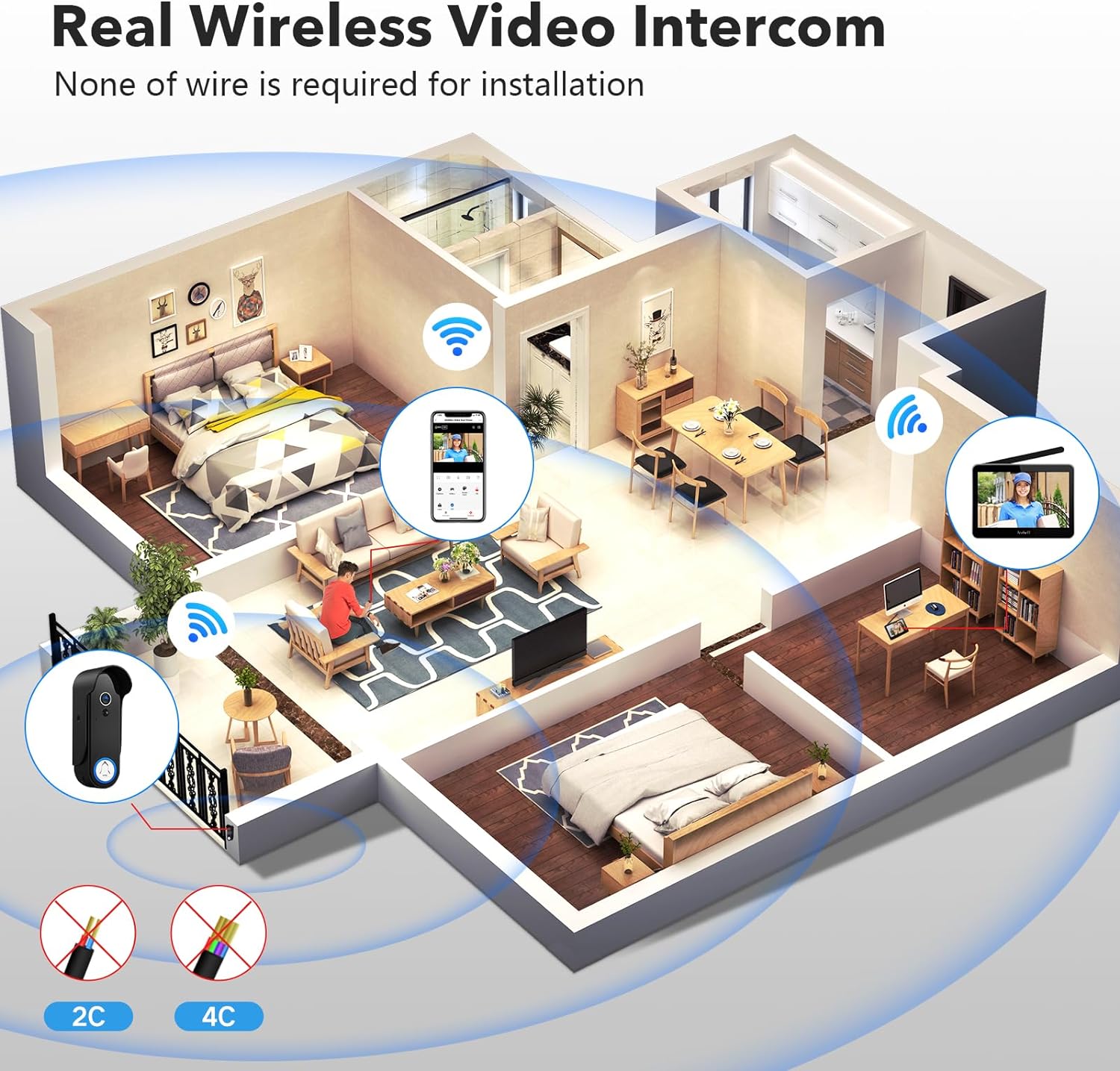
Figure 6: An illustration of the wireless doorbell system's signal coverage throughout a multi-story home.

Figure 7: A visual representation of how wireless signal strength is affected by various building materials, including wood, glass, stone, and metal.
3.4 App Connection
Download the TuyaSmart APP from your device's app store. Follow the in-app instructions to connect your monitor to your home's 2.4G or 5G WiFi network. Once connected, you can add the doorbell camera as a device within the app for remote access and control.
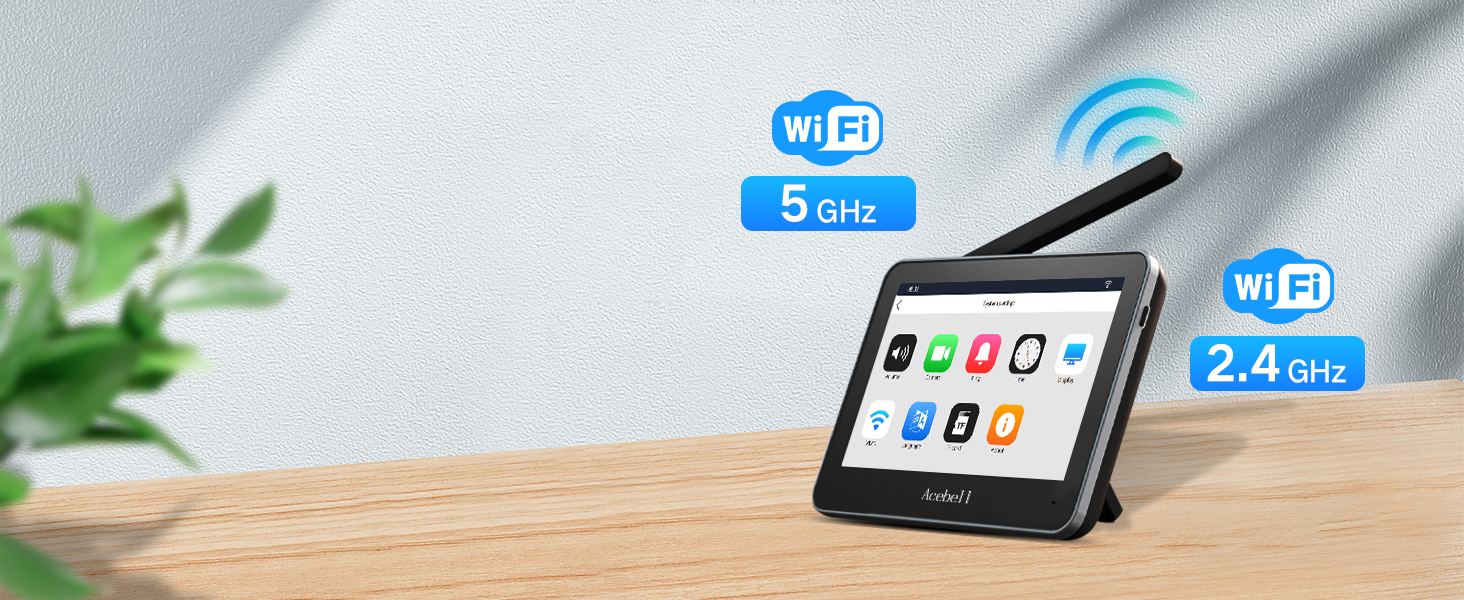
Figure 8: The monitor screen showing its compatibility with both 2.4 GHz and 5 GHz WiFi networks.
4. Operating Instructions
4.1 Answering Calls & 2-Way Audio
When a visitor presses the doorbell, the indoor monitor will ring, and an alert will be pushed to your TuyaSmart APP. You can answer the call from either the monitor or your smartphone to engage in two-way audio communication with the visitor.
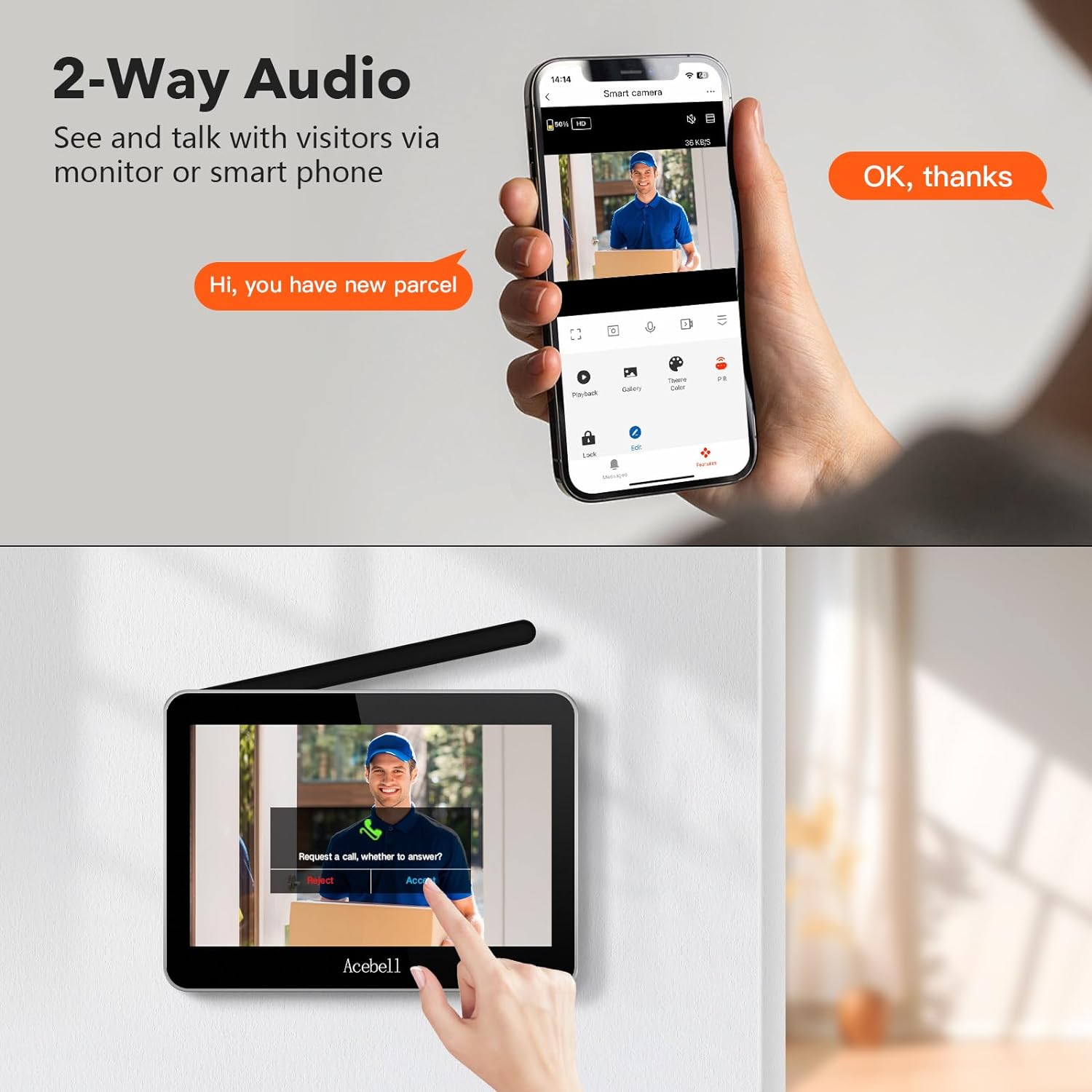
Figure 9: A user communicating with a visitor through both the smartphone app and the indoor monitor, highlighting the two-way audio feature.
4.2 Motion Detection & Alerts
The doorbell camera features PIR motion detection. When movement is detected, an alert is sent to your phone and the indoor monitor. The system automatically records a video of the event, which is saved to the TF card. PIR sensitivity can be adjusted (high, medium, low) in the settings.

Figure 10: The doorbell camera detecting motion and sending an instant alert to a smartphone, illustrating its security capabilities.
4.3 Remote Unlocking
If connected to an electronic lock via the unlock module, you can remotely unlock your door through the TuyaSmart APP.
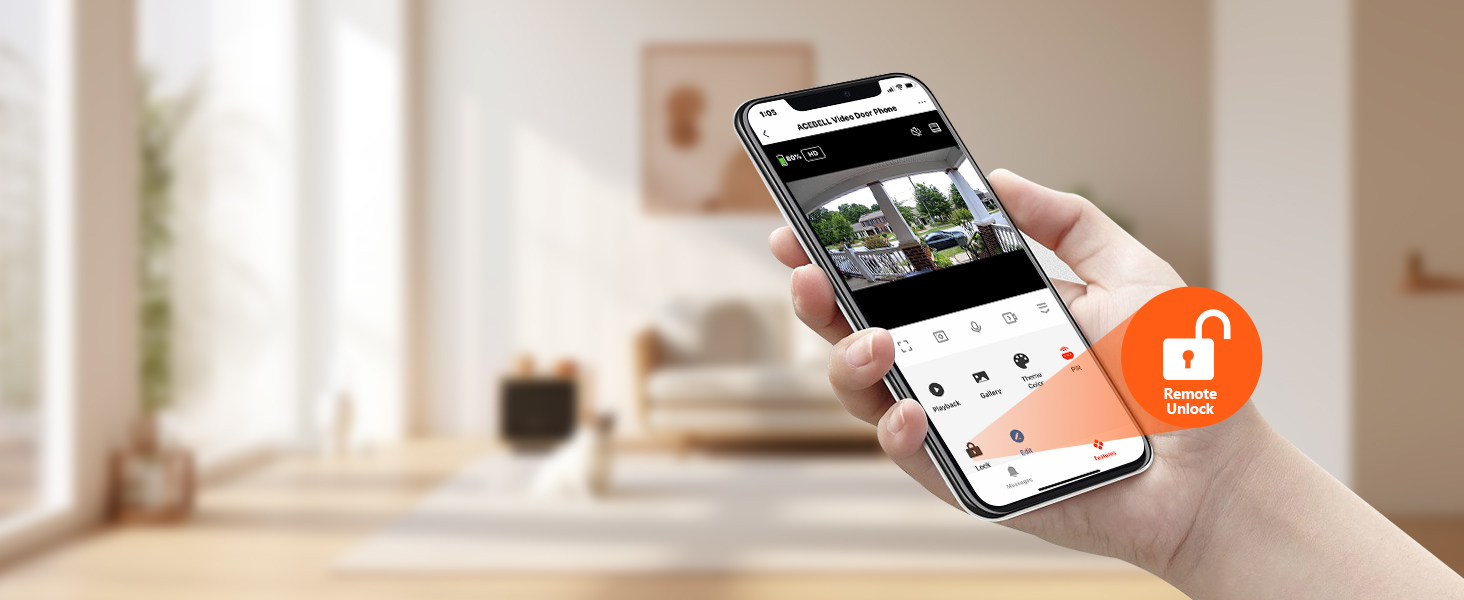
Figure 11: A hand holding a smartphone, demonstrating the remote unlock function available through the TuyaSmart app.

Figure 12: A detailed wiring diagram showing how the unlock module connects to an electronic lock and a power source for remote access control.
4.4 Video Recording & Playback
All detected events and doorbell rings are recorded and saved to the included TF card. You can view these recordings directly on the monitor or through the TuyaSmart APP on your smartphone. The system supports loop recording, ensuring continuous coverage without monthly fees.
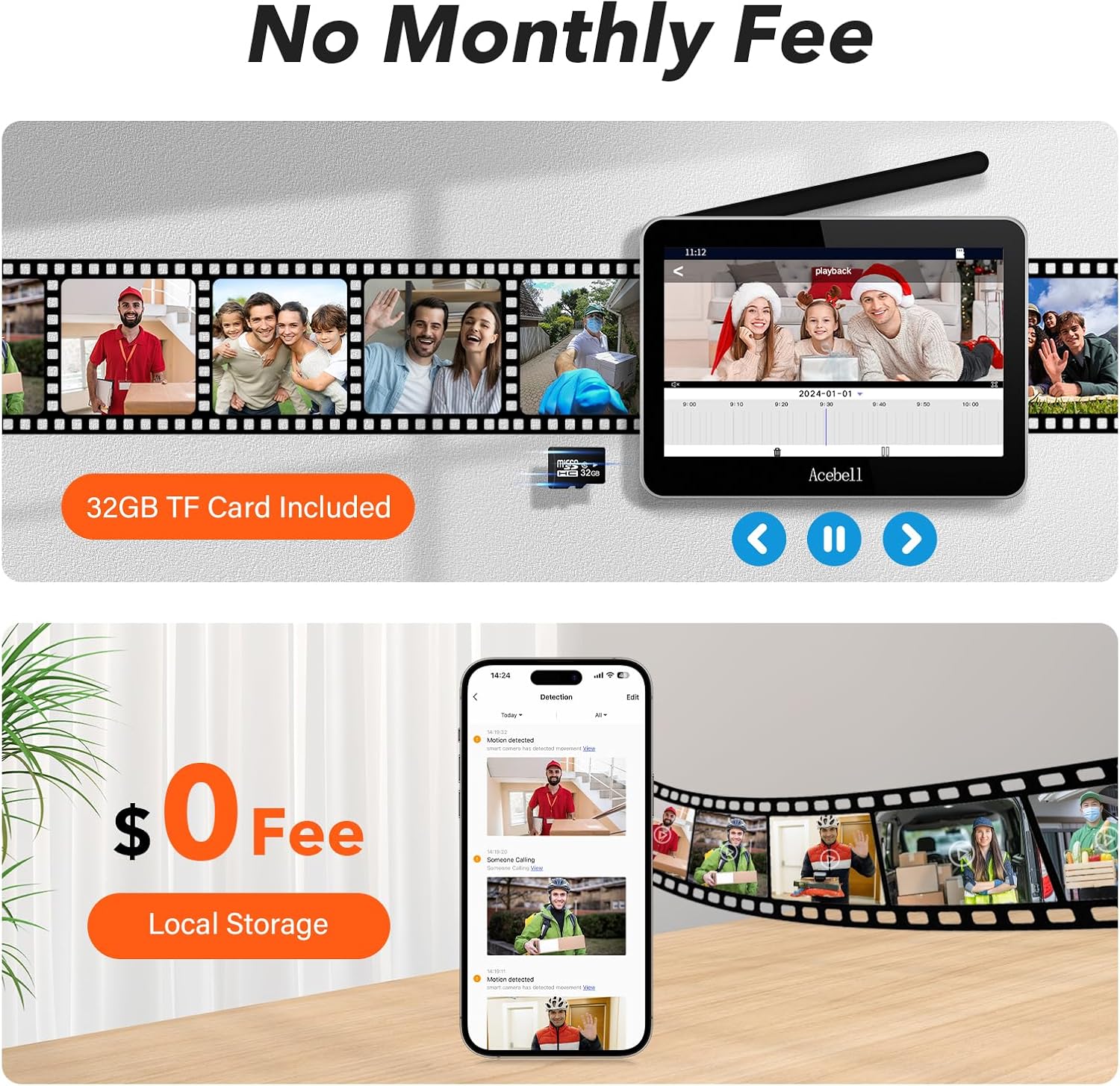
Figure 13: The monitor and a smartphone screen showing a gallery of recorded video events, emphasizing the benefit of local storage without subscription fees.
5. Maintenance
5.1 Battery Management
The doorbell camera's 7000mAh battery lasts approximately 60-90 days on a full charge, depending on usage frequency. The monitor's 5000mAh battery provides 5-8 hours of home use. Recharge both units as needed using the provided charging accessories. For continuous power, the doorbell can be hardwired to existing 12-24V wiring.

Figure 14: A visual comparison highlighting the upgraded 7000mAh battery for the doorbell and 5000mAh battery for the monitor, indicating longer operational times.
5.2 Weather Resistance
The doorbell camera has an IP55 waterproof rating, ensuring it can withstand various weather conditions. Regularly clean the camera lens and motion sensor to maintain optimal performance.

Figure 15: The doorbell camera shown with water droplets, illustrating its IP55 waterproof capability for outdoor use.
6. Troubleshooting
- Signal Interference: If experiencing poor wireless signal, ensure the doorbell is not installed on metal surfaces. Metal can significantly reduce signal strength.
- Connectivity Issues: If the monitor or app loses connection, try restarting both devices. If issues persist, a factory reset and re-pairing of the doorbell to the monitor may be necessary. Refer to the detailed user manual for factory reset procedures.
- Firmware Updates: Ensure your device's firmware is up to date for optimal performance and security. Check the TuyaSmart APP or monitor settings for available updates.
- Battery Life Concerns: If battery life is shorter than expected, review usage frequency (doorbell presses, PIR triggers, monitoring mode). Consider hardwiring the doorbell for continuous power if frequent charging is inconvenient.
- Time Zone Incorrect: If the automatic time zone configuration is incorrect, manually adjust the time zone in the monitor settings.
7. Specifications
| Feature | Specification |
|---|---|
| Brand | ACEBELL |
| Model Name | video intercom system |
| Item Model Number | TL-AH708-Tuya |
| Connectivity Technology | Wireless (915MHz private protocol, 2.4G/5G WiFi) |
| Video Capture Resolution | 1080p |
| Field Of View | 160 Degrees |
| Power Source (Doorbell) | Battery Powered (7000mAh Lithium Ion, included), optional 12-24V AC/DC hardwire |
| Power Source (Monitor) | Battery Powered (5000mAh Lithium Ion, included), power adapter use |
| Controller Type | TuyaSmart APP, Remote, Touch |
| Alert Type | Audio and Motion |
| Light Source Type | Infrared (for night vision) |
| Installation Type | Adhesive or Screws |
| Material | Acrylonitrile Butadiene Styrene (ABS) |
| Item Dimensions L x W x H | 10 x 9 x 3 inches |
| Item Weight | 2.68 pounds (1.22 Kilograms) |
| Included Components | Doorbell camera, monitor, adapter, unlock module, TF card |
8. Warranty and Support
ACEBELL provides a 2-year quality warranty for this product. For any questions, technical assistance, or troubleshooting, please contact our 24/7 customer support team. You can find contact information on the monitor's screen or in the included user manual.
