
1. Introduction
Thank you for choosing the DEALGADGETS Under Cabinet Lights. This manual provides essential information for the safe and efficient use of your new LED lights. These lights are designed to provide bright, soft illumination with motion sensing capabilities, adjustable color temperatures, and brightness levels, making them suitable for various indoor applications.

Image 1.1: DEALGADGETS Under Cabinet Lights with various color temperatures.
2. Features
- Side Illumination & Soft Light: Features 29 LED lamp beads with side illumination for brighter, softer light without glare, protecting your eyes. Constructed from durable aluminum alloy.
- Brightness Dimmable & Two Working Modes: Offers 3-level brightness adjustment and 10%-100% stepless dimming. Select between 'Always-on Mode' and 'Motion Sensor Mode'.
- Motion Sensor Mode: Automatically senses human motion within a 10ft/100° range in dark environments and turns off after 20 seconds of no movement.
- USB-C Rechargeable & Energy Saving: Built-in 1000mAh high-capacity rechargeable battery. Charges via standard USB-C (cable included) in 3-4 hours. Provides 5-80 hours in Always-on Mode (brightness dependent) or 7-25 days in Motion Sensor Mode (usage frequency dependent).
- Ultra-thin Design & Easy Installation: Only 9mm thick, ideal for tight spaces. Features built-in magnets for iron surfaces or included iron sheets with adhesive tape for non-iron surfaces. Easily removable for charging or relocation.
- Adjustable Color Temperature: Offers 3 color temperatures (Warm White, Natural White, Cold White) to suit different lighting needs.

Image 2.1: Comparison of light quality: DEALGADGETS (soft) vs. Others (glaring).
3. Package Contents
Please check the package contents upon receipt to ensure all items are present:
- 3 x LED Under Cabinet Lights
- 3 x USB-C Charging Cables
- 6 x Iron Sheets with Adhesive Tape
- 1 x User Instructions Manual

Image 3.1: Components of the LED Under Cabinet Light.
4. Setup
The DEALGADGETS Under Cabinet Lights offer two convenient installation methods:
- Direct Magnetic Adsorption: If the desired installation surface is iron (e.g., a metal shelf or refrigerator), the light can be directly attached using its built-in magnets.
- Adhesive Tape Installation (for non-metal surfaces):
- Clean the installation surface to ensure it is dry and free of dust or grease.
- Peel off the protective film from one side of the adhesive tape on the iron sheet.
- Stick the iron sheet firmly onto the desired non-metal surface (e.g., wood cabinet, wall).
- Attach the LED light to the iron sheet using its built-in magnets.

Image 4.1: Installation steps for non-metal surfaces.
The lights are easily removable from the magnetic mounts for charging or repositioning.
5. Operating Instructions
The light features a simple button design for control:
- Power Button (ON/AUTO/OFF):
- Click once: Turns the light ON (Always-on Mode).
- Click twice: Activates Motion Sensor Mode (light flashes twice to confirm).
- Click three times: Turns the light OFF.
- Dimmer Button (Color Temperature & Brightness):
- Short press: Changes the color temperature (3000K Warm White, 4000K Natural White, 6000K Cold White).
- Long press: Adjusts brightness steplessly from 10% to 100%.
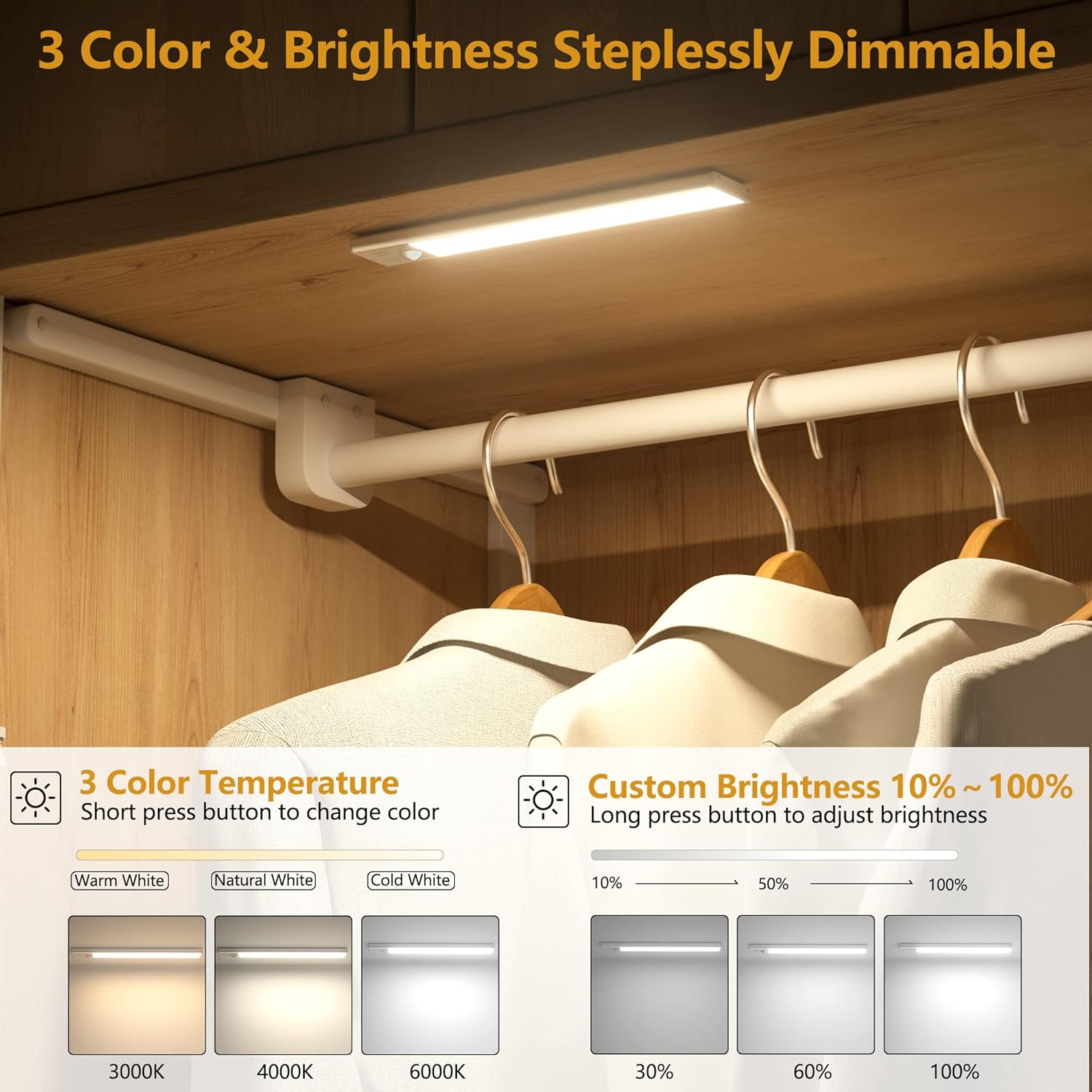
Image 5.1: Color temperature and brightness adjustment.
Motion Sensor Operation
In Motion Sensor Mode, the light will automatically activate when human motion is detected within a 10ft (3m) range and a 100° detection angle. The light will remain on for 20 seconds after motion ceases, then automatically turn off. This mode only functions in dim environments to conserve energy.
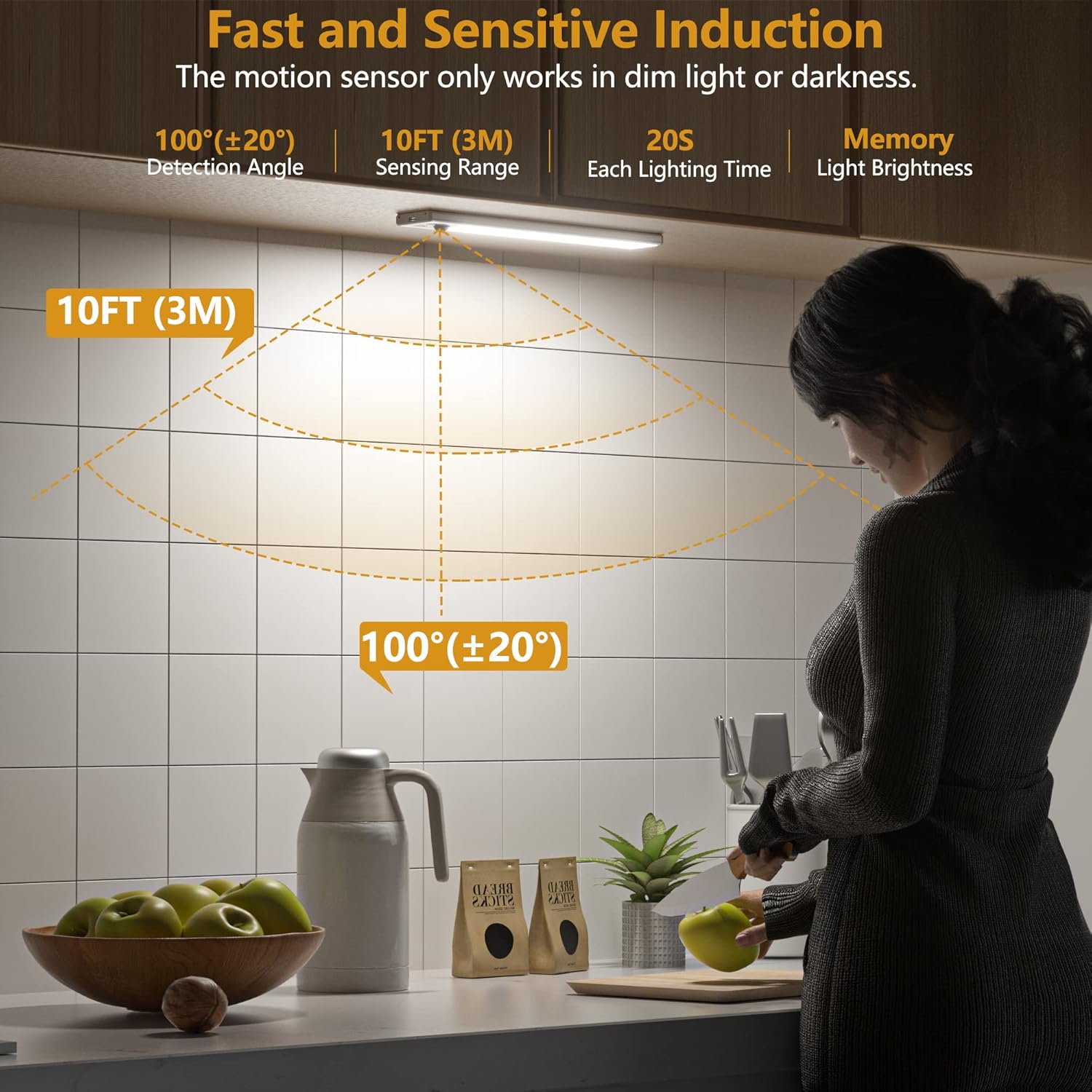
Image 5.2: Motion sensor detection range and angle.
Official Product Video: Features and Usage
Video 5.1: This video provides a comprehensive overview of the DEALGADGETS Motion Sensor Light, demonstrating its ultra-thin design, USB-C fast charging, 1000mAh rechargeable battery, Always-on Mode, Motion Sensor Mode, 3-color temperature adjustment, and brightness dimming. It also shows the magnetic installation and various application scenarios.
6. Charging
The LED lights are equipped with a built-in 1000mAh rechargeable battery and can be charged using the included USB-C cable.
- Connect the USB-C cable to the charging port on the light and to a compatible USB power source (e.g., computer, power bank, USB outlet).
- A red light indicates that the device is currently charging.
- A green light indicates that the device is fully charged.
- Full charging typically takes 3-4 hours.
- Battery life varies: 5-80 hours in Always-on Mode (depending on brightness) or 7-25 days in Motion Sensor Mode (depending on frequency of use).
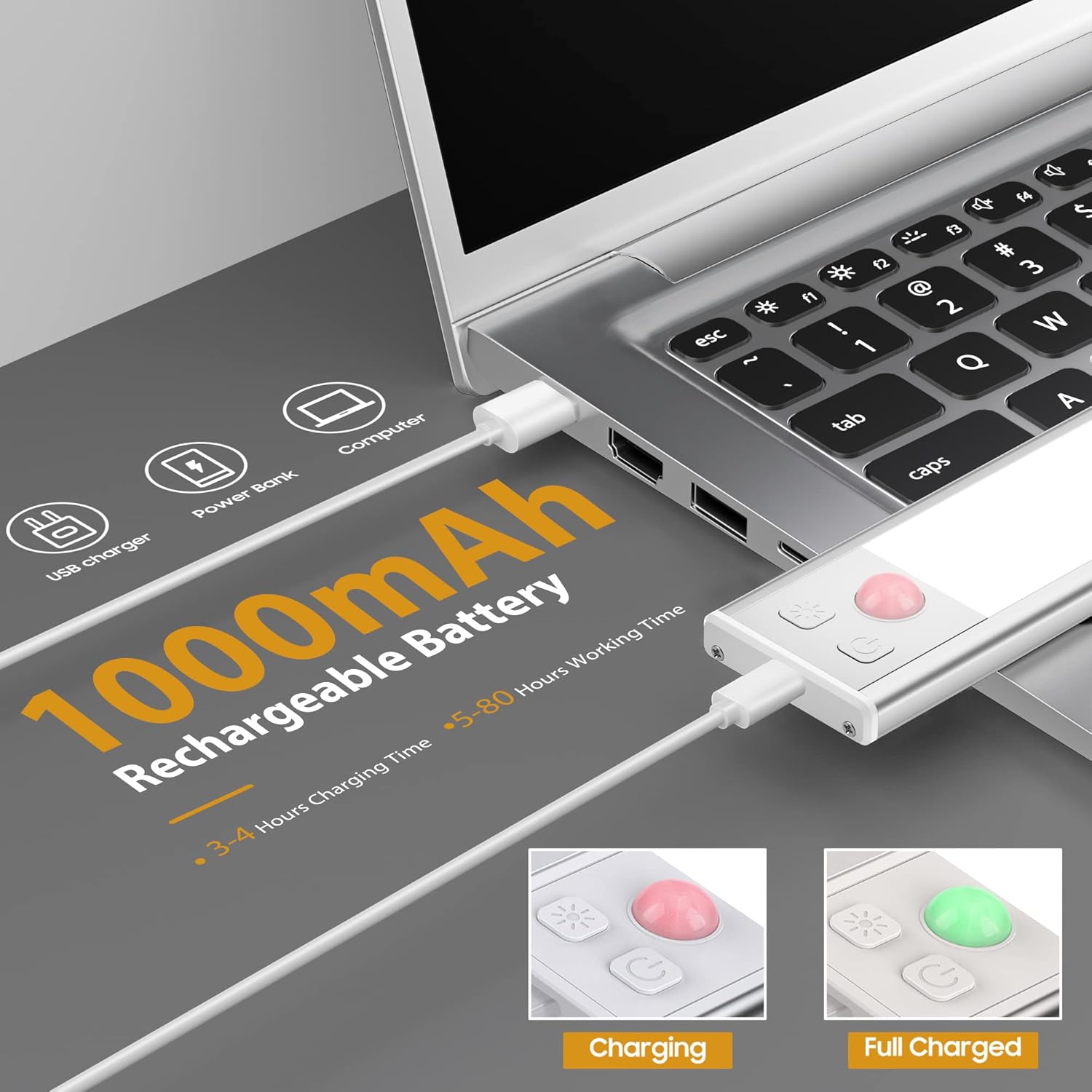
Image 6.1: USB-C charging and indicator lights.

Image 6.2: USB-C fast charging details and battery performance.
7. Maintenance
- Cleaning: Wipe the light surface with a soft, dry cloth. Do not use abrasive cleaners or solvents.
- Storage: If storing for an extended period, ensure the battery is fully charged and store in a cool, dry place. Recharge periodically to maintain battery health.
- Water Resistance: This product is designed for indoor use and is not water-resistant. Avoid exposure to water or high humidity.
8. Troubleshooting
- Light not turning on:
- Ensure the battery is charged. Connect to a USB-C charger and check for the red indicator light.
- Verify the light is not in 'OFF' mode. Press the power button once for 'Always-on' or twice for 'Motion Sensor' mode.
- Motion sensor not working:
- Ensure the light is in 'Motion Sensor Mode' (indicated by two flashes when selected).
- The motion sensor only activates in dim environments. Test in a dark area.
- Check for obstructions blocking the sensor.
- Short battery life:
- High brightness settings consume more power. Try reducing the brightness.
- Frequent activation in Motion Sensor Mode will reduce battery life.
- Ensure the light is fully charged (green indicator light).
- Light flickering:
- The battery might be low. Recharge the device.
- Ensure the USB-C cable is securely connected during charging.
9. Specifications
| Feature | Specification |
|---|---|
| Model Name | under cabinet light |
| Item Model Number | GLS-C018 |
| Part Number | GLS-C016 |
| Brand | DEALGADGETS |
| Size | 8.07 Inch - 3 Pack |
| Product Dimensions | 8.07 x 1.57 x 0.35 inches |
| Item Weight | 14.4 ounces |
| Material | Aluminum |
| Finish Type | Polished |
| Light Source Type | LED (29 LEDs) |
| Color Temperature | 3 Color Temperatures (Warm White, Natural White, Cold White) |
| Brightness | 10%-100% Stepless Dimming |
| Power Source | Battery Powered (1 Lithium Metal battery included) |
| Battery Capacity | 1000mAh |
| Charging Time | 3-4 hours (USB-C) |
| Motion Sensor Range | 10ft / 100° |
| Motion Sensor Activation | Only in dim environments |
| Auto-off Time (Motion Sensor) | 20 seconds of no movement |
| Installation Type | Magnetic Mount, Adhesive |
| Indoor/Outdoor Usage | Indoor |
| Water Resistance Level | Not Water Resistant |
10. Warranty and Support
DEALGADGETS offers lifetime free replacement and 24-hour friendly service for this product. If you encounter any problems or have questions, please feel free to contact DEALGADGETS customer support for assistance.
For support, please refer to the contact information provided with your purchase or visit the official DEALGADGETS website.