
1. Product Overview
These replacement earpads are designed for Mpow H10 and H12 wireless headphones. They are crafted from protein leather and memory foam to provide enhanced comfort and improved sound isolation. This manual provides guidance on installation, care, and specifications.

Image 1.1: HTINDUSTRY Replacement Earpads. The image shows a pair of black replacement earpads, with one earpad clearly displaying an 'L' for left, indicating proper orientation.
2. Compatibility
These earpads are specifically compatible with the following headphone models:
- Mpow H10 Wireless Headphones
- Mpow H12 Wireless Headphones
Please verify your headphone model before proceeding with installation.

Image 2.1: Headphone Compatibility. This image illustrates the Mpow H10 and Mpow H12 headphones, confirming their compatibility with the replacement earpads.
3. Features and Components
The HTINDUSTRY replacement earpads are designed with the following features:
- Protein Leather: Skin-friendly material for superior comfort during extended listening sessions.
- Memory Foam: High-quality memory foam conforms to the ear, reducing pressure and enhancing noise isolation.
- Professional Design: Engineered to fit your headphones perfectly, following the original design.

Image 3.1: Comfort and Durability. This image highlights the protein leather exterior and memory foam interior of the earpads, emphasizing their comfort and sound-blocking properties.

Image 3.2: Enhanced Sound and Supreme Comfort. This graphic details how the high-quality memory foam contributes to enhanced sound and the protein leather provides supreme comfort.
4. Installation Instructions
No special tools or glue are required for installation. Follow these steps to replace your earpads:
- Gently remove the old earpads from your Mpow H10 or H12 headphones. They are typically held in place by a rim or clips.
- Align the new replacement earpad with the headphone cup. Ensure the 'L' (Left) and 'R' (Right) markings on the earpads correspond to the correct side of your headphones.
- Press firmly around the edges of the earpad to secure it onto the headphone cup. The earpad should snap or fit snugly into place.
- Repeat the process for the other earpad.
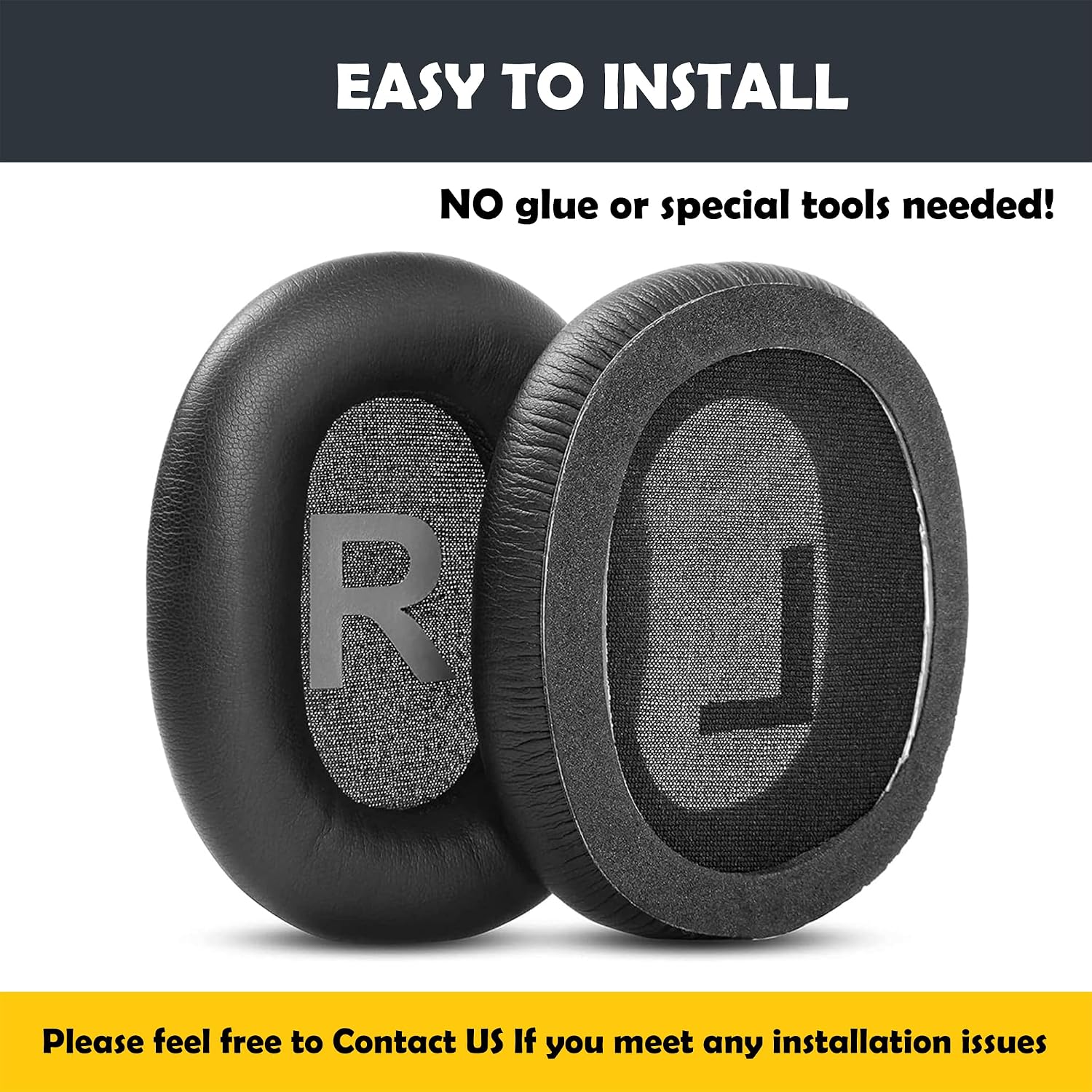
Image 4.1: Easy Installation. This image shows the back of the earpads with 'R' and 'L' markings, indicating they are ready for installation without special tools.

Image 4.2: Earpad Replacement Diagram. A visual representation of how the replacement earpads are fitted onto the Mpow headphones.
Installation Video Guide
Video 4.1: Earpads Replacement Guide. This video demonstrates the process of replacing the earpads on compatible headphones, showing the flexibility and fit of the new cushions.
5. Specifications
| Feature | Detail |
|---|---|
| Material | Protein Leather, Memory Foam |
| Compatibility | Mpow H10, Mpow H12 Wireless Headphones |
| Package Contents | 2 x Replacement Earpad Cushions |
| Dimensions (Approximate) | 3.9" (100mm) Length, 3" (80mm) Width, 0.78" (20mm) Thickness |
| Item Weight | 0.704 ounces (per pair) |

Image 5.1: Earpad Size Chart. This image provides detailed dimensions of the replacement earpads, including length, width, and thickness.

Image 5.2: Package Contents. The image displays the typical package contents, which include two replacement earpad cushions.
6. Care and Maintenance
To ensure the longevity and hygiene of your replacement earpads, follow these care instructions:
- Cleaning: Wipe the protein leather surface gently with a soft, damp cloth. Avoid using harsh chemicals or abrasive cleaners, as these can damage the material.
- Storage: Store headphones in a clean, dry place away from direct sunlight and extreme temperatures when not in use.
- Avoid Punctures: Be careful not to puncture or tear the earpad material, as this can compromise comfort and sound isolation.
7. Troubleshooting
If you encounter any issues during or after installation, consider the following:
- Earpad Not Fitting: Double-check that you have the correct earpads for your specific Mpow H10 or H12 model. Ensure the earpad is properly aligned with the headphone cup's rim before applying pressure.
- Discomfort: Allow a short period for the memory foam to adapt to the shape of your ears. If discomfort persists, ensure the earpads are correctly seated and not twisted.
- Reduced Sound Quality/Isolation: Verify that the earpads are fully sealed around the headphone cups. Gaps can lead to sound leakage and reduced noise isolation.
For further assistance, please refer to the customer service information below.
8. Customer Service and Support
HTINDUSTRY is committed to providing high-quality products and customer satisfaction. If you have any questions, concerns, or require assistance with your replacement earpads, please contact our customer support team.
We aim to respond with satisfactory solutions within 24 hours.
For support, please visit the HTINDUSTRY Store on Amazon or contact us through the platform where you purchased the product.
9. Safety Information
Please observe the following safety guidelines:

Image 9.1: Packaging Safety Warnings. This image displays various language warnings about the suffocation hazard of plastic bags, advising to keep them away from children.
- Plastic Packaging: To avoid danger of suffocation, keep all plastic bags and packaging away from babies and children. Do not use this bag in cribs, beds, carriages, or playpens. This bag is not a toy.
- Disposal: Dispose of packaging materials responsibly, following local recycling guidelines.