
WZYBUTA ZQ02621
WZYBUTA 200W RGBW LED Beam Moving Head Light
Model: ZQ02621 - Instruction Manual
1. Introduction
Thank you for purchasing the WZYBUTA 200W RGBW LED Beam Moving Head Light. This professional stage lighting fixture is designed to create dynamic and vibrant lighting effects for various events, including parties, clubs, bars, and stage performances. Featuring multiple LED types and advanced control options, this device offers versatility and high performance. Please read this manual thoroughly before operation to ensure safe and correct usage.
2. Safety Information
Always observe the following safety precautions to prevent electric shock, fire, or injury:
- Electrical Safety: Ensure the power supply matches the device's requirements (AC110-240V, 50/60Hz). Always connect to a grounded outlet. Disconnect power before cleaning or servicing.
- Installation: Install the device in a well-ventilated area, away from flammable materials. Ensure secure mounting to prevent accidental falls.
- Operation: Do not look directly into the light source, as it can cause eye damage. Avoid operating in wet or damp conditions. Keep away from children.
- Maintenance: Refer all servicing to qualified personnel. Do not attempt to repair the unit yourself.
- Laser Safety: This product includes laser effects. Avoid direct eye exposure to laser beams. Do not modify the laser components.
3. Package Contents
Verify that all items listed below are included in your package:
This image displays the WZYBUTA 200W RGBW LED Beam Moving Head Light along with its accessories, including the power cord, quick lock bracket, instruction manual, and safety rope.
- LED Moving Head Light (1 unit)
- Power Cord (1 unit)
- Quick Lock Bracket (1 unit)
- Instruction Manual (1 unit)
- Safety Rope (1 unit)
4. Setup
Follow these steps to set up your moving head light:
- Unpacking: Carefully remove the light fixture and all accessories from the packaging. Inspect for any signs of damage during transit.
- Placement/Mounting: The light can be placed on a flat surface or mounted using the provided quick lock bracket. Ensure the mounting surface or truss is capable of supporting the device's weight (Net Weight: 5.8 kg / 12.7 lbs). Use the safety rope as an additional security measure when hanging the unit.
- Power Connection: Connect the power cord to the "POWER IN" port on the rear of the unit and then to a suitable power outlet (AC110-240V, 50/60Hz).
- DMX Connection (Optional): If using DMX control, connect a DMX cable from your DMX controller to the "DMX IN" port. For multiple units, daisy-chain them by connecting the "DMX OUT" of the first unit to the "DMX IN" of the next.
This image shows the rear panel of the moving head light, highlighting the DMX IN/OUT ports, POWER IN/OUT connections, and the main ON/OFF switch. These are crucial for proper setup and control.
5. Operating Instructions
The WZYBUTA 200W Moving Head Light offers multiple operating modes and effects.
5.1 Control Panel and Display

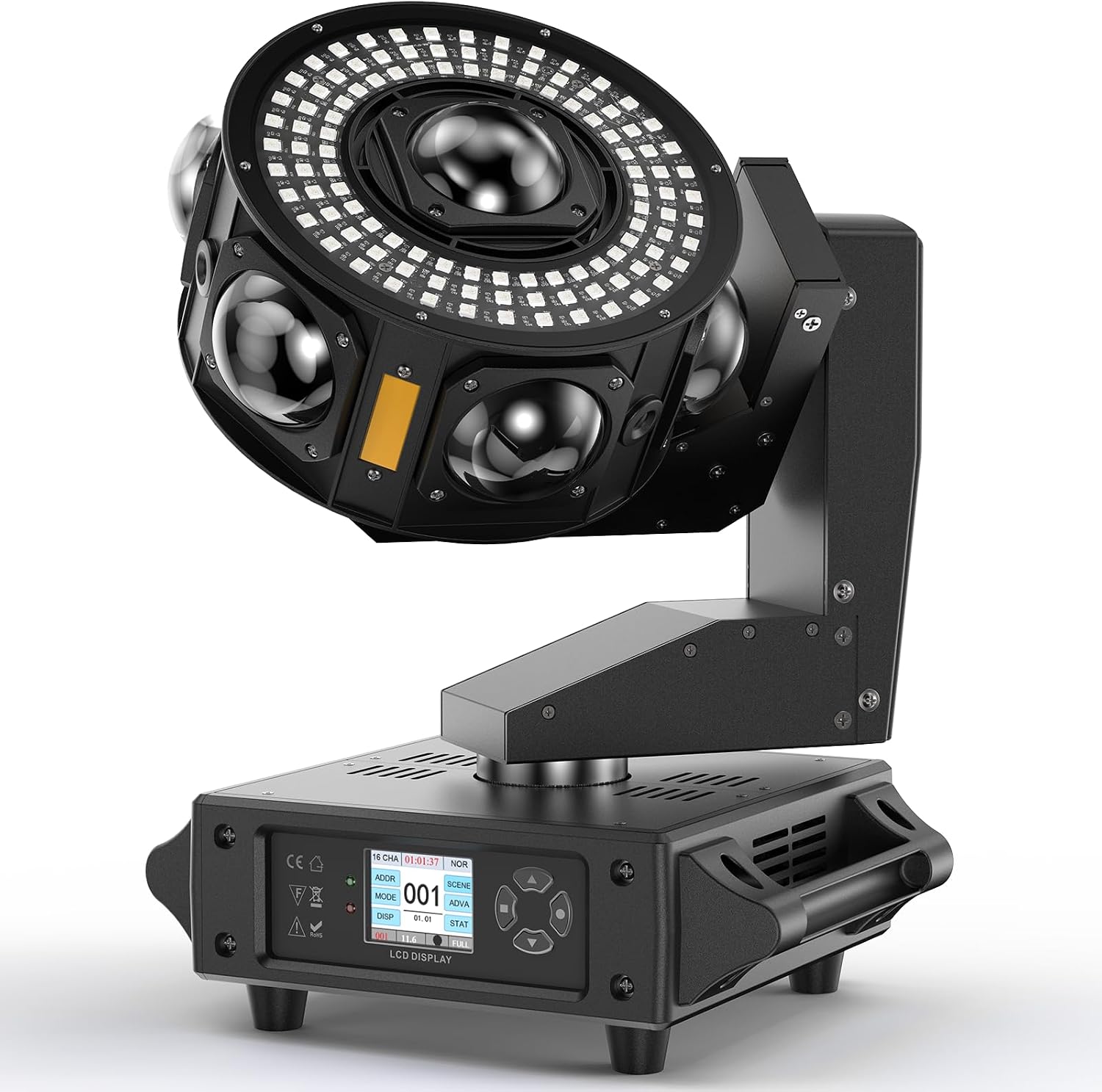
The front of the light features an LCD display and control buttons for navigating menus and selecting operating modes and settings. The display shows current mode and channel information.
Use the buttons next to the 1.77-inch LCD display to navigate through menus and adjust settings. The display will show the current mode and DMX channel (e.g., 19CH or 25CH).
5.2 Operating Modes
- DMX-512 Control: Connect to a DMX controller using 3-pin DMX cables. Select either 19CH or 25CH mode on the fixture to match your controller's settings. This mode allows for precise control over all light functions.
- Master-Slave Mode: Connect multiple units via DMX cables. Set one unit as the "Master" and the others as "Slave." The slave units will mimic the master's movements and effects.
- Sound Activated Mode: The light will react to ambient sound or music, changing patterns and movements in sync with the beat.
- Automatic Mode (Self-Propelled): The light will run through pre-programmed sequences and effects automatically without external control.
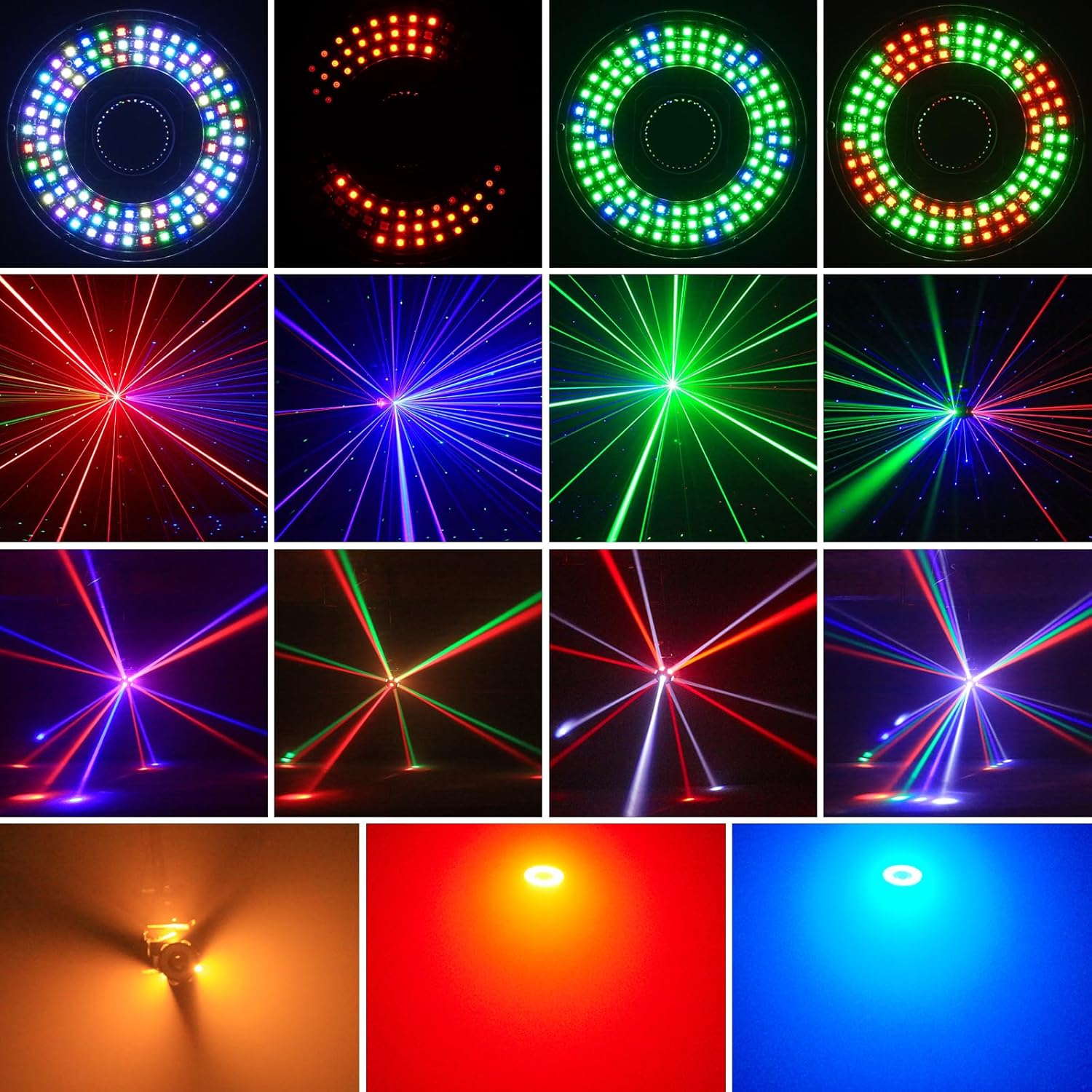
5.3 Lighting Effects
This fixture combines multiple light sources to create a wide array of effects:
- RGBW Beam Effects: Produced by 7 high-brightness RGBW LEDs, creating sharp, colorful beams.
- RGB Halo Show Effects: Generated by 108 RGB LEDs arranged in a circular pattern, offering dynamic color-chasing and static color options.
- Golden LED Strobe Effects: 3 powerful golden strobe LEDs provide intense flashing effects.
- R/G/B Starry Sky Laser Effects: Red, Green, and Blue lasers project a "starry sky" or scattered dot pattern.

This image showcases the diverse lighting effects produced by the unit, including vibrant RGBW beams, dynamic RGB halo patterns, and intricate laser effects, demonstrating its versatility for different atmospheres.
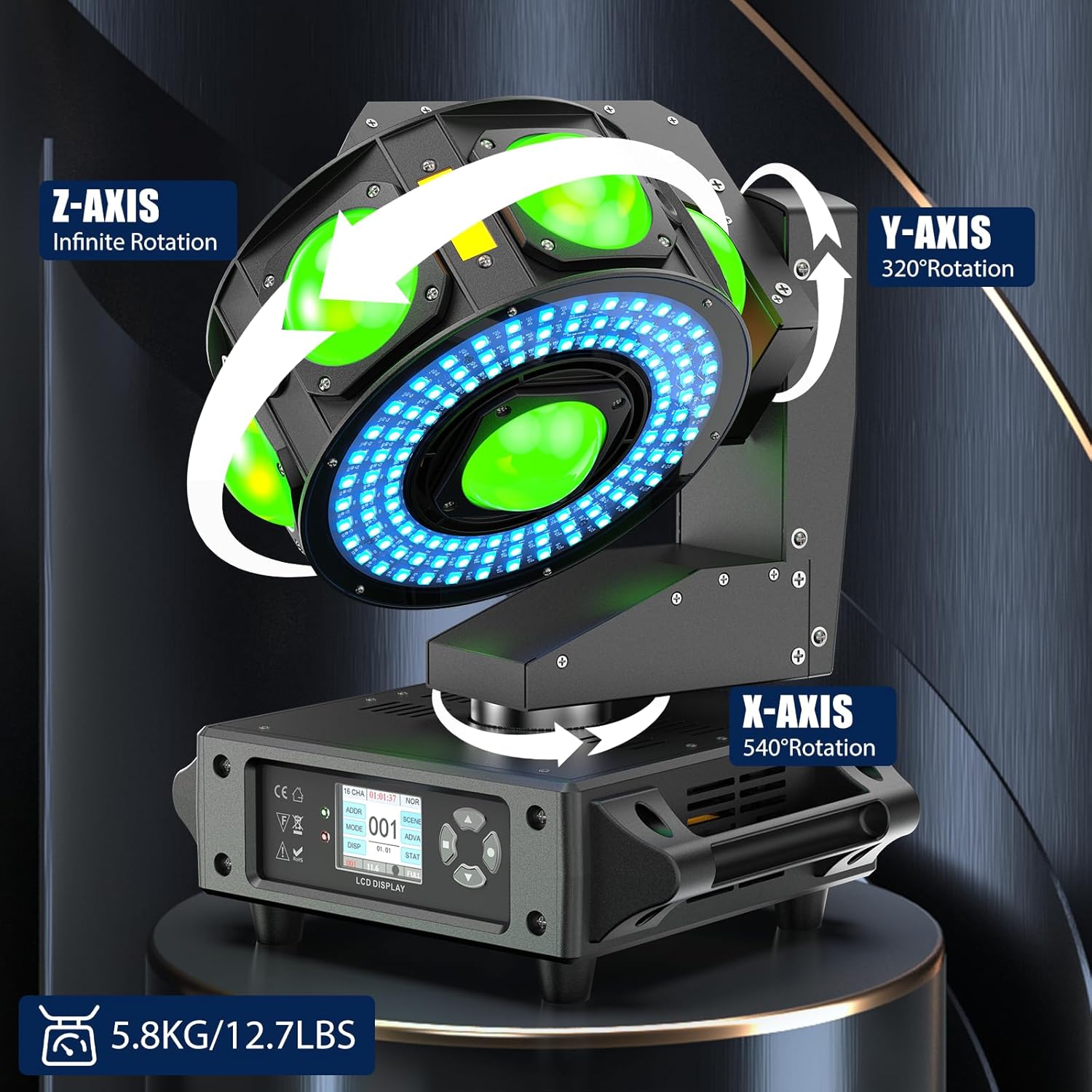
5.4 Axis Rotation

The diagram illustrates the three-axis rotation capabilities of the moving head light: X-axis (Pan) with 540° rotation, Y-axis (Tilt) with 320° rotation, and Z-axis with infinite rotation, allowing for dynamic and complex light movements.
- X-Axis (Pan): 540° rotation with 8/16bit fine-tuning.
- Y-Axis (Tilt): 320° rotation with 8/16bit fine-tuning.
- Z-Axis: Infinite rotation for continuous spinning effects.
5.5 Video Demonstration
This video demonstrates the various multi-effect capabilities of the WZYBUTA 200W RGBW LED Beam Moving Head Light, including RGBW beam effects, RGB color-chasing effects, starry sky laser effects, and golden strobe effects. It also briefly shows the control panel and technical parameters.
6. Maintenance
Regular maintenance ensures optimal performance and extends the lifespan of your light fixture.
- Cleaning: Periodically clean the lenses and exterior casing with a soft, lint-free cloth. Do not use abrasive cleaners or solvents. Ensure the unit is powered off and unplugged before cleaning.
- Cooling Fan: The unit features a cooling fan to maintain optimal operating temperature. Ensure the fan vents are clear of dust and obstructions to prevent overheating.
- Inspection: Regularly check power cables, DMX cables, and mounting hardware for any signs of wear or damage. Replace any damaged components immediately.
7. Troubleshooting
If you encounter issues, refer to the following common problems and solutions:
| Problem | Possible Cause | Solution |
|---|---|---|
| No power | Power cable disconnected, faulty outlet, blown fuse. | Check power connections. Test the outlet. Replace the fuse if necessary. |
| No DMX control | Incorrect DMX cable connection, wrong DMX address, incorrect channel mode. | Ensure DMX cables are correctly connected. Verify DMX address and channel mode (19CH/25CH) on the fixture and controller. |
| Light not moving | Motor issue, DMX signal problem, mode selection. | Check DMX signal. Try different operating modes (e.g., Auto mode) to isolate the issue. If problem persists, contact support. |
| Dim or flickering lights | Power supply issue, LED fault, overheating. | Ensure stable power supply. Check for proper ventilation. If problem persists, contact support. |
8. Specifications
Detailed technical specifications for the WZYBUTA 200W RGBW LED Beam Moving Head Light:
| Feature | Detail |
|---|---|
| Rated Voltage | AC110 - 240V, 50 / 60Hz |
| Lamp Beads | 7pcs RGBW LEDs + 108pcs RGB LEDs + Red/Green/Blue Laser Light + 3pcs Golden Strobe LEDs |
| Output Angle | 2 Degree |
| Average LED Lifespan | 20000h |
| Lighting Effects | LED Beam Effects, RGB Halo Show Effects, Golden LED Strobe Effects, R/G/B Starry Sky Laser Effects |
| Dimming | 0~100% Linear Dimming |
| Strobe | 0 - 20 Times/Second |
| X-Axis | 540° Fine-Tuning 8/16bit |
| Y-Axis | 320° Fine-Tuning 8/16bit |
| Z-Axis | Infinite Rotation |
| Working Mode | D-M-X512 Signal, Master-Slave, Self-Propelled, Voice Control |
| Control Channel | 19 / 25CH |
| Surface Display | 1.77-Inch Color Display |
| Protection Level | IP20 |
| Product Size | 26.2 x 29.67 x 33.48 cm / 10.3 x 11.7 x 13.2 in |
| Product Net Weight | 5.8 kg / 12.7 lb |
This image displays the energy efficiency label for a similar WZYBUTA light fixture (model ZQ02253EU), indicating an energy class E and consumption of 100 kWh per 1000 hours. For detailed product information, refer to the EPREL database.
9. Warranty and Support
WZYBUTA products are designed for reliability and performance. For warranty information, technical support, or service inquiries, please contact your retailer or the official WZYBUTA customer service. Keep your purchase receipt as proof of purchase.
Return Policy: This product is eligible for a refund/replacement within 14 days of purchase, as per standard return policies.
Ask a question about this manual
Ask about setup, troubleshooting, compatibility, parts, safety, or missing instructions. Manuals+ will review the question and use this page’s manual context to help answer it.