
1. Introduction
This manual provides essential information for the safe and efficient operation of your km5 Instant Disk Audio-CP1 Bluetooth CD Player. Please read this manual thoroughly before using the device and retain it for future reference.
2. Safety Information
- Do not expose the device to water, moisture, or extreme temperatures.
- Avoid dropping or subjecting the device to strong impacts.
- Do not attempt to disassemble, repair, or modify the device yourself. Contact qualified service personnel.
- Use only the provided USB Type-C cable for charging.
- Keep the device away from strong magnetic fields.
- Ensure proper ventilation when operating the device.
3. Package Contents
Verify that all items are present in the package:
- km5 Instant Disk Audio-CP1 CD Player
- USB Type-C Charging Cable
- User Manual (this document)
4. Product Overview
Familiarize yourself with the components and controls of your CD player.
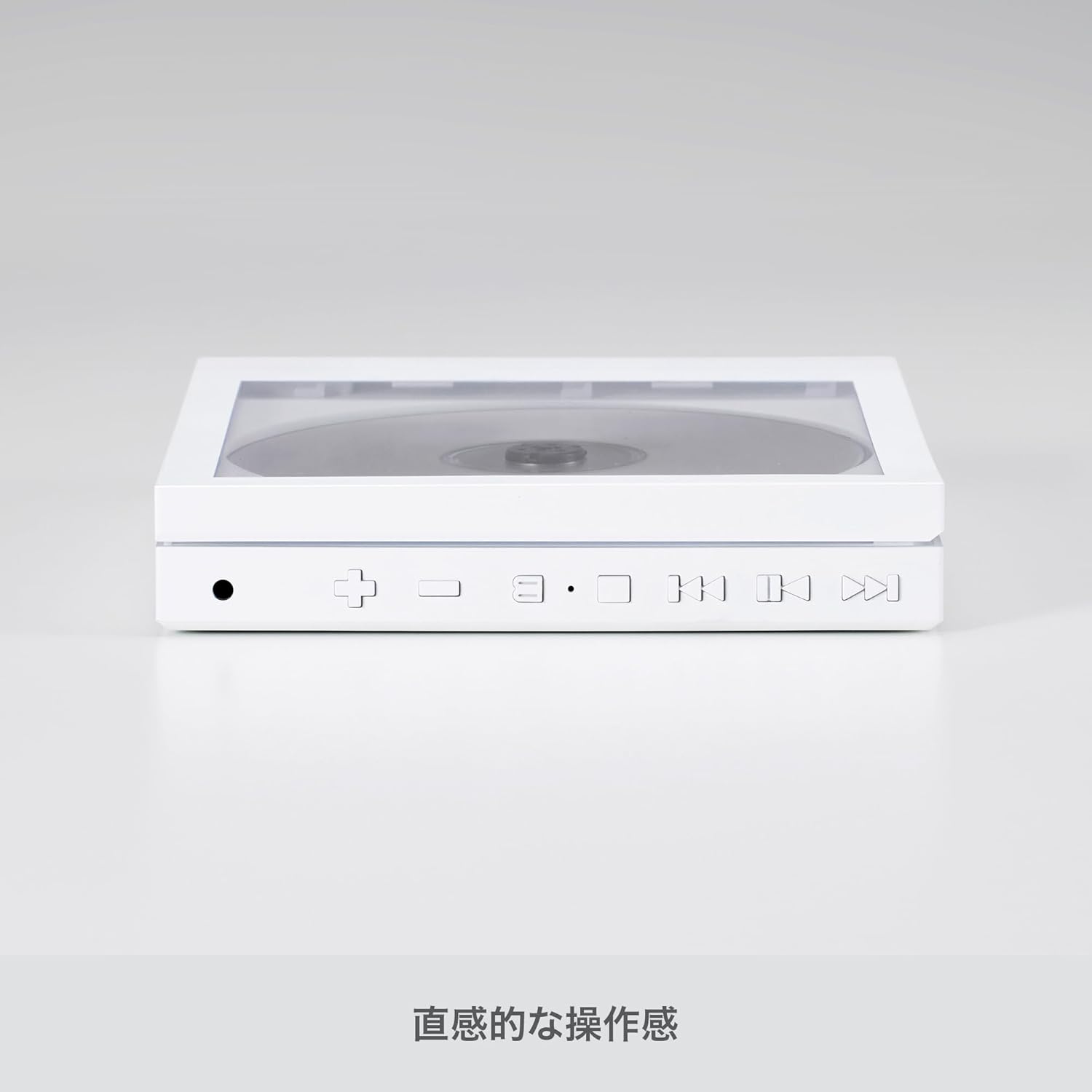
Image: Side view of the km5 Instant Disk Audio-CP1 CD player, illustrating the intuitive control buttons and ports for operation.
Controls and Ports:
- Power/Play/Pause Button: Press to power on/off, play, or pause playback.
- Skip Forward/Volume Up Button (+): Press to skip to the next track. Hold to increase volume.
- Skip Backward/Volume Down Button (-): Press to skip to the previous track. Hold to decrease volume.
- Mode Button: Cycles through playback modes (e.g., repeat, shuffle).
- Bluetooth Button: Activates Bluetooth pairing mode.
- 3.5mm Headphone Jack: For wired headphone connection.
- USB Type-C Port: For charging the device.
- Lock Switch (on back): Prevents accidental button presses during transport.
- Playback Mode Switch (on back): Selects between Full CD Play, Full CD Loop, or Single Track Loop.
5. Setup
5.1. Charging the Battery
- Connect the supplied USB Type-C cable to the charging port on the device.
- Connect the other end of the USB Type-C cable to a compatible USB power adapter (5V, not included) or a computer's USB port.
- The charging indicator will illuminate. Charge the device until the indicator shows a full charge (approximately 7-8 hours of playback per charge).
5.2. Inserting a CD

Image: The km5 Instant Disk Audio-CP1 CD player with a CD in place, demonstrating the clear cover that allows the CD artwork to be visible.
- Gently open the CD compartment lid.
- Place the CD onto the spindle with the label side facing up. Ensure the CD is securely seated.
- Close the CD compartment lid firmly until it clicks into place.
6. Operating Instructions
6.1. Power On/Off
- To power on, press and hold the Power/Play/Pause button until the display illuminates.
- To power off, press and hold the Power/Play/Pause button until the display turns off.
6.2. Basic Playback
- Play/Pause: Press the Power/Play/Pause button to start or pause playback.
- Skip Tracks: Press the Skip Forward (+) or Skip Backward (-) buttons to navigate between tracks.
- Volume Control: Hold the Skip Forward (+) button to increase volume. Hold the Skip Backward (-) button to decrease volume.
6.3. Playback Modes
Use the slide switch located on the back of the device to select your desired playback mode:
- Full CD Playback: Plays all tracks on the CD once.
- Full CD Loop: Repeats all tracks on the CD continuously.
- Single Track Loop: Repeats the current track continuously.
6.4. Bluetooth Connection
Connect your CD player to Bluetooth headphones or speakers.
- Ensure the CD player is powered on.
- Press the Bluetooth button on the CD player to enter pairing mode. The Bluetooth indicator will flash.
- Activate Bluetooth on your external audio device (headphones, speaker) and set it to pairing mode.
- Select "Instant Disk Audio-CP1" from the list of available devices on your external audio device.
- Once connected, the Bluetooth indicator on the CD player will stop flashing and remain solid.
6.5. Using Wired Headphones
Plug your 3.5mm wired headphones into the headphone jack on the side of the device.
6.6. Lock Function
To prevent accidental button presses, slide the Lock switch on the back of the device to the 'Lock' position. This will disable all control buttons until unlocked.
7. Maintenance
7.1. Cleaning
- Wipe the exterior of the device with a soft, dry cloth.
- Do not use abrasive cleaners, solvents, or strong chemicals.
- Keep the CD compartment free of dust and debris.
7.2. Storage
- Store the device in a cool, dry place away from direct sunlight and extreme temperatures.
- Remove any CD from the player before storing for extended periods.
7.3. Disc Care
- Handle CDs by their edges to avoid fingerprints and scratches.
- Clean dirty CDs with a soft, lint-free cloth, wiping from the center outwards.
- Do not use cracked or severely scratched CDs, as they may damage the player.
8. Troubleshooting
| Problem | Possible Cause | Solution |
|---|---|---|
| Device does not power on. | Battery is depleted. | Charge the device using the USB Type-C cable. |
| No sound from headphones/speakers. | Volume is too low. Headphones not connected properly. Bluetooth not paired. | Increase volume. Ensure headphones are fully plugged in. Re-pair Bluetooth device. |
| CD does not play or skips. | CD is dirty, scratched, or incorrectly inserted. | Clean the CD. Ensure the CD is correctly seated. Try a different CD. |
| Player stops and restarts during playback. | Normal operation due to anti-shock memory buffer. | This is expected behavior. The audio output remains continuous. |
| Buttons are unresponsive. | Lock function is activated. | Slide the Lock switch on the back of the device to the 'Unlock' position. |
9. Specifications
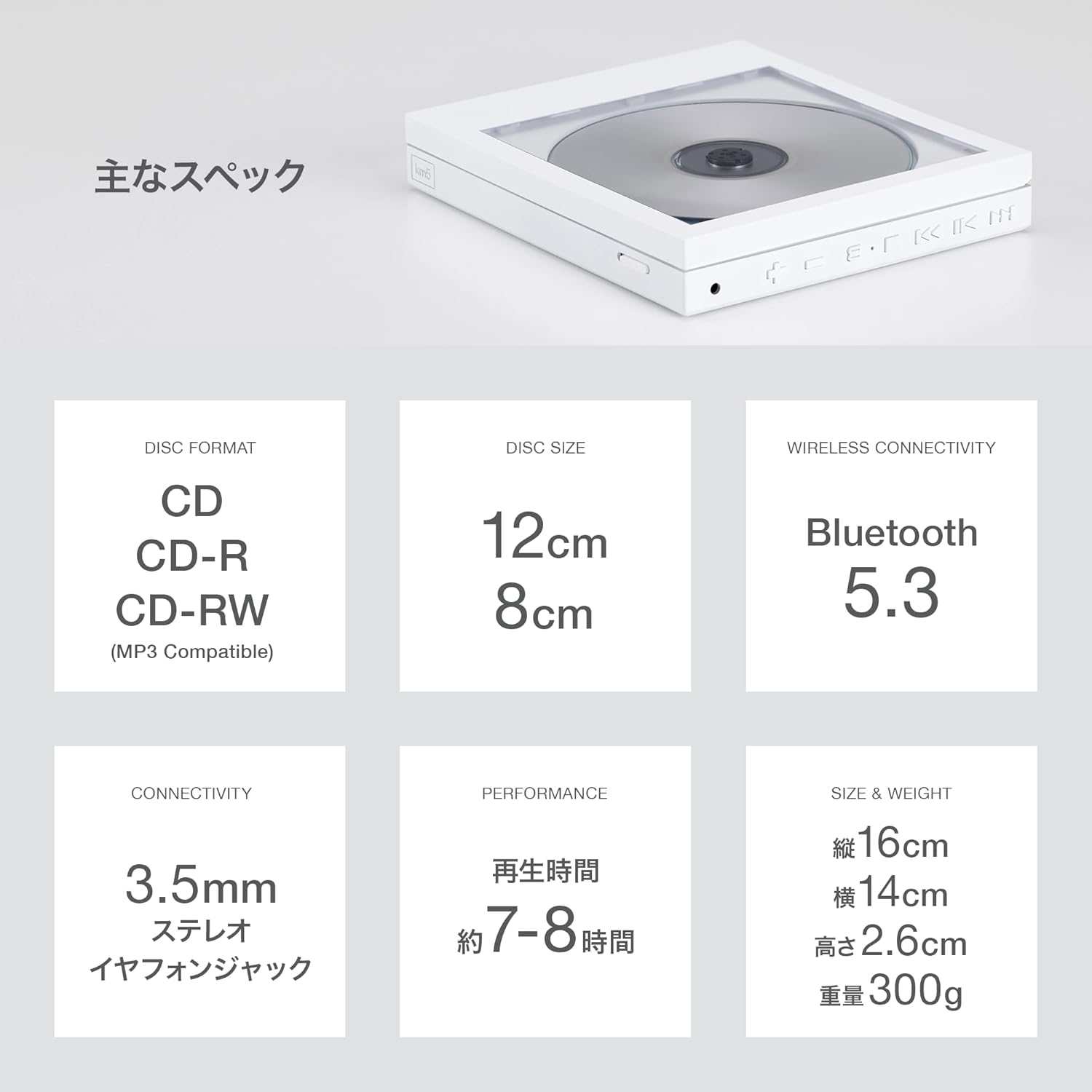
Image: A visual summary of the km5 Instant Disk Audio-CP1's main specifications.
| Feature | Detail |
|---|---|
| Model Number | CP1 |
| Disc Formats Supported | CD, CD-R, CD-RW, MP3 |
| Disc Size | 12 cm or 8 cm |
| Connectivity | Bluetooth 5.0 (BT966 mode), 3.5mm Stereo Headphone Jack |
| Anti-Shock Protection (ASP) | 2M SDRAM |
| Power Source | USB 5V, Built-in Lithium-ion Battery (1800 mAh) |
| Playback Time | Approx. 7-8 hours (on full charge) |
| Charging Method | USB Type-C |
| Dimensions (L x W x H) | 160 x 140 x 26 mm (6.3 x 5.5 x 1.0 inches) |
| Weight | 300 g (0.66 lbs) |
| Color | Black |
10. Warranty and Support
For warranty information and technical support, please refer to the documentation provided at the time of purchase or contact your retailer. Keep your proof of purchase for any warranty claims.