Package Contents
- Libovgogo DF-585 Emergency Radio Lantern
- USB-C Charging Cable
- User Manual

Model: DF-585 | Brand: Libovgogo
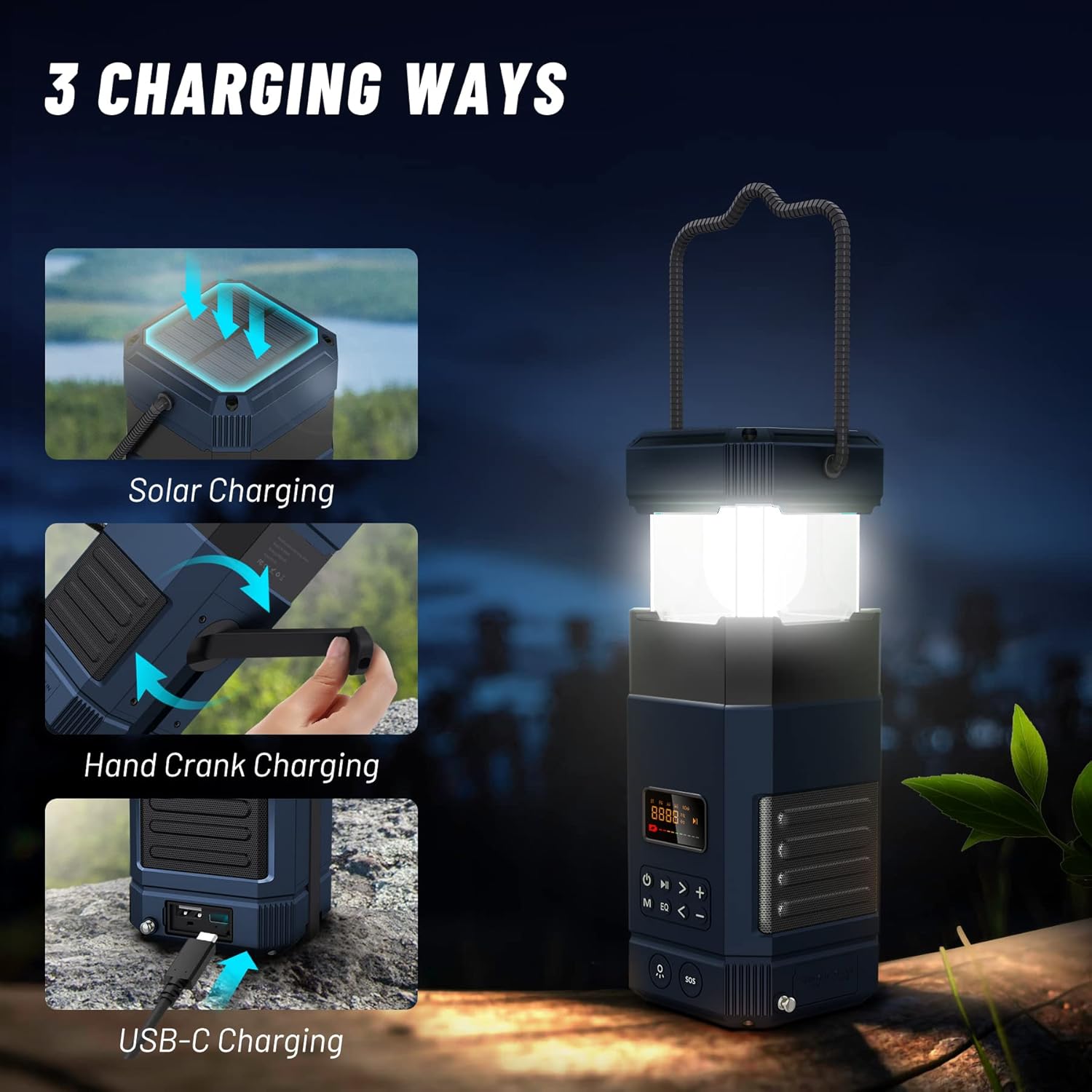
The Libovgogo DF-585 is a versatile and robust device designed for outdoor adventures and emergency preparedness. It integrates multiple essential functions including a powerful LED camping lantern, a stereo Bluetooth speaker, an AM/FM/NOAA weather alert radio, and a 5000mAh power bank for charging mobile devices. With multiple charging options including hand crank, solar, and USB-C, it ensures reliable performance in various situations. Its IPX5 waterproof rating makes it suitable for outdoor use in challenging weather conditions.
Before first use, fully charge the device using the provided USB-C cable. Connect the USB-C end to the device's input port (located under the protective flap on the side) and the USB-A end to a compatible USB power adapter (not included) or computer USB port. The LCD screen will indicate charging status. A full charge ensures optimal performance.
To power on the device, long-press the power button (located on the front panel). The LCD screen will illuminate. To power off, long-press the power button again until the screen turns off.
To activate the lantern, gently pull the top section of the device upwards. The lantern will automatically illuminate. Push the top section back down to turn off the lantern. The lantern offers three light colors: yellow, white, and warm white. Cycle through these options by pressing the dedicated light button (located on the front panel, below the main controls).

The device features a super bright flashlight at its base. Press the flashlight button (located next to the SOS button) to turn it on. Press again to activate the strobe light function. A third press will activate the SOS alarm, which includes a loud siren (110dB) and flashing red and blue lights for emergency signaling. Pressing the button a fourth time will turn off the SOS alarm.

To access radio mode, press the 'M' (Mode) button until "FM", "AM", or "NOAA" appears on the LCD screen. The device supports automatic scanning and storage of channels. Use the arrow buttons to tune to desired frequencies or navigate through saved channels. Extend the telescopic antenna for improved signal reception.

Press the 'M' (Mode) button until "BLUE" appears on the LCD screen. The device is now in Bluetooth pairing mode. Enable Bluetooth on your smartphone or other compatible device and select "Libovgogo DF-585" from the list of available devices to connect. Once paired, you can stream audio through the integrated stereo speakers. Adjust volume using the '+' and '-' buttons.

The built-in 5000mAh lithium polymer battery allows the DF-585 to function as a power bank. Connect your mobile phone or other USB-powered device to the USB-A output port (located under the protective flap). The device will begin charging your external device. This feature is particularly useful in emergency situations when traditional power sources are unavailable.

The DF-585 offers three convenient charging methods:
Video 1: Demonstration of the Libovgogo DF-585's various features, including charging methods, radio, and light functions.
| Problem | Possible Cause / Solution |
|---|---|
| Device not powering on. | Battery may be depleted. Charge the device using USB-C, hand crank, or solar. Ensure the power button is long-pressed. |
| Poor radio reception. | Extend the telescopic antenna fully. Try repositioning the device for better signal. |
| Bluetooth not connecting. | Ensure the device is in Bluetooth mode ("BLUE" on screen). Check that Bluetooth is enabled on your external device and "Libovgogo DF-585" is selected. Try restarting both devices. |
| External device not charging. | Ensure the DF-585 has sufficient charge. Check the USB cable connection. Some devices may require more power than the 1.5A output can provide for fast charging. |
| Device frozen or unresponsive. | Locate the small reset button (often a pinhole) near the USB ports. Use a thin object (like a paperclip) to press the reset button. This will restart the device without losing data. |
Libovgogo is committed to providing reliable products and excellent customer service.