
MEGA MOTION Z29
MEGA MOTION Hoverboard Z29 User Manual
Model: Z29 | Brand: MEGA MOTION
1. Important Safety Information
Before operating your MEGA MOTION Hoverboard Z29, please read all safety instructions carefully. Failure to follow these instructions may result in serious injury or damage to the product.
- Protective Gear: Always wear appropriate safety gear, including a helmet, knee pads, and elbow pads, when riding the hoverboard.
- Pre-Ride Check: Before each use, inspect the hoverboard for any signs of damage, loose parts, or unusual noises. Ensure the wheels are clear of obstructions.
- Weight Limits: The hoverboard is designed to support a minimum weight of 20 kg and a maximum weight of 100 kg. Do not exceed these limits.
- Age Recommendation: This hoverboard is recommended for children aged 8-12 years. Adult supervision is advised for younger riders.
- Battery Safety: The hoverboard features a built-in battery overload protection system and a low battery reminder. Do not attempt to modify or tamper with the battery.
- Speed Warning: Be aware of the overspeed warning. Reduce speed immediately if the warning activates.
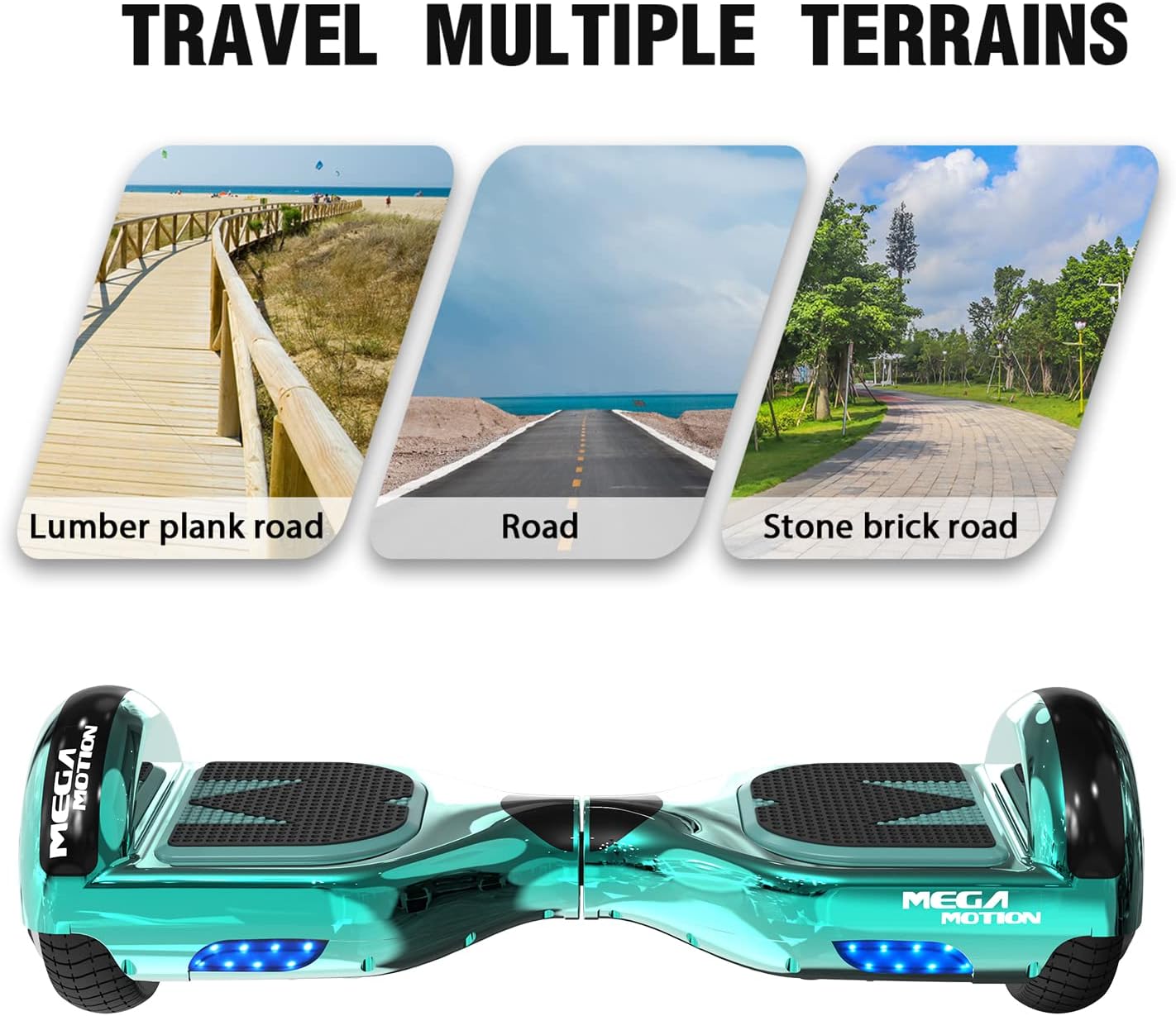
- Environmental Use: Suitable for both outdoor and indoor use on flat, stable surfaces. Avoid riding on wet, slippery, or uneven terrain.

2. Product Overview
The MEGA MOTION Hoverboard Z29 is a self-balancing scooter designed for enjoyable and safe personal transportation. It features durable construction, intelligent controls, and integrated entertainment options.
- Design: Equipped with 6.5-inch aluminum alloy hubs for durability and impact resistance. Made from high-quality ABS + PC material with a unique anti-slip pedal.
- Lighting: Features bright headlights for enhanced visibility during night riding.
- Motor System: Powered by dual motors, providing a smooth and responsive ride.
- Bluetooth Speaker: Integrated wireless Bluetooth speaker allows you to connect your smartphone and enjoy music while riding.



3. Setup
Before your first ride, ensure the hoverboard is fully charged.
- Initial Charging: Connect the charger to the hoverboard's charging port and then to a power outlet. The indicator light on the charger will change when charging is complete.
- Power On: Press the power button to turn on the hoverboard. The indicator lights will illuminate.
4. Operating Instructions
Mastering the hoverboard takes practice. Always start in a safe, open area.
- Mounting: Place one foot lightly on a pedal, then slowly place the other foot on the other side. Ensure your body is balanced.
- Forward/Backward Movement: Gently lean your body forward or backward to control your movement. The intelligent induction system will respond to your weight shifts.
- Turning: To turn, slightly incline your center of gravity to the left or right.
- Dismounting: Step off the hoverboard one foot at a time, ensuring it is stable before fully dismounting.
- Bluetooth Connection: Activate Bluetooth on your smartphone and search for the hoverboard's Bluetooth name (usually 'MEGA MOTION' or similar). Pair to play music through the built-in speaker.

5. Maintenance
Proper maintenance ensures the longevity and performance of your hoverboard.
- Cleaning: Use a soft, damp cloth to wipe down the exterior of the hoverboard. Do not use harsh chemicals or abrasive cleaners. Avoid direct water spray.
- Storage: Store the hoverboard in a cool, dry place away from direct sunlight and extreme temperatures.
- Battery Care: If you do not use the hoverboard for an extended period, it is recommended to charge it once a month to prevent damage to the battery life.
- Tire Pressure: Ensure tires are properly inflated (if applicable, for solid tires, check for wear and tear).
6. Troubleshooting
If you encounter issues with your hoverboard, refer to the following common problems and solutions:
| Problem | Possible Cause | Solution |
|---|---|---|
| Hoverboard not turning on | Low battery; Power button not pressed correctly | Charge the hoverboard; Press the power button firmly |
| Indicator lights flashing | System error; Overload; Low battery | Refer to the specific error code (if available); Reduce load; Charge battery |
| Bluetooth not connecting | Bluetooth not enabled on device; Hoverboard not in pairing mode | Ensure Bluetooth is on; Restart hoverboard and device; Check for 'MEGA MOTION' in device list |
| Reduced performance/speed | Low battery; Overweight; Riding on uneven terrain | Charge battery; Ensure rider is within weight limits; Ride on flat surfaces |
For persistent issues or problems not listed here, please contact MEGA MOTION customer support.
7. Specifications
| Feature | Detail |
|---|---|
| Model Number | Z29 |
| Brand | MEGA MOTION |
| Wheel Size | 6.5 Inches |
| Maximum Weight Recommendation | 100 Kilograms |
| Battery Type | Lithium |
| Frame Material | ABS, Aluminum Alloy |
| Wheel Material | Aluminum |
| Color | Green |
| Special Features | Anti-slip, Battery |
| Recommended Uses | Outdoor, Indoor |
| Package Dimensions | 61 x 21 x 20.5 cm |
| Item Weight | 7.76 Kilograms |
8. Warranty and Support
For any questions regarding your MEGA MOTION Hoverboard Z29, including operation, maintenance, or troubleshooting, please contact our customer support team. We are committed to providing professional assistance.
Please refer to your purchase documentation for specific warranty details and terms.
Related documentsZ29


Ask a question about this manual
Ask about setup, troubleshooting, compatibility, parts, safety, or missing instructions. Manuals+ will review the question and use this page’s manual context to help answer it.