
1. Introduction
This manual provides instructions for the proper use and care of your JBL Flip Essential 2 portable waterproof Bluetooth speaker. Please read this manual thoroughly before operating the device to ensure optimal performance and longevity.
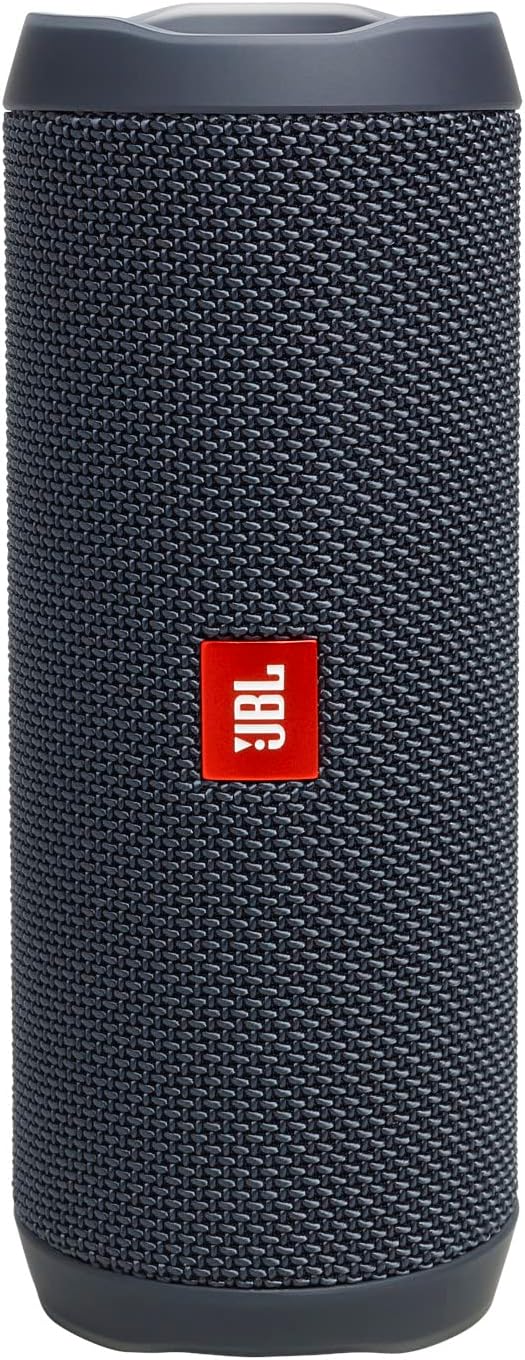
Image: The JBL Flip Essential 2 speaker in gunmetal, shown vertically. This image illustrates the overall design of the speaker.
2. Safety Information
Observe the following safety guidelines to prevent damage to the device or personal injury:
- Do not expose the speaker to extreme temperatures or direct sunlight for extended periods.
- Ensure the charging port cover is securely closed before exposing the speaker to water.
- Do not attempt to disassemble or modify the speaker. This will void the warranty.
- Use only the provided Type-C USB cable for charging.
- Keep the speaker away from medical devices.
3. What's in the Box
Verify that all items are present upon unboxing:
- JBL Flip Essential 2 Speaker
- Type-C USB Cable
- Quick Start Guide
- Warranty Card/Safety Sheet
4. Product Overview
Familiarize yourself with the speaker's components and controls.

Image: A detailed view of the JBL Flip Essential 2's control panel, highlighting the power button, battery level indicator LEDs, and volume adjustment buttons.

Image: The top side of the JBL Flip Essential 2 speaker, featuring the attached carrying strap and the control buttons for power, Bluetooth pairing, and volume.
4.1 Controls and Indicators
- Power Button: Press to turn the speaker on or off.
- Bluetooth Button: Press to enter Bluetooth pairing mode.
- Volume Up (+): Increases audio volume.
- Volume Down (-): Decreases audio volume.
- Play/Pause Button: Controls audio playback.
- Battery Indicator LEDs: Shows the current battery charge level.
- USB-C Charging Port: For charging the speaker.
5. Setup
5.1 Charging the Speaker
- Open the protective cover of the USB-C charging port.
- Connect the provided Type-C USB cable to the speaker's charging port and a compatible USB power adapter (not included).
- The battery indicator LEDs will illuminate to show charging status. All LEDs will be solid white when fully charged.
- A full charge takes approximately 3 hours.
- Close the protective cover securely after charging to maintain waterproof integrity.
5.2 Powering On/Off
- To power on, press the Power Button. The power indicator will light up.
- To power off, press and hold the Power Button until the power indicator turns off.
5.3 Bluetooth Pairing
- Turn on the JBL Flip Essential 2 speaker.
- Press the Bluetooth Button on the speaker. The Bluetooth indicator will flash, indicating it is in pairing mode.
- On your smartphone or tablet, navigate to the Bluetooth settings.
- Select "JBL Flip Essential 2" from the list of available devices.
- Once connected, the Bluetooth indicator will turn solid.
- The speaker can connect to up to two devices simultaneously.
6. Operating the Speaker
6.1 Audio Playback
- After successful Bluetooth pairing, begin playing audio from your connected device.
- Press the Play/Pause Button to pause or resume playback.
- Use the Volume Up (+) and Volume Down (-) buttons on the speaker or your connected device to adjust the volume.
6.2 Waterproof Functionality (IPX7)
The JBL Flip Essential 2 is IPX7 waterproof, meaning it can be submerged in water up to 1 meter (3 feet) for up to 30 minutes. Ensure the USB-C charging port cover is completely sealed before exposing the speaker to water.

Image: The JBL Flip Essential 2 speaker being splashed with water, illustrating its IPX7 waterproof capability for outdoor and wet environments.
7. Maintenance
7.1 Cleaning
- Wipe the speaker with a soft, damp cloth.
- Do not use abrasive cleaners or solvents.
- After exposure to saltwater, rinse the speaker with fresh water and allow it to air dry completely before charging.
7.2 Storage
- Store the speaker in a cool, dry place when not in use.
- Avoid storing in areas with extreme temperatures.
8. Troubleshooting
| Problem | Solution |
|---|---|
| Speaker does not turn on. | Ensure the battery is charged. Connect the speaker to a power source using the USB-C cable. |
| Cannot pair via Bluetooth. |
|
| No sound or low volume. |
|
| Speaker not charging. |
|
9. Specifications
| Feature | Detail |
|---|---|
| Model Name | Flip Essential 2 |
| Model Number | JBLFLIPES2AM |
| Brand | JBL |
| Speaker Type | Portable |
| Connectivity Technology | Bluetooth |
| Wireless Communication Technology | Bluetooth |
| Output Power | 20 Watts |
| Frequency Response | 20 KHz |
| Signal-to-noise ratio (dB) | 80 dB |
| Battery Life | Up to 10 Hours |
| Charging Time | 3 Hours |
| Battery Cell Composition | Lithium Ion |
| Waterproof Rating | IPX7 |
| Product Dimensions | 7D x 17.5W x 6.8H Centimetres |
| Item Weight | 517 g |
| Material | Plastic, Post-consumer recycled plastic |
| Maximum Range | 10 Meters |

Image: The JBL Flip Essential 2 speaker, highlighting its 10-hour battery life for extended audio playback.
10. Warranty and Support
The JBL Flip Essential 2 comes with a limited warranty. Please refer to the included Warranty Card/Safety Sheet for detailed terms and conditions.
For product support, technical assistance, or warranty claims, please visit the official JBL support website or contact their customer service. Contact information can typically be found on the JBL website or in the product packaging.
Online Resources:
- JBL Official Website: www.jbl.com
- JBL Support Page: (Specific link not provided, refer to official website)


