1. Introduction
The Zeiss Terra ED 8x25 Pocket Binoculars are designed for robust, reliable, and easy use, offering high optical precision in a compact and lightweight form factor. This manual provides essential information for the proper setup, operation, and maintenance of your binoculars to ensure optimal performance and longevity.

Image 1.1: Zeiss Terra ED 8x25 Pocket Binoculars shown with the included lens cleaning kit.
2. Key Features
- 8x Magnification: Provides clear and detailed views of distant objects.
- 25mm Objective Lens Diameter: Balances light gathering with compact size.
- Folding Design: Allows for extreme portability and easy transport.
- Fast Focusing: Large, smooth, and easy-to-grip focus wheel for quick and precise adjustments.
- Robust and Lightweight Construction: Glass fiber reinforced, waterproof casing, and nitrogen-filled for durability in various conditions. Weighs approximately 310g.
- Hydrophobic Multi-coating: Zeiss hydrophobic anti-reflective coating ensures brilliant, high-contrast images and a clear view in all weather conditions due to its water-repellent properties.
- Wide Operating Temperature Range: Functional from -20°C to +63°C.
- Included Accessories: Comes with a Zeiss Lens Cleaning Kit for proper maintenance.

Image 2.1: The Terra ED 8x25 binoculars demonstrating their compact folded design.
3. Setup
3.1 Unpacking and Initial Inspection
Carefully remove the binoculars and all accessories from the packaging. Inspect for any signs of damage. The bundle includes the Zeiss Terra ED 8x25 Binoculars and a Zeiss Lens Cleaning Kit.
3.2 Adjusting Eyecups
The eyecups can be twisted up or down to accommodate users with or without eyeglasses. Twist the eyecups counter-clockwise to extend them for use without eyeglasses, and clockwise to retract them for use with eyeglasses.
3.3 Adjusting Interpupillary Distance
Hold the binoculars up to your eyes and look through them. Adjust the distance between the two barrels by folding or unfolding the binoculars until you see a single, circular field of view. This ensures proper alignment with your eyes.
4. Operating
4.1 Focusing
- Hold the binoculars to your eyes.
- Close your right eye and look through the left barrel. Rotate the central focus wheel until the image in the left barrel is sharp.
- Close your left eye and look through the right barrel. Rotate the diopter adjustment ring (usually on the right eyepiece) until the image in the right barrel is sharp.
- With both eyes open, the image should now be sharp. For subsequent viewing, only use the central focus wheel to adjust for different distances.

Image 4.1: The central focus wheel on the Zeiss Terra ED 8x25 binoculars, designed for comfortable and fast focusing.
4.2 Carrying and Handling
Due to their lightweight and compact folding design, these binoculars are easy to carry. Always use the provided neck strap or case to prevent accidental drops and protect the optics.
5. Maintenance
5.1 Cleaning the Lenses
Use the included Zeiss Lens Cleaning Kit for optimal care. Follow these steps:
- First, use the air blower to remove any loose dust or debris from the lens surfaces.
- If necessary, use the soft brush to gently sweep away stubborn particles.
- Apply a small amount of lens cleaning fluid to a clean microfiber cloth (from the kit), not directly onto the lens.
- Gently wipe the lens in a circular motion from the center outwards.
- Use a fresh, dry part of the cloth or a new cleaning tissue to remove any streaks.
Caution: Never use abrasive materials, paper towels, or harsh chemicals to clean the lenses, as this can damage the hydrophobic coating.
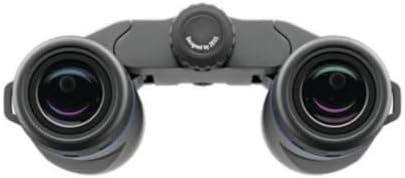
Image 5.1: The objective lenses of the binoculars, which require careful cleaning.

Image 5.2: Components of the Zeiss Lens Cleaning Kit, including blower, brush, spray, and cloths.
5.2 General Care and Storage
- Store the binoculars in their protective case when not in use.
- Avoid exposing the binoculars to extreme temperatures for prolonged periods.
- While waterproof, avoid submerging the binoculars unless specifically designed for it (consult product specifications for depth ratings if applicable).
- Keep the lens caps on when not observing to protect the lenses from dust and scratches.
6. Troubleshooting
- Blurred Image:
- Ensure the central focus wheel is adjusted correctly for the viewing distance.
- Verify the diopter adjustment is set for your individual eye strength.
- Check if lenses are dirty; clean them according to Section 5.1.
- Double Image or Eye Strain:
- Adjust the interpupillary distance (distance between the barrels) until a single, circular field of view is achieved.
- Ensure eyecups are correctly positioned for your use (extended for non-eyeglass wearers, retracted for eyeglass wearers).
- Fogging Lenses:
- Internal fogging is unlikely due to nitrogen purging. If it occurs, contact customer support.
- External fogging can happen in humid conditions; allow the binoculars to acclimate or gently wipe with a clean, dry microfiber cloth.
7. Specifications
| Feature | Specification |
|---|---|
| Model Number | 522502-9901-000 |
| Magnification | 8x |
| Objective Lens Diameter | 25 mm |
| Product Dimensions | 10.3 x 8.3 x 6.8 inches (packaged) |
| Item Weight | 2.44 pounds (packaged), approximately 310g (binoculars only) |
| Special Features | Lightweight, Waterproof, Folding Design |
| Operating Temperature | -20°C to +63°C |
| Lens Coating | Hydrophobic Multi-coating |
| Nitrogen Filled | Yes |
8. Warranty and Support
For warranty information and customer support, please refer to the official ZEISS website or contact your authorized ZEISS dealer. Keep your proof of purchase for warranty claims.
You can visit the official ZEISS store for more information: ZEISS Store on Amazon


