
1. Introduction
Welcome to the Nuvance Smartwatch G89 user manual. This guide provides detailed instructions on how to set up, operate, and maintain your new smartwatch. The Nuvance G89 is a versatile device designed for both men and women, compatible with Android 4.4 or higher and iOS 8.0 or higher. It features a 45mm display and offers a range of functionalities including health monitoring, call management, and smart notifications.

Figure 1.1: Nuvance G89 Smartwatch, showing the main watch face with app icons and weather information.
2. Setup
2.1 Charging the Smartwatch
Before initial use, fully charge your Nuvance G89 Smartwatch. Connect the provided charging cable to the watch and a USB power source. A full charge typically takes approximately 2.5 hours. A fully charged battery provides 5 to 7 days of normal use or up to 20 days in standby mode.
2.2 Pairing with Your Smartphone
- Ensure your smartphone's Bluetooth is enabled.
- Download and install the companion application on your smartphone (refer to the quick start guide for app name and QR code, if applicable).
- Open the application and follow the on-screen instructions to search for and connect to your Nuvance G89 Smartwatch.
- Confirm the pairing request on both your smartphone and the smartwatch.
3. Operating Instructions
3.1 Call Functionality
The Nuvance G89 Smartwatch allows you to make and receive calls directly from your wrist. It features a built-in speaker for hands-free communication. You can answer, reject, or dial calls using the smartwatch interface.
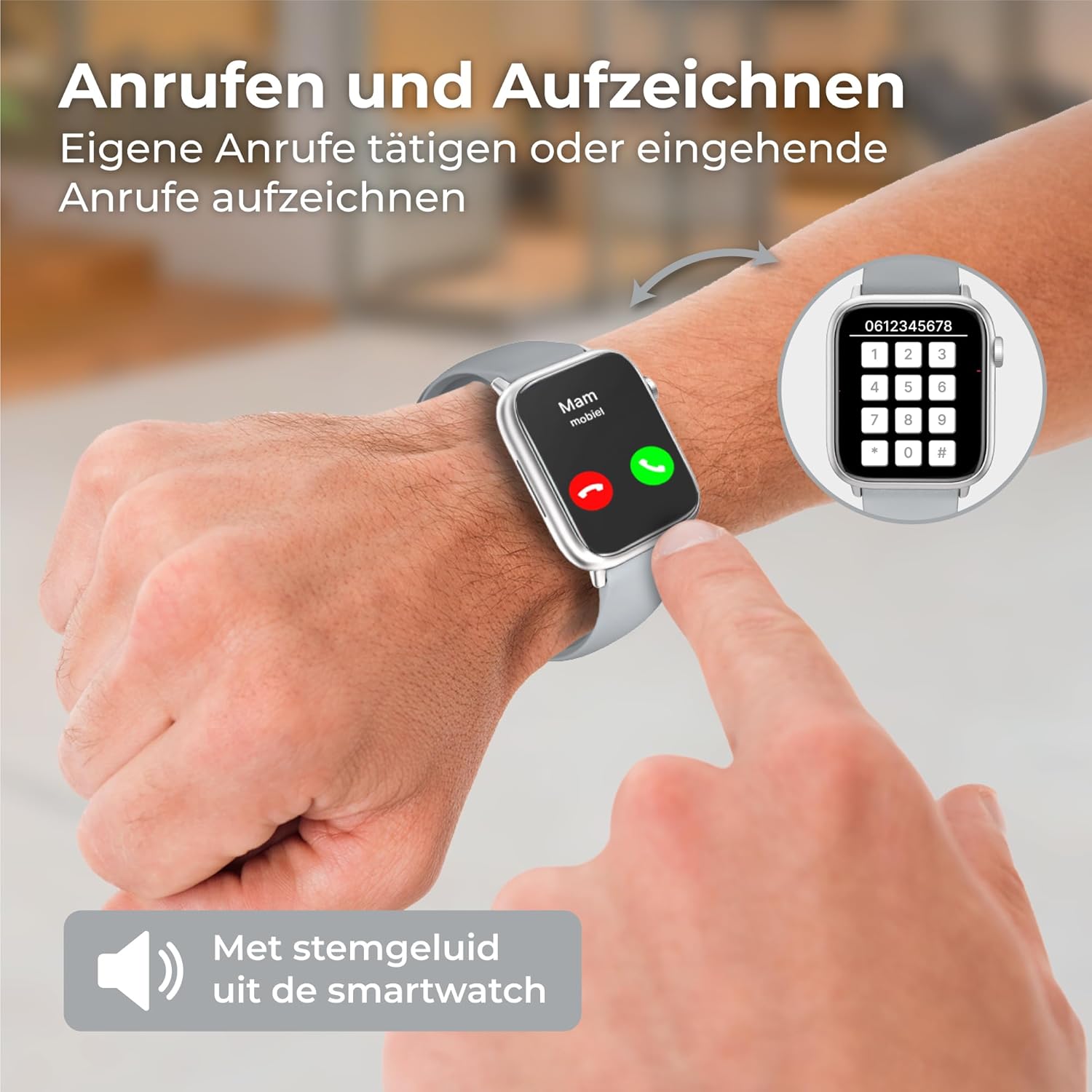
Figure 3.1: Demonstrates making and receiving calls directly from the smartwatch, with a dial pad shown on the right.
3.2 Notifications
Receive push notifications for messages, emails, and social media alerts directly on your smartwatch. Enable notification access through the companion app on your smartphone to ensure you don't miss important updates.

Figure 3.2: The smartwatch displaying a WhatsApp notification, alongside a smartphone showing a chat conversation.
3.3 Health Monitoring
The Nuvance G89 Smartwatch is equipped with sensors to monitor various health metrics:
- Heart Rate Monitoring: Accurately measures your heart rate, providing insights into your cardiovascular health during daily activities and workouts.
- Blood Pressure Monitoring: Provides estimates of your blood pressure levels.
- Blood Oxygen (SpO2) Measurement: Monitors your blood oxygen saturation.
- Pedometer & Calorie Counter: Tracks your steps taken and calories burned throughout the day.
- Sleep Tracking: Analyzes your sleep patterns, distinguishing between light and deep sleep, and tracking awake times to help you understand and improve your sleep quality.

Figure 3.3: An arm wearing the smartwatch, illustrating its multi-functional health tracking capabilities including pedometer, sleep monitor, heart rate, blood pressure, and blood oxygen.
3.4 Multi-Sport Mode
Utilize the integrated multi-sport mode to track various physical activities. The activity tracker provides data such as steps, distance, and calories burned, helping you monitor your fitness progress and set new goals.
3.5 Music Control & Weather Information
Control music playback on your smartphone directly from your smartwatch. Additionally, the watch displays current weather information, keeping you informed about daily conditions.

Figure 3.4: The smartwatch displaying weather information and a music control interface, along with various customizable watch faces.
3.6 Customizable Watch Faces
Personalize your smartwatch with a variety of digital watch faces available through the companion application.
4. Maintenance
4.1 Water Resistance
The Nuvance G89 Smartwatch features an IP67 water-resistant casing. This means it is protected against dust and can withstand immersion in water up to 1 meter for up to 30 minutes. Important: The device is not suitable for swimming or showering, as prolonged exposure to water pressure or hot water can compromise its seals.
4.2 Cleaning
To clean your smartwatch, gently wipe the screen and casing with a soft, damp cloth. Avoid using harsh chemicals or abrasive materials, which can damage the device.
5. Troubleshooting
If you encounter issues with your Nuvance G89 Smartwatch, consider the following common solutions:
- Device Not Turning On: Ensure the watch is fully charged. Connect it to the charger for at least 30 minutes.
- Cannot Pair with Smartphone:
- Ensure Bluetooth is enabled on your smartphone.
- Make sure the smartwatch is within range of your smartphone.
- Restart both your smartphone and the smartwatch.
- Try unpairing and re-pairing the device through the companion app.
- Inaccurate Health Data:
- Ensure the watch is worn snugly on your wrist, but not too tight.
- Clean the sensor on the back of the watch.
- Environmental factors and individual physiology can affect sensor accuracy.
- Notifications Not Appearing:
- Check notification settings in the companion app and on your smartphone.
- Ensure the app has necessary permissions to display notifications.
- Verify that the smartwatch is connected via Bluetooth.
For further assistance, please refer to the manufacturer's support resources.
6. Specifications
| Brand | Nuvance |
| Model | G89 |
| Screen Size | 45 Millimeters |
| Operating System | Android Wear 2.6 (Compatible with Android 4.4+ and iOS 8.0+) |
| Connectivity | Bluetooth |
| Special Features | Music Player, Notifications, Voice Control |
| Compatible Devices | Smartphone, Tablet |
| Water Resistance | IP67 (Not suitable for swimming/showering) |
| Battery Capacity | 250mAh (Rechargeable) |
| Battery Life | 5-7 days (normal use), up to 20 days (standby) |
| GPS | No GPS |
| Shape | Square |
| Target Audience | Women, Men |
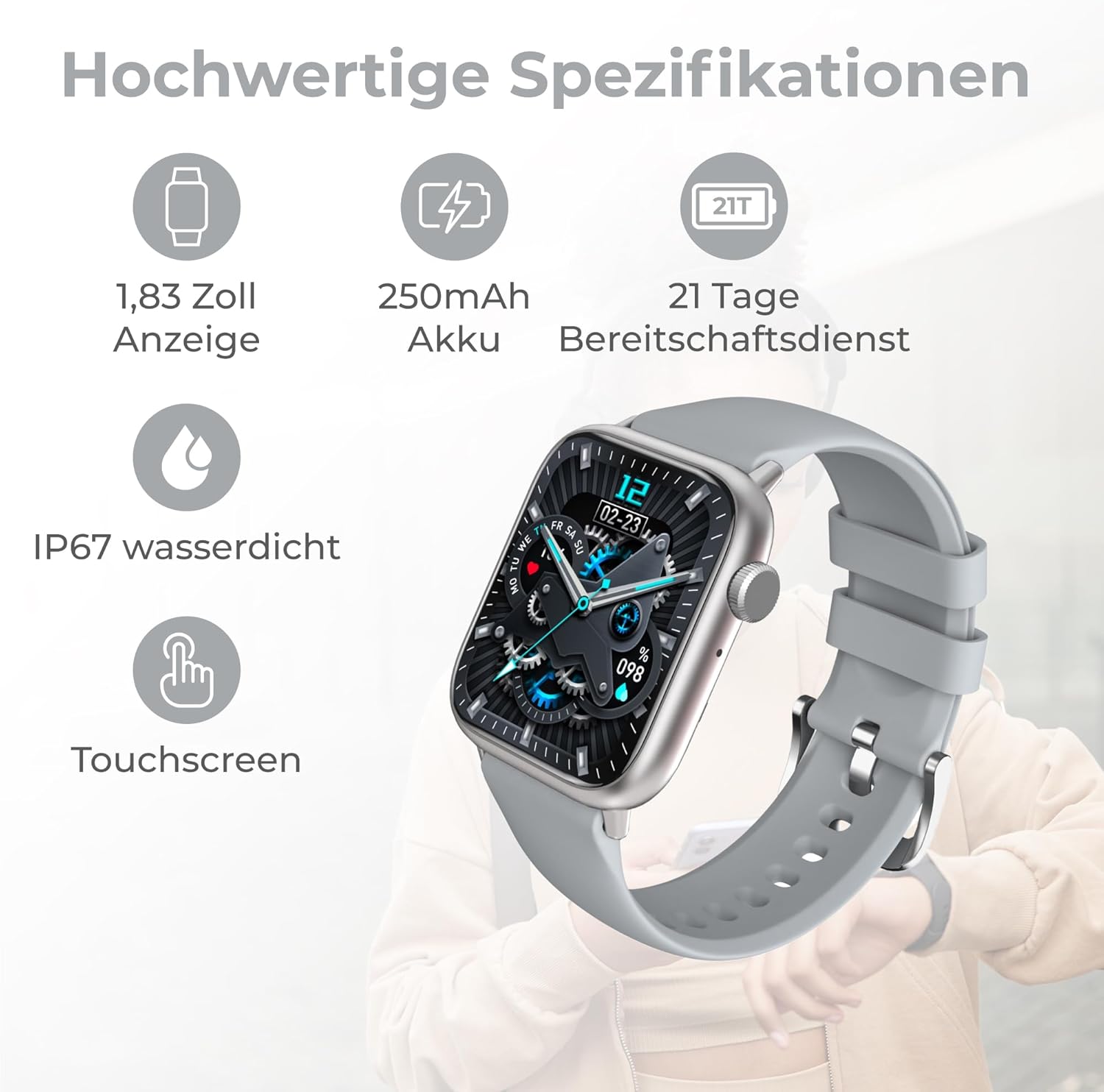
Figure 6.1: Visual representation of key specifications including 1.83 inch display, 250mAh battery, 21 days standby, IP67 waterproof rating, and touchscreen.
7. Package Contents
The Nuvance G89 Smartwatch package includes:
- 1 x Nuvance G89 Smartwatch
- 1 x Charging Cable
- 1 x User Manual (English and Dutch)
8. Warranty and Support
For warranty information and customer support, please refer to the documentation included with your product or visit the official Nuvance website. Keep your purchase receipt for warranty claims.


