
1. Introduction
This manual provides comprehensive instructions for the safe installation, operation, and maintenance of your WINGBO 52-inch DC Ceiling Fan, Model SYCF5205. Please read all instructions carefully before beginning installation and retain this manual for future reference. This ceiling fan features a brass and black finish, three ABS plastic blades, a 6-speed reversible DC motor, and remote control operation.

Image 1.1: WINGBO 52-inch DC Ceiling Fan (Model SYCF5205) with remote control.
2. Safety Information
To reduce the risk of electric shock, fire, or injury, always follow these basic safety precautions:
- Read all instructions before installing the fan.
- Ensure the installation site is structurally sound and capable of supporting the fan's weight (approximately 12.62 lbs).
- All wiring must be in accordance with national and local electrical codes. Consult a qualified electrician if you are unsure about wiring procedures.
- Disconnect power at the circuit breaker or fuse box before beginning installation or performing any maintenance.
- Do not operate the fan with damaged blades or any visible defects.
- Keep hands, clothing, and other objects clear of the fan blades when the fan is in operation.
- This fan is designed for indoor use only.
3. Package Contents
Carefully unpack all components and ensure you have received all items listed below. If any parts are missing or damaged, contact WINGBO customer support.
- Motor Housing Assembly
- 3 ABS Plastic Blades
- Canopy
- Downrods (4.5-inch and 12-inch)
- Mounting Bracket
- Remote Control with Wall Mount
- Hardware Pack (screws, washers, wire nuts)
- Instruction Manual

Image 3.1: Key components of the WINGBO ceiling fan, highlighting the DC motor, metal downrod, and ABS blades.
4. Installation Instructions
Professional installation is recommended. Ensure power is disconnected at the circuit breaker before proceeding.
4.1. Mounting Options
The fan supports both standard downrod mounting for flat ceilings and angled mounting for sloped ceilings up to 15 degrees. Two downrods (4.5" and 12") are included to accommodate different ceiling heights.

Image 4.1: Ceiling fan dimensions and available mounting configurations.
4.2. Step-by-Step Installation
- Secure Mounting Bracket: Attach the mounting bracket to the ceiling junction box using the provided screws. Ensure it is securely fastened and can support the fan's weight.
- Assemble Downrod: Insert the chosen downrod into the motor housing and secure it with the pin and screw.
- Hang Fan Assembly: Carefully lift the fan assembly and hang it onto the mounting bracket hook.
- Perform Electrical Connections: Connect the fan's electrical wires to the household wiring according to the wiring diagram provided in the separate wiring guide (if applicable) or the fan's internal instructions. Typically, this involves connecting live, neutral, and ground wires.
- Attach Canopy: Slide the canopy up to the ceiling and secure it to the mounting bracket with the provided screws, ensuring all wiring is neatly tucked inside.
- Install Blades: Attach each of the three ABS plastic blades to the motor housing using the blade screws. Ensure all screws are tightened securely.
5. Operating Instructions
Your WINGBO ceiling fan is operated using the included 6-speed remote control.
5.1. Remote Control Functions

Image 5.1: Overview of the remote control functions.
- Fan Control (On/Off): Press the power button to turn the fan on or off.
- Speed Settings (1-6): Use buttons 1 through 6 to select your desired fan speed. 1 is the lowest speed, 6 is the highest.
- Reversible Motor (Follow/Reverse): Press the 'Follow/Reverse' button to change the direction of the fan blades. This function is used to switch between downdraft (summer) and updraft (winter) modes.
- Nature Mode: Activates a fluctuating speed setting to simulate a natural breeze.
- Timer (1H, 2H, 4H, 8H): Press the desired timer button to set the fan to automatically turn off after 1, 2, 4, or 8 hours.
5.2. Reversible Motor Function (Summer/Winter)
The reversible DC motor allows for year-round use to optimize air circulation and energy efficiency.
- Summer Mode (Downdraft): Blades rotate counter-clockwise, pushing cool air down. This creates a wind-chill effect, making the room feel cooler.
- Winter Mode (Updraft): Blades rotate clockwise, drawing air up towards the ceiling. This helps to redistribute warm air trapped near the ceiling, making the room feel warmer.

Image 5.2: Visual representation of downdraft (summer) and updraft (winter) modes.
5.3. Timer Function
The timer function allows you to set the fan to operate for a specific duration before automatically turning off.
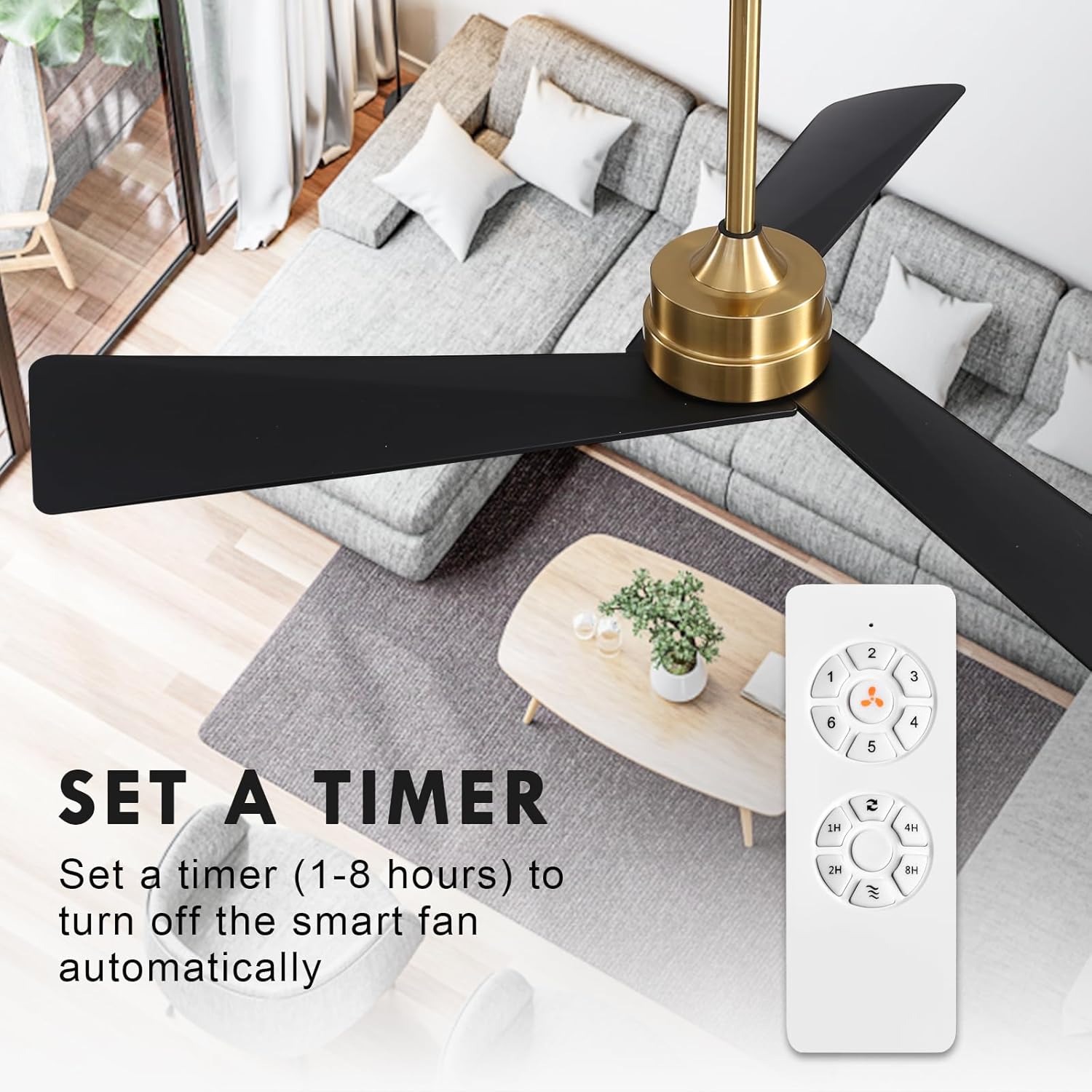
Image 5.3: Setting the fan timer using the remote control.
6. Maintenance and Care
Regular maintenance ensures optimal performance and extends the life of your ceiling fan.
- Cleaning: To clean the fan, wipe the blades and motor housing with a soft, damp cloth. Do not use abrasive cleaners or solvents, as these may damage the finish.
- Blade Inspection: Periodically check the blade screws to ensure they are tight. Loose blades can cause wobbling and noise.
- Dust Removal: Use a soft brush or vacuum cleaner with a brush attachment to remove dust from the fan blades and motor housing.
- No Lubrication Required: The DC motor is permanently lubricated and does not require additional oiling.
7. Troubleshooting Guide
Before contacting customer support, refer to the following common issues and solutions:
| Problem | Possible Cause | Solution |
|---|---|---|
| Fan does not start | No power to the fan Remote control battery is dead Incorrect wiring | Check circuit breaker/fuse Replace remote battery Verify wiring connections (consult electrician if needed) |
| Fan wobbles | Loose blade screws Unbalanced blades Loose mounting bracket | Tighten all blade screws Ensure blades are installed correctly and balanced Tighten mounting bracket screws |
| Remote control not working | Dead battery Interference Remote not paired | Replace battery Move away from other electronic devices Refer to remote pairing instructions (if applicable) |
| Fan makes excessive noise | Loose components Motor issue | Check and tighten all screws If noise persists, contact customer support |
8. Specifications
| Feature | Detail |
|---|---|
| Brand | WINGBO |
| Model Number | SYCF5205 |
| Color | Brass and Black |
| Electric Fan Design | Ceiling Fan |
| Power Source | DC |
| Style | Modern |
| Product Dimensions | 52"D x 52"W x 21"H |
| Room Type | Bedroom, Living Room, Kitchen, Dining Room, Office |
| Special Feature | No Light |
| Recommended Uses | Indoor |
| Finish Type | Brushed |
| Number of Blades | 3 |
| Blade Length | 52 Inches |
| Voltage | 12 Volts (DC) |
| Switch Type | Remote |
| Included Components | Remote |
| Item Weight | 12.62 pounds |
| Batteries Required | No (for fan operation, remote requires batteries) |
9. Warranty and Customer Support
WINGBO products are manufactured to high-quality standards. For warranty information, please refer to the warranty card included with your product or visit the official WINGBO website. If you encounter any issues not covered in this manual or require further assistance, please contact WINGBO customer support:
- Online Support: Visit the WINGBO Store on Amazon for product information and support resources.
- Email: Refer to your product packaging or warranty card for specific contact email.
Please have your model number (SYCF5205) and purchase date ready when contacting support.


