
1. Introduction
The Soundstream Reserve HDHU.14 SI is a state-of-the-art plug-n-play head unit designed specifically for 2014 and newer Harley-Davidson Touring motorcycles. This unit provides an enhanced audio and connectivity experience, integrating modern features such as Apple CarPlay and Android Auto directly into your motorcycle's dashboard. It is engineered for seamless installation and optimal performance, offering a significant upgrade over factory systems.
2. Safety Information
- Always ensure the motorcycle is turned off and the battery is disconnected before beginning any installation or maintenance procedures.
- Consult a professional technician if you are unsure about any installation steps. Improper installation can lead to damage to the unit or the motorcycle's electrical system.
- Do not operate the unit in a manner that distracts you from safe riding. Always prioritize road safety.
- Ensure all wiring is properly secured and routed to prevent interference with moving parts or exposure to elements.
3. Package Contents
Please verify that all items listed below are included in your package:
- Soundstream Reserve HDHU.14 SI Head Unit
- Wiring Harness (pre-wired for plug-n-play installation)
- Mounting Hardware
- User Manual (this document)

Image: Rear view of the HDHU.14 SI unit showing the various ports and the included plug-n-play wiring harness. This harness simplifies the connection to your motorcycle's existing electrical system.
4. Setup and Installation
The HDHU.14 SI is designed for a direct plug-n-play installation into 2014 and newer Harley-Davidson Touring motorcycles. While the process is straightforward, it is recommended to follow these general steps:
- Preparation: Park your motorcycle on a level surface, turn off the ignition, and disconnect the negative terminal of the battery.
- Remove Existing Unit: Carefully remove the factory head unit from your motorcycle's fairing. Refer to your motorcycle's service manual for specific instructions on fairing and radio removal.
- Connect Wiring Harness: Connect the provided plug-n-play wiring harness to the HDHU.14 SI unit and then to the motorcycle's existing wiring connectors. Ensure all connections are secure. (Refer to the 'Harness Included' image in Section 3 for visual reference of the harness.)
- Mount New Unit: Securely mount the HDHU.14 SI unit into the fairing opening using the provided mounting hardware.
- Reconnect Battery: Once the unit is securely installed and all connections are verified, reconnect the negative battery terminal.
- Initial Power-Up: Turn on the motorcycle's ignition and power on the HDHU.14 SI unit. Follow any on-screen prompts for initial setup.
5. Operation
5.1 User Interface Overview
The HDHU.14 SI features a responsive touchscreen display. The main screen provides access to various functions and customizable gauges for real-time motorcycle data.

Image: The main display of the HDHU.14 SI showing customizable digital gauges for engine temperature, RPM, engine load, and coolant temperature. Navigation icons are visible on the left and right sides of the screen.
5.2 Apple CarPlay
Connect your iPhone via USB to access Apple CarPlay. This feature allows you to use compatible iOS apps directly on the unit's screen, including navigation, music, messages, and calls, all controlled via the touchscreen or Siri voice commands.

Image: The HDHU.14 SI display showing the Apple CarPlay interface. Common applications such as Phone, Music, Maps, and Messages are accessible as large, easy-to-tap icons.
5.3 Android Auto
Connect your Android smartphone via USB to utilize Android Auto. This mirrors essential Android apps to the unit's display, providing access to Google Maps, Spotify, YouTube Music, and more, with voice control via Google Assistant.
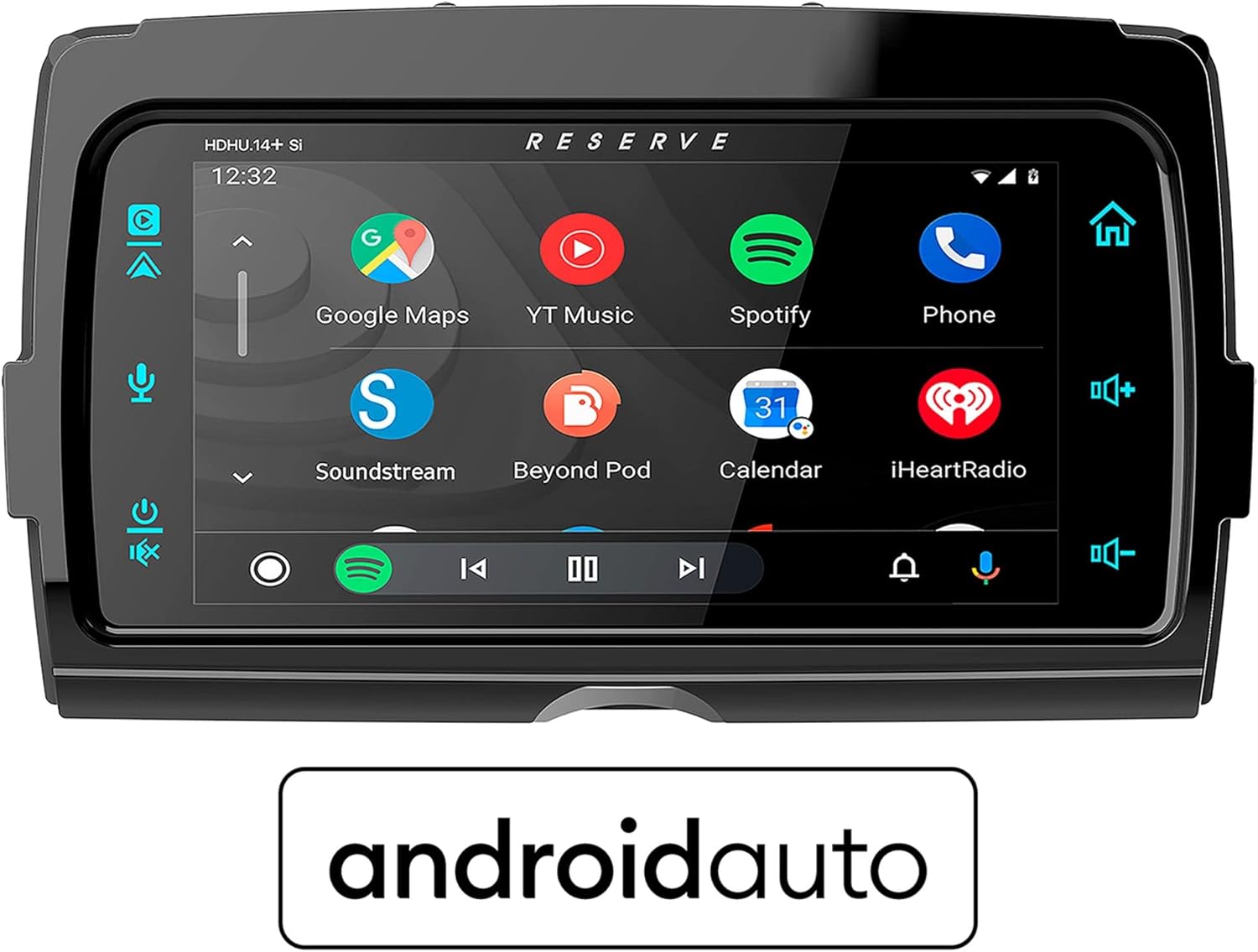
Image: The HDHU.14 SI display showing the Android Auto interface. Applications like Google Maps, YouTube Music, and Spotify are prominently displayed, along with navigation and media controls.
5.4 Connectivity
- Bluetooth: Pair your smartphone wirelessly for audio streaming and hands-free calling. Access Bluetooth settings through the main menu.
- USB: Connect USB devices for media playback or to enable Apple CarPlay/Android Auto. The USB port is typically located on the rear of the unit, accessible via an extension cable.
- Auxiliary: An auxiliary input may be available for connecting external audio sources via a 3.5mm jack.
5.5 Audio Output
The unit supports various audio output modes, including Stereo and Surround Sound (7.1 channel configuration). Adjust audio settings, equalizer, and balance/fader through the unit's audio menu to optimize your listening experience.
6. Maintenance
- Cleaning: Use a soft, dry cloth to clean the display and exterior of the unit. For stubborn smudges, a slightly damp cloth with a mild, non-abrasive cleaner can be used. Avoid harsh chemicals or abrasive materials.
- Software Updates: Periodically check the Soundstream website for firmware updates. Updates can provide new features, performance improvements, and bug fixes. Follow the instructions provided with the update file carefully.
- Environmental Protection: While designed for motorcycle use, avoid prolonged exposure to extreme temperatures or direct water spray.
7. Troubleshooting
| Problem | Possible Cause | Solution |
|---|---|---|
| Unit does not power on | Loose power connection, blown fuse, motorcycle battery low. | Check all wiring connections. Inspect motorcycle fuses. Charge or test motorcycle battery. |
| No audio output | Speaker wires disconnected, volume too low, incorrect audio source selected. | Verify speaker connections. Increase volume. Select correct audio input source. |
| Apple CarPlay/Android Auto not connecting | Faulty USB cable, phone software outdated, app permissions. | Try a different, certified USB cable. Ensure phone OS and apps are updated. Check app permissions on your phone. |
| Touchscreen unresponsive | Temporary software glitch, screen dirty. | Restart the unit (turn motorcycle off and on). Clean the screen thoroughly. |
8. Specifications
| Feature | Detail |
|---|---|
| Model Number | HDHU.14Si |
| Compatible Motorcycles | 2014+ Harley Touring Motorcycles |
| Connectivity Technology | Bluetooth, Auxiliary, USB |
| Special Features | Touchscreen, Apple CarPlay, Android Auto |
| Audio Output Mode | Stereo, Surround |
| Surround Sound Channel Configuration | 7.1 |
| Video Encoding Support | H.264, H.265/HEVC, MPEG-4 |
| Color | Black |
| Item Weight | 5 pounds |
| Package Dimensions | 18 x 14 x 8 inches |
9. Warranty and Support
Soundstream products are manufactured to the highest quality standards. For information regarding your product's warranty coverage, please refer to the warranty card included with your purchase or visit the official Soundstream website. For technical support, troubleshooting assistance beyond this manual, or service inquiries, please contact Soundstream customer support through their official channels.
Please retain your proof of purchase for warranty claims.


