
Introduction
This manual provides essential information for the safe and effective use of your MOBI Otoscope Ear Cleaning Accessory Kit. This kit is designed to be used in conjunction with the MOBI Smart Otoscope (sold separately) for comprehensive ear examination and cleaning. Please read these instructions thoroughly before use.
Package Contents
Your MOBI Otoscope Ear Cleaning Accessory Kit includes the following components:
- 3 x Speculums (E1)
- 1 x Soft Protective Cover (E3)
- 2 x Rubberized Soft Tips (E2)
- 4 x Large Scoops (E5, E6, E7, E8)
- 2 x Medium Scoops (E9, E10)
- 2 x Extra Strength Tools (E4)

Image: The MOBI Otoscope Ear Cleaning Accessory Kit showing all 14 pieces, including speculums, soft tips, scoops, and extra strength tools, alongside its packaging.
Setup
To use the accessory kit, you must first have a MOBI Smart Otoscope (sold separately). Follow these steps to prepare your device:
- Ensure your MOBI Smart Otoscope is charged and powered on.
- Select the appropriate accessory (speculum, soft tip, or scoop) for your intended use.
- Gently attach the chosen accessory to the tip of the MOBI Smart Otoscope. Ensure it is securely fastened.
- Connect your MOBI Smart Otoscope to the companion app on your smartphone or tablet via Wi-Fi, as instructed in the otoscope's user manual.

Image: The MOBI Smart Otoscope with various ear cleaning accessories laid out, and a smartphone screen displaying a live view from inside an ear canal.
Operating Instructions
General Use
Once the accessory is attached and the otoscope is connected to the app, you can begin your ear examination or cleaning. Always proceed with caution and ensure you have a clear view of the ear canal on your device screen.
Video: An official product video demonstrating the use of the MOBI Smart Otoscope with its ear cleaning accessories.
Safe Earwax Removal
When performing earwax removal, prioritize safety. The soft protective cover and rubberized soft tips are designed to minimize the risk of injury. Always maintain a gentle approach.
- Attach the soft protective cover to the otoscope tip before inserting any scoop or tip into the ear. This acts as a barrier to prevent over-insertion.
- Use the rubberized soft tips or scoops with extreme care. Observe the ear canal and any earwax buildup on your device screen.
- Gently maneuver the tool to dislodge and remove earwax. Avoid pushing wax deeper into the ear canal.
- If you experience any discomfort, pain, or resistance, immediately stop and consult a medical professional.

Image: A diagram showing the correct and incorrect methods of earwax removal, emphasizing the use of a soft silicone earpick and adjustable protection cover for safety.
Visual Examination and Cleaning
The MOBI Smart Otoscope's Wi-Fi connection allows for real-time visual feedback on your connected device. This feature is crucial for precise and safe operation.
- Utilize the live video feed on the app to guide your movements during examination and cleaning.
- The app may offer features to capture images or record videos of the ear canal, which can be useful for tracking changes or sharing with a healthcare provider.
- Ensure adequate lighting from the otoscope's LED lights for a clear view.
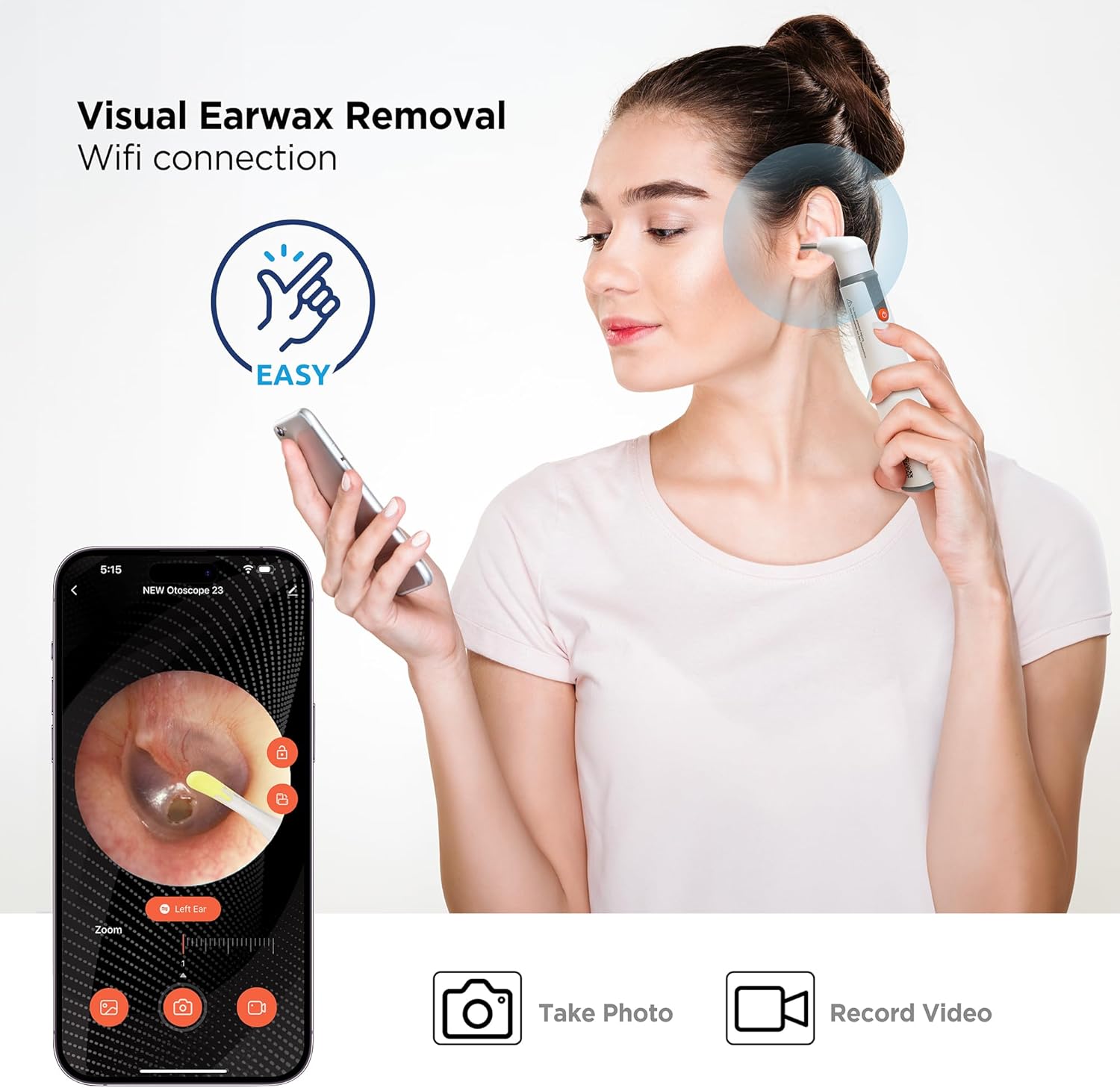
Image: A person using the MOBI Smart Otoscope to examine their ear while viewing the live feed on a smartphone, demonstrating visual earwax removal with Wi-Fi connection.
Maintenance
Cleaning the Accessories
Proper cleaning of the accessories is essential for hygiene and longevity.
- After each use, detach the accessory from the otoscope.
- Wash the accessories with mild soap and warm water.
- Rinse thoroughly to remove all soap residue.
- Allow the accessories to air dry completely before storing them.
- Do not use harsh chemicals or abrasive materials, as these can damage the accessories.
Troubleshooting
If you encounter any issues with your accessory kit, consider the following:
- Accessory not attaching securely: Ensure you are using the correct accessory for the MOBI Smart Otoscope and that it is aligned properly before gently pushing it into place.
- Difficulty seeing clearly: Check that the otoscope's LED lights are on and that the camera lens is clean. Ensure the accessory is not obstructing the view.
- General performance issues: Refer to the MOBI Smart Otoscope's user manual for troubleshooting related to the main device and app connectivity.
If problems persist, contact MOBI customer support for assistance.
Specifications
| Feature | Detail |
|---|---|
| Item Model Number | 70674 |
| Package Dimensions | 6.1 x 3.11 x 0.94 inches |
| Item Weight | 1.45 ounces |
| Manufacturer | Mobi Technologies Inc. |
Warranty and Support
For information regarding product warranty, returns, or technical support, please refer to the documentation included with your original MOBI Smart Otoscope or visit the official MOBI Technologies website. You may also contact MOBI customer service directly for assistance.
MOBI Technologies, Inc.
Website: MOBI Store on Amazon