
Introduction
Thank you for choosing the Belaco 12-inch Oscillating Table Fan. This manual provides essential information for the safe and efficient operation of your new fan. Please read these instructions carefully before use and retain them for future reference.
This fan is designed to provide effective air circulation with three speed settings, an oscillating function, and an adjustable tilt head, making it suitable for various indoor environments such as homes, offices, and caravans.
Important Safety Instructions
To reduce the risk of fire, electric shock, or injury, always follow these basic safety precautions:
- Read all instructions before using this fan.
- Ensure the voltage indicated on the rating label matches your mains supply voltage.
- Do not operate any fan with a damaged cord or plug. If the cord or plug is damaged, contact qualified service personnel for repair or replacement.
- Do not run the power cord under carpeting. Do not cover the cord with throw rugs, runners, or similar coverings. Arrange the cord away from traffic areas where it will not be tripped over.
- To disconnect the fan, turn controls to the OFF position, then remove the plug from the outlet.
- Do not insert or allow foreign objects to enter any ventilation or exhaust opening as this may cause an electric shock or fire, or damage the fan.
- Do not block air openings or operate near curtains or other materials that could block airflow.
- This fan is intended for household use only and not for commercial or industrial applications.
- Always place the fan on a stable, flat surface to prevent it from tipping over. The fan features a strong resistance base for stability.
- Do not use the fan in wet or damp locations, such as bathrooms or laundry areas.
- Unplug the fan from the outlet when not in use, when moving it from one location to another, and before cleaning.
- Keep children and pets away from the fan, especially when it is operating. The fan is equipped with a high protective mesh net.
Package Contents
Please check the package for the following components:
- Fan Motor Unit with Rear Grille
- Front Grille
- Fan Blades (5 plastic blades)
- Base
- Grille Locking Nut
- Blade Locking Nut
- Mounting Screws (for base assembly)
- Belaco Logo Badge
Assembly Instructions
Follow these steps to assemble your Belaco Table Fan:
- Attach the Base: Secure the fan motor unit to the base using the provided mounting screws. Ensure it is firmly attached for stability.
- Install Rear Grille: Place the rear grille onto the motor unit, aligning the notches. Secure it with the grille locking nut.
- Mount Fan Blades: Slide the fan blades onto the motor shaft. Ensure they are seated correctly. Secure the blades with the blade locking nut, turning it counter-clockwise to tighten.
- Attach Front Grille: Position the front grille over the fan blades and align it with the rear grille. Snap or screw the front grille into place. Important: Attach the Belaco logo badge to the center of the front grille before fully securing the front grille, if not already pre-attached.
- Final Check: Ensure all parts are securely fastened before plugging in the fan.

This image displays the Belaco 12-inch Oscillating Table Fan from the front, showcasing its white finish, protective mesh grille, and control buttons on the base. The Belaco logo is visible in the center of the grille.
Operating Instructions
Your Belaco Table Fan is designed for ease of use. Follow these steps to operate your fan:
- Placement: Place the fan on a stable, flat surface. Ensure it is not too close to walls or furniture that could obstruct airflow.
- Power Connection: Plug the fan into a standard 220-240V, 50Hz electrical outlet. The fan is equipped with a 3-pin UK plug.
- Adjusting Fan Speed:
The fan features three speed settings. Use the control buttons located on the fan base to select your desired speed:
- Speed 1: Low speed for gentle airflow.
- Speed 2: Medium speed for moderate airflow.
- Speed 3: High speed for maximum airflow.
Press the corresponding button to activate the speed. Press the '0' or 'OFF' button to turn the fan off.
- Oscillation Function:
To activate the oscillation (side-to-side movement) function, pull up the oscillation knob located on top of the motor housing. The fan will oscillate approximately 85 degrees, distributing air across a wider area.
To stop oscillation and direct airflow in a fixed direction, push down the oscillation knob. A slight click may be heard when the fan resets its direction during oscillation, which is normal operation.
- Adjusting Tilt Angle:
The fan head can be tilted up or down by approximately 30 degrees. Gently push or pull the fan head to adjust it to your preferred vertical angle. This allows you to direct the airflow precisely where needed.

This image highlights the main features of the fan, including its 3 speed settings, 85-degree oscillation capability, high protective mesh grille, and 5 plastic blades, all contributing to efficient and safe air circulation.

This image illustrates the adjustable tilt head feature of the fan, demonstrating its ability to tilt up and down by 30 degrees, allowing users to direct airflow as desired.
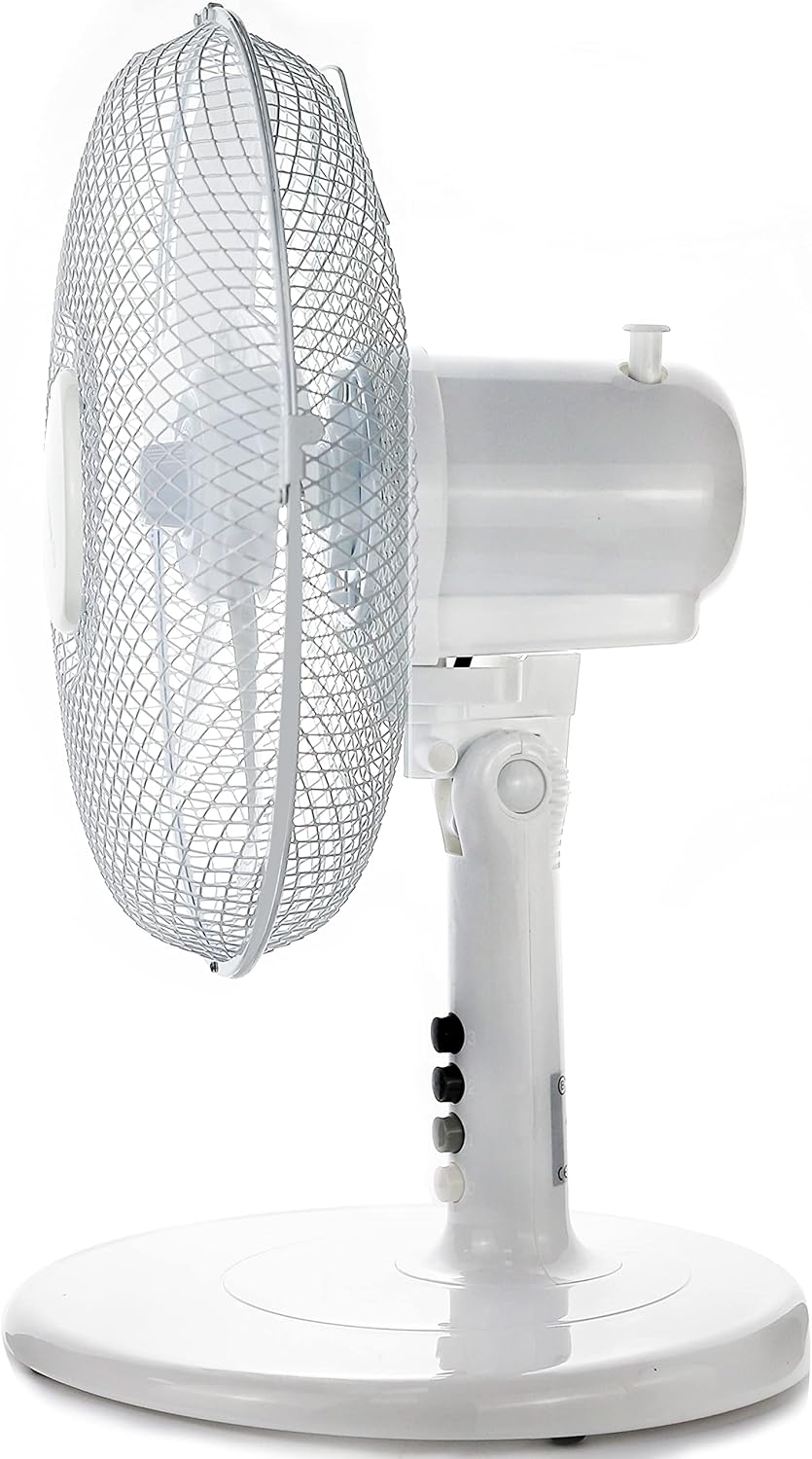
This image provides a side view of the fan, clearly showing the control buttons on the base for speed selection and the oscillation knob located on the top of the motor housing, which is used to activate or deactivate the oscillation function.
Maintenance
Regular cleaning and maintenance will help ensure the longevity and efficient operation of your fan.
- Before Cleaning: Always unplug the fan from the power outlet before cleaning.
- Exterior Cleaning: Use a soft, damp cloth to wipe the exterior surfaces of the fan. Do not use abrasive cleaners or solvents, as these may damage the finish.
- Grille and Blades: Dust may accumulate on the grilles and blades over time. To clean, carefully remove the front grille (refer to assembly instructions in reverse). Wipe the blades and grilles with a soft, dry or slightly damp cloth. Ensure all parts are completely dry before reassembling and operating the fan.
- Storage: When not in use for extended periods, store the fan in a cool, dry place, preferably in its original packaging, to protect it from dust and damage.

This image shows a hand gently touching the high protective mesh net of the fan, emphasizing its safety feature and the ease with which the grille can be accessed for cleaning.
Troubleshooting
If you encounter any issues with your fan, please refer to the following troubleshooting guide:
| Problem | Possible Cause | Solution |
|---|---|---|
| Fan does not turn on. | No power supply. Fan not plugged in correctly. Power button not pressed. | Check if the power outlet is working. Ensure the plug is fully inserted into the outlet. Press one of the speed buttons (1, 2, or 3). |
| Weak airflow. | Fan speed set too low. Obstruction in front or behind the fan. Dust accumulation on blades/grille. | Increase the fan speed. Remove any objects blocking the airflow. Clean the fan blades and grilles as per maintenance instructions. |
| Fan is noisy. | Loose parts. Fan not on a stable surface. Dust/debris on blades. | Ensure all assembly parts are securely fastened. Place the fan on a flat, stable surface. Clean the fan blades. (Note: A slight click during oscillation is normal). |
| Oscillation not working. | Oscillation knob not engaged. | Pull up the oscillation knob on top of the motor housing. |
If the problem persists after attempting these solutions, please contact customer support.
Specifications
| Brand | Belaco |
| Model Number | BEL-BO-T03 |
| Color | White |
| Fan Diameter | 30.5 cm (12 inches) |
| Dimensions (L x W x H) | 26.5 x 34 x 49 cm |
| Weight | 2.18 kg |
| Power | 35 Watts |
| Voltage | 220-240 Volts |
| Frequency | 50 Hz |
| Material | Acrylonitrile Butadiene Styrene (ABS) |
| Number of Speeds | 3 |
| Noise Level | 30 Decibels |
| Airflow | 894 CFM |
| Oscillation Angle | 85 degrees |
| Tilt Adjustment | 30 degrees (up/down) |
| Special Features | 5 blades, Tiltable, Adjustable tilt, Oscillating |
Warranty and Support
Belaco products are manufactured to high-quality standards. For information regarding warranty coverage or technical support, please refer to the warranty card included with your purchase or contact Belaco customer service directly. Please have your model number (BEL-BO-T03) and purchase details ready when contacting support.
For further assistance, please visit the official Belaco website or contact your retailer.