
1. Introduction
This manual provides essential information for the safe and effective operation of your MASINGO Allegro X8 2.0 Professional Karaoke Machine. Please read all instructions carefully before use and retain this manual for future reference.
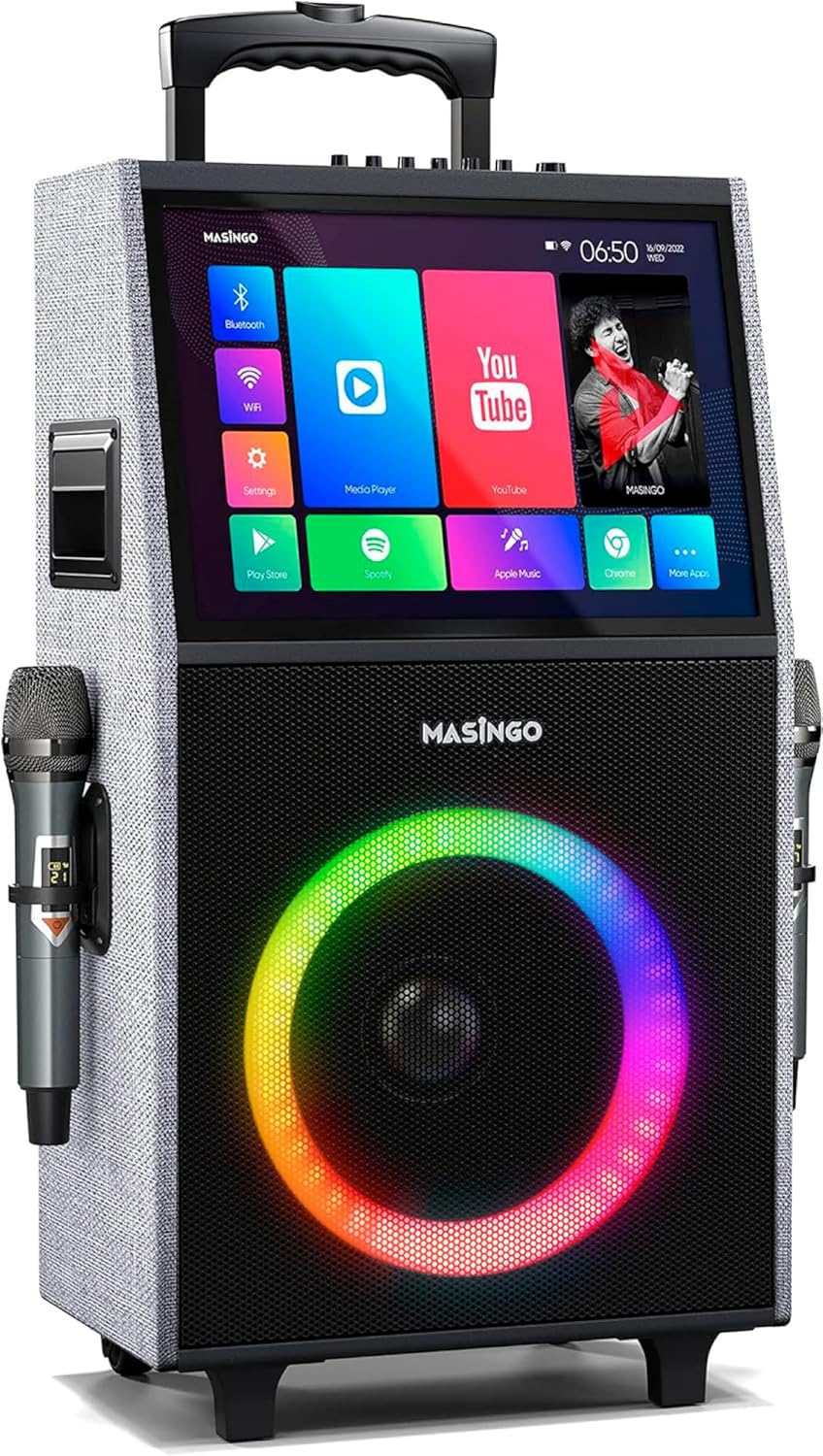
Figure 1: MASINGO Allegro X8 2.0 Professional Karaoke Machine
2. What's in the Box
Verify that all items are present in the package:
- Allegro X8 Karaoke Machine
- 2 Wireless Microphones
- Charging Adapter
- User Manual
- Auxiliary Cable

Figure 2: All-inclusive karaoke equipment
3. Setup
3.1 Initial Charging
Before first use, fully charge the karaoke machine using the provided charging adapter. The unit features a rechargeable battery providing 3-4 hours of operation.
3.2 Microphone Setup
Insert AA batteries into each wireless microphone. The microphones are rechargeable via USB-C (cable not included for microphones, but the main unit's charging adapter is provided).

Figure 3: Dual crystal-clear wireless microphones
3.3 Wi-Fi Connection
Power on the unit. On the touchscreen, navigate to 'Settings' and connect to your local Wi-Fi network for online content access.
4. Operating Instructions
4.1 Touchscreen Tablet
The Allegro X8 2.0 features a built-in 14.1-inch touch screen tablet. It comes with pre-installed apps like YouTube, Spotify, Apple Music, and Chrome. You can also download additional apps from the Play Store.

Figure 4: Lyrics display from built-in music apps
4.2 Wireless Microphones
The two wireless microphones feature individual displays for battery levels and frequency. Adjust microphone volume, echo, and EQ directly on the microphones or via the main control panel for optimal sound.
4.3 Connectivity Options
The unit supports multiple playback modes:
- Tablet Mode: Utilize the built-in touchscreen for apps and content.
- Bluetooth: Connect wirelessly to your smartphone or other Bluetooth-enabled devices.
- USB: Play media directly from a USB drive.
- AUX-out: Connect to external audio systems.
- Micro-SD: Play media from a Micro-SD card.
- HDMI: Output video to an external display or TV.
- Guitar Input: Connect a guitar to use the unit as an amplifier.

Figure 5: Top control panel with various inputs and adjustments
4.4 Voice Effects (Magic Mode)
Engage 'Magic Mode' to alter your voice with various effects such as 'Man', 'Woman', 'Electric', and 'Shout'. These settings can be adjusted for enhanced karaoke experiences.
4.5 LED Lights
The speaker features colorful LED lights that change in sync with the music, adding a dynamic visual element to your performance. These can be controlled via the unit's buttons.
4.6 Portability
The Allegro X8 2.0 is designed for portability with wheels and a telescoping handle, allowing for easy transport. The internal rechargeable battery provides 3-4 hours of continuous use.
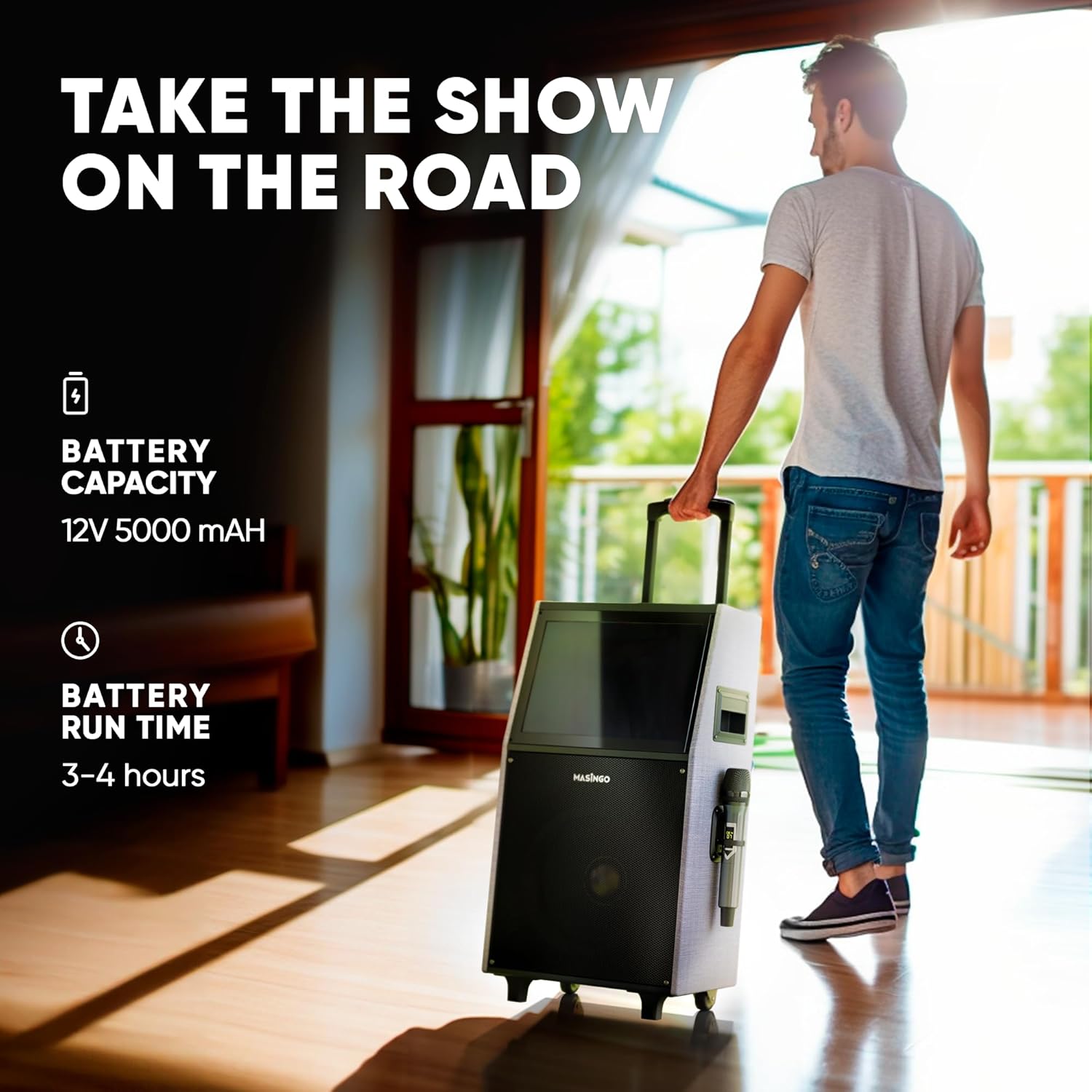
Figure 6: Rolling speaker with telescoping handle for easy transport
4.7 Official Product Video
Video 1: Introduction to the MASINGO Allegro X8 2.0 Karaoke Machine, showcasing its features and portability.
5. Maintenance
To ensure longevity and optimal performance of your karaoke machine:
- Keep the unit clean by wiping with a soft, dry cloth.
- Avoid exposing the unit to extreme temperatures or moisture.
- Store in a cool, dry place when not in use.
- Ensure microphones are fully charged before each use.
6. Troubleshooting
If you encounter issues with your Allegro X8 2.0, try the following:
- No Power: Ensure the unit is fully charged or connected to the charging adapter. Check the power switch.
- Microphone Not Connecting: Ensure microphones have fresh batteries and are powered on. Re-pair them if necessary.
- No Sound: Check volume levels on both the main unit and microphones. Ensure correct input source is selected.
- Touchscreen Unresponsive: Restart the unit. If the issue persists, contact customer support.
- Slow Performance: Ensure a stable Wi-Fi connection. Close unnecessary background applications on the tablet.
7. Specifications
- Product Dimensions: 18 x 12 x 32 inches
- Item Weight: 36.4 pounds
- Item Model Number: Allegro X8 - 2.0 Model
- Brand: MASINGO
- Special Feature: Cordless, Portable, Wireless
- Color: Grey (2.0)
- Recommended Uses For Product: Home

Figure 7: Product dimensions
8. Warranty and Support
The MASINGO Allegro X8 2.0 Karaoke Machine comes with a 60-day warranty. For further assistance or warranty claims, please refer to the contact information provided in your product packaging or visit the MASINGO official website.
