
1. Introduction
This manual provides essential information for the safe and efficient operation, installation, and maintenance of your Voltas SAC 185V Vectra Eden (4503594) Split Air Conditioner. Please read this manual thoroughly before using the appliance and retain it for future reference. Proper use and care will ensure optimal performance and longevity of your air conditioner.
2. Safety Information
Always adhere to the following safety precautions to prevent injury or damage to the unit:
- Ensure the air conditioner is installed by a qualified technician in accordance with local and national electrical codes.
- Do not attempt to repair or modify the unit yourself. Contact authorized service personnel for all repairs.
- Turn off the power supply before cleaning or performing any maintenance.
- Do not insert fingers or objects into the air inlet/outlet.
- Keep flammable materials away from the unit.
- Ensure proper grounding to prevent electric shock.
- This appliance is not intended for use by persons (including children) with reduced physical, sensory, or mental capabilities, or lack of experience and knowledge, unless they have been given supervision or instruction concerning use of the appliance by a person responsible for their safety.
3. Product Components
The Voltas SAC 185V Vectra Eden (4503594) Split Air Conditioner system typically includes the following main components:
- Indoor Unit
- Outdoor Unit
- Remote Control
- Installation Kit (Piping, wiring, drain hose, etc. - provided by installer)
- User Manual (This document)

Figure 1: Indoor Unit with air louvers open. This unit is designed for indoor installation and distributes conditioned air.

Figure 2: Indoor Unit with air louvers closed. The sleek design integrates well into various room aesthetics.
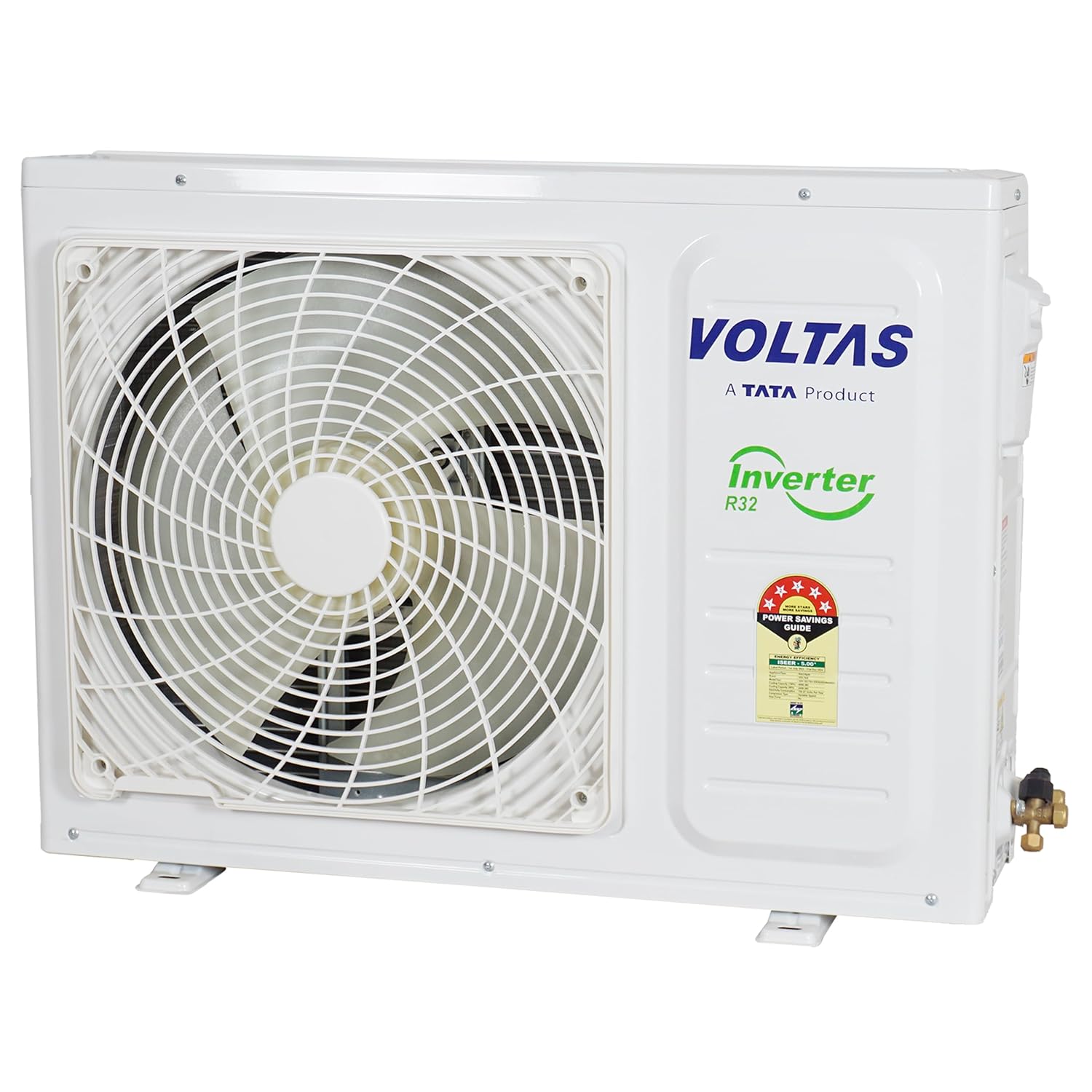
Figure 3: Outdoor Unit. This unit houses the compressor and condenser, responsible for heat exchange.

Figure 4: Remote Control. Used to operate the air conditioner's various functions and settings.
4. Setup and Installation
Installation of the Voltas SAC 185V Vectra Eden (4503594) Split Air Conditioner requires specialized tools and knowledge. It is mandatory to have the unit installed by a certified and authorized Voltas service technician to ensure proper functioning, safety, and warranty validity.
4.1 Site Selection
- Indoor Unit: Choose a location that allows for even air distribution, away from direct sunlight or heat sources. Ensure sufficient space around the unit for maintenance and airflow.
- Outdoor Unit: Select a well-ventilated area, free from obstructions, and away from direct exposure to rain or excessive dust. Ensure the outdoor unit is placed on a stable, level surface.
4.2 Electrical Requirements
The unit requires a dedicated power circuit with appropriate voltage (285 Volts) and proper grounding. Consult the technician for specific electrical wiring diagrams and safety standards.
4.3 Refrigerant Piping
The system uses R32 refrigerant. The refrigerant piping connecting the indoor and outdoor units must be installed correctly to prevent leaks and ensure efficient operation. This process must be handled by a certified technician.
5. Operating Instructions
Your Voltas air conditioner can be operated using the provided remote control. Ensure the remote has working batteries.
5.1 Basic Operation
- Power On/Off: Press the POWER button on the remote control to turn the unit on or off.
- Mode Selection: Press the MODE button to cycle through available modes: Cool, Dry, Fan, Auto.
- Temperature Adjustment: Use the + and - buttons to set your desired temperature.
- Fan Speed: Press the FAN button to adjust the fan speed (Low, Medium, High, Auto).
5.2 Special Features
- Air Purification Filter: This feature helps remove dust and allergens from the air.
- Dehumidifier: In Dry mode, the unit reduces humidity in the room.
- Dust Filter: The integrated dust filter captures airborne particles.
- V. Swing / H. Swing: Use these buttons to adjust the vertical and horizontal airflow direction.
- Sleep Mode: Optimizes temperature and fan speed for comfortable sleep.
- Timer On/Off: Set specific times for the unit to turn on or off automatically.
- Turbo Mode: Provides rapid cooling for quick comfort.
6. Maintenance
Regular maintenance ensures efficient operation and extends the lifespan of your air conditioner. Always disconnect power before performing maintenance.
6.1 Air Filter Cleaning
The air filters should be cleaned every two weeks or more frequently depending on usage and air quality.
- Open the front panel of the indoor unit.
- Remove the air filters.
- Clean the filters with a vacuum cleaner or wash them with lukewarm water and mild detergent.
- Allow filters to dry completely before reinstalling.
- Close the front panel.
6.2 Outdoor Unit Cleaning
Periodically check the outdoor unit for obstructions like leaves, dust, or debris. Gently clean the coil fins with a soft brush or water spray. Do not bend the fins.
6.3 Professional Servicing
It is recommended to schedule professional servicing at least once a year to check refrigerant levels, clean coils, and inspect all components for optimal performance.
7. Troubleshooting
Before contacting customer support, refer to the following common issues and solutions:
| Problem | Possible Cause | Solution |
|---|---|---|
| Unit does not turn on. | No power supply, remote control batteries dead. | Check circuit breaker. Replace remote control batteries. |
| Insufficient cooling. | Dirty air filters, blocked outdoor unit, wrong mode, low refrigerant. | Clean air filters. Clear obstructions from outdoor unit. Select Cool mode. Contact service for refrigerant check. |
| Unusual noise. | Loose parts, foreign objects, compressor issue. | Turn off unit and inspect for loose parts. If noise persists, contact service. |
| Water leakage from indoor unit. | Blocked drain pipe, improper installation. | Check and clear drain pipe. Contact service for inspection. |
If the problem persists after attempting these solutions, please contact Voltas customer support.
8. Specifications
Key technical specifications for the Voltas SAC 185V Vectra Eden (4503594) Split Air Conditioner:
- Brand: Voltas
- Model Name: 185V Vectra Eden
- Model Number: 4503594
- Capacity: 1.5 tons
- Cooling Power: 4900 Kilowatts
- Special Features: Air Purification Filter, Dehumidifier, Dust Filter
- Product Dimensions (Indoor Unit): 23.5D x 96W x 31.7H Centimeters
- Noise Level: 47 Decibels
- Refrigerant: R32
- Inverter Type: Has Inverter
- Installation Type: Split System
- Compressor Type: Rotary Scroll
- Core Material: Copper
- Voltage: 285 Volts
- Wattage: 4900 Watts
- Item Weight (Total): 31.5 Kilograms (Approximate, combined units)
- Control Method: Remote Control
- BEE Star Rating: 5 Star

Figure 5: Indoor Unit with key dimensions (Depth, Width, Height) indicated.

Figure 6: Energy Efficiency Label (BEE 5-Star Rating) for the Voltas 185V Vectra Eden AC, showing ISEER and annual energy consumption.
9. Warranty Information
Your Voltas SAC 185V Vectra Eden (4503594) Split Air Conditioner comes with a limited warranty:
- Product Warranty: 1 year on the complete product.
- Compressor Warranty: 10 years on the compressor.
Please retain your purchase receipt for warranty claims. The warranty is subject to terms and conditions, including proper installation by an authorized technician and adherence to maintenance guidelines. For detailed warranty terms, refer to the warranty card included with your product or contact Voltas customer support.
10. Customer Support
For any queries, service requests, or technical assistance regarding your Voltas air conditioner, please contact Voltas customer support:
- Manufacturer: Voltas Limited
- Address: Voltas House 'A' Block, Dr. Babasaheb Ambedkar Rd, Chinchpokli, Mumbai - 400 033, India
- Website: www.voltas.com
- Customer Service: Refer to the Voltas official website or product documentation for the latest contact numbers and email support.
When contacting support, please have your model number (185V Vectra Eden, 4503594) and purchase date readily available.

