
1. Introduction
The HYPEREV Gaming Router is a next-generation professional game acceleration router designed to provide a faster, smoother, and more stable online gaming experience. It supports a wide range of gaming platforms, including mainstream consoles and emerging gaming devices, by optimizing network routes and reducing latency.

Figure 1: Front view of the HYPEREV Gaming Router.
2. Key Features
- Multi-platform Compatibility: Enjoy accelerated gaming across various platforms including Xbox, PlayStation (PS5/PS4), Nintendo Switch, Steam Deck, Pico, and Oculus Quest 2. This eliminates the need for separate boosters for each console.
- Faster Game Downloads: The router diagnoses your network in real-time and selects the optimal exclusive route, significantly reducing game download times.
- Improved Gaming Performance: Advanced smart routing technology reduces ping, stabilizes your connection, and minimizes packet loss for a more responsive and fluid gameplay experience.
- GearUP Console Booster Integration: Includes a 90-day free trial of the GearUP Console Booster service. Continued use of the boosting function requires a membership subscription after the trial period.

Figure 2: The HYPEREV router enhances gaming on both PC and console platforms.
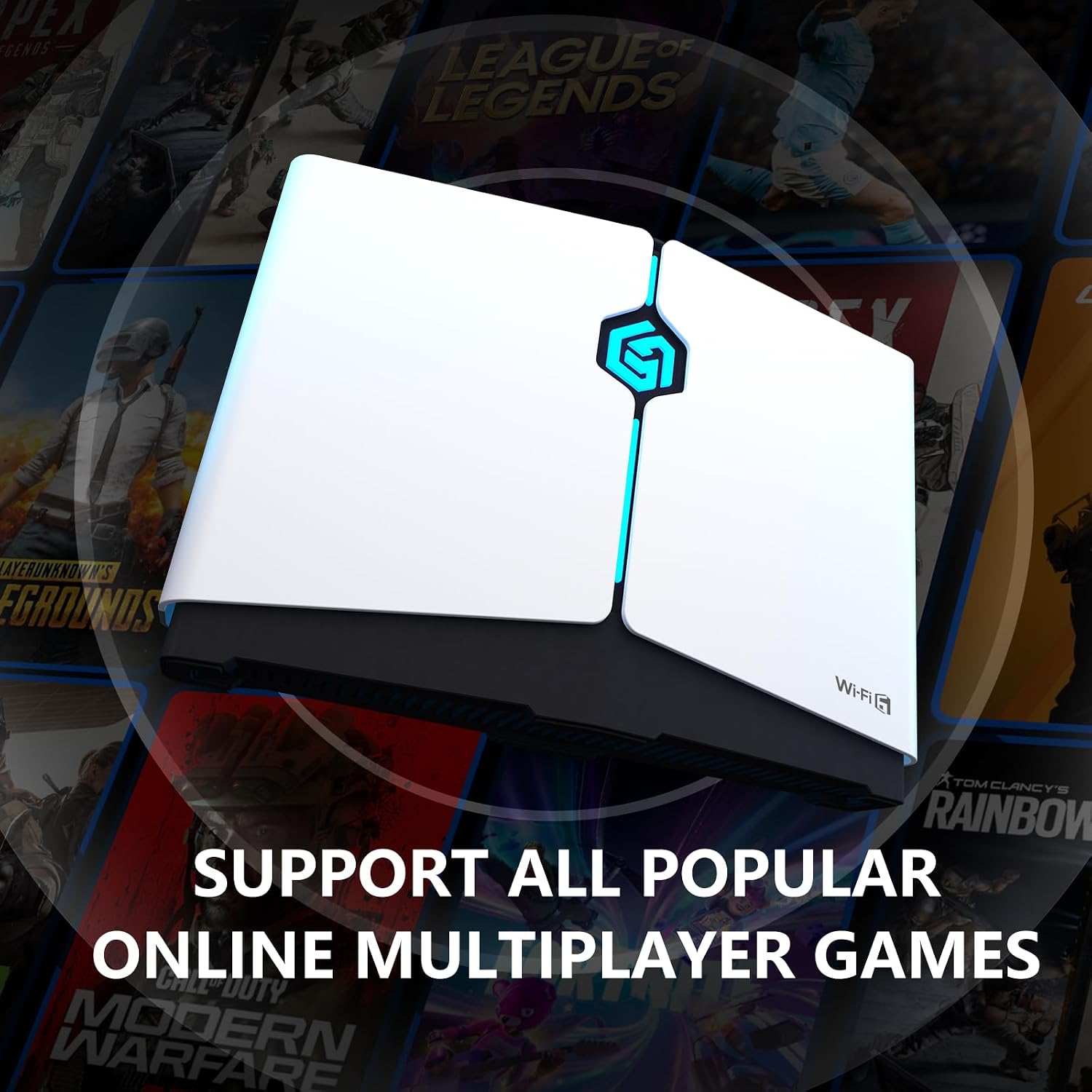
Figure 3: Supports a wide array of popular online multiplayer games.
3. Package Contents
Please verify that all items are present in your package:
- HYPEREV Gaming Router (Model UU002) x 1
- 1.5m Ethernet Cable x 1
- Power Adaptor x 1
- Footbed x 2
- User Manual x 1

Figure 4: The HYPEREV Gaming Router and its packaging.
4. Setup Guide
Follow these steps to set up your HYPEREV Gaming Router and begin optimizing your gaming experience:
- Connect Power: Connect the provided power adaptor to the router's power connector and plug it into a wall outlet.
- Connect to Internet: Connect your main internet router's LAN port to the HYPEREV router's WAN port using the included Ethernet cable.
- Connect Gaming Device: Connect your gaming console (e.g., PS5, Xbox, Switch) to one of the HYPEREV router's LAN ports using an Ethernet cable. Alternatively, connect wirelessly to the HYPEREV router's Wi-Fi network.
- Download the App: Search for and download the "GearUP Console Booster" application on your mobile device (available on iOS and Android app stores).
- Activate Boosting: Open the GearUP Console Booster app, follow the on-screen instructions to pair with your HYPEREV router, and select the game or platform you wish to boost.
For a visual guide on setting up and using your HYPEREV Gaming Router, please watch the official product video below:
Video 1: Official HYPEREV Gaming Router for Console overview and setup guide. This video demonstrates the product's features and how it enhances gaming performance.

Figure 5: The HYPEREV router integrated into a gaming setup, showing its connectivity options.
5. Operating Instructions
Once set up, the HYPEREV Gaming Router operates primarily through the GearUP Console Booster app. The app allows you to:
- Manage Boosting: Select specific games or platforms to apply network optimization. The router will automatically adjust its settings for the best performance.
- Monitor Devices: View connected devices and their network status.
- Firmware Upgrades: Receive notifications and perform firmware updates to ensure your router has the latest features and performance improvements.
- Password Management: Securely manage your router's network passwords.
Remember that the core boosting functionality requires an active GearUP Console Booster membership after the initial 90-day trial. Without a membership, you can still use the app for basic router management functions.
6. Maintenance
To ensure optimal performance and longevity of your HYPEREV Gaming Router, follow these simple maintenance guidelines:
- Keep Clean: Regularly wipe the exterior of the router with a soft, dry cloth. Avoid using liquid cleaners or abrasive materials.
- Ensure Ventilation: Place the router in a well-ventilated area, away from direct sunlight, heat sources, or enclosed spaces that could restrict airflow. Do not block the ventilation holes.
- Avoid Extreme Conditions: Do not expose the router to extreme temperatures, humidity, or dusty environments.
- Power Cycle: If you experience minor connectivity issues, try power cycling the router by unplugging it from the power outlet for 10-15 seconds, then plugging it back in.
7. Troubleshooting
If you encounter issues with your HYPEREV Gaming Router, please refer to the following common problems and solutions:
| Problem | Possible Cause | Solution |
|---|---|---|
| No internet connection. | Incorrect cable connection, main router issue, or ISP problem. | Ensure all Ethernet cables are securely connected. Check your main internet router and contact your Internet Service Provider (ISP) if necessary. |
| Gaming performance not improved (high ping/lag). | GearUP Console Booster not active, subscription expired, or network congestion. | Verify that the GearUP Console Booster is activated for your game in the app. Check your membership status. Ensure no other heavy network activities are running. |
| Cannot connect to the GearUP app. | Router not powered on, Wi-Fi disabled, or app issue. | Ensure the router is powered on and its Wi-Fi indicator is active. Restart the app and your mobile device. |
| Slow game downloads. | Boosting not active for downloads, or general internet speed limitations. | Confirm the boosting feature is enabled for downloads via the app. Check your overall internet speed with your ISP. |

Figure 6: Latency comparison demonstrating the HYPEREV router's effectiveness in reducing lag.
8. Specifications
| Feature | Detail |
|---|---|
| Model Name | NIT-GU-07-HR (UU002) |
| Dimensions (LxWxH) | 6.3 x 4.33 x 1.57 inches (160.4 x 110.8 x 39mm) |
| Item Weight | 8.8 ounces (250g) |
| Wireless Type | 802.11ac |
| Frequency Band Class | Dual-Band (5 GHz) |
| Connectivity Technology | Ethernet |
| Ports | Gigabit WAN x 1, Gigabit LAN x 2, Power Connector x 1 |
| Antenna Type | Internal |
| Compatible Devices | PS5, PS4, Xbox One, Xbox Series X|S, Nintendo Switch, Steam Deck, Oculus Quest 2, Pico 4 PRO, Pico Neo3 |
| Voltage | 12 Volts |
| Manufacturer | HYPEREV |

Figure 7: Detailed specifications and interface layout as shown on the product packaging.
9. Warranty and Support
Your HYPEREV Gaming Router comes with an initial 90-day free trial of the GearUP Console Booster service. For detailed information regarding the hardware warranty, return policies, and ongoing technical support, please refer to the official HYPEREV website or contact their customer service directly. Your satisfaction is a priority, and assistance is available for any purchasing concerns or technical inquiries.
For further assistance, you may visit the HYPEREV Store on Amazon: HYPEREV Store

