
ZTE EB2201
ZTE Buds 2 Wireless Earbuds User Manual
Model: EB2201
Brand: ZTE
Introduction
Thank you for choosing ZTE Buds 2 Wireless Earbuds. This manual provides detailed instructions on how to set up, operate, and maintain your earbuds to ensure optimal performance and longevity. The ZTE Buds 2 offer a seamless audio experience with Bluetooth 5.3 connectivity, long battery life, and intuitive touch controls.

Image: A promotional banner for ZTE Buds 2, highlighting 25 hours of battery, ultra-lightweight design (3.2 gr), intuitive touch control, and Bluetooth 5.3.
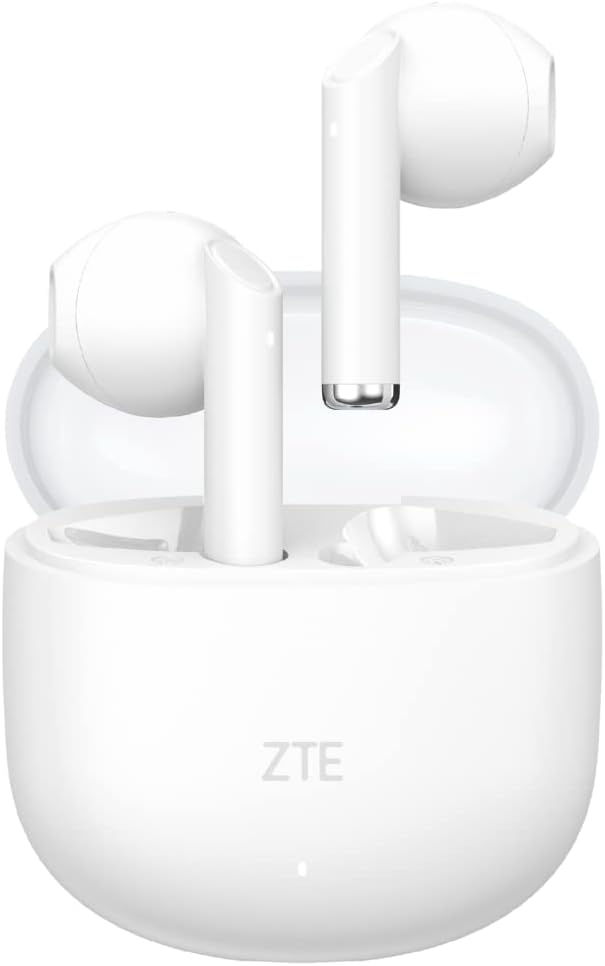
Image: ZTE Buds 2 Wireless Earbuds in their open charging case, showcasing the white earbuds and the compact case.
What's in the Box
- ZTE Buds 2 Wireless Earbuds (Left and Right)
- Charging Case
- USB-C Charging Cable
- User Manual
Setup
Charging the Earbuds and Case
Before first use, fully charge the earbuds and the charging case. The charging case provides additional charges for extended use.
- Place the earbuds into the charging case, ensuring they are correctly seated.
- Connect the USB-C charging cable to the charging port on the case and the other end to a power source (e.g., USB wall adapter, computer USB port).
- The indicator light on the charging case will show the charging status. A full charge for the case takes approximately 2.5 hours.
- The earbuds themselves take approximately 1.5 hours to fully charge inside the case.

Image: The ZTE Buds 2 charging case with text indicating 25 hours of autonomy with the case, 5 hours of playback without the case, and 4 additional charges from the case. It also highlights USB-C fast charging.

Image: A graphic illustrating the 25-hour battery life, with details on 5 hours of music playback per charge, 4 additional charges from the case, and charging times for earbuds (1.5h) and case (2.5h).
Pairing with a Device
The ZTE Buds 2 use Bluetooth 5.3 for a stable and efficient connection.
- Open the charging case. The earbuds will automatically enter pairing mode.
- On your device (smartphone, tablet, laptop), go to Bluetooth settings and turn Bluetooth on.
- Search for available devices and select "ZTE Buds 2" from the list.
- Once connected, the earbuds will automatically connect to your device when you open the case cover for subsequent uses.
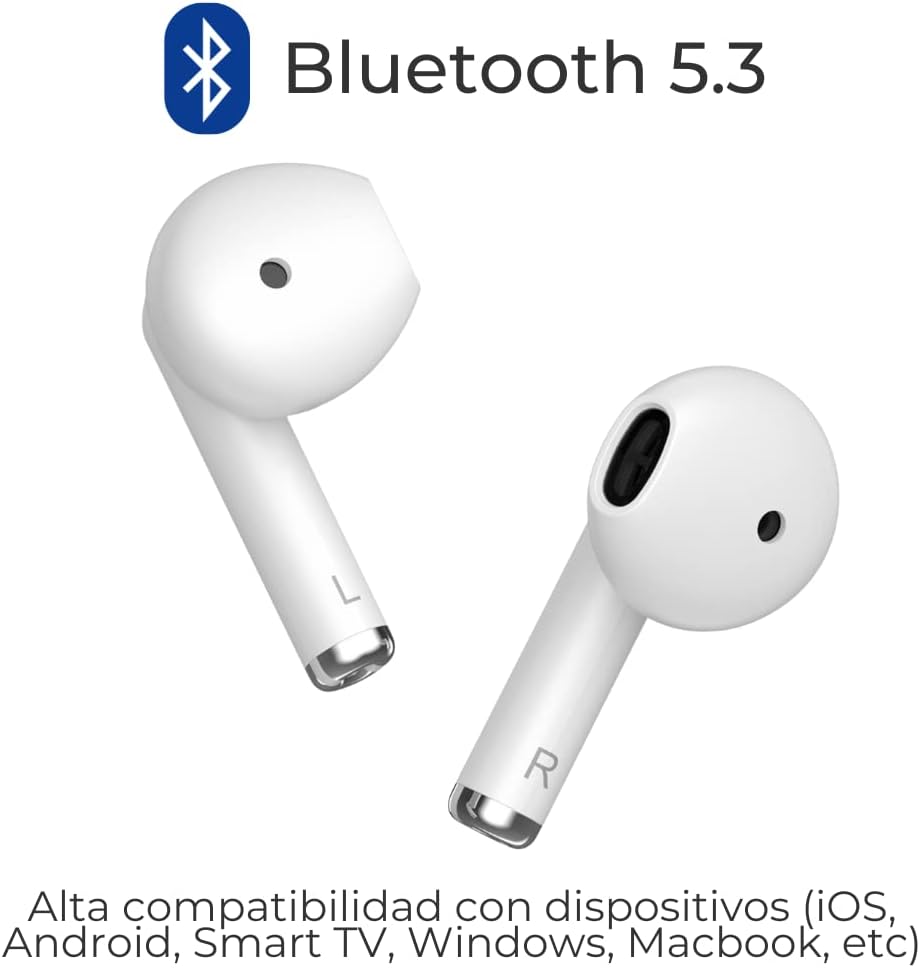
Image: Two ZTE Buds 2 earbuds with the Bluetooth 5.3 logo, indicating high compatibility with various devices including iOS, Android, Smart TV, Windows, and Macbook.

Image: A close-up graphic highlighting Bluetooth 5.3 connectivity with an illustration of the earbuds.

Image: A graphic depicting two earbuds with radiating lines, symbolizing their wireless connectivity.
Operating Instructions
Intuitive Touch Control
The ZTE Buds 2 feature touch-sensitive areas on each earbud for easy control of calls, music, and voice assistant.

Image: A diagram showing the touch control area on the ZTE Buds 2 earbuds, indicating compatibility with voice assistants like Google Assistant, Siri, and Bixby.

Image: A detailed guide to touch controls, including actions for calls (answer/hang up, reject), music (play/pause, previous, next), and general functions (activate voice assistant, reset pairing records).
Call Control:
- Answer/Hang up Call: Double tap L or R earbud.
- Reject Call: Press and hold L or R earbud for 1.5 seconds.
Music Control:
- Play/Pause: Double tap L or R earbud.
- Previous Track: Press and hold L earbud for 1.5 seconds.
- Next Track: Press and hold R earbud for 1.5 seconds.
General Functions:
- Activate Voice Assistant (Google Assistant, Siri, Bixby): Triple tap L or R earbud.
- Reset Pairing Records: Triple tap L and R earbuds simultaneously (earbuds must be disconnected from the device first).
Maintenance
Proper maintenance ensures the longevity and optimal performance of your ZTE Buds 2.
- Cleaning: Regularly clean the earbuds and charging case with a soft, dry, lint-free cloth. Do not use abrasive cleaners or solvents.
- Charging Contacts: Ensure the charging contacts on both the earbuds and inside the case are clean and free of debris to maintain proper charging.
- Storage: When not in use, store the earbuds in their charging case to protect them and keep them charged. Store in a cool, dry place away from direct sunlight and extreme temperatures.
- Water Resistance: The earbuds are IPX4 water resistant, meaning they can withstand splashes and sweat. Do not submerge them in water or expose them to heavy rain. Dry them thoroughly before placing them back in the charging case.

Image: A man running while wearing ZTE Buds 2, with icons indicating IPX4 water resistance and lightweight design (3.2g per bud).

Image: A graphic emphasizing the IPX4 water resistance of the earbuds.
Troubleshooting
If you encounter any issues with your ZTE Buds 2, refer to the following common solutions:
| Problem | Possible Cause / Solution |
|---|---|
| Earbuds not pairing or connecting. |
|
| Only one earbud is working. |
|
| Low volume or poor sound quality. |
|
| Earbuds not charging. |
|
Specifications
| Feature | Detail |
|---|---|
| Model Name | Buds 2 |
| Item Model Number | EB2201 |
| Connectivity Technology | Wireless, Bluetooth 5.3 |
| Ear Placement | In Ear |
| Form Factor | In Ear |
| Water Resistance Level | IPX4 Water Resistant |
| Battery Life (Earbuds) | Up to 5 hours (music playback) |
| Total Battery Life (with Case) | Up to 25 hours |
| Charging Time (Earbuds) | Approx. 1.5 hours |
| Charging Time (Case) | Approx. 2.5 hours |
| Charging Port | USB Type C |
| Control Type | Touch Control, Voice Assistant (Google Assistant, Siri, Bixby) |
| Item Weight (per earbud) | Approx. 3.2g |
| Frequency Range | 20 Hz to 20 KHz |
| Sensitivity | 32 Ohm |
| Noise Control | Sound Isolation |
| Material | Plastic |
| Compatible Devices | iPhone, Windows laptop, Television, Android, Macbook |

Image: A graphic illustrating the internal components of an earbud, highlighting a 13mm driver and a frequency response range of 20Hz to 20KHz.

Image: A graphic emphasizing the lightweight design of the earbuds, stating 3.2g per earbud.
Warranty and Support
For warranty information and customer support, please refer to the documentation included with your product packaging or visit the official ZTE website. Keep your purchase receipt as proof of purchase for warranty claims.
Online Resources:
- ZTE Official Website: www.zte.com.cn/global/
- Amazon Product Page: https://www.amazon.co.uk/dp/B0C3D57LNC
Related documentsEB2201


Ask a question about this manual
Ask about setup, troubleshooting, compatibility, parts, safety, or missing instructions. Manuals+ will review the question and use this page’s manual context to help answer it.