
1. Introduction
This manual provides essential information for the proper installation, setup, operation, and maintenance of your FLYCOLOR X-Cross HV3 80A Electronic Speed Controller (ESC). This high-performance ESC is designed for multi-rotor brushless RC FPV racing drones, supporting 5-12S LiPo batteries and featuring BLHeli-32 firmware.
Please read this manual thoroughly before using the product to ensure safe and optimal performance.
2. Safety Precautions
- Always disconnect the battery before performing any maintenance or installation.
- Ensure correct polarity when connecting the ESC to the battery. Incorrect connections can cause severe damage to the ESC and other components.
- Operate the ESC within its specified voltage and current limits (5-12S LiPo, 80A continuous, 100A burst).
- Keep the ESC away from water, moisture, and extreme temperatures.
- Ensure proper ventilation around the ESC during operation to prevent overheating.
- This product is not a toy. Keep out of reach of children. Recommended age for use is 14 years and up.
3. Product Overview
The FLYCOLOR X-Cross HV3 80A ESC is engineered for demanding FPV racing applications, offering robust performance and advanced features:
- High-Performance MCU: Equipped with an ARM 32-bit Cortex MCU, operating at up to 64 MHz, providing 25% higher processing speed than previous generations.
- Wide Voltage Support: Compatible with 5-12S LiPo batteries, suitable for X-class drones.
- Advanced Signal Support: Supports standard 1-2ms pulse width input, Oneshot125, Oneshot42, Multshot, and all Dshot and Proshot signals. The input signal is automatically detected upon power-up.
- Telemetry Functionality: Provides digital data such as temperature, voltage, current, and RPM.
- Enhanced Durability: Features high-performance, low ESR MOSFETs and an aluminum heat sink to manage temperature effectively.
- Signal Integrity: Silicone twisted-pair throttle signal cable reduces crosstalk for stable flight.
- Compact Design: Small size and light weight (25.5g) for integration into drones with narrow arms.

Figure 3.1: Front view of the FLYCOLOR X-Cross HV3 80A ESC, showing the branding and current rating.

Figure 3.2: Back view of the FLYCOLOR X-Cross HV3 80A ESC, revealing the internal components and circuitry.
Figure 3.3: Visual representation of the high-performance ARM 32-bit Cortex MCU, highlighting its advanced processing capabilities.

Figure 3.4: Diagram showing the aluminum heat sinks designed to dissipate heat and maintain optimal operating temperatures.
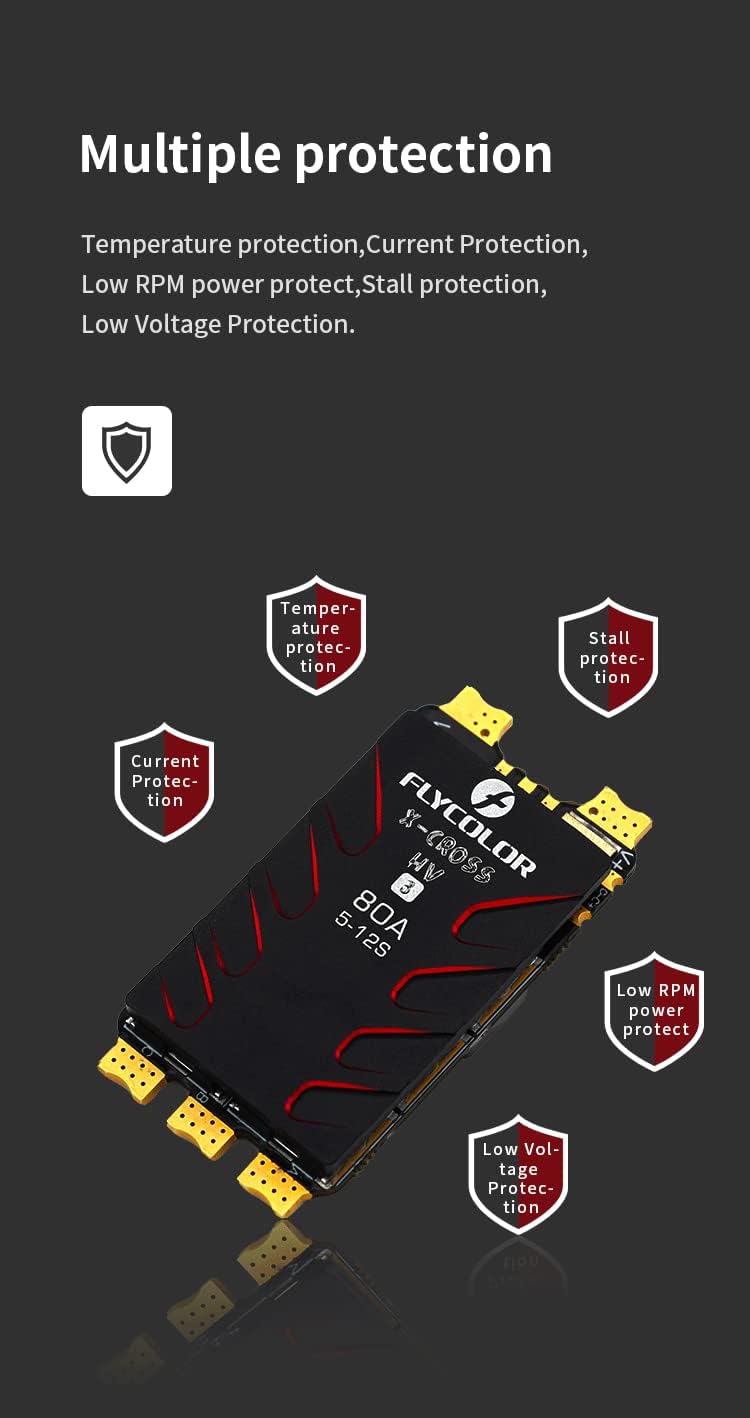
Figure 3.5: Overview of the multiple protection features, including temperature, current, low RPM power, stall, and low voltage protection.
4. Specifications
| Feature | Specification |
|---|---|
| Model | X-Cross HV3 80A |
| Continuous Current | 80A |
| Burst Current | 100A |
| BEC | No |
| LiPo Cells | 5-12S |
| Weight | 25.5g |
| Dimensions (LxWxH) | 55 x 28 x 10mm (2.2 x 1 x 0.4 inches) |
| MCU | ARM 32-bit Cortex, 64MHz |
| Firmware | BLHeli-32 |
| Signal Support | PWM (1-2ms), Oneshot125, Oneshot42, Multshot, Dshot, Proshot |
| Telemetry | Supported (temperature, voltage, current, RPM) |
| Typical Applications | 650-1200 X-Class / Big X-class drones with narrow arms |
5. Installation
Proper installation is crucial for the performance and longevity of your ESC. Follow these general guidelines:
- Mounting: Securely mount the ESC to your drone frame using appropriate mounting hardware or double-sided tape. Ensure it is protected from vibrations and potential impact.
- Orientation: Pay attention to the orientation of the ESC, especially if using telemetry or specific signal routing.
- Ventilation: Position the ESC in an area with adequate airflow to facilitate cooling, especially during high-current operation.
- Clearance: Ensure there is no contact between the ESC and other conductive components or carbon fiber parts that could cause a short circuit.

Figure 5.1: Example of the ESC's application, showing its relative size and placement on a multi-rotor drone frame.
6. Wiring Diagram
The X-Cross HV3 80A ESC requires careful wiring. Refer to the following general connections:
- Battery Connection: Connect the main positive (V+) and negative (V-) leads of the ESC directly to your LiPo battery's corresponding terminals. Ensure correct polarity.
- Motor Connections: Connect the three motor phase wires (A, B, C) from the ESC to the three motor wires. The order may affect motor rotation direction, which can be adjusted in BLHeliSuite32.
- Signal Wire: Connect the signal wire (S) from the ESC to the appropriate motor output pin on your flight controller.
- Ground Wire: Connect the ground wire (G) from the ESC to a common ground on your flight controller.
- Telemetry Wire (Optional): If using telemetry, connect the telemetry output (TX) from the ESC to the designated telemetry input on your flight controller (e.g., a UART RX pin).
Note: Always consult your flight controller's manual for specific wiring instructions and pin assignments.
7. Setup and Configuration
The FLYCOLOR X-Cross HV3 80A ESC utilizes BLHeli-32 firmware, allowing for extensive configuration via the BLHeliSuite32 software.
- Software Installation: Download and install the latest BLHeliSuite32 software from the official BLHeli website.
- Connection: Connect your flight controller to your computer via USB. Ensure the flight controller is powered (e.g., by connecting the LiPo battery to the ESC, after connecting the flight controller to USB, and ensuring all propellers are removed for safety).
- Detect ESCs: In BLHeliSuite32, select the correct interface (e.g., "BLHeli_32 Bootloader (Cleanflight/Betaflight)" or "BLHeli_32 Bootloader (STM32CubeProgrammer)") and click "Connect". Then click "Read Setup" to detect and read the ESCs.
- Firmware Update: It is recommended to update to the latest BLHeli-32 firmware version for optimal performance and bug fixes.
- Parameter Configuration: Adjust parameters such as motor direction, timing, Damped Light mode, and other settings according to your motor and drone setup.
- Telemetry Setup: If using telemetry, ensure it is enabled in BLHeliSuite32 and configured correctly in your flight controller firmware (e.g., Betaflight, ArduPilot).
Warning: Incorrect configuration can lead to motor damage or unstable flight. If unsure, consult experienced users or online resources.
8. Operating Instructions
Once installed and configured, the ESC operates in conjunction with your flight controller to control motor speed.
- Pre-Flight Check: Before each flight, ensure all connections are secure, propellers are correctly installed, and the battery is fully charged.
- Arming: Arm your drone via the flight controller. The ESCs will typically emit a series of beeps indicating they are ready.
- Throttle Control: The flight controller sends throttle commands to the ESCs, which then regulate power to the motors.
- Disarming: Disarm your drone after landing.
Important: Always remove propellers when testing motors on the bench or performing any configuration changes to prevent injury.
9. Maintenance
Minimal maintenance is required for the X-Cross HV3 80A ESC, but following these tips can extend its lifespan:
- Cleaning: Periodically inspect the ESC for dust, dirt, or debris. Gently clean with a soft brush or compressed air. Avoid using liquids.
- Inspection: Check for any signs of physical damage, loose connections, or burnt components.
- Storage: Store the ESC in a dry, cool environment when not in use.
10. Troubleshooting
If you encounter issues with your ESC, consider the following common troubleshooting steps:
- Motor Not Spinning:
- Check all motor and signal wire connections.
- Verify ESC is powered and receiving a signal from the flight controller.
- Ensure motor direction and settings are correct in BLHeliSuite32.
- Inspect motor for damage.
- ESC Overheating:
- Ensure adequate ventilation.
- Check for motor issues (e.g., binding, incorrect timing) that could draw excessive current.
- Verify propeller size and pitch are appropriate for your motors and ESC.
- Erratic Motor Behavior:
- Check for signal interference; ensure signal wires are twisted.
- Verify BLHeli-32 settings are appropriate for your setup.
- Inspect for loose connections or damaged wires.
- No Telemetry Data:
- Ensure telemetry wire is correctly connected to the flight controller.
- Verify telemetry is enabled in BLHeliSuite32 and configured in your flight controller firmware.
For further assistance, refer to online forums, community resources, or contact FLYCOLOR support.
11. Warranty and Support
FLYCOLOR products are manufactured to high standards. For warranty information and technical support, please refer to the official FLYCOLOR website or contact your authorized dealer.
When contacting support, please provide your product model (X-Cross HV3 80A) and a detailed description of the issue.


