1. Introduction and Overview
The UGREEN 45W USB C Charger Nexode (Model: CD294) is a compact and powerful GaN-based wall charger designed for efficient charging of a wide range of devices. Featuring two USB-C ports, it supports various fast charging protocols, including Samsung Super Fast Charging 2.0, and incorporates advanced safety features to protect your devices.
- 45W Max Single Port Charging: Supports Samsung Super Fast Charging 2.0, charging a Samsung Galaxy S23 Ultra from 0% to 100% within an hour with a 5A cable. Can also charge a MacBook Air M2 2022 from 0% to 72% within an hour when using a single port.
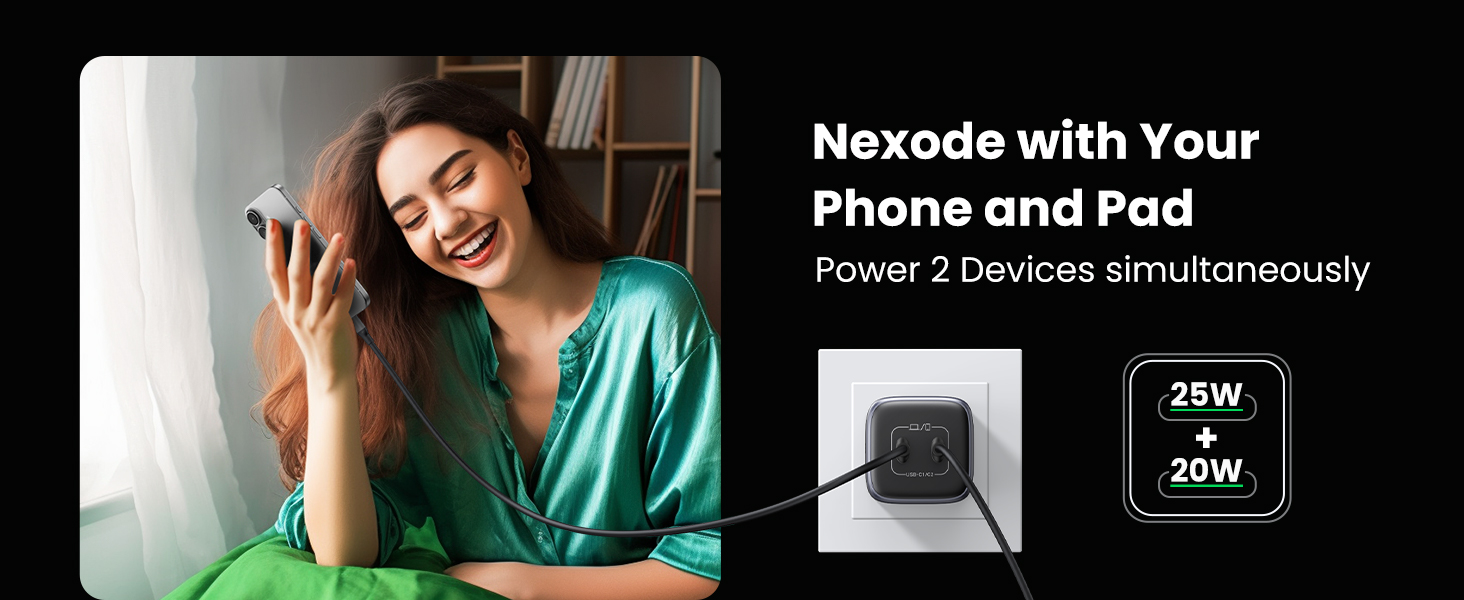
- Dual Port Simultaneous Charge: Capable of fast charging devices like an iPhone 17 and iPad Air simultaneously. Note: Does not support AirPods Pro 2.
- Wide Device Compatibility: Compatible with MacBook Air, iPad Pro, iPhone 8-17 Series, Samsung S10-S25 Series, Steam Deck, Apple Watch Ultra/Watch 8, Pixel 10 Pro, HomePod, and more.
- Next Gen Safety: UGREEN's Power Dispenser System intelligently adjusts power output to protect device batteries. Multiple safety systems protect devices from overheating, overcharging, and overvoltage.
- Compact and Portable: Small and lightweight with a foldable design, making it an ideal travel companion with a standard voltage range of 100 to 240V.
2. Setup
Setting up your UGREEN 45W USB C Charger Nexode is straightforward. Follow these steps to begin charging your devices:
- Unfold the Prongs: Gently pull out the foldable prongs from the charger body until they lock into place.
- Connect to Power Outlet: Plug the charger into a standard wall outlet (100-240V).
- Connect Charging Cable: Insert a compatible USB-C charging cable (not included) into one of the USB-C output ports on the charger. For optimal fast charging, especially for Samsung Super Fast Charging 2.0, use a 5A cable.
- Connect to Device: Connect the other end of the charging cable to your device.
- Dual Device Charging: To charge a second device, insert another compatible USB-C cable into the remaining USB-C port and connect it to your second device. The charger will intelligently distribute power between the connected devices.
Ensure all connections are secure before charging.
3. Operating Instructions
The UGREEN 45W USB C Charger Nexode is designed for intelligent and safe power delivery. Understanding its operating principles ensures optimal performance.
Power Distribution:
- Single Port Usage: When only one device is connected to either USB-C port, the charger can deliver up to 45W of power, enabling super fast charging for compatible devices like the Samsung Galaxy S23 Ultra or MacBook Air M2.
- Dual Port Usage: When two devices are connected simultaneously, the charger's Power Dispenser System intelligently distributes the total 45W output. For example, it might allocate 25W to one port and 20W to the other, or adjust based on the devices' power requirements to ensure efficient charging for both.
Optimal Charging Tips:
- For maximum charging speed, especially for 45W output, ensure your device and charging cable support the required power delivery (e.g., 5A cable for Samsung Super Fast Charging 2.0).
- The charger is equipped with GaN technology, which allows for a compact design while maintaining high efficiency and lower heat generation during operation.
4. Safety Features
Your UGREEN 45W USB C Charger Nexode is built with advanced safety mechanisms to protect both the charger and your connected devices.
- Power Dispenser System: Intelligently adjusts power output to protect device batteries from overcharging and optimize charging efficiency.
- Overheating Protection: Internal sensors monitor the charger's temperature to prevent overheating, ensuring stable and safe operation.
- Overcharging Protection: Prevents damage to device batteries by stopping power delivery once the device is fully charged.
- Overvoltage Protection: Safeguards devices from potential damage caused by excessive voltage.
- Short-Circuit Protection: Automatically cuts off power in the event of a short circuit to prevent damage.
5. Specifications
| Feature | Detail |
|---|---|
| Brand | UGREEN |
| Model Number | CD294 |
| Total USB Ports | 2 (USB Type C) |
| Max Output Power | 45W |
| Input Voltage | 100-240 Volts |
| Amperage | 5 Amps |
| Special Feature | Fast Charging, Foldable Design, GaN Technology, Power Dispenser System |
| Compatible Devices | Galaxy S24 Ultra S23 S22 S20 S10 S9, Laptops, Smartphones, Smartwatches, Tablets (e.g., iPhone 16/15/14/13/12 series, iPad Pro, MacBook Air, Steam Deck) |
| Color | White |
| Item Weight | 3.46 ounces |
| Package Dimensions | 4.06 x 4.02 x 1.65 inches |
6. Troubleshooting
If you encounter issues with your UGREEN 45W USB C Charger Nexode, please refer to the following common troubleshooting steps:
- Device Not Charging:
- Ensure the charger is securely plugged into a working wall outlet.
- Verify that the charging cable is properly connected to both the charger and your device.
- Try using a different charging cable to rule out a faulty cable.
- Test the charger with a different device to confirm the charger's functionality.
- Slow Charging:
- Confirm that your device and cable support fast charging protocols (e.g., Power Delivery, PPS).
- If charging two devices simultaneously, the power output is distributed. Disconnect one device to see if the charging speed for the other improves.
- Ensure you are using a high-quality, compatible charging cable, especially a 5A cable for 45W Samsung Super Fast Charging 2.0.
- Charger Overheating:
- It is normal for the charger to feel slightly warm during operation. However, if it becomes excessively hot, disconnect it immediately.
- Ensure the charger is used in a well-ventilated area and not covered by objects that could trap heat.
- Avoid charging devices that exceed the charger's maximum power output.
If issues persist, please contact UGREEN customer support.
7. Maintenance
To ensure the longevity and optimal performance of your UGREEN 45W USB C Charger Nexode, follow these maintenance guidelines:
- Cleaning: Disconnect the charger from the power outlet before cleaning. Use a soft, dry cloth to wipe the surface. Avoid using liquid cleaners or abrasive materials.
- Storage: When not in use, fold the prongs for compact storage. Store the charger in a cool, dry place away from direct sunlight, moisture, and extreme temperatures.
- Handling: Avoid dropping the charger or subjecting it to strong impacts. Do not attempt to disassemble or repair the charger yourself, as this will void the warranty and could lead to safety hazards.
- Cable Care: Always pull the plug directly when disconnecting cables, rather than pulling on the cable itself, to prevent damage to the connectors and cables.
8. Warranty and Support
UGREEN provides a standard warranty for its products. For specific warranty terms and conditions, please refer to the warranty card included in your product packaging or visit the official UGREEN website.
Customer Support:
If you have any questions, require technical assistance, or need to claim warranty service, please contact UGREEN customer support through the following channels:
- Official Website: Visit www.ugreen.com for FAQs, support resources, and contact information.
- Email Support: Refer to your user manual or product packaging for the dedicated support email address.
- Online Chat: Available on the UGREEN official website during business hours.
Please have your product model number (CD294) and purchase details ready when contacting support.
9. Product Images