
1. Introduction
The Eyesound Jellyfish Lamp Bluetooth Speaker (Model Y15) is designed to provide a calming and immersive experience with its lifelike jellyfish movement, customizable lighting, integrated Bluetooth speaker, and soothing white noise functions. This manual provides essential information for the proper setup, operation, and maintenance of your device.
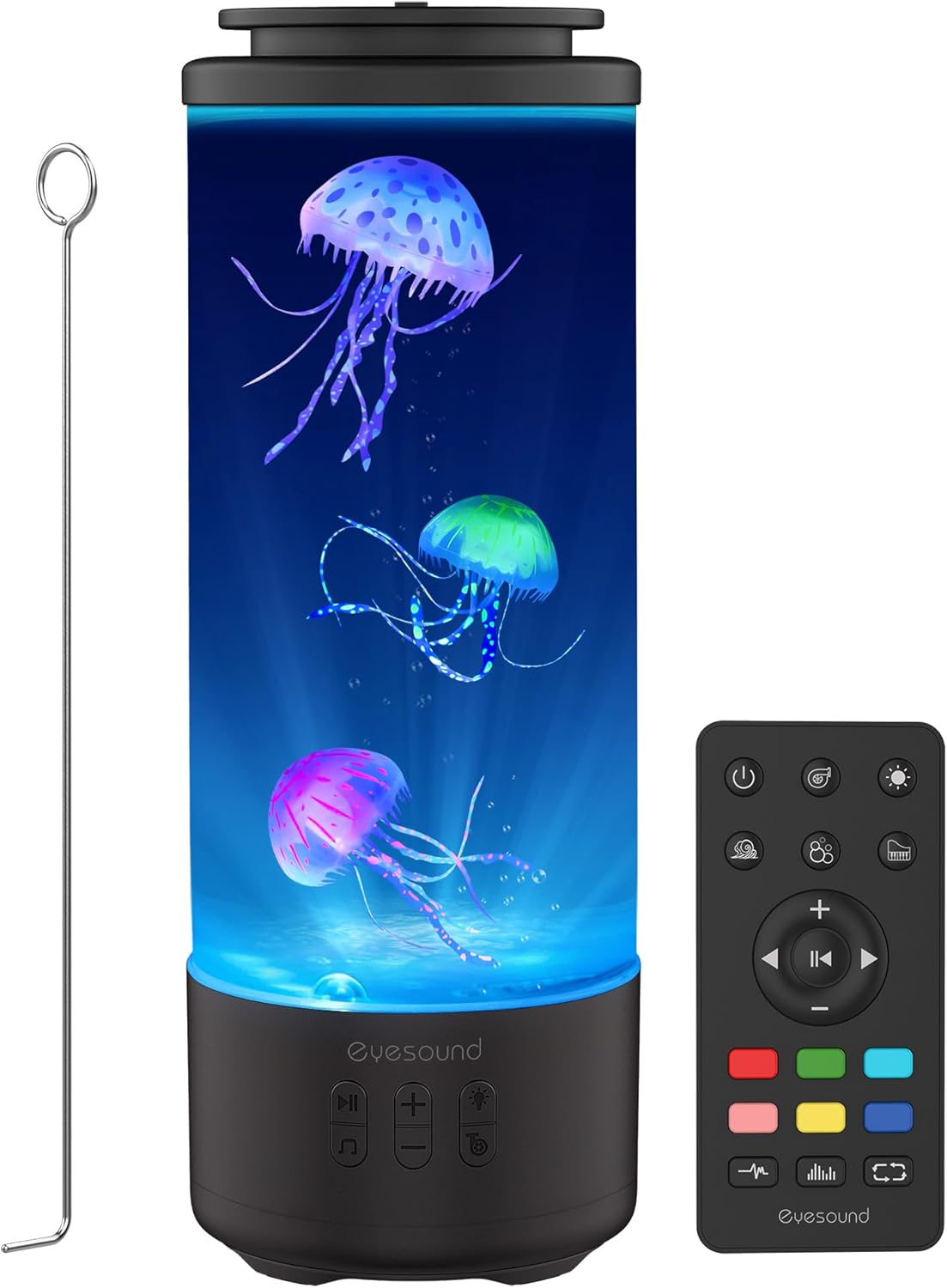
Image: The Eyesound Jellyfish Lamp Bluetooth Speaker, showcasing its cylindrical design, three artificial jellyfish, and accompanying remote control and cleaning tool.
2. What's Included
Verify that all components are present in the package:
- 1 x Jellyfish Tank Lamp Body
- 3 x Transmittance Jellyfishes
- 1 x Remote Control
- 1 x Power Cable (USB-C)
- 1 x Stainless Rod (for jellyfish preparation)
- 1 x User Manual (this document)

Image: All components included in the Eyesound Jellyfish Lamp package, neatly laid out.
3. Setup Instructions
- Prepare the Jellyfish: Before placing them in the tank, soak the artificial jellyfish in a cup of water with a few drops of dish soap overnight. This helps remove air bubbles and allows them to swim more freely.
- Fill the Tank: Open the sealing silicone lid at the top of the lamp. Fill the tank with distilled water up to the indicated fill line.
- Insert Jellyfish: Gently place the prepared jellyfish into the tank, ensuring they are fully submerged and any remaining air bubbles are removed. Use the provided stainless rod to gently stir the water and dislodge bubbles from the jellyfish or the tank walls.
- Secure the Lid: Close the silicone lid firmly to prevent leaks.
- Charge the Device: Connect the provided USB-C power cable to the lamp and a suitable power adapter (not included). Allow 3-4 hours for a full charge. The lamp can be used while charging.

Image: Visual instructions for preparing the jellyfish and filling the tank to ensure optimal swimming.
4. Operating Instructions
4.1 Power On/Off
Press the power button on the lamp's base or the remote control to turn the device on or off.
4.2 Lighting Modes
The lamp features 7 colors and 4 lighting modes:
- Static: Displays a single, constant color.
- Gradient: Smoothly transitions between colors.
- Music Sync: Changes colors in rhythm with playing music.
- Color Cycle: Automatically cycles through all 7 colors.
Use the dedicated buttons on the lamp or remote to cycle through colors and modes.
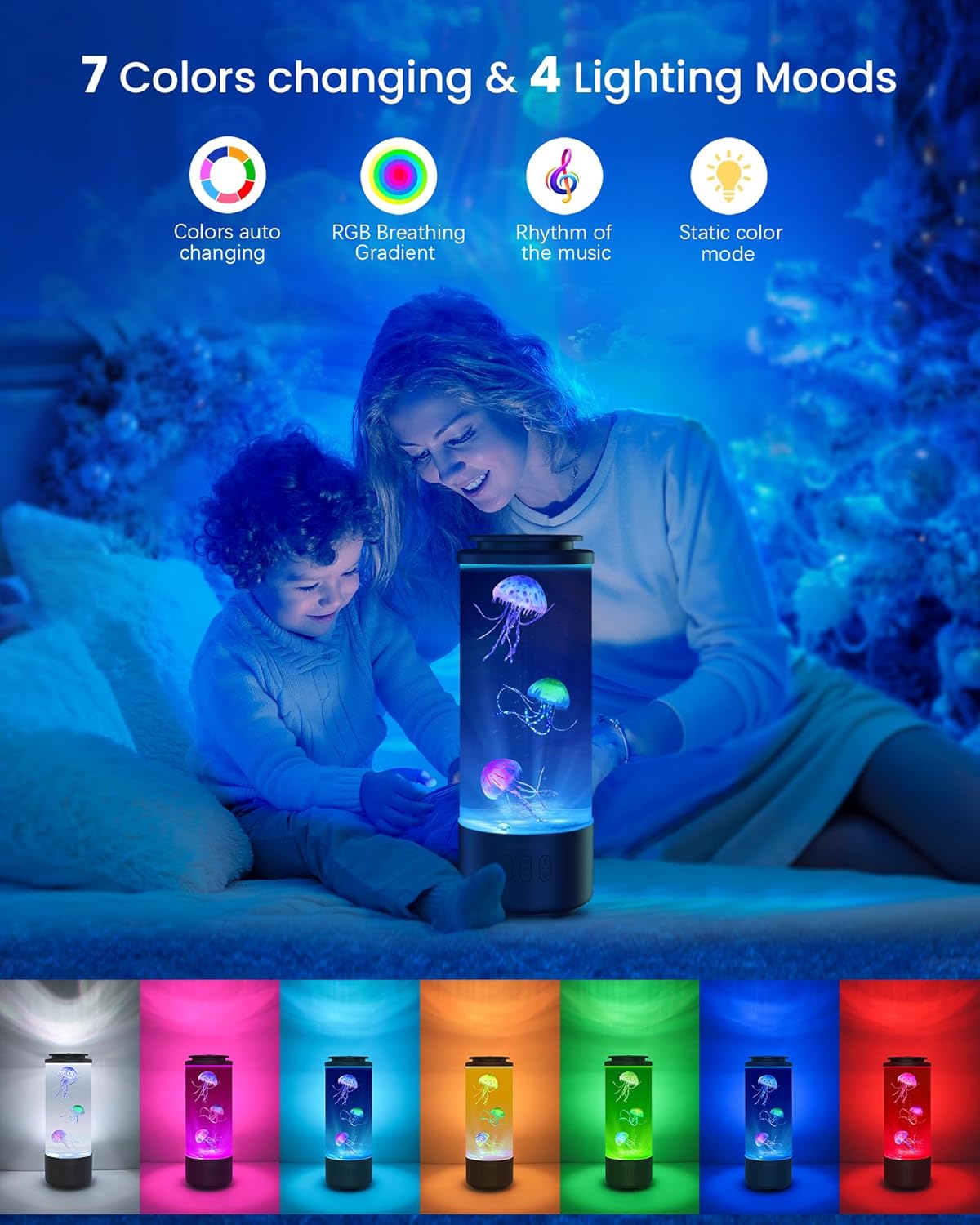
Image: The jellyfish lamp demonstrating its 7 color options and 4 lighting modes.
4.3 Bluetooth Speaker
The lamp includes a built-in Bluetooth 5.1 speaker with Hi-Fi stereo sound.
- Pairing: Turn on the lamp. The device will automatically enter Bluetooth pairing mode. On your smartphone or other Bluetooth-enabled device, search for "Eyesound" and connect.
- Playback: Once paired, you can stream audio from your device. Use the play/pause, volume up/down buttons on the lamp or remote to control playback.
Video: An official product video demonstrating the Eyesound Jellyfish Lamp with Bluetooth Speaker and White Noise features, including music synchronization.
4.4 White Noise Function
Select from 3 pre-programmed white noise tracks to aid relaxation or sleep:
- Ocean Waves
- Flowing Water
- Soft Piano
Use the dedicated white noise button on the lamp or remote to cycle through these sounds.
4.5 Water Speed Adjustment
Adjust the movement speed of the jellyfish to your preference:
- Normal: Standard jellyfish movement.
- Slow: Reduced movement for a more tranquil effect.
- Still: Minimal movement.
Control the water flow speed using the remote control.

Image: The remote control with options for adjusting jellyfish movement speed.
4.6 Remote Control Functions
The included remote control allows for convenient operation of all lamp features:
- Power On/Off
- Light Color Selection
- Lighting Mode Selection
- Bluetooth Play/Pause
- Volume Up/Down
- White Noise Selection
- Jellyfish Movement Speed Adjustment
5. Features Overview
- 7 Colors & 4 Lighting Modes: Offers a variety of visual experiences from static colors to dynamic music-synced light shows.
- Bluetooth Speaker & White Noise: Integrated Bluetooth 5.1 for audio streaming and 3 calming white noise tracks.
- Rechargeable & Cordless Design: Built-in 4000mAh battery provides 8-10 hours of cordless use after a 3-4 hour charge.
- Quiet Brushless Motor: Operates at less than 25dB, ensuring a peaceful environment.
- 360° Full-View & Leakproof Design: A 2.2L tank allows for clear viewing from all angles, with a silicone-sealed lid to prevent spills.

Image: The lamp's cordless design and rechargeable battery for portable use.
Video: An official product video demonstrating the anti-leak seal design of the jellyfish lamp, showing it can be tilted without spilling.
6. Maintenance
- Cleaning: Periodically wipe the exterior of the lamp with a soft, damp cloth. Do not use abrasive cleaners.
- Water Changes: While the sealed design minimizes maintenance, if the water becomes cloudy or algae appears, drain the tank, clean it thoroughly, and refill with fresh distilled water and a few drops of dish soap.
- Jellyfish Care: If jellyfish do not swim properly, ensure there are no air bubbles trapped on their surface or within the tank. Repeat the initial preparation steps if necessary.
7. Troubleshooting
| Problem | Possible Cause | Solution |
|---|---|---|
| Jellyfish not swimming or floating at the top. | Air bubbles trapped on jellyfish or tank walls. | Gently stir the water with the stainless rod to dislodge bubbles. Ensure jellyfish were properly soaked with dish soap during initial setup. |
| Bluetooth not connecting. | Device not in pairing mode or already connected to another device. | Ensure the lamp is on and in pairing mode. Disconnect from other devices. Restart both the lamp and your Bluetooth device. |
| Lamp not turning on. | Low battery or power issue. | Charge the lamp fully. Ensure the power cable is securely connected. |
| Water appears cloudy. | Mineral buildup or algae. | Drain, clean, and refill the tank with distilled water and a few drops of dish soap. |
8. Specifications
| Feature | Detail |
|---|---|
| Model Number | Y15 |
| Brand | Eyesound |
| Product Dimensions | 4.6"D x 4.6"W x 12.8"H |
| Item Weight | 3.3 pounds (1.5 Kilograms) |
| Material | PVC Upgraded Base + ABS Body + Silicone Lid |
| Light Source Type | LED |
| Number of Light Sources | 6 |
| Light Color | 7 colors |
| Brightness | 500 Lumen |
| Power Source | Battery Powered (4000mAh built-in) |
| Voltage | 5 Volts |
| Wattage | 5 watts |
| Control Method | Remote |
| Bluetooth Version | 5.1 |
| Water Resistance Level | Water Resistant (not waterproof) |
| UPC | 673658939178 |
9. Warranty and Support
Eyesound is committed to customer satisfaction. This product comes with:
- 36-Months Hassle-Free Guarantee: For any manufacturing defects or performance issues.
- Dedicated Customer Service: One-on-one customer service staff available.
- 24/7 Professional Support: Assistance available around the clock for any inquiries or issues.
For support, please refer to the contact information provided on the product packaging or the official Eyesound website.