1. Introduction
Thank you for choosing the SANSI Motion Sensor Outdoor Security Light. This manual provides detailed instructions for the installation, operation, and maintenance of your new security light. Designed for optimal outdoor illumination and security, this light features advanced motion sensing capabilities, multiple operating modes, and a durable, weatherproof construction. Please read this manual thoroughly before installation and retain it for future reference.

Image 1.1: Front view of the SANSI 25W 3000LM Motion Sensor Outdoor Security Light, showing the two adjustable light heads and the motion sensor unit below.
2. Product Features
- High Brightness & Energy Efficiency: Equipped with upgraded SANSI LED chips, delivering 3000 lumens at only 25 watts, saving over 80% energy compared to traditional 200W halogen bulbs.
- Advanced Heat Dissipation: Utilizes world-leading ceramic design for superior heat dissipation, extending the product lifespan to 50,000 hours.
- Multiple Control Modes: Features four distinct operating modes: AUTO Motion Sensor, Dusk to Dawn, On-Time, and Test Mode, catering to various lighting needs.
- Wide Motion Detection: Detects motion up to 72 feet within a 320° detection angle, enhancing security coverage. Lighting time is adjustable from 10 seconds to 10 minutes.
- Durable & Weatherproof: Constructed from high-quality PC material with IP65 waterproof rating, ensuring stable operation in all weather conditions. Resistant to UV, flame, and corrosion.
- Flexible Installation: Supports both soffit/eave mounting and wall mounting for versatile placement.
- Adjustable Brightness Sensitivity (LUX): Allows users to set the ambient brightness threshold for sensor activation, ensuring the light only operates when needed.
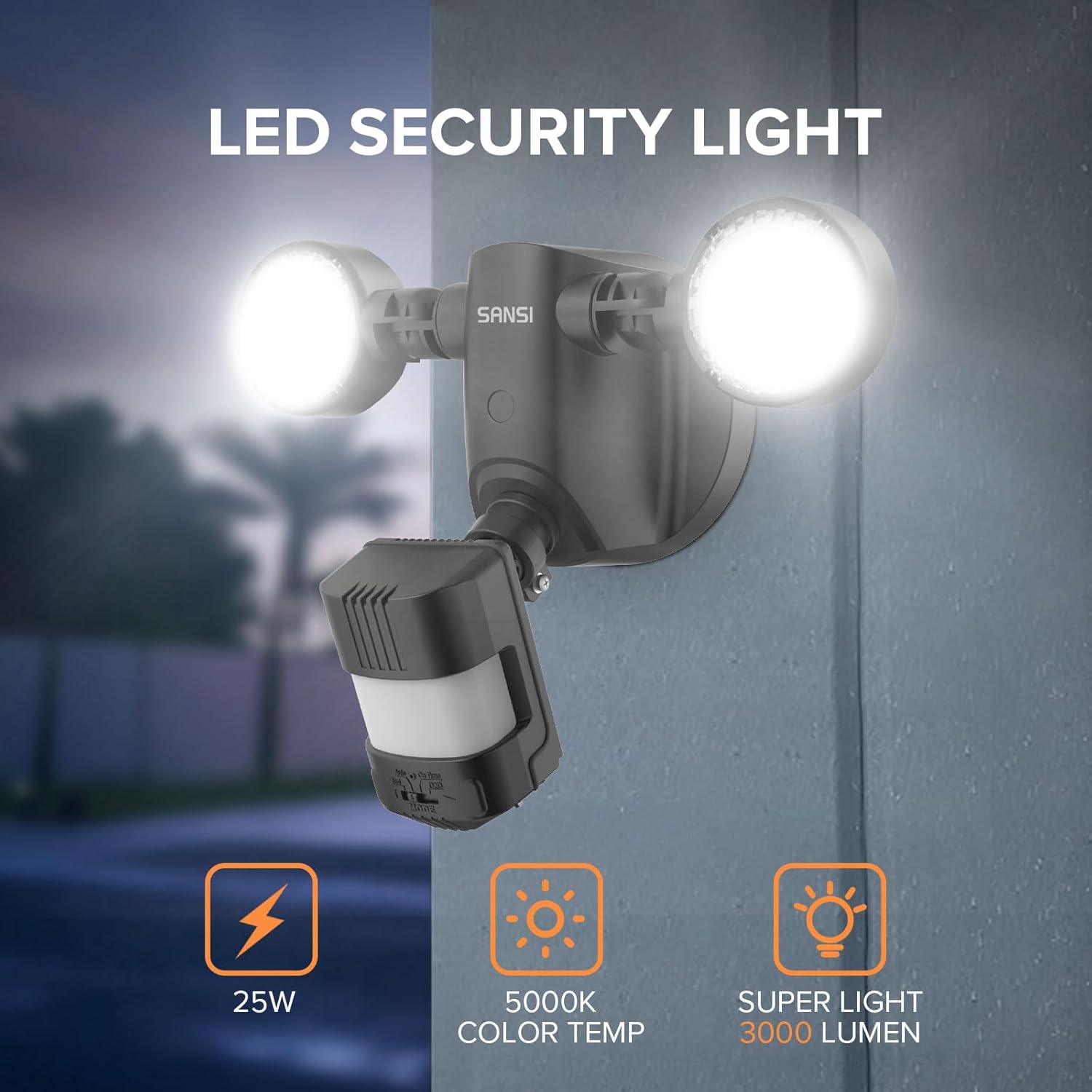
Image 2.1: Key features of the SANSI LED Security Light, highlighting its 25W power consumption, 5000K color temperature, and 3000 lumen output.
3. Safety Information
Please read and understand all safety instructions before installing or operating this product. Failure to do so may result in electric shock, fire, or other hazards.
- Always turn off power at the circuit breaker before installation or servicing.
- Installation should be performed by a qualified electrician or in accordance with local electrical codes.
- Ensure the mounting surface is structurally sound and can support the weight of the fixture.
- Do not connect to a dimmer switch. This fixture is not compatible with dimmers.
- Do not look directly into the LED light source when illuminated, as it may cause eye strain or damage.
- This product is rated IP65 for outdoor use, meaning it is protected against dust ingress and low-pressure water jets. However, avoid submerging the unit.
- Keep flammable materials away from the light fixture.
4. Setup and Installation
This security light can be installed as a soffit/eave mount or a wall mount. Follow the steps below for proper installation.
- Prepare for Installation: Turn off power at the circuit breaker. Ensure you have all necessary tools (screwdriver, wire strippers, etc.) and the junction box (not included).
- Fix the Mounting Plate: Securely attach the mounting plate to your existing junction box.
- Connect the Wires: Connect the light fixture's wires to your household wiring:
- Black wire (Hot) to Black wire
- White wire (Negative) to White wire
- Green wire (Ground) to Green wire
- Fix the LED Light: Carefully align the LED light fixture with the mounting plate and secure it with the provided screws.
- Adjust Light Heads and Sensor: Once mounted, adjust the two light heads to cover the desired area. Position the motion sensor for optimal detection.

Image 4.1: Step-by-step visual guide for installing the SANSI security light, from mounting plate to wiring and final fixture attachment.

Image 4.2: Examples of the SANSI security light installed in both soffit-mounted and wall-mounted configurations, demonstrating installation flexibility.
5. Operating Modes and Adjustments
The SANSI security light offers four distinct operating modes and adjustable settings for optimal performance.
5.1. Mode Selection
Use the "MODE" switch on the sensor unit to select your desired operating mode:
- AUTO (Motion Sensor Mode): The light will turn on for 10 seconds to 10 minutes (adjustable) at night when motion is detected. It will turn off automatically after the set time if no further motion is detected.
- Dusk to Dawn Mode: The light will automatically turn on at dusk and turn off at dawn, providing continuous illumination throughout the night. Motion detection is inactive in this mode.
- On-Time Mode: The light functions like a normal light, staying on continuously when switched on manually. Motion detection is inactive.
- Test Mode: For testing purposes. The light will turn on for approximately 5 seconds when motion is detected, regardless of ambient light conditions. This mode is useful for adjusting the sensor's position and sensitivity.
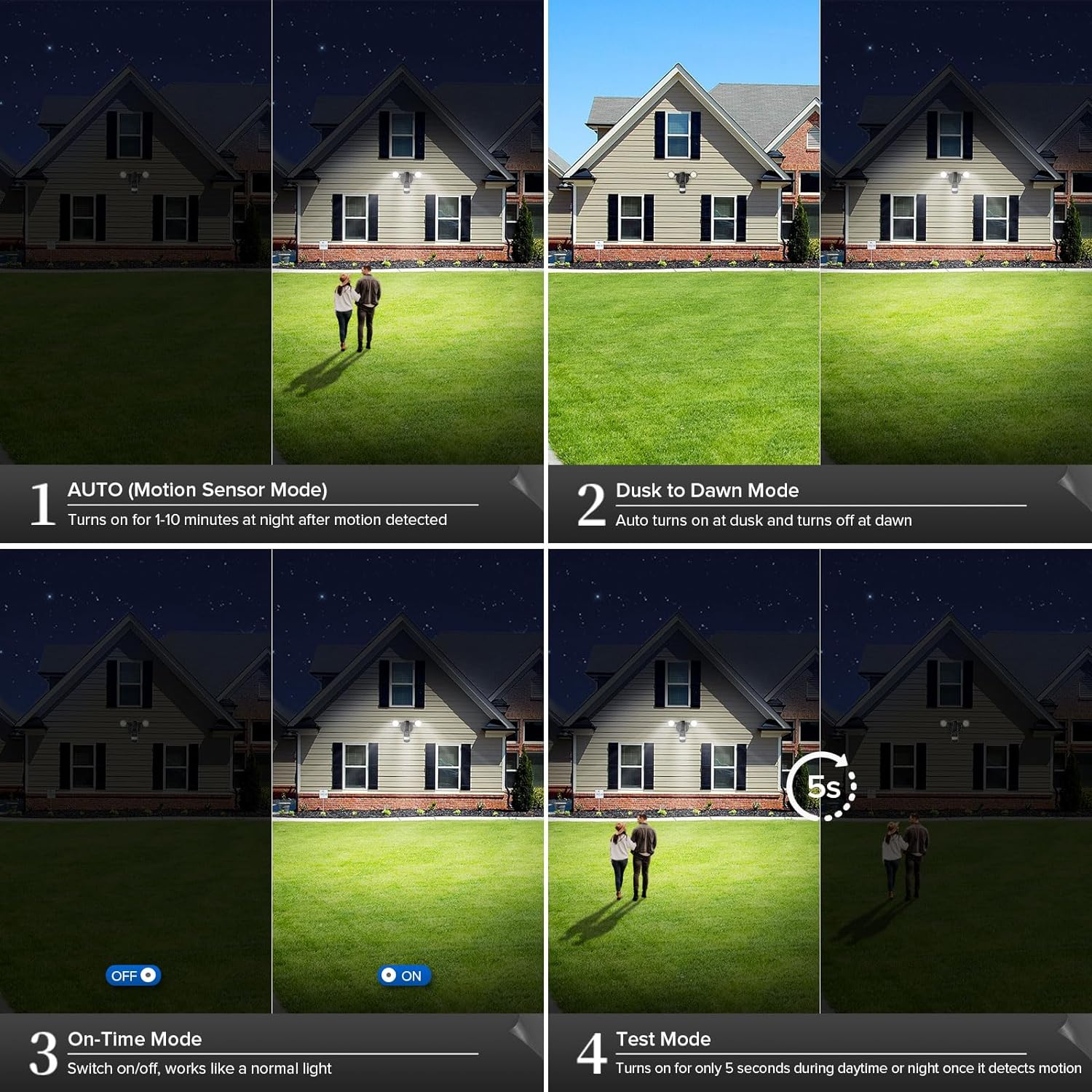
Image 5.1: Visual representation of the four operational modes: AUTO (motion sensor), Dusk to Dawn, On-Time (manual control), and Test Mode (5-second activation).
5.2. Sensor Adjustments (Knobs)
The sensor unit features three adjustable knobs for fine-tuning performance:
- LUX (Brightness Sensitivity): Controls the ambient light level at which the sensor becomes active.
- Turn towards "Sun" symbol for activation in brighter ambient light (daytime).
- Turn towards "Moon" symbol for activation only in low ambient light (nighttime).
- TIME (Lighting Duration): Sets how long the light stays on after motion is detected. Adjustable from 10 seconds to 10 minutes.
- RANGE (Detection Sensitivity): Adjusts the motion sensor's detection range.
- Turn towards "MAX" for maximum detection range (up to 72 feet).
- Turn towards "MIN" for a shorter detection range.

Image 5.2: Illustration of the motion sensor's 72-foot detection range and the three control knobs for LUX (brightness sensitivity), Time (lighting duration), and Range (detection sensitivity).
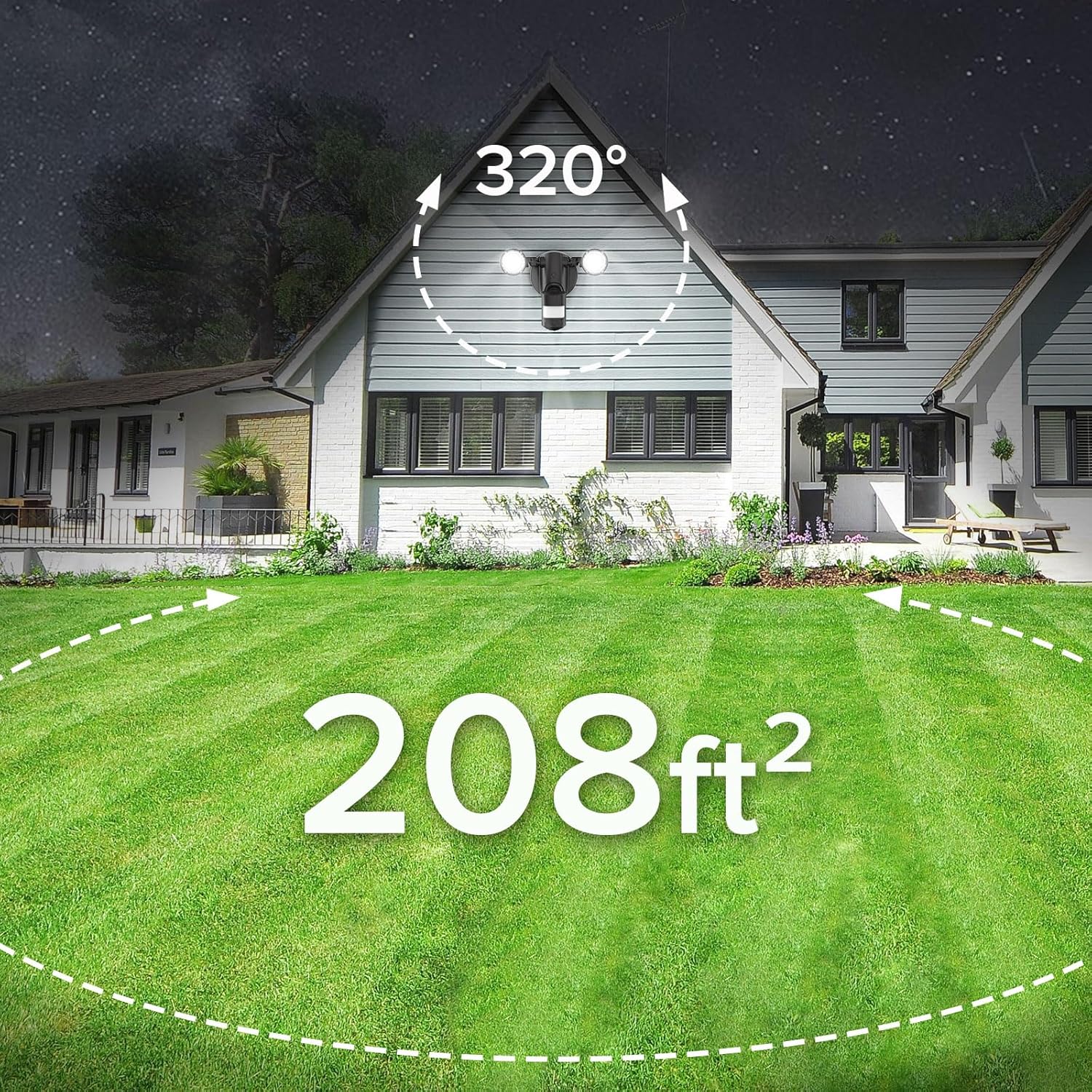
Image 5.3: Depiction of the SANSI security light's wide 320-degree detection angle and its ability to cover an area of 208 square feet.
6. Maintenance
To ensure optimal performance and longevity of your SANSI security light, follow these simple maintenance guidelines:
- Cleaning: Periodically clean the light fixture and sensor lens with a soft, damp cloth. Do not use abrasive cleaners or solvents, as they may damage the finish or sensor.
- Inspection: Regularly inspect the wiring and connections for any signs of wear, damage, or corrosion. Ensure all mounting screws are tight.
- Obstruction Check: Ensure no trees, bushes, or other objects are obstructing the motion sensor's field of view, which could affect its performance.
- LEDs: The LED light source is designed for long life and is not user-replaceable. Do not attempt to open the light heads.
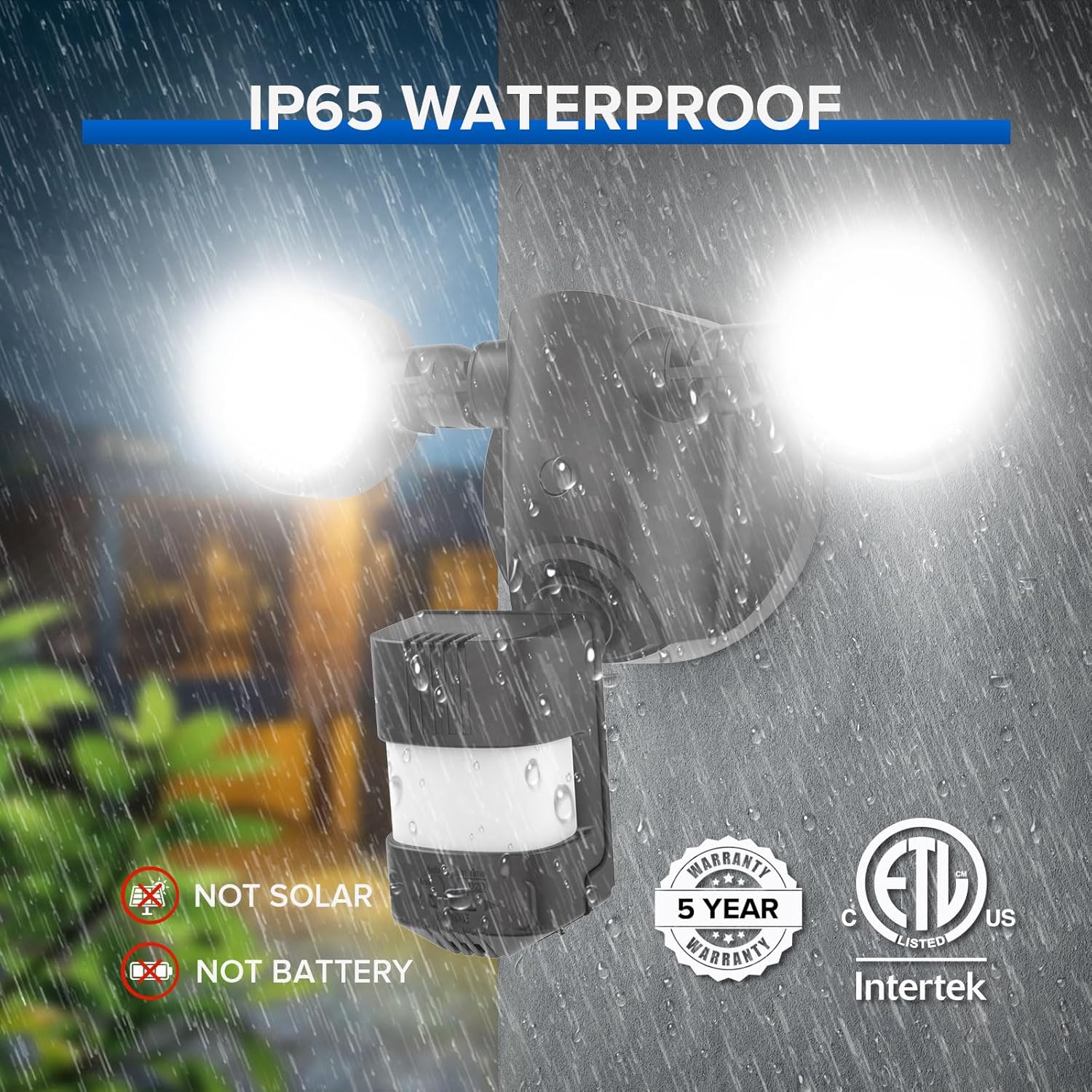
Image 6.1: The IP65 waterproof rating of the SANSI security light, demonstrating its ability to withstand various weather conditions like rain.
7. Troubleshooting
If you encounter issues with your SANSI security light, refer to the following common problems and solutions:
| Problem | Possible Cause | Solution |
|---|---|---|
| Light does not turn on at night. |
|
|
| Light stays on continuously. |
|
|
| Light turns on during the day. |
|
|
| Motion not detected or range is poor. |
|
|
8. Specifications
| Feature | Specification |
|---|---|
| Model | 25W-3000LM |
| Power Consumption | 25W |
| Lumen Output | 3000LM |
| Color Temperature | 5000K (Daylight) |
| Motion Detection Angle | 320° |
| Motion Detection Range | Up to 72 feet |
| Adjustable Lighting Time | 10 seconds to 10 minutes |
| Waterproof Rating | IP65 |
| Material | Ceramic, PC (Polycarbonate) |
| Certifications | ETL Listed |
| Lifespan | 50,000 hours |
9. Warranty and Support
SANSI stands behind the quality of its products. This security light comes with a 5-year protection plan.
For any questions, concerns, or technical support, please contact our customer service team directly through Amazon Message. Your satisfaction is our priority.
ETL Certification: This product is ETL certified, ensuring it meets rigorous safety and performance standards.


