
1. Introduction
This manual provides essential information for the safe and effective use of your SPS Brand 12V 8Ah Replacement Batteries, specifically designed for the Opti-UPS Thunder Shield Series TS1000C Uninterruptible Power Supply (UPS). This package contains ten (10) 12V 8Ah rechargeable sealed lead-acid (SLA) batteries featuring Absorbent Glass Mat (AGM) technology. Please read this manual thoroughly before installation and use.
2. Safety Information
WARNING: Improper handling of batteries can lead to serious injury or damage. Always follow safety guidelines.
- California Proposition 65 Warning: This product contains chemicals known to the State of California to cause cancer, birth defects, or other reproductive harm, including arsenic, strong inorganic acid mists (including sulfuric acid), and lead.
- Eye Protection: Always wear appropriate eye protection when handling batteries.
- Skin Protection: Wear gloves to prevent skin contact with battery terminals or any potential electrolyte leakage.
- Short Circuits: Do not short-circuit battery terminals. This can cause severe burns, fire, or explosion. Remove all metallic jewelry before handling batteries.
- Ventilation: Ensure adequate ventilation when working with batteries.
- Disposal: Batteries must be disposed of properly according to local and federal regulations. Do not dispose of batteries in fire.
- Do Not Open: Do not attempt to open or disassemble the battery. There are no user-serviceable parts inside.
- Charging: Use only chargers designed for 12V sealed lead-acid batteries. Refer to the charge voltages marked on the battery for cyclic and float applications.
- Indoor Use: These batteries are recommended for indoor use only.
3. Package Contents
Verify that your package contains the following items:
- Ten (10) SPS Brand 12V 8Ah Replacement Batteries
4. Setup and Installation
These batteries are designed as replacements for the Opti-UPS Thunder Shield Series TS1000C UPS. The installation process involves replacing existing batteries within the UPS unit. Always refer to the specific operations manual for your Opti-UPS Thunder Shield Series TS1000C UPS for detailed installation instructions.
4.1 General Installation Guidelines (Consult UPS Manual for specifics)
- Power Off UPS: Before beginning any battery replacement, ensure the UPS is completely powered off and disconnected from the AC power source and all connected equipment.
- Locate Battery Compartment: Identify and open the battery compartment of your Opti-UPS Thunder Shield Series TS1000C UPS.
- Disconnect Old Batteries: Carefully disconnect the cables from the old batteries, noting their polarity (+/-).
- Remove Old Batteries: Remove the old batteries from the compartment.
- Insert New Batteries: Place the new SPS 12V 8Ah replacement batteries into the compartment, ensuring correct orientation.
- Voltage Matching: When multiple batteries are ordered, they are manufactured in the same batch and voltage-matched during inspection to ensure optimal performance and extended battery and equipment life.
- Connect New Batteries: Connect the cables to the new batteries, ensuring correct polarity. Double-check all connections for tightness.
- Close Compartment: Securely close the battery compartment.
- Power On UPS: Reconnect the UPS to the AC power source and power it on according to your UPS manual. Allow the batteries to fully charge before relying on the UPS for backup power.
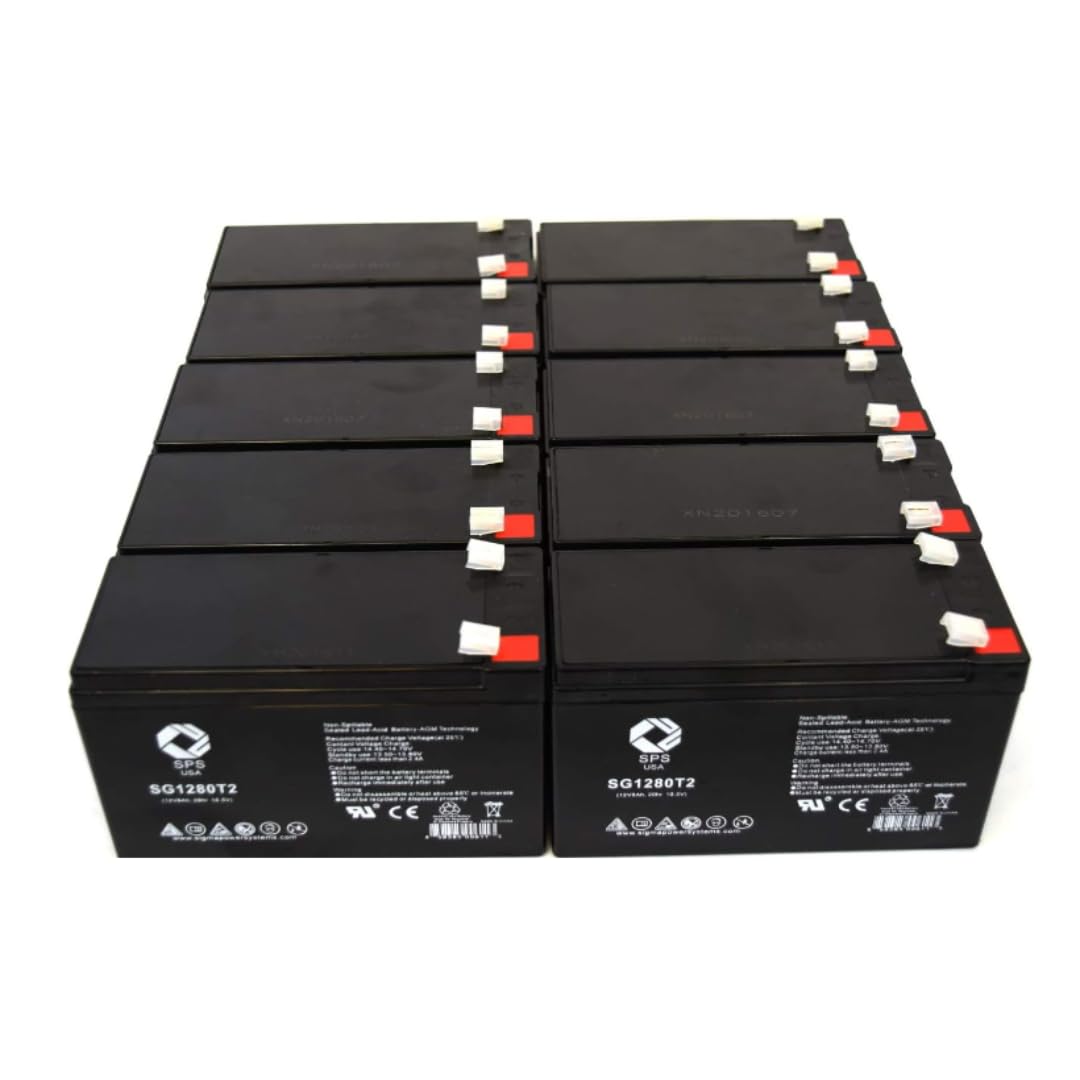
An image showing a single SPS Brand 12V 8Ah replacement battery, typically used in UPS systems. The battery is rectangular with terminals on top.
5. Operating Instructions
Once installed in your Opti-UPS Thunder Shield Series TS1000C UPS, these 12V 8Ah batteries will function automatically as part of the UPS system. They are rechargeable and designed for continuous operation within the UPS environment.
- Rechargeable: The batteries are designed to be recharged by the UPS's internal charging circuit.
- Float Application: In a UPS, batteries are typically used in a 'float' application, where they are kept at a constant voltage to maintain a full charge and are ready for immediate use during a power outage.
- Cyclic Application: While primarily for float use in a UPS, these batteries can also be used in cyclic applications where they are regularly discharged and recharged. Refer to the battery's specifications for appropriate charge voltages in such scenarios.
6. Maintenance
SPS 12V 8Ah AGM batteries are maintenance-free under normal operating conditions. However, following these guidelines can help ensure their longevity:
- Regular Inspection: Periodically inspect the batteries and their connections for any signs of corrosion, swelling, or damage. Ensure connections remain tight.
- Cleanliness: Keep the battery surfaces clean and dry. Use a damp cloth to wipe away dust or dirt. Do not use solvents or harsh chemicals.
- Temperature: Operate and store batteries within recommended temperature ranges (typically 20°C to 25°C or 68°F to 77°F) to maximize lifespan. Extreme temperatures can reduce battery life.
- Disposal: When batteries reach the end of their service life, they must be recycled. Contact your local recycling center or battery supplier for proper disposal procedures. Rightprice Batteries offers a free battery recycling service.
7. Troubleshooting
If you encounter issues after replacing your UPS batteries, consider the following:
- UPS Not Powering On:
- Ensure all battery connections are secure and correctly polarized.
- Verify the UPS is properly connected to the AC power source.
- Consult your UPS manual for specific power-on sequences or error codes.
- Batteries Not Holding Charge / Short Runtime:
- Allow sufficient time for the new batteries to fully charge (typically 8-24 hours, refer to UPS manual).
- Ensure the UPS's internal charger is functioning correctly.
- Verify that the total load connected to the UPS does not exceed its capacity.
- Check the age of the batteries. While new, battery performance can degrade over time.
- Physical Damage: If you observe any swelling, leakage, or other physical damage to the batteries, discontinue use immediately and contact support for assistance.
8. Specifications
| Feature | Specification |
|---|---|
| Brand | SPS |
| Model Number | RPB_SPS_1280_10_UPS_3360 |
| Model Name | RPB_SPS_1280 |
| Number of Batteries (in pack) | 10 |
| Voltage | 12 Volts |
| Capacity | 8 Ah |
| Battery Cell Composition | Lead Acid |
| Battery Cell Type | Absorbent Glass Mat (AGM) |
| Reusability | Yes (Rechargeable) |
| Recommended Uses | Indoor |
| Item Dimensions (single battery) | 5.94 x 2.56 x 3.7 inches |
| Item Weight (total for 10-pack) | 62 Pounds |
| Manufacturer | Sigma Power Systems |
9. Warranty and Support
Your SPS Brand 12V 8Ah Replacement Batteries are backed by a commitment to quality and customer satisfaction.
- Warranty: These replacement batteries carry a one-year full warranty when used under normal conditions.
- Money-Back Guarantee: A 30-day money-back guarantee is offered from the date of purchase.
- Manufacturer: Sigma Power Systems
- Seller: Rightprice Batteries
- Recycling Service: Ask Rightprice Batteries about their free battery recycling service for spent batteries.
- Contact Support: For warranty claims, technical assistance, or questions regarding proper disposal, please contact the seller, Rightprice Batteries, or the manufacturer, Sigma Power Systems.
