
1. Introduction
Thank you for choosing the ALLIMITY QYSY-RC1546-WP-QYSY Replacement Remote Control. This remote is designed to function as a direct replacement for your original remote, covering all essential functions without requiring any complex programming. Simply insert batteries, and it is ready for immediate use with compatible television models.
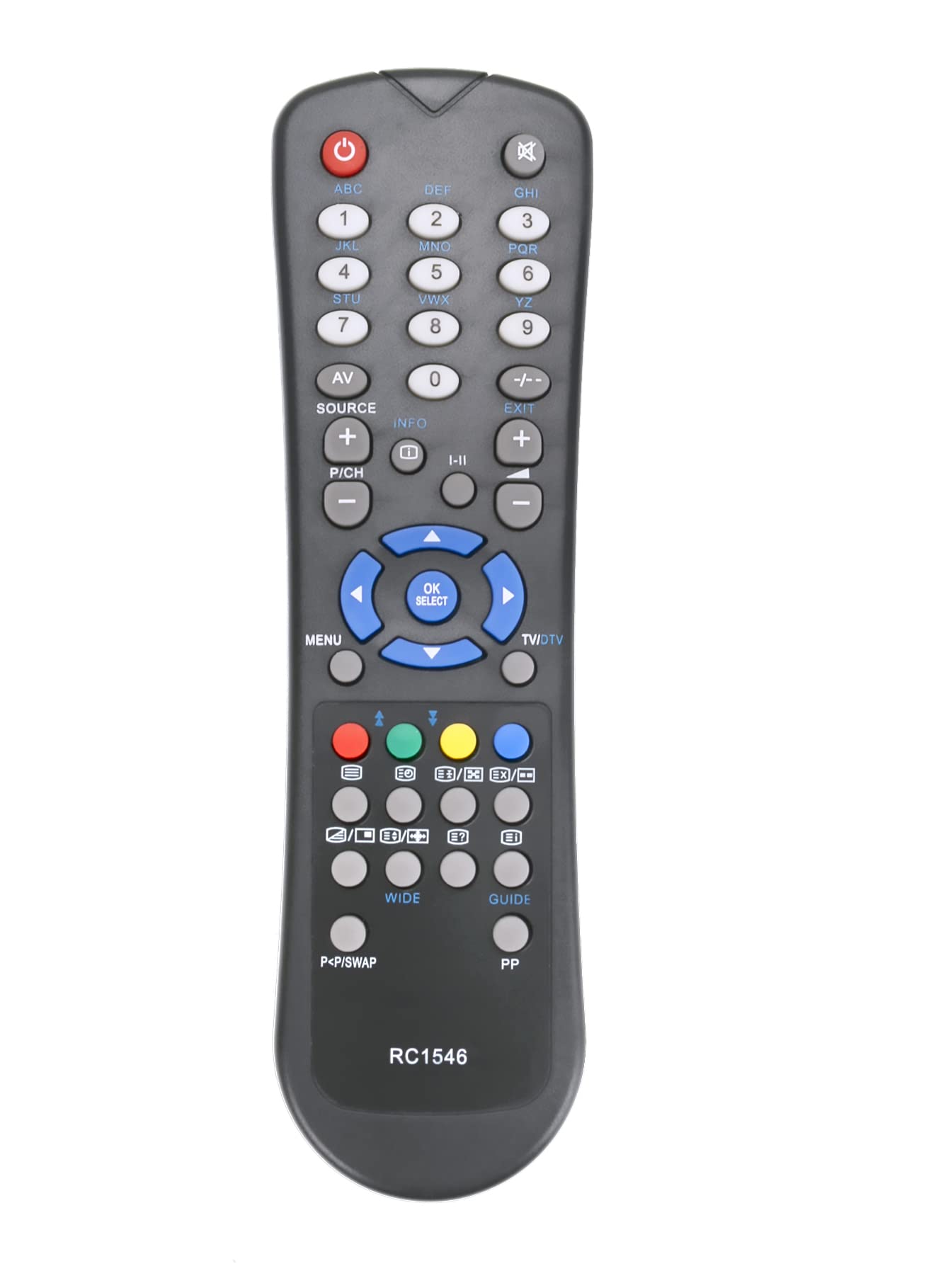
Image: The ALLIMITY QYSY-RC1546-WP-QYSY Replacement Remote Control, silver in color, featuring 25 buttons for various functions.
2. Package Contents
- 1 x ALLIMITY QYSY-RC1546-WP-QYSY Replacement Remote Control
3. Setup
3.1 Battery Installation
- Locate the battery compartment on the back of the remote control.
- Slide open the battery compartment cover.
- Insert two new AAA alkaline batteries, ensuring the positive (+) and negative (-) terminals match the diagrams inside the compartment.
- Close the battery compartment cover securely.
Note: This remote control requires no programming. Once batteries are correctly installed, it is ready for immediate use with compatible models.
4. Operating Instructions
Point the remote control directly at the infrared receiver on your television. Ensure there are no obstructions between the remote and the TV.
4.1 Key Functions
- Power Button: Turns the TV on or off.
- Number Buttons (0-9): Selects channels directly.
- Volume Up/Down: Adjusts the sound level.
- Channel Up/Down: Changes channels sequentially.
- Mute Button: Mutes or unmutes the TV sound.
- Menu Button: Accesses the TV's main menu.
- Navigation Buttons (Up/Down/Left/Right): Navigates through menus and options.
- OK/Enter Button: Confirms selections in menus.
- Exit/Back Button: Exits menus or returns to the previous screen.
- Other buttons: Specific functions may vary slightly depending on your TV model but generally correspond to standard remote control layouts.
4.2 Compatible TV Models
This remote control is compatible with, but not limited to, the following TV models:
- Westwood
- PROLINE
- OKI
- Nokia
- MEDION
- LSTO
- Acoustic Solutions
- INNO-Hit
- HOHER H19LX900D
- H32855T
- LCD-32761HDE
- 2PNT752086
- MD30158
- GR4205GRAEIZ
- V19D-PH
- LD2262D2
- W22T45
5. Maintenance
- Cleaning: Wipe the remote control with a soft, dry cloth. Do not use liquid cleaners or abrasive materials.
- Battery Replacement: Replace batteries when the remote's response becomes sluggish or stops working. Always replace both batteries at the same time with new alkaline batteries.
- Storage: If the remote will not be used for an extended period, remove the batteries to prevent leakage and damage.
6. Troubleshooting
- Remote not responding:
- Check if the batteries are inserted correctly with the correct polarity.
- Replace old batteries with new ones.
- Ensure there are no obstructions between the remote and the TV's infrared sensor.
- Verify that the remote is pointed directly at the TV's sensor.
- Short operating range:
- Replace batteries with new ones.
- Ensure no strong light sources (like direct sunlight or bright fluorescent lights) are interfering with the infrared signal.
- Certain buttons not working:
- This remote is a replacement and may not support all advanced functions of your original TV remote if those functions are proprietary.
- Ensure your TV model is listed as compatible.
7. Specifications
| Brand | ALLIMITY |
| Model Name | QYSY-RC1546-WP-QYSY |
| Special Feature | Ergonomic |
| Color | Silver |
| Max Supported Devices | 1 |
| Connectivity Technology | Infrared |
| Number of Buttons | 25 |
| Max Range | 10 Meters |
| Battery Description | Alkaline |
| Smart Home Compatibility | Not Smart Home Compatible |
8. Warranty and Support
This product is covered by a standard manufacturer's warranty. Please refer to your purchase documentation for specific warranty terms and conditions.
For technical support or further assistance, please contact your retailer or the ALLIMITY customer service department. Contact details can typically be found on the product packaging or the official ALLIMITY website.
