
Introduction
The iDIGMALL J207 is a Bluetooth 5.4 audio receiver designed to add wireless audio streaming capabilities to your existing audio systems. This device allows you to connect your smartphone, tablet, or laptop wirelessly to non-Bluetooth car stereos, home stereo systems, or wired headphones via a 3.5mm or RCA auxiliary input. It also features a built-in microphone for hands-free calling.
Note: The J207 is an audio receiver only and does not function as a transmitter. It cannot be used to add Bluetooth capabilities to a television for transmitting audio.
What's in the Box
This image displays the iDIGMALL J207 Bluetooth Receiver along with its accessories. The receiver is a small, square black device with a central multi-function button. Below it are the included 3.5mm audio cable and a USB Type-C charging cable, and a user manual.
- 1 x iDIGMALL J207 Bluetooth Receiver
- 1 x 3.5mm Audio Cable
- 1 x USB Type-C Charging Cable
- 1 x User Manual
Product Diagram and Controls

This diagram illustrates the various buttons and ports on the iDIGMALL J207 Bluetooth Receiver. It shows the Volume + button, MFB (Multi-Function Button), Previous Song button, AUX Port, Microphone, Next Song button, Type-C Charging Port, and Volume - button.
| Control | Function |
|---|---|
| MFB Button (Center) |
|
| Volume + Button | Short press: Increase volume |
| Volume - Button | Short press: Decrease volume |
| Next Song Button | Short press: Skip to next track |
| Previous Song Button | Short press: Go to previous track |
| AUX Port (3.5mm) | Connect to audio input of speaker, car stereo, or headphones. |
| Type-C Charging Port | Connect USB Type-C cable for charging. |
| Microphone | For hands-free calling. |
Specifications
| Feature | Detail |
|---|---|
| Model Number | J207 |
| Bluetooth Version | 5.4 |
| Connectivity | Bluetooth, 3.5mm Aux, RCA |
| Battery Capacity | 240mAh Lithium Ion |
| Playtime | Up to 20 hours |
| Charging Time | Approximately 2 hours (via USB Type-C) |
| Transmission Range | Up to 10 meters (33 feet) without obstacles |
| Special Features | Built-in HD Microphone, Multi-Point Connection, Auto Reconnection |
| Product Dimensions | 38L x 31W x 8H millimeters (1.5 x 1.2 x 0.3 inches) |
| Item Weight | 12.8 Grams |
| Material | Plastic |
| Compatible Devices | Smartphones, Tablets, Laptops, Home Stereos, Car Audio Systems, Wired Headphones |
Setup
Charge the Receiver
Before initial use, fully charge the J207 receiver using the provided USB Type-C charging cable. Connect the Type-C end to the receiver's charging port and the USB-A end to a standard USB power adapter (not included) or a computer USB port. The indicator light will show charging status and turn off when fully charged (approximately 2 hours).
Connect to Your Audio System

This image shows the iDIGMALL J207 Bluetooth Receiver connected to a home stereo system via a 3.5mm audio cable. The receiver is placed on a white cabinet next to the stereo receiver and a large speaker.
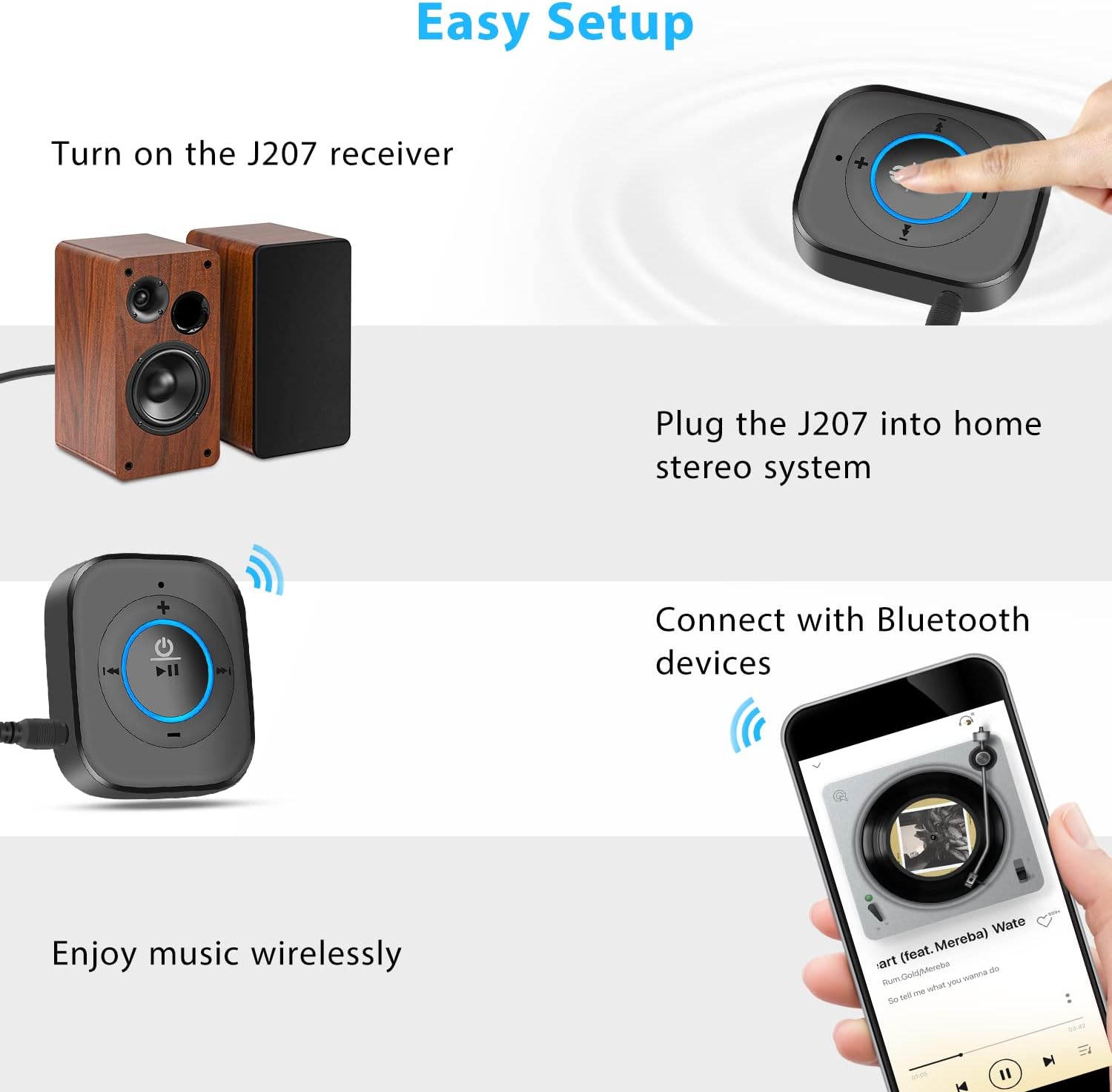
Connect the J207 receiver to your desired audio system (car stereo, home stereo, wired headphones) using the supplied 3.5mm audio cable. If your system requires RCA input, use a 3.5mm to RCA adapter (not included).
- For car stereos: Plug the 3.5mm cable into the AUX input of your car stereo.
- For home stereos/speakers: Plug the 3.5mm cable into the AUX input of your amplifier or powered speaker.
- For wired headphones: Plug your wired headphones directly into the 3.5mm AUX port of the J207 receiver.
Power On and Enter Pairing Mode

This image depicts a hand pressing the central MFB button on the iDIGMALL J207 Bluetooth Receiver to power it on. The button glows blue, indicating it is active or in pairing mode.
Press and hold the MFB button (center button) for approximately 3 seconds until the indicator light flashes blue and red alternately. This indicates the receiver is powered on and in pairing mode.
Pair with Your Bluetooth Device

This image shows a smartphone screen with its Bluetooth settings open, displaying "J207" as an available device to connect to. The J207 receiver is visible in the background, connected to a stereo system.
On your smartphone, tablet, or other Bluetooth-enabled device, go to the Bluetooth settings and enable Bluetooth. Search for available devices and select "J207" from the list to pair. Once paired, the indicator light on the J207 will flash blue slowly.
Operating Instructions
Power On/Off
- Power On: Press and hold the MFB button for 3 seconds. The indicator light will flash blue and red.
- Power Off: Press and hold the MFB button for 3 seconds. The indicator light will turn off.
- Auto Reconnection: If the J207 is connected to a car charger, it will automatically power on and reconnect to the last paired device when the car starts.
Music Playback Control

This image focuses on the iDIGMALL J207 receiver's control buttons, specifically highlighting the volume up/down and next/previous track buttons. A smartphone and a portable speaker are in the background, illustrating music control.
- Play/Pause: Short press the MFB button.
- Next Track: Short press the "Next Song" button (right arrow).
- Previous Track: Short press the "Previous Song" button (left arrow).
- Volume Up: Short press the "Volume +" button.
- Volume Down: Short press the "Volume -" button.
Hands-Free Calling

This image shows the iDIGMALL J207 Bluetooth Receiver placed on a car dashboard, with a smartphone displaying an incoming call. This illustrates its use for hands-free calling while driving.
- Answer Call: Short press the MFB button during an incoming call.
- End Call: Short press the MFB button during an active call.
- Reject Call: Press and hold the MFB button for 2 seconds during an incoming call.
- Redial Last Number: Double press the MFB button when not on a call.
Multi-Point Connection (Connect Two Devices Simultaneously)

This image demonstrates the iDIGMALL J207 Bluetooth Receiver's ability to connect to two Bluetooth devices (two smartphones) simultaneously, allowing seamless switching between audio sources.
The J207 receiver supports connecting to two Bluetooth devices (e.g., two smartphones) simultaneously. This allows you to switch between audio sources without re-pairing. To use this feature:
- Pair the first device with the J207 as described in the "Pair with Your Bluetooth Device" section.
- Disable Bluetooth on the first device. The J207 will re-enter pairing mode (flashing blue and red).
- Pair the second device with the J207.
- Enable Bluetooth on the first device. It should automatically reconnect to the J207.
- The J207 is now connected to both devices. Audio will play from the device that is currently active.
Charging While Playing

This image shows the iDIGMALL J207 Bluetooth Receiver connected to a power outlet via its USB-C charging cable, while simultaneously connected to a home entertainment system. This illustrates the ability to use the device while it charges.
The J207 can be used while it is charging. Connect the USB Type-C charging cable to the receiver and a power source. This ensures uninterrupted audio playback even during extended use.
Maintenance
- Keep the device dry. Avoid exposure to moisture or liquids.
- Clean the device with a soft, dry cloth. Do not use harsh chemicals or abrasive cleaners.
- Store the device in a cool, dry place when not in use.
- Avoid extreme temperatures, as this can shorten the lifespan of the battery and electronic components.
Troubleshooting
| Problem | Possible Cause | Solution |
|---|---|---|
| Device does not power on. | Low battery. | Charge the device for at least 30 minutes. |
| Cannot pair with Bluetooth device. |
|
|
| No sound after successful pairing. |
|
|
| Sound quality is poor or intermittent. |
|
|
Safety Information
Please read and follow these safety guidelines to ensure proper use and prevent damage to the device or injury.
- Battery Handling: The device contains a Lithium Ion battery. Do not disassemble, crush, puncture, short-circuit, or dispose of in fire or water. Do not expose to temperatures above 60°C (140°F).
- Water and Moisture: Keep the device away from water, rain, and other liquids. Do not immerse the device in water.
- Extreme Temperatures: Avoid exposing the device to extremely high or low temperatures.
- Interference: This device may cause interference with other electronic devices. Keep it away from medical devices (e.g., pacemakers) and other sensitive electronics.
- Cleaning: Use only a dry, soft cloth for cleaning. Do not use chemical cleaners.
- Disposal: Dispose of the device and its battery responsibly according to local regulations. Do not dispose of with household waste.
Warranty and Support
The iDIGMALL J207 Bluetooth Receiver comes with a 12-month warranty from the date of purchase. This warranty covers manufacturing defects and malfunctions under normal use.
For warranty claims, technical support, or any questions regarding your product, please contact iDIGMALL customer service. You can typically find contact information on the product packaging or the official iDIGMALL website.
Manufacturer Contact Information: 4F, C Building, Feng Men Ao industrial park, GangTou, BanTian, LongGang District, Shenzhen, China.
Return Policy: Please refer to the retailer's return policy for details on product returns. Typically, products can be returned within 30 days for a refund or replacement, subject to the retailer's terms and conditions.