
HOCAZOR HZ07
HOCAZOR HZ07 Bluetooth 5.3 Noise-Cancelling Earmuffs User Manual
Model: HZ07
Introduction
Thank you for choosing the HOCAZOR HZ07 Bluetooth 5.3 Noise-Cancelling Earmuffs. This manual provides detailed instructions on how to set up, operate, and maintain your earmuffs to ensure optimal performance and longevity. These earmuffs are designed to provide effective hearing protection while allowing you to enjoy audio via Bluetooth connectivity in noisy environments.
Product Overview
The HOCAZOR HZ07 earmuffs combine advanced noise reduction with Bluetooth 5.3 technology, offering a smooth, fast, and stable connection up to 80 feet. They feature a 1500mAh rechargeable battery for extended use and deliver HI-FI stereo sound. The integrated call function allows for hands-free communication.

Image: Front view of the HOCAZOR HZ07 Bluetooth Noise-Cancelling Earmuffs in green and black, showing the control buttons and LED indicator.
Safety Information
Always ensure proper fit and use of the earmuffs to achieve the stated noise reduction rating. Do not modify the device. Keep away from extreme temperatures and liquids. Consult a professional if you have pre-existing hearing conditions.
Package Contents
- HOCAZOR HZ07 Noise-Cancelling Earmuffs
- USB Charging Cable
- 3.5mm AUX Audio Cable
- User Manual (this document)
- Carrying Pouch (if included)
Setup and First Use
Charging the Battery
Before first use, fully charge the earmuffs. The HZ07 features a 1500mAh built-in rechargeable battery.
- Connect the USB charging cable to the charging port on the earmuffs.
- Connect the other end of the USB cable to a standard USB power adapter (not included) or a computer's USB port.
- The LED indicator will show charging status (e.g., red for charging, blue/off for fully charged).
- A full charge provides up to 40 hours of continuous use.
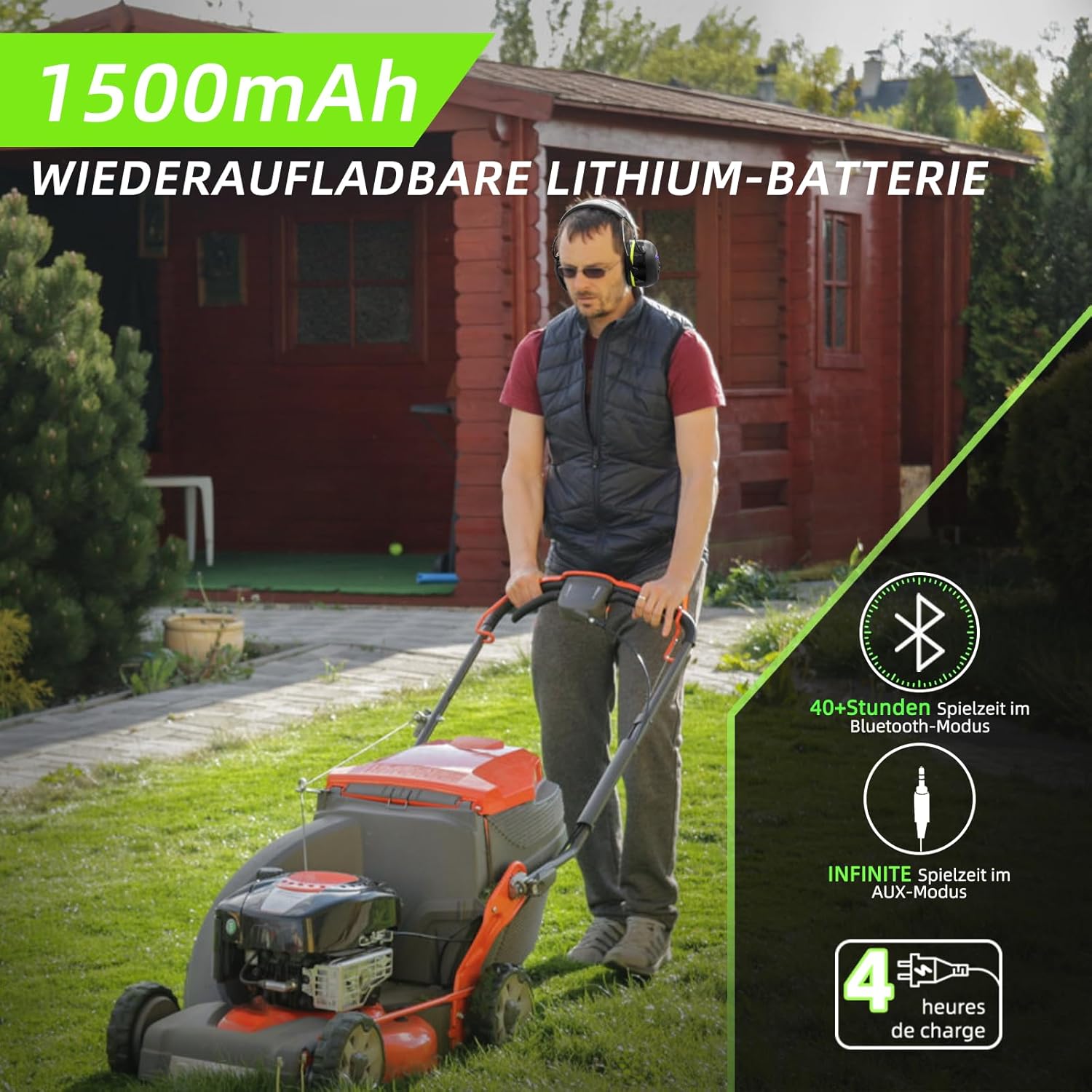
Image: Illustration of the 1500mAh rechargeable lithium battery, indicating 40+ hours of playtime in Bluetooth mode and infinite playtime in AUX mode, with a 4-hour charge time.
Adjusting the Fit
For optimal noise reduction and comfort, adjust the earmuffs to fit snugly over your ears.
- Extend or retract the headband to ensure the earcups cover your ears completely.
- The soft ear cushions should create a seal around your ears without excessive pressure.
Operating Instructions
Power On/Off
- To power on: Press and hold the Power button until the LED indicator lights up.
- To power off: Press and hold the Power button until the LED indicator turns off.
Bluetooth Pairing
The HZ07 uses Bluetooth 5.3 for a stable and fast connection.
- Ensure the earmuffs are powered on and in pairing mode (LED indicator flashing blue rapidly).
- On your device (smartphone, tablet, etc.), enable Bluetooth and search for available devices.
- Select "HOCAZOR HZ07" from the list of devices.
- Once connected, the LED indicator will turn solid blue.
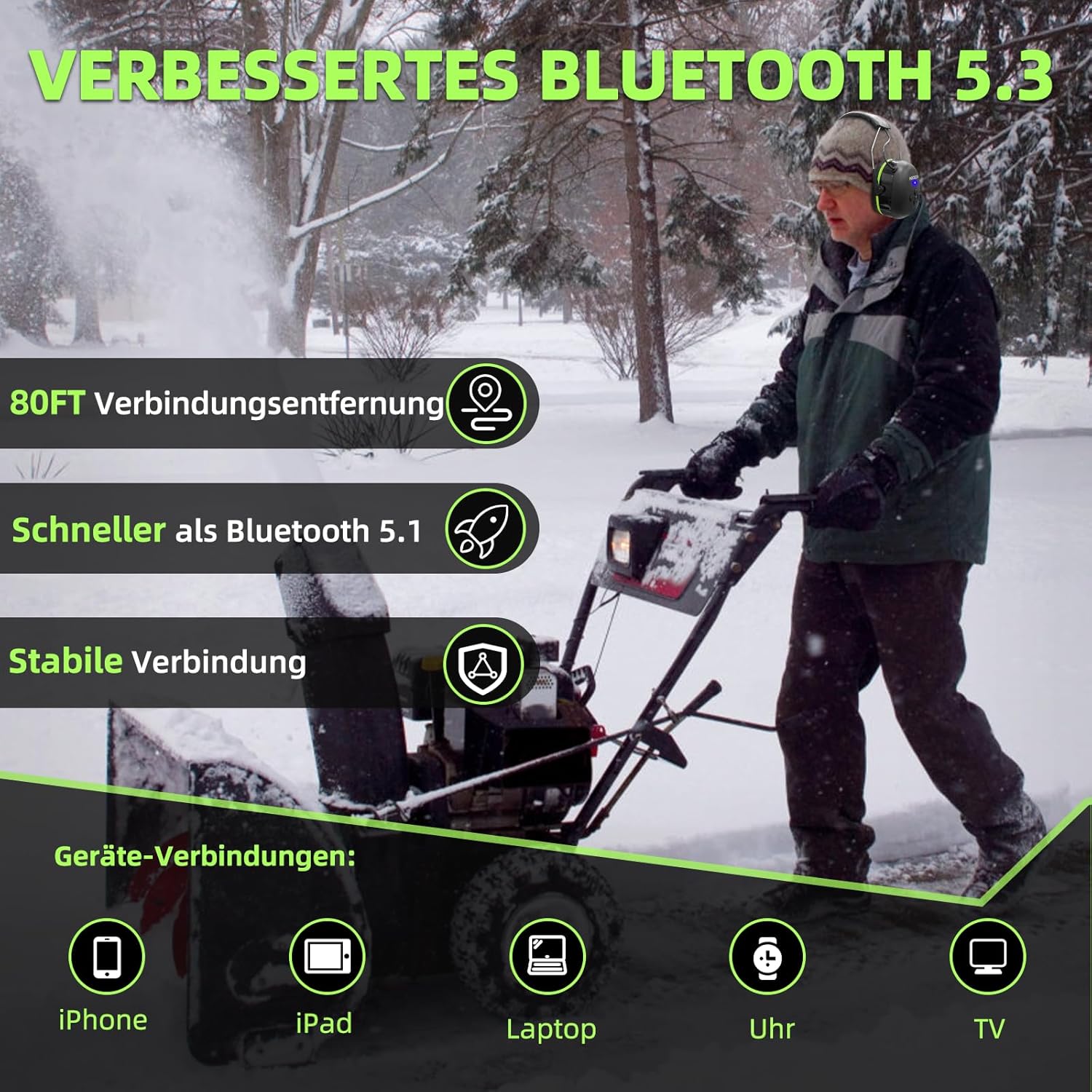
Image: Visual representation of the improved Bluetooth 5.3 technology, highlighting an 80-foot connection distance, faster speed compared to Bluetooth 5.1, and stable connectivity across various devices.
Music Playback
- Play/Pause: Press the Multi-function button (usually marked with a play/pause icon).
- Volume Up: Press the Volume Up button (+).
- Volume Down: Press the Volume Down button (-).
- Next Track: Press and hold the Volume Up button (+).
- Previous Track: Press and hold the Volume Down button (-).

Image: Depiction of the HI-FI stereo sound capabilities, including NRR 25dB/SNR 30dB noise reduction, built-in speakers, and adjustable volume, while a user is engaged in woodworking.
Call Function
The earmuffs support hands-free calling with a one-button call function.
- Answer Call: Press the Multi-function button once.
- End Call: Press the Multi-function button once during a call.
- Reject Call: Press and hold the Multi-function button for 2 seconds.
- Redial Last Number: Double-press the Multi-function button.
AUX Mode
For non-Bluetooth devices or to save battery, use the included 3.5mm AUX audio cable.
- Connect one end of the AUX cable to the earmuffs' audio input jack.
- Connect the other end to your audio source's headphone jack.
- In AUX mode, the earmuffs will function as passive headphones, and Bluetooth features will be disabled.
Application Scenarios
The HOCAZOR HZ07 earmuffs are suitable for various noisy environments, providing both hearing protection and entertainment.
- Lawn Mowing & Landscaping: Protect your ears from loud machinery.
- Woodworking & Construction: Reduce noise from saws, drills, and other tools.
- Snow Blowing: Ideal for cold, noisy outdoor tasks.
- Leaf Blowing: Minimize the high-pitched noise of leaf blowers.
- Shooting Sports: Provides effective noise reduction for shooting ranges.

Image: A visual collage demonstrating the versatility of the HOCAZOR HZ07 earmuffs across different noisy activities, including lawn mowing, chainsaw operation, snow removal, gardening, leaf blowing, and woodworking.
Maintenance and Care
Proper maintenance ensures the longevity and effectiveness of your earmuffs.
- Cleaning: Clean the earcups and headband with a damp cloth. Do not use harsh chemicals or abrasive cleaners.
- Storage: Store the earmuffs in a cool, dry place, away from direct sunlight and extreme temperatures. Use the provided carrying pouch for protection during transport.
- Ear Cushion Replacement: Periodically inspect ear cushions for wear and tear. Replace them if they become damaged or lose their seal to maintain optimal noise reduction.
Troubleshooting
| Problem | Possible Cause | Solution |
|---|---|---|
| Earmuffs won't turn on. | Low battery. | Charge the earmuffs fully. |
| Cannot pair via Bluetooth. | Earmuffs not in pairing mode; device Bluetooth off; too far from device. | Ensure earmuffs are in pairing mode (flashing blue LED). Turn on device Bluetooth. Move device closer (within 80ft). Forget device on phone and re-pair. |
| No sound or low volume. | Volume too low on earmuffs or device; incorrect audio source; loose AUX cable. | Increase volume on both earmuffs and connected device. Ensure correct audio output is selected on your device. Check AUX cable connection. |
| Poor noise reduction. | Improper fit; worn ear cushions. | Adjust earmuffs for a snug fit. Inspect and replace ear cushions if necessary. |
Specifications
| Feature | Detail |
|---|---|
| Model | HZ07 |
| Bluetooth Version | 5.3 |
| Bluetooth Range | Up to 80 feet (approx. 24 meters) |
| Noise Reduction Rating (NRR) | 25dB |
| Signal-to-Noise Ratio (SNR) | 30dB |
| Battery Capacity | 1500mAh |
| Playback Time | Up to 40 hours (Bluetooth mode) |
| Charging Time | Approximately 4 hours |
| Audio Output | HI-FI Stereo Sound |
| Connectivity | Bluetooth, 3.5mm AUX |
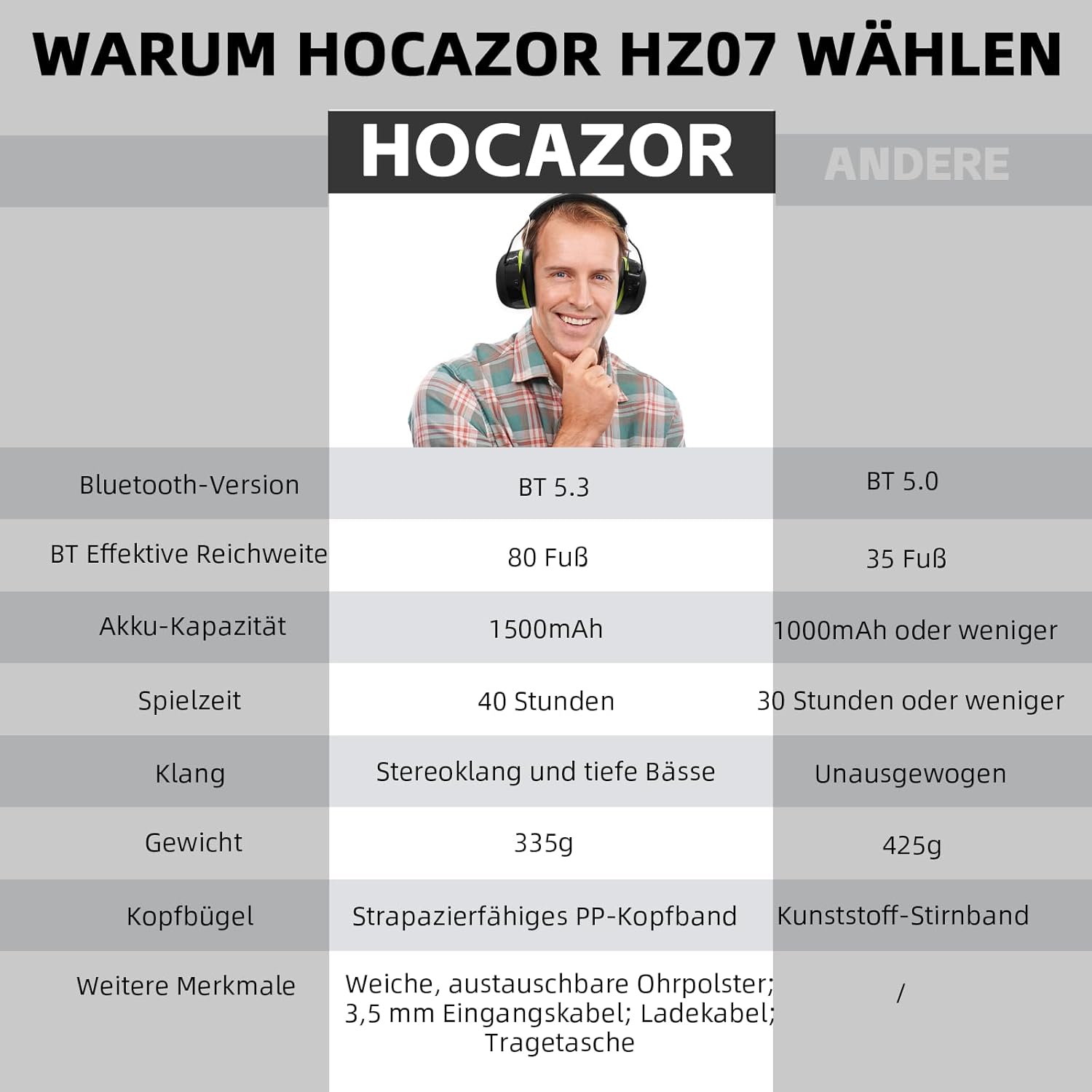
Image: A comparative table highlighting the superior features of HOCAZOR HZ07 earmuffs, such as Bluetooth 5.3, 80ft range, 1500mAh battery, 40 hours playtime, and HI-FI stereo sound, against generic alternatives.
Warranty and Support
HOCAZOR is committed to providing quality products. For warranty information, technical support, or customer service inquiries, please refer to the contact information provided with your purchase or visit the official HOCAZOR website. Please retain your proof of purchase for warranty claims.
For more information about HOCAZOR products and hearing protection solutions, visit the HOCAZOR Brand Store.
Related documentsHZ07

Ask a question about this manual
Ask about setup, troubleshooting, compatibility, parts, safety, or missing instructions. Manuals+ will review the question and use this page’s manual context to help answer it.