
1. Introduction
The MAST TATTOO Flip2 is a versatile wireless tattoo pen machine designed for precision and comfort. It integrates advanced stroke technology and a powerful Mcore-A1 motor, making it suitable for various tattooing styles including lining, shading, layering, and blending. This manual provides essential information for the safe and effective use of your Flip2 machine.
2. Product Components
The MAST TATTOO Flip2 kit includes the following components:
- Flip2 Wireless Tattoo Pen Machine
- Two (2) 1700mAh Battery Power Supplies
- RCA Port Converter (for wired operation)
- Charging Cable (Type-C)
- Needle Cartridges
- Black Tattoo Ink
- Ink Cups
- Grip Tape
- Practice Skins
- Stencil Paper and Pre-made Stencils
- Gloves
- Skin Safe Marker
- MAST Silicone Bracelet

Figure 2.1: Complete MAST TATTOO Flip2 Wireless Tattoo Pen Machine Kit.

Figure 2.2: The Flip2 machine supports both wireless operation with its battery and wired operation via an RCA port.

Figure 2.3: The 1700mAh battery provides extended working duration.

Figure 2.4: The durable RCA jack allows for wired power supply connection.

Figure 2.5: The pen-style design with a non-slip grip ensures comfortable operation.
Video 2.1: Overview of the Mast Flip2 Wireless Tattoo Pen Machine, highlighting its adjustable stroke lengths.
Video 2.2: Demonstration of how to use a Mast Flip series tattoo gun, applicable to general operation.
Video 2.3: Unboxing of a Mast Flyb Tattoo Battery, showcasing battery components and features.
Video 2.4: Overview of a Mast Flip series wireless tattoo gun kit, demonstrating various components.
3. Specifications
| Feature | Specification |
|---|---|
| Weight | 213g / 7.5oz |
| Diameter & Length | 33mm x 134mm |
| Stroke Lengths | 2.4mm, 2.7mm, 3.0mm, 3.3mm, 3.6mm, 3.9mm, 4.2mm |
| Working Voltage | 5-12V |
| Speed | 12V / 9500rpm |
| Battery Capacity | 1700mAh |
| Connection Type | RCA |
| Charging Cable | Type-C |
| Motor | Mcore-A1 |
| Color | Silver |
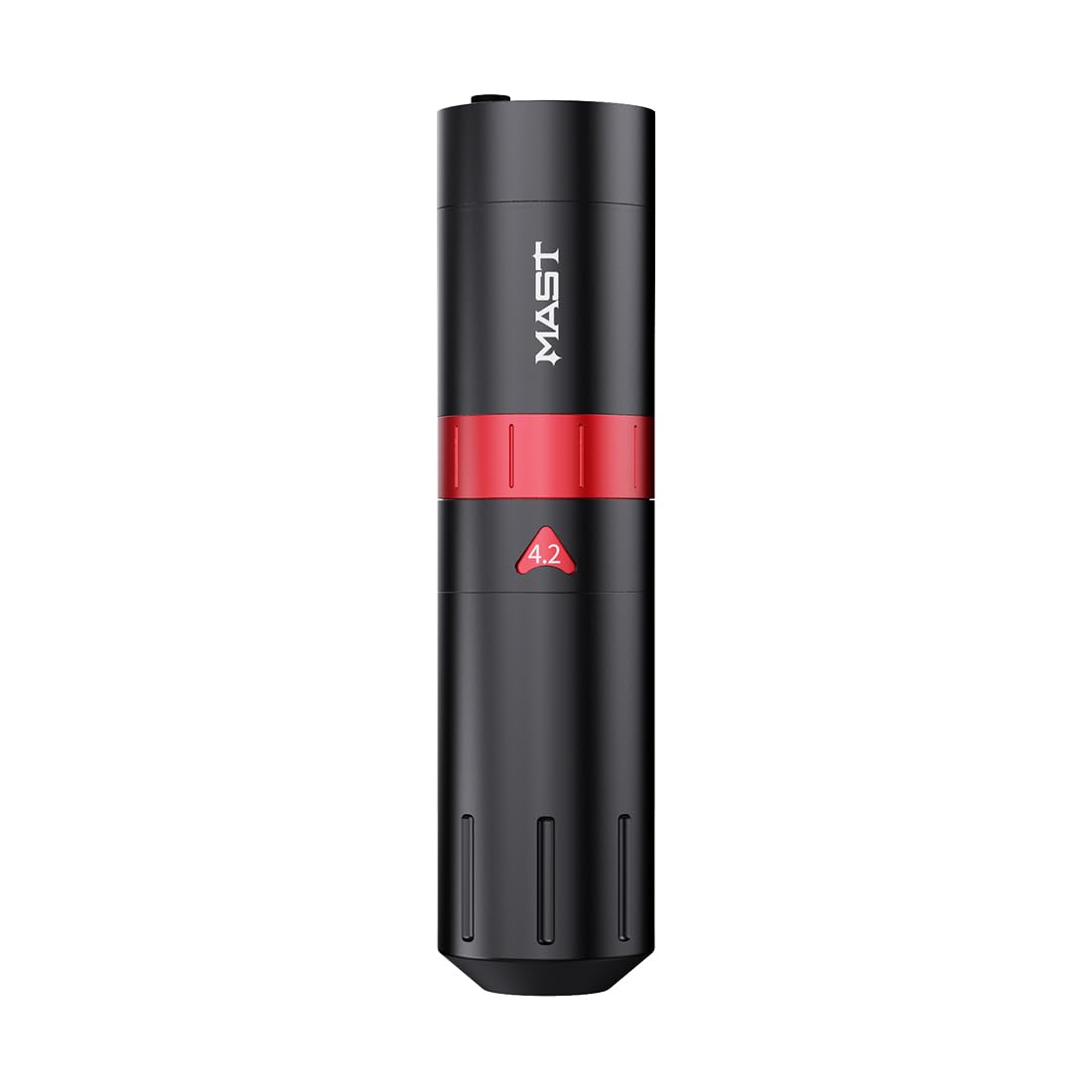
Figure 3.1: Detailed specifications of the Flip2 Wireless Pen Machine.
4. Setup
4.1 Initial Charging
Before initial use, fully charge the tattoo pen. Connect the Type-C charging cable to the machine and a suitable power source. The LED unit on the display will blink during charging. Once all three levels on the LED display are solid, the battery is fully charged and ready for use. A full charge provides up to 8 hours of operation.
4.2 Attaching Needle Cartridges
- Ensure the machine is powered off.
- Gently insert the desired needle cartridge into the machine's grip, twisting slightly until it locks securely into place.
4.3 Adjusting Stroke Length
The Flip2 features 7 adjustable stroke lengths (2.4mm, 2.7mm, 3.0mm, 3.3mm, 3.6mm, 3.9mm, 4.2mm). To adjust the stroke length, rotate the adjustment knob on the machine body to your desired setting. This allows for versatility across different tattooing styles.

Figure 4.1: Adjusting the stroke length by rotating the designated ring on the machine.
5. Operating Instructions
5.1 Powering On/Off
- To power on, press and hold the power button until the display illuminates.
- To power off, press and hold the power button again until the display turns off.
5.2 Adjusting Voltage
Use the '+' and '-' buttons on the machine to increase or decrease the voltage. The current voltage setting will be displayed on the screen. The machine operates within a 5-12V range.
5.3 Liner and Shader Modes
The Flip2 is designed for both lining and shading. The machine's powerful Mcore-A1 motor provides a good balance for both applications. Adjusting the stroke length and voltage will optimize performance for your specific task.

Figure 5.1: The ergonomic design allows for comfortable and precise control during operation.
6. Maintenance
6.1 Cleaning
Regular cleaning is crucial for maintaining hygiene and machine longevity. After each use, wipe down the exterior of the machine with a suitable disinfectant. Ensure no liquids enter the internal components. Do not immerse the machine in water or cleaning solutions.
6.2 Battery Care
- Always fully charge the battery before initial use and after extended periods of storage.
- Store the machine and batteries in a cool, dry place away from direct sunlight and extreme temperatures.
- Avoid overcharging or completely draining the battery to prolong its lifespan.
6.3 Storage
When not in use, store the Flip2 machine and its components in a clean, dry, and secure location to prevent damage and contamination.
7. Troubleshooting
If you encounter issues with your MAST TATTOO Flip2 machine, refer to the following common troubleshooting steps:
- Machine Not Turning On: Ensure the battery is fully charged. If using the RCA port, verify the power supply connection.
- Needle Not Moving: Check if the needle cartridge is correctly inserted and locked. Verify the stroke length setting.
- Inconsistent Performance: Ensure the battery is adequately charged. Clean the machine and check for any debris that might obstruct movement.
For persistent issues or technical support, please contact MAST TATTOO customer service.
8. Safety Information
Always prioritize safety when operating the tattoo machine:
- This product is intended for professional use by trained individuals only.
- Always use sterile, single-use needle cartridges.
- Wear appropriate personal protective equipment, including gloves, during operation.
- Ensure proper sterilization of all reusable equipment and work surfaces.
- Keep the machine away from children and unauthorized personnel.
- Do not attempt to disassemble or modify the machine, as this may void the warranty and pose safety risks.

Figure 8.1: The Flip2 incorporates safety features such as fireproof casing, overcharge protection, advanced temperature control, and short-circuit protection.
9. Warranty and Support
For warranty information, product support, or service inquiries, please refer to the documentation included with your product or contact MAST TATTOO directly. You can typically find contact information on the product packaging or the official MAST TATTOO website. The seller for this product is Mast Direct.


