
Introduction
This manual provides essential information for the setup, operation, maintenance, and troubleshooting of your iRobot Roomba i1 Vacuum Cleaning Robot. Please read this guide thoroughly to ensure optimal performance and longevity of your device.
The Roomba i1 robot vacuum is designed to provide efficient floor cleaning with powerful suction. It features intelligent navigation and can be controlled via a mobile application or voice commands, adapting to your cleaning habits and schedule.
Product Overview

Figure 1: Top view of the iRobot Roomba i1 robot vacuum, showing its circular design and control buttons.

Figure 2: Angled view of the iRobot Roomba i1 robot vacuum, highlighting its sleek profile and side brush.

Figure 3: Underside view of the iRobot Roomba i1, revealing the AeroForce Cleaning System with dual multi-surface rubber brushes and the edge-sweeping brush.
Setup
1. Initial Charging
Place the Roomba i1 on its Home Base charging station. Ensure the base is against a wall in an open, uncluttered area. The robot will automatically begin charging. Allow at least 3 hours for a full charge before first use.
2. App Connection
- Download the iRobot Home App from your device's app store.
- Follow the in-app instructions to connect your Roomba i1 to your home Wi-Fi network.
- Once connected, you can access advanced features, schedule cleanings, and monitor your robot's status.
Operating Instructions
1. Starting a Clean Cycle
- Manual Start: Press the large 'CLEAN' button on the top of the robot.
- App Start: Open the iRobot Home App and select 'CLEAN'.
- Voice Command: If integrated with a smart home assistant (e.g., Google Assistant, Alexa), use a command like "Alexa, tell Roomba to start vacuuming."
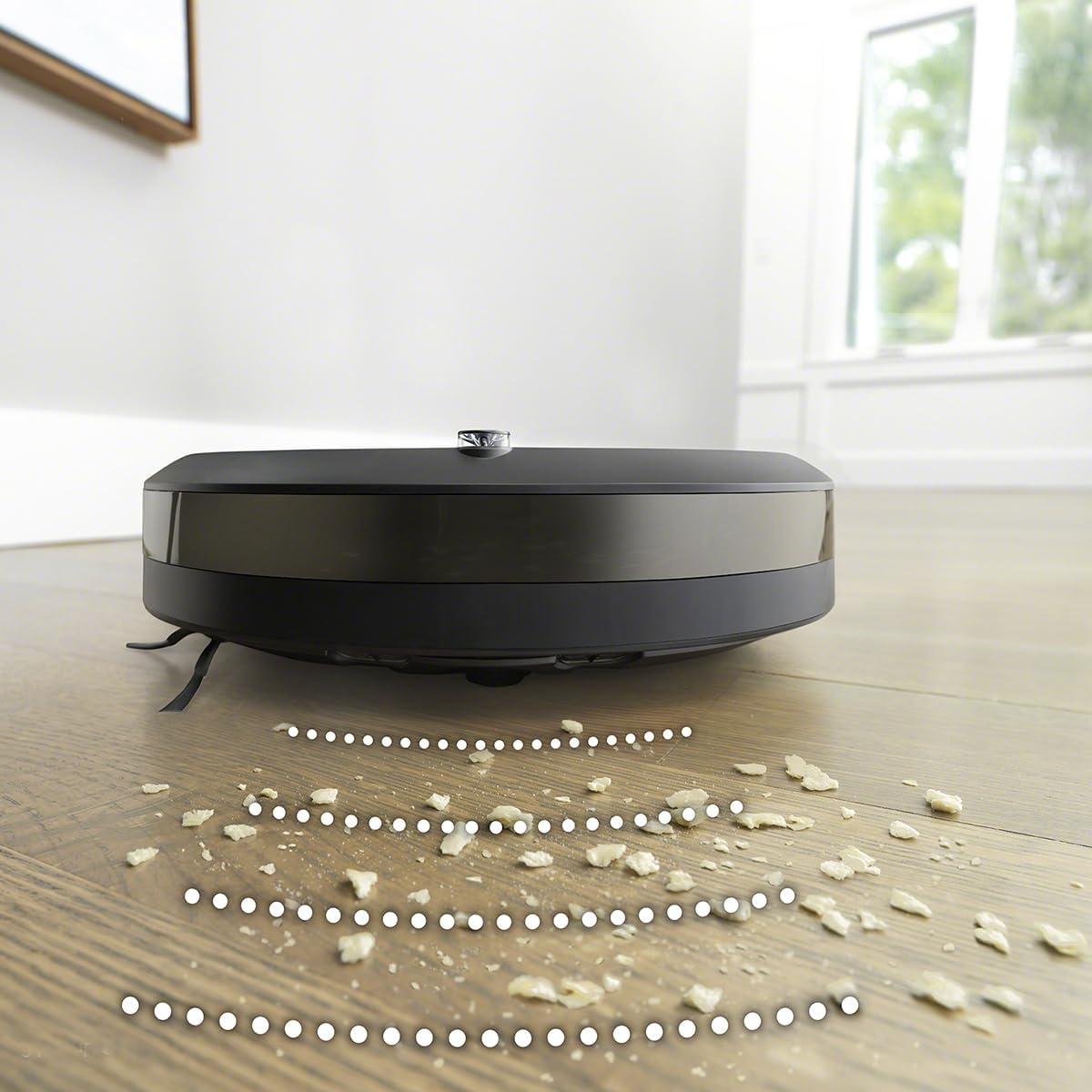
Figure 4: The Roomba i1 positioned near kitchen cabinets, illustrating its ability to respond to voice commands for cleaning initiation.
2. Scheduling Cleanings
Use the iRobot Home App to set up recurring cleaning schedules. The robot can learn your cleaning habits and suggest optimal times.
3. Navigation and Cleaning Patterns
The Roomba i1 uses reactive sensor technology to navigate your home, avoiding obstacles and focusing on areas that require more attention. It cleans purposefully and logically in neat rows.

Figure 5: The Roomba i1 demonstrating its ability to clean effectively in tight spaces, such as under a bookshelf, collecting dust and debris.

Figure 6: The Roomba i1 operating on a rug in a home environment, showcasing its suitability for households with pets.
4. Automatic Recharging
When the battery is low, the Roomba i1 will automatically return to its Home Base to recharge. It will resume cleaning if the cycle is not complete.
Video 1: An overview of the Roomba 105 Vac Robot, demonstrating its cleaning capabilities and automatic features. This video is provided by iRobot.
Maintenance
1. Emptying the Dust Bin
Regularly empty the dust bin to maintain optimal suction. Press the bin release button and slide out the bin. Open the bin door and discard debris.
2. Cleaning Brushes and Filter
Periodically remove and clean the dual multi-surface rubber brushes and the edge-sweeping brush. Tap the filter clean to remove debris. Replace the filter every 2-3 months, or as indicated by the app.
Troubleshooting
- Robot not charging: Ensure the Home Base is plugged in and the robot is properly docked. Clean the charging contacts on both the robot and the Home Base.
- Poor cleaning performance: Empty the dust bin, clean the brushes, and replace the filter if necessary. Check for any obstructions in the cleaning head.
- Robot getting stuck: Clear obstacles from the cleaning area. The reactive sensor technology helps prevent this, but some environments may require pre-cleaning.
- App connectivity issues: Ensure your Wi-Fi network is active and the robot is within range. Restart the robot and your router if problems persist.
Specifications
| Brand | iRobot |
| Model Number | i1 |
| Product Dimensions | 18"L x 16"W x 6"H |
| Item Weight | 13.2 pounds |
| Power Source | Battery Powered |
| Batteries Included | Yes (1 Lithium Ion battery) |
| Filter Type | Cartridge |
| Control Method | App, Voice |
| Compatible Devices | Google Home, Alexa |
| Special Feature | Programmable |
Warranty and Support
For warranty information and customer support, please refer to the official iRobot website or contact iRobot customer service directly. Keep your purchase receipt as proof of purchase for warranty claims.


