
Introduction
This manual provides essential information for the installation, operation, and maintenance of your Yale YDL 120 Digital Lock with Door Handle. Please read these instructions carefully before installation and use to ensure proper function and longevity of the product. Keep this manual for future reference.
Product Features
- Digital touch display for password entry.
- Supports up to 50 unique user passwords.
- Emergency access via mechanical key.
- External Mini USB port for emergency power.
- Weather-resistant outer body, suitable for outdoor exposure to sun and rain.
- Low battery notification system.
- Operates on 4 AA batteries, providing approximately 3,500 to 3,600 operations.

Image: Overview of Yale YDL 120 Digital Lock features, including numeric password, security key opening, sun and rain resistance, 4 AA batteries, and compatibility with door thickness of 30 to 45mm.
Setup and Installation
The Yale YDL 120 is designed for installation on wooden or metal doors with a thickness ranging from 30 mm to 45 mm. The lock features an embedded tubular tongue mechanism.
Door Compatibility:
- Door Type: Wood or Metal Doors
- Door Thickness: 30 mm to 45 mm
- Door Opening Sense: Inward or Outward
- Door Opening Side: Right or Left
The external body of the lock is constructed to withstand exposure to sun and rain, making it suitable for doors where the front of the lock will be outdoors. Ensure proper sealing during installation to maintain weather resistance.

Image: Front view of the Yale YDL 120 Digital Lock, showing the keypad and handle.
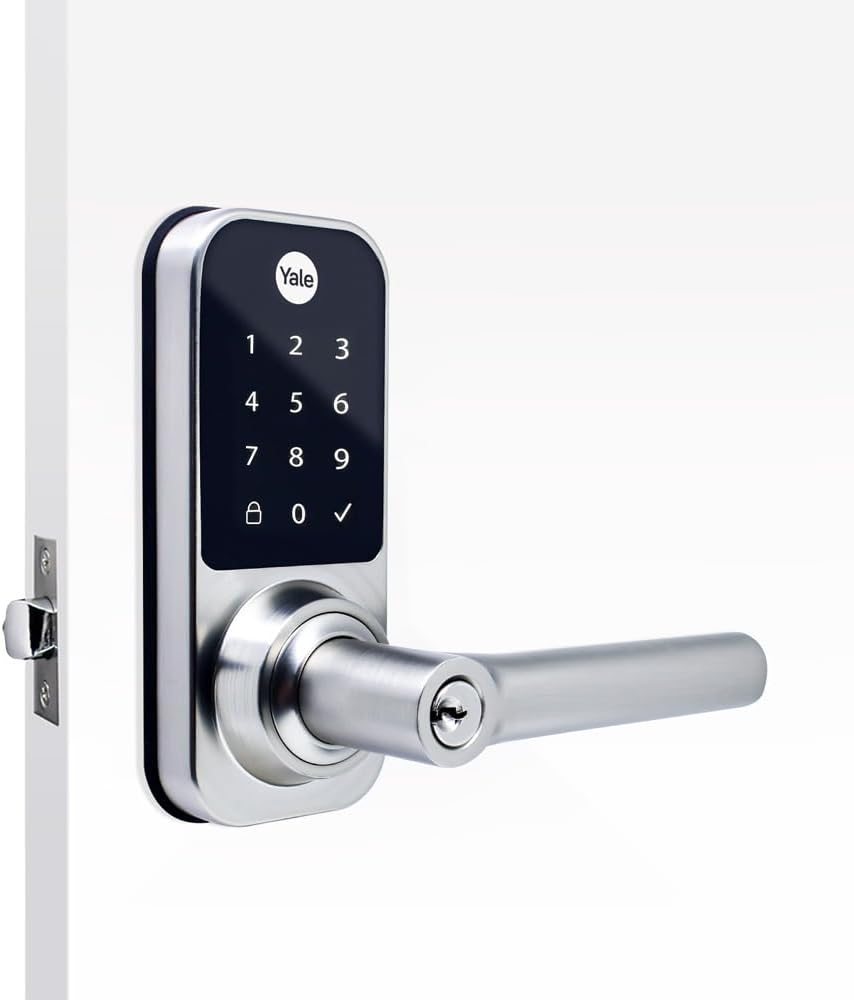
Image: Side view of the Yale YDL 120 Digital Lock, illustrating its profile when installed.

Image: Back view of the Yale YDL 120 Digital Lock, showing the internal components and battery compartment.
Operating Instructions
Unlocking with a Password:
- Touch the digital display to activate the keypad.
- Enter your registered password.
- Press the '✓' (check) button to confirm.
- The lock will unlock, allowing you to open the door.
Emergency Access:
In case of battery depletion or other emergencies, the Yale YDL 120 offers multiple emergency access options:
- Mechanical Key: Use the provided mechanical key to manually unlock the door. The keyhole is located on the handle.
- Mini USB Port: If batteries are completely drained, connect a power bank or external power source via the Mini USB port on the exterior of the lock to temporarily power the system and enter your password.
- 9-Volt Battery Input: An external input for a 9-volt battery is available to provide temporary power for emergency access.

Image: The Yale YDL 120 Digital Lock installed on a door, showcasing its sleek design in a modern setting.
Maintenance
Battery Replacement:
The lock will notify you when the batteries are running low. Replace all four AA batteries promptly to ensure continuous operation. Use high-quality alkaline batteries for optimal performance.
Cleaning:
Clean the digital display and lock body with a soft, dry cloth. Avoid using abrasive cleaners, solvents, or chemical sprays, as these can damage the finish and electronic components.
Troubleshooting
- Lock Not Responding: Check battery levels. If batteries are low or depleted, use the mechanical key or emergency power options (Mini USB or 9V battery input).
- Password Not Working: Ensure you are entering the correct password. If multiple attempts fail, try resetting the password according to the full user manual or use emergency access.
- Keypad Unresponsive: Ensure the keypad is clean and dry. If the issue persists, try removing and reinserting batteries to reset the system.
Specifications
| Feature | Detail |
|---|---|
| Model Number | YDL 120 (05492000-0) |
| Application | Wood or Metal Doors |
| Door Thickness | 30 mm to 45 mm |
| Lock Type | Digital Combination Lock, Handle Style |
| Mechanism Type | Embedded - Tubular Tongue |
| Opening Type | Password, Mechanical Key |
| Number of Users | Up to 50 Passwords |
| Keyboard | Digital Touch Display |
| Power Source | 4 AA Batteries |
| Battery Autonomy | Approx. 3,500 to 3,600 operations |
| Emergency Power Input | Mini USB, External 9V Battery |
| Special Features | Keyless Entry, Weather Resistant (outer body) |
| Dimensions (Product) | 50 x 100 x 150 mm (approximate) |
Safety Information
- Do not expose the internal components of the lock to water or excessive moisture.
- Keep mechanical keys in a secure location, separate from the lock.
- Regularly check battery levels and replace them as indicated by the low battery warning.
- Avoid using excessive force on the handle or keypad.
- Ensure all installation steps are followed correctly to prevent malfunction.
Warranty and Support
For warranty information and technical support, please refer to the documentation included with your purchase or visit the official Yale website. Keep your proof of purchase for warranty claims.