Introduction
The KOOSMILE KS-M1 Mini PC is a compact and powerful desktop computer designed for a wide range of applications, from daily computing tasks to 4K video playback and multi-monitor setups. Equipped with an 11th Gen Intel N5095 Quad-Core Processor and pre-installed with Windows 11 Pro, this mini PC offers efficient performance in a small form factor. Its versatile connectivity options and expandability make it suitable for home entertainment, office work, and various professional uses.

Image: The KOOSMILE KS-M1 Mini PC shown with included HDMI cables, highlighting its compact design and connectivity.
Package Contents
Upon opening the package, please verify that all components are present and in good condition:
- KOOSMILE KS-M1 Mini PC
- Power Adapter
- HDMI Cable (color may vary)
- User Manual (this document)
Setup Guide
1. Connecting Your Mini PC
Follow these steps to connect your KOOSMILE KS-M1 Mini PC to your display and peripherals:
- Connect to Display: Use the provided HDMI cable to connect one of the HDMI ports on the Mini PC to an HDMI input on your monitor or TV. The KS-M1 supports dual displays, so you can connect a second monitor using the other HDMI port.
- Connect Peripherals: Plug your USB keyboard and mouse into the available USB 3.0 ports on the front or side of the Mini PC.
- Connect to Power: Insert the power adapter cable into the DC Jack port on the back of the Mini PC, then plug the adapter into a power outlet.
- Network Connection (Optional): For a wired internet connection, connect an Ethernet cable from your router or modem to the RJ45 LAN port on the back of the Mini PC. For wireless connectivity, the device supports dual-band WiFi 5 (2.4G+5G).

Image: Detailed view of the Mini PC's ports, including Power, USB 3.0, Headphone Jack, Clear CMOS Button, DC Jack, RJ45, and HDMI ports.

Image: Comprehensive diagram illustrating the positive, left, back, and right side ports of the Mini PC for easy identification and connection.
2. Initial Power On and Windows 11 Pro Setup
Once all connections are secure:
- Press the Power Button located on the front of the Mini PC.
- The Mini PC will boot up and guide you through the initial setup process for Windows 11 Pro. Follow the on-screen prompts to configure language, region, network, and user accounts.
- Ensure you have an active internet connection during setup for Windows activation and updates.
Operating Instructions
Power Management
- Power On: Press the power button once.
- Shut Down: Click the Start button in Windows, then select Power > Shut down.
- Restart: Click the Start button in Windows, then select Power > Restart.
- Sleep: Click the Start button in Windows, then select Power > Sleep.
Connectivity
- Wi-Fi: The Mini PC supports dual-band Wi-Fi 5 (802.11a/b/g/n/ac) for fast wireless internet. Connect via Windows network settings.
- LAN: A 1000M RJ45 LAN port provides stable wired network connectivity.
- Bluetooth: Integrated Bluetooth 4.0 allows connection to wireless peripherals like headphones, speakers, and keyboards.
- USB 3.0: Four USB 3.0 ports are available for connecting external devices such as USB drives, external hard drives, and other peripherals.

Image: Close-up view of the KOOSMILE Mini PC, highlighting the front-facing USB 3.0 ports and power button.
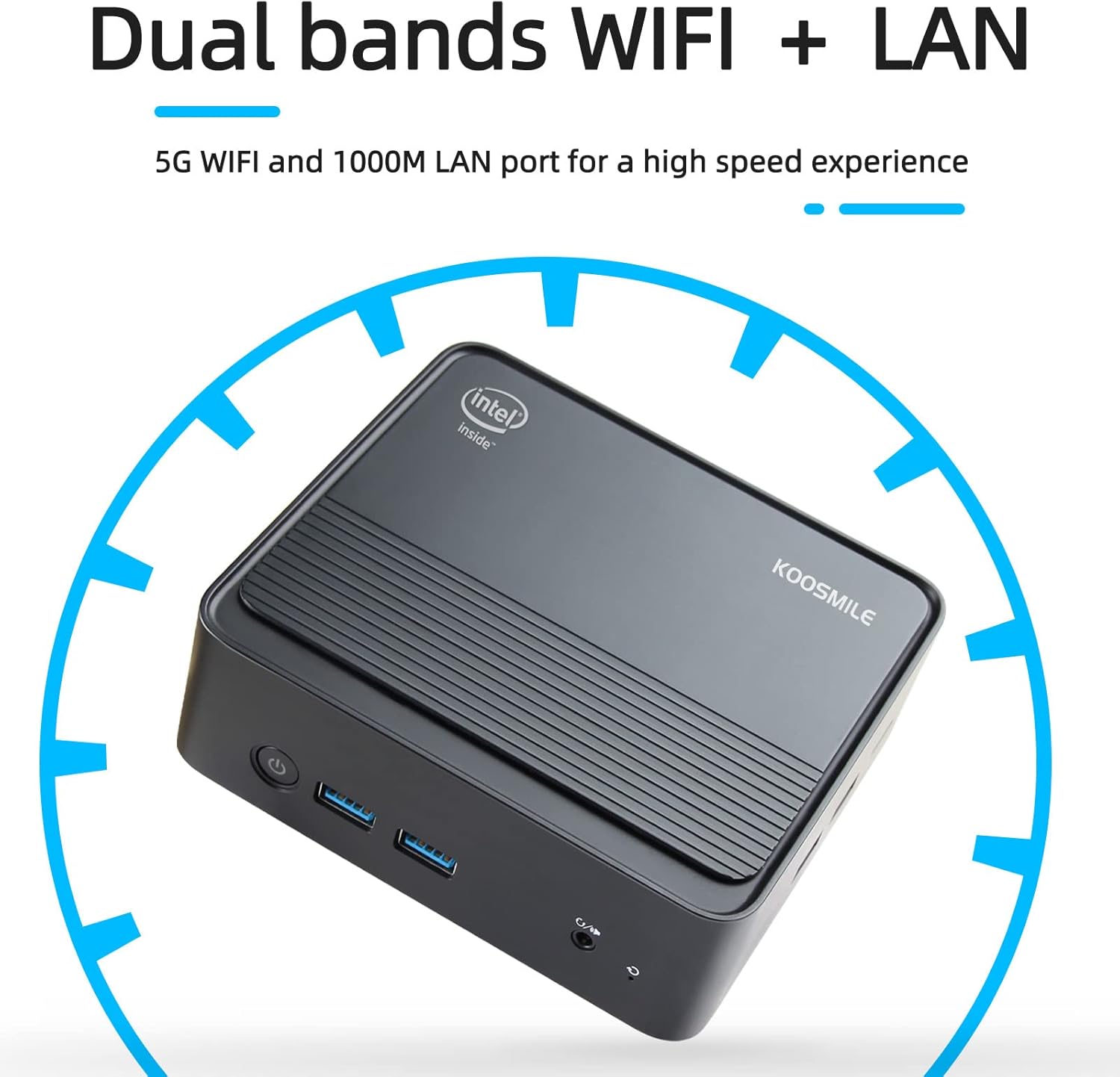
Image: Illustration emphasizing the dual-band WiFi and 1000M LAN port for high-speed internet connectivity.
Display and Graphics
The Mini PC is equipped with Intel UHD Graphics, supporting 4K video playback and dual monitor setups via its two HDMI ports. This allows for enhanced productivity and an immersive home theater experience.

Image: The Mini PC set up with two external monitors, demonstrating its dual-screen display capability for increased workspace.

Image: A monitor showcasing different resolutions (4K, 2K, 1080P), illustrating the Mini PC's support for high-definition video output.
Storage Expansion
The Mini PC comes with a 512GB M.2 SSD and supports expansion up to 2TB. This allows for significant storage upgrades for your files and applications.

Image: An exploded view of the Mini PC, showing its internal components including the removable shell, radiator fin, cooling fan, CPU, motherboard, DDR4 RAM, M.2 SSD, and bottom shell.
Multitasking Capabilities
With its Intel N5095 processor and 16GB DDR4 RAM, the KS-M1 Mini PC is capable of handling various tasks efficiently, including:
- Home Theater and Media Consumption
- Light Office Work (documents, spreadsheets, presentations)
- Web Browsing and Online Shopping
- Graphic Design and Photo Editing (basic to moderate)
- Demonstrations and Presentations
- Remote Study and Online Meetings

Image: A monitor screen showing various applications open simultaneously, demonstrating the Mini PC's ability to effortlessly multitask with Windows 11 Pro.

Image: A collage illustrating diverse applications of the Mini PC, including home theater, light office work, shopping, design, demonstrations, and remote study.
Maintenance
Heat Dissipation
The KOOSMILE KS-M1 Mini PC is designed with a large fan and heat sink to ensure efficient heat dissipation, keeping the system cool and performing optimally. To maintain proper airflow, ensure the vents are not obstructed and the device is placed in a well-ventilated area.
Cleaning
Regularly clean the exterior of the Mini PC with a soft, dry cloth. For dust accumulation in vents, use compressed air. Ensure the device is powered off and unplugged before cleaning.
Software Updates
Keep your Windows 11 Pro operating system and drivers updated to ensure optimal performance, security, and compatibility. Windows updates are typically managed automatically, but you can manually check for updates via Settings > Windows Update.
Troubleshooting
This section provides solutions to common issues you might encounter with your Mini PC.
No Display / Black Screen
- Check Cables: Ensure HDMI cables are securely connected to both the Mini PC and the monitor. Try a different HDMI port or cable if available.
- Monitor Input: Verify that your monitor is set to the correct HDMI input source.
- Power: Confirm the power adapter is properly connected to the Mini PC and a working power outlet. The power indicator light on the Mini PC should be on.
No Sound from Speakers (Headphone Jack)
- Windows Sound Settings: The single audio jack on the Mini PC is labeled for both speakers and headphones. In Windows 11, you may need to select the "Headphones" output option in your sound settings even if you are connecting external speakers.
- Driver Check: Ensure audio drivers are up to date via Device Manager.
- Volume Levels: Check volume levels in Windows and on your speakers/headphones.
Wi-Fi / Network Connectivity Issues
- Router/Modem: Restart your router and modem.
- Wi-Fi Settings: In Windows, go to Settings > Network & internet > Wi-Fi and ensure Wi-Fi is enabled and you are connected to the correct network.
- Drivers: Ensure network adapter drivers are installed and up to date.
- Distance: If using Wi-Fi, ensure the Mini PC is within range of your wireless router.
Slow Performance
- Background Applications: Close unnecessary applications running in the background.
- Disk Space: Ensure you have sufficient free space on your C: drive.
- Updates: Keep Windows and drivers updated.
- Malware Scan: Run a full system scan for viruses or malware.
Specifications
| Feature | Detail |
|---|---|
| Model | KS-M1 |
| Processor | 11th Gen Intel N5095 Quad-Core (2.0GHz base, up to 2.9GHz burst) |
| Operating System | Windows 11 Pro |
| RAM | 16GB DDR4 |
| Storage | 512GB M.2 SATA SSD (expandable up to 2TB) |
| Graphics | Intel UHD Graphics (supports 4K UHD) |
| Video Output | 2 x HDMI (supports dual display) |
| USB Ports | 4 x USB 3.0 |
| Network | Dual-band Wi-Fi 5 (802.11a/b/g/n/ac), 1000M LAN (RJ45) |
| Bluetooth | Bluetooth 4.0 |
| Audio | 1 x Headphone Jack |
| Dimensions (LxWxH) | 5 x 4.4 x 1.6 inches (approx. 12.7 x 11.2 x 4.1 cm) |
| Weight | 1.52 pounds (approx. 0.69 kg) |
| Color | Black |

Image: A visual representation of the Mini PC's compact dimensions: 5 inches length, 1.6 inches width, and 4.4 inches height.

Image: The Mini PC shown fitting easily into a backpack, illustrating its high portability and small footprint.
Warranty and Support
The KOOSMILE KS-M1 Mini PC comes with a 1-year warranty from the date of purchase. KOOSMILE is committed to providing excellent customer service and technical support.
- Customer Service: Available 7 days a week, 24 hours a day.
- Technical Support: Lifetime technical support is provided for your product.
For warranty claims, technical assistance, or any product-related inquiries, please refer to the contact information provided on the KOOSMILE official website or your purchase documentation.


