
1. Introduction and Overview
This manual provides essential information for the safe and efficient operation and maintenance of your Maxima Horeca Dishwasher. Designed for professional kitchens, this powerful and fast dishwasher ensures clean dishes with minimal effort.
Key Features:
- Professional front-loading dishwasher with robust construction.
- Two complete wash programs: 100 seconds and 190 seconds.
- Constructed entirely from stainless steel and ABS for easy cleaning.
- Quiet operation at less than 65 dB.
- Economical water consumption of only 2.8 liters per cycle.
- Includes a rinse pump.

Figure 1: Front view of the Maxima Horeca Dishwasher, showing the control panel and loading door.
2. Setup and Installation
Proper installation is crucial for the dishwasher's performance and longevity. Ensure the unit is placed on a stable, level surface.
2.1 Unpacking
Carefully remove the dishwasher from its packaging. Inspect for any damage incurred during transit. Retain packaging materials for potential future transport or service.
2.2 Water Connection
Connect the supplied inlet hose to a cold water supply with appropriate pressure. Connect the drain hose to a suitable drainage system. Ensure all connections are secure to prevent leaks.
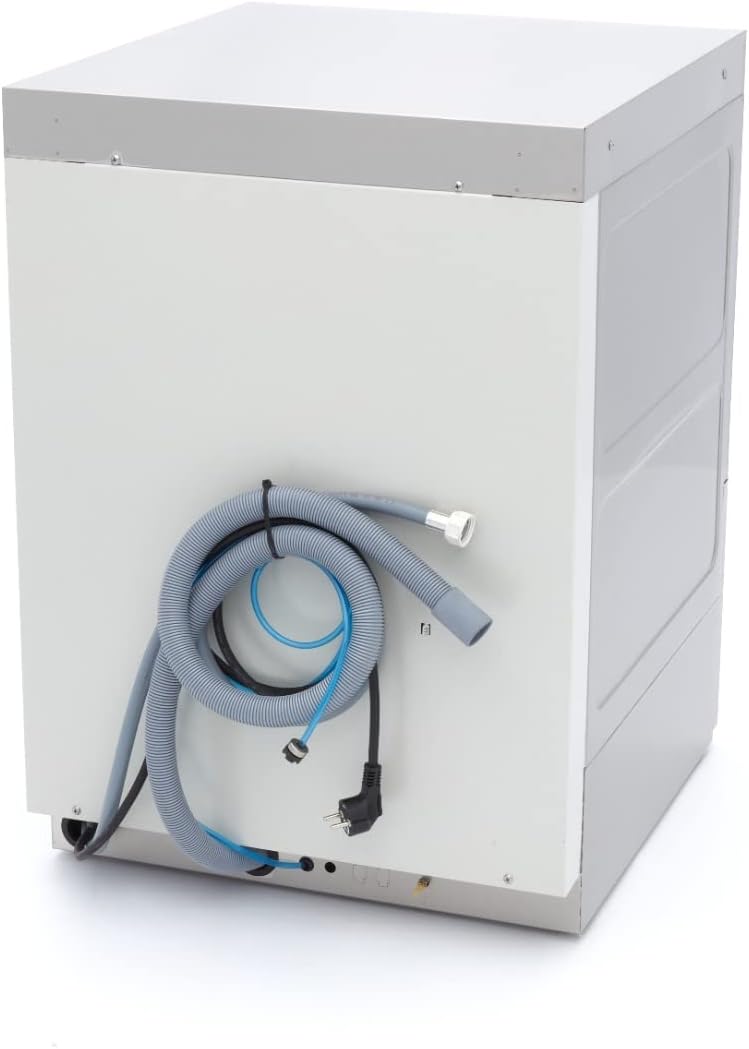
Figure 2: Rear view of the dishwasher, illustrating the inlet and drain hose connections.
2.3 Electrical Connection
Connect the dishwasher to a grounded 230 V/50 Hz/1 phase electrical outlet. Ensure the electrical supply meets the dishwasher's power requirements (3560 watts).
2.4 Initial Checks
Before first use, ensure:
- All hoses are securely connected and free from kinks.
- The dishwasher is level.
- The water supply is open.
3. Operating Instructions
The Maxima Horeca Dishwasher features an intuitive control panel for easy operation.
3.1 Control Panel Overview

Figure 3: Close-up of the control panel, showing the power button, program selection, and indicator lights.
The control panel is IPX4-protected against water splashes and includes:
- On/Off Button: Powers the unit on or off.
- Start/Stop Button: Initiates or pauses the wash cycle.
- Program Selection Button: Selects between the available wash programs.
- Indicator Lights: Display the dishwasher's status, such as ready for wash or rinse program active.
3.2 Loading Dishes
Load dishes into the appropriate baskets. The dishwasher includes a 50 x 50 cm glass basket, a 50 x 50 cm plate basket, and a cutlery insert. Ensure dishes do not obstruct the wash arms.

Figure 4: Interior view of the dishwasher with the door open, showing the wash arms and space for baskets.
3.3 Selecting and Starting a Wash Program
- Press the On/Off button to power on the dishwasher.
- Use the Program Selection button to choose between the 100-second or 190-second wash program.
- Press the Start/Stop button to begin the wash cycle.
- The indicator lights will show the current status of the dishwasher.
The wash temperature is 60 °C, and the rinse temperature is 85 °C, ensuring effective cleaning and quick drying.
4. Maintenance
Regular cleaning and maintenance will extend the life of your dishwasher and ensure optimal performance.
4.1 Daily Cleaning
The dishwasher's stainless steel construction makes it easy to clean. After each use:
- Remove any food debris from the interior and filters.
- Wipe down the interior and exterior surfaces with a damp cloth and mild detergent.
- Ensure the wash arms are clear of obstructions. The wash arms are made of special ABS material.
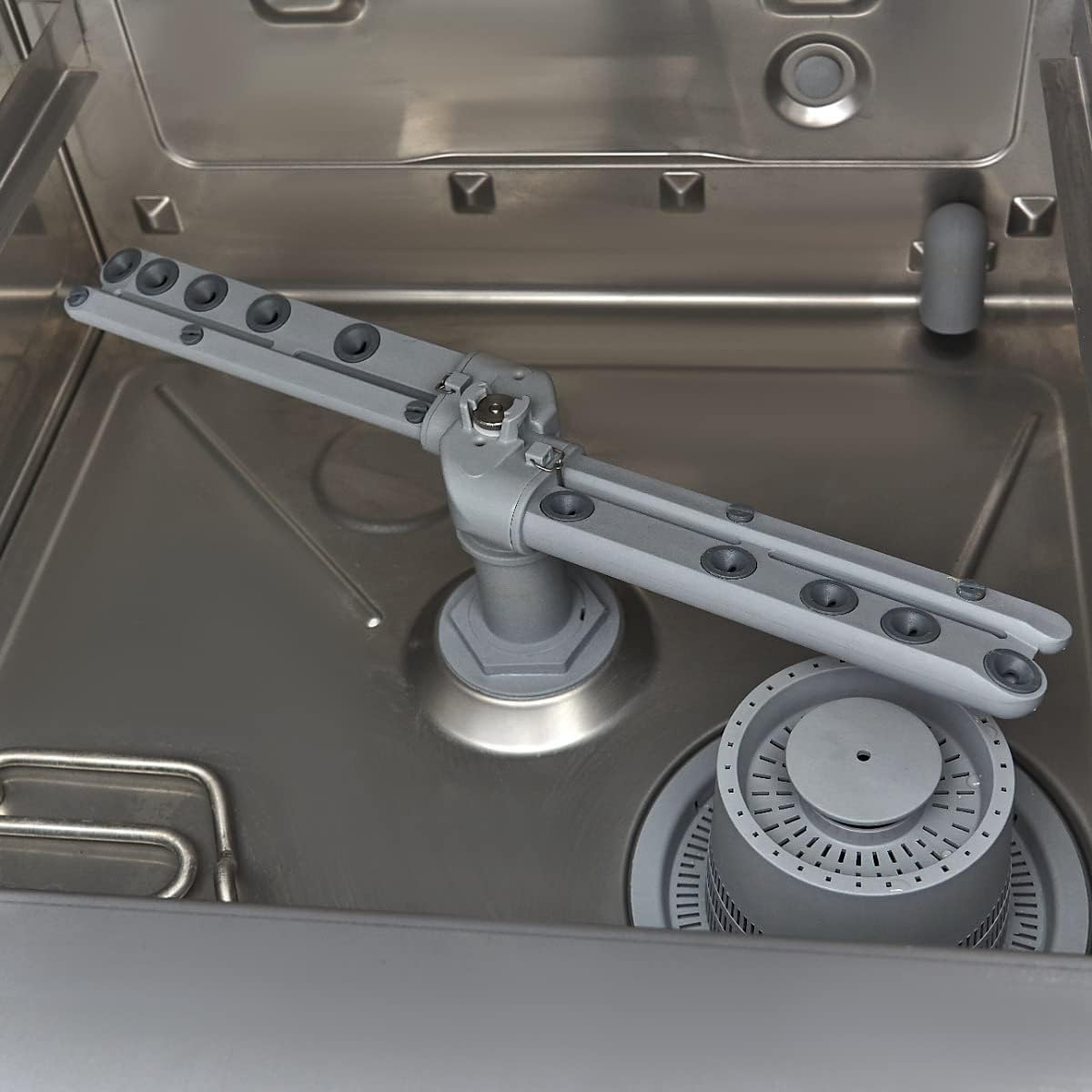
Figure 5: Interior view highlighting the wash arm and filter system, which should be kept clean.
4.2 Detergent Use
This dishwasher is compatible with dishwasher powder, tablets, and pods. Always follow the detergent manufacturer's instructions for dosage. Note that the dishwasher includes a rinse pump but does not have an integrated soap pump or drain pump.
4.3 Descaling
Depending on water hardness, periodic descaling may be necessary. Use a commercial descaling agent suitable for dishwashers and follow its instructions carefully.
5. Troubleshooting
If you encounter issues with your dishwasher, consult the following common problems and solutions before contacting service.
5.1 Dishwasher Does Not Start
- Check if the power cord is securely plugged in.
- Ensure the On/Off button has been pressed.
- Verify that the door is fully closed and latched.
- Check the circuit breaker or fuse for the electrical supply.
5.2 Poor Washing Results
- Ensure dishes are loaded correctly and do not block wash arms.
- Check if the wash arms are clean and rotating freely.
- Verify that the correct amount of detergent is being used.
- Clean the filters to ensure proper water circulation.
5.3 Water Leaks
- Inspect inlet and drain hoses for secure connections and damage.
- Ensure the dishwasher is level.
- Check the door seal for any damage or debris.
6. Specifications
Detailed technical specifications for the Maxima Horeca Dishwasher Model 09240040.
| Specification | Value |
|---|---|
| Brand | Maxima |
| Model Name | Horeca Vaatwasser - 50 x 50 cm - met Glansspoelpomp - 230V |
| Model Number | 09240040 |
| Installation Type | Countertop |
| Product Dimensions (D x W x H) | 610 mm x 580 mm x 830 mm |
| Net Weight | 54 kg |
| Tank Capacity | 22 liters |
| Boiler Capacity | 6 liters |
| Door Height | 365 mm (max. glass/plate height 325 mm) |
| Tank Element Power | 2.0 kW |
| Boiler Power | 3.0 kW |
| Wash Pump Power | 0.5 kW |
| Voltage / Frequency / Phase | 230 V / 50 Hz / 1 phase |
| Total Power | 3560 watts |
| Noise Level | < 65 dB |
| Water Consumption per Cycle | 2.8 liters |
| Wash Programs | 100 seconds, 190 seconds |
| Wash Temperature | 60 °C |
| Rinse Temperature | 85 °C |
| Included Components | Inlet hose, Drain hose, 1 dinner plate basket (50x50cm), 1 glass basket (50x50cm), 1 cutlery insert |

Figure 6: Dimensional diagram of the dishwasher, showing width, depth, and height measurements.
7. Warranty and Support
For warranty information, please refer to the documentation provided at the time of purchase or contact your retailer. For technical support or spare parts, please contact Maxima customer service or an authorized service partner.


