
Introduction
This manual provides essential information for the safe and efficient use of your ADEQWAT Magnetic Wall Charger with USB-C Cable. Please read these instructions carefully before using the product and retain them for future reference.
Safety Information
- Do not expose the charger to water, moisture, or extreme temperatures.
- Do not attempt to disassemble, repair, or modify the charger. This may void the warranty and pose safety risks.
- Keep out of reach of children.
- Ensure the charger is plugged into a compatible power outlet.
- Disconnect the charger from the power outlet when not in use or during electrical storms.
- Avoid dropping or subjecting the charger to strong impacts.
Package Contents
Verify that all items are present in the package:
- ADEQWAT Magnetic Wall Charger
- Integrated USB-C Cable
- Additional Metallic Plate (for magnetic attachment)
Setup
- Unfold the Plug: Gently pull out the retractable plug from the back of the charger until it locks into place.

Image: Back view of the charger with the retractable plug extended.
- Connect to Power Outlet: Insert the charger's plug into a standard wall power outlet.

Image: The charger plugged into a wall outlet, demonstrating its use with a smartphone and tablet.
- Optional: Attach Metallic Plate: If you wish to use the magnetic feature with a device that is not inherently magnetic, attach the provided metallic plate to the back of your smartphone or its case. Ensure the plate is securely positioned.
Operating
- Charging with USB-C Cable: Connect the integrated USB-C cable to your compatible device's USB-C port. Charging will begin automatically.
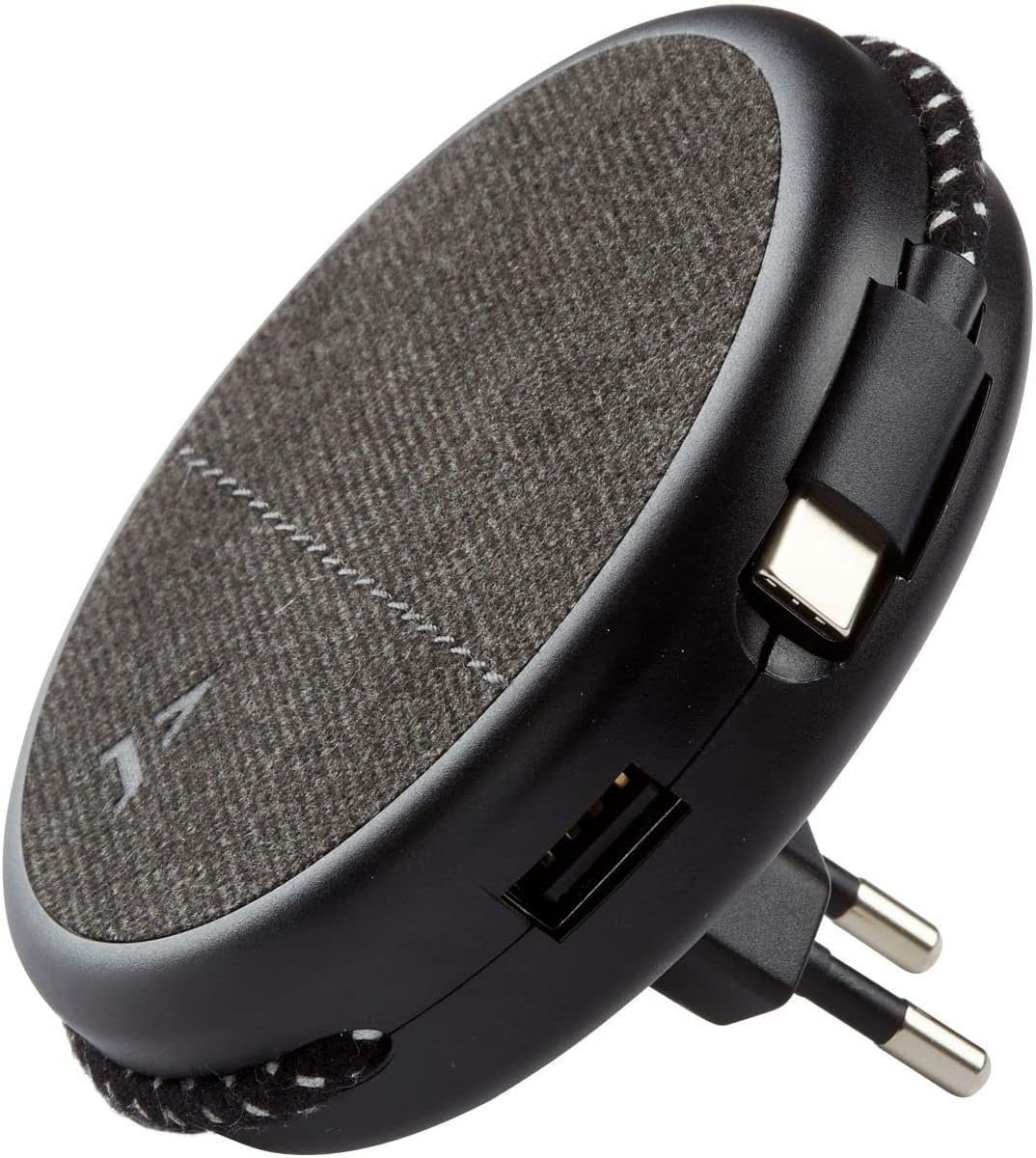
Image: Close-up of the charger, highlighting the integrated USB-C cable and an additional USB-A port.
- Charging with USB-A Port: For devices requiring a USB-A connection, use your own USB-A cable and plug it into the USB-A port on the charger.
- Using the Magnetic Feature: Once the charger is plugged into a wall outlet, you can magnetically attach your smartphone (with or without the metallic plate) to the charger's surface for convenient holding while charging.
Maintenance
- Cleaning: Disconnect the charger from the power outlet before cleaning. Use a soft, dry cloth to wipe the surface. Do not use liquid cleaners or abrasive materials.
- Storage: When not in use, store the charger in a cool, dry place, away from direct sunlight and extreme temperatures. The retractable plug can be folded back into the charger for compact storage.
Troubleshooting
| Problem | Possible Cause | Solution |
|---|---|---|
| Device not charging. | Charger not properly plugged in. Device cable faulty. Device incompatible. | Ensure the charger is fully inserted into the wall outlet. Try a different cable. Verify device compatibility with USB charging standards. |
| Magnetic attachment is weak. | Device not magnetic. Metallic plate not properly attached. | Ensure your device has a magnetic back or use the provided metallic plate. Re-position or re-attach the metallic plate securely. |
| Charger feels warm. | Normal operation. Overload. | A slight warmth during charging is normal. If it becomes excessively hot, disconnect immediately and contact support. Avoid charging multiple high-power devices simultaneously if it causes overheating. |
Specifications
| Brand | ADEQWAT |
| Model Number | 8005668 |
| Color | Black |
| Connections | USB (Integrated USB-C Cable, 1x USB-A Port) |
| Special Feature | Magnetic |
| Total USB Ports | 1 (USB-A) + 1 (Integrated USB-C) |
| Compatible Devices | Cellular Phones, Tablets |
| Power Output | 17 Watts |
| Number of Items | 2 (Charger + Metallic Plate) |
| Power Source | Corded Electric |
| Portable | Yes |
Warranty and Support
For warranty information or technical support, please refer to the documentation provided with your purchase or visit the official ADEQWAT website. Keep your proof of purchase for warranty claims.