
ODK B02031601005USAN0907AQ2SUG4
ODK U Shaped Desk Instruction Manual
Model: B02031601005USAN0907AQ2SUG4
Brand: ODK
1. Product Overview
The ODK U Shaped Desk is designed for both gaming and home office environments, offering a spacious and immersive workspace. Its versatile design includes integrated power solutions, ample storage, and customizable features to enhance user experience.
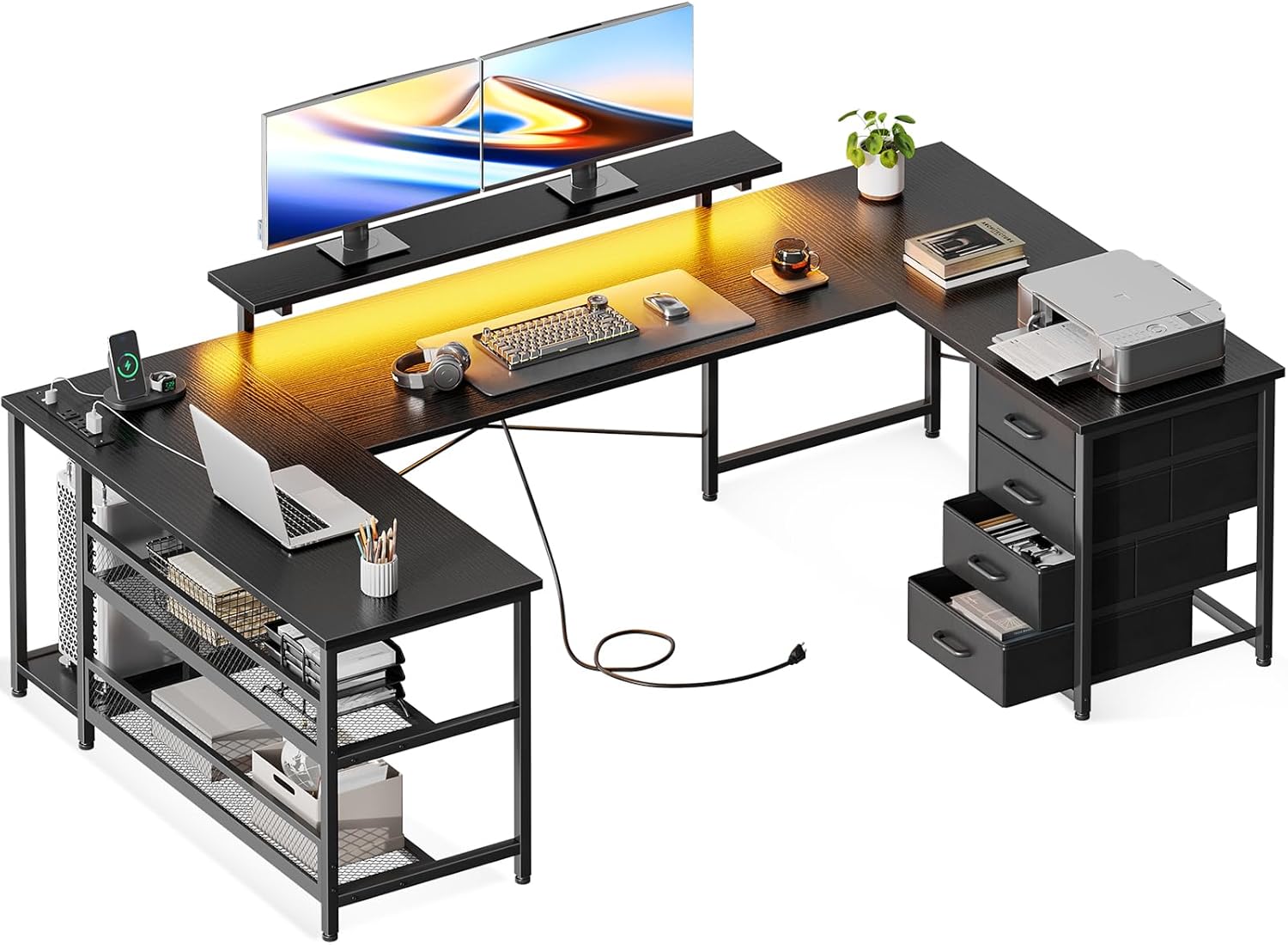
Image: The ODK U Shaped Desk, showcasing its U-shaped configuration with multiple monitors, a keyboard, and various office items, highlighting its spacious design and integrated features.
2. Setup and Assembly
Assembly of the ODK U Shaped Desk is required. Please follow the instructions carefully to ensure proper and stable construction. While assembly tools are not included, the design allows for straightforward setup.
2.1 Reversible Configuration
The desk features a reversible design, allowing you to install the drawer unit on either the left or right side to best suit your space and usage habits. Plan your desired configuration before beginning assembly.
2.2 Product Dimensions
Ensure you have adequate space for the desk. The overall dimensions are approximately 19.69 inches (D) x 65.75 inches (W) x 29.72 inches (H). The monitor stand is height-adjustable, providing ergonomic sight levels.

Image: A detailed diagram illustrating the various dimensions of the ODK U Shaped Desk, including its length, width, height, and the adjustable monitor stand heights, along with an illustration of its reversible configuration.
3. Operating Instructions and Features
3.1 Integrated Power Outlets and USB Ports
The desk includes a built-in power strip with 3 AC outlets (125V/12A) and 2 USB ports (5V-2A). This feature provides convenient power access for your computer, tablet, phone, and other electronic devices, keeping your gaming and work equipment powered at all times.
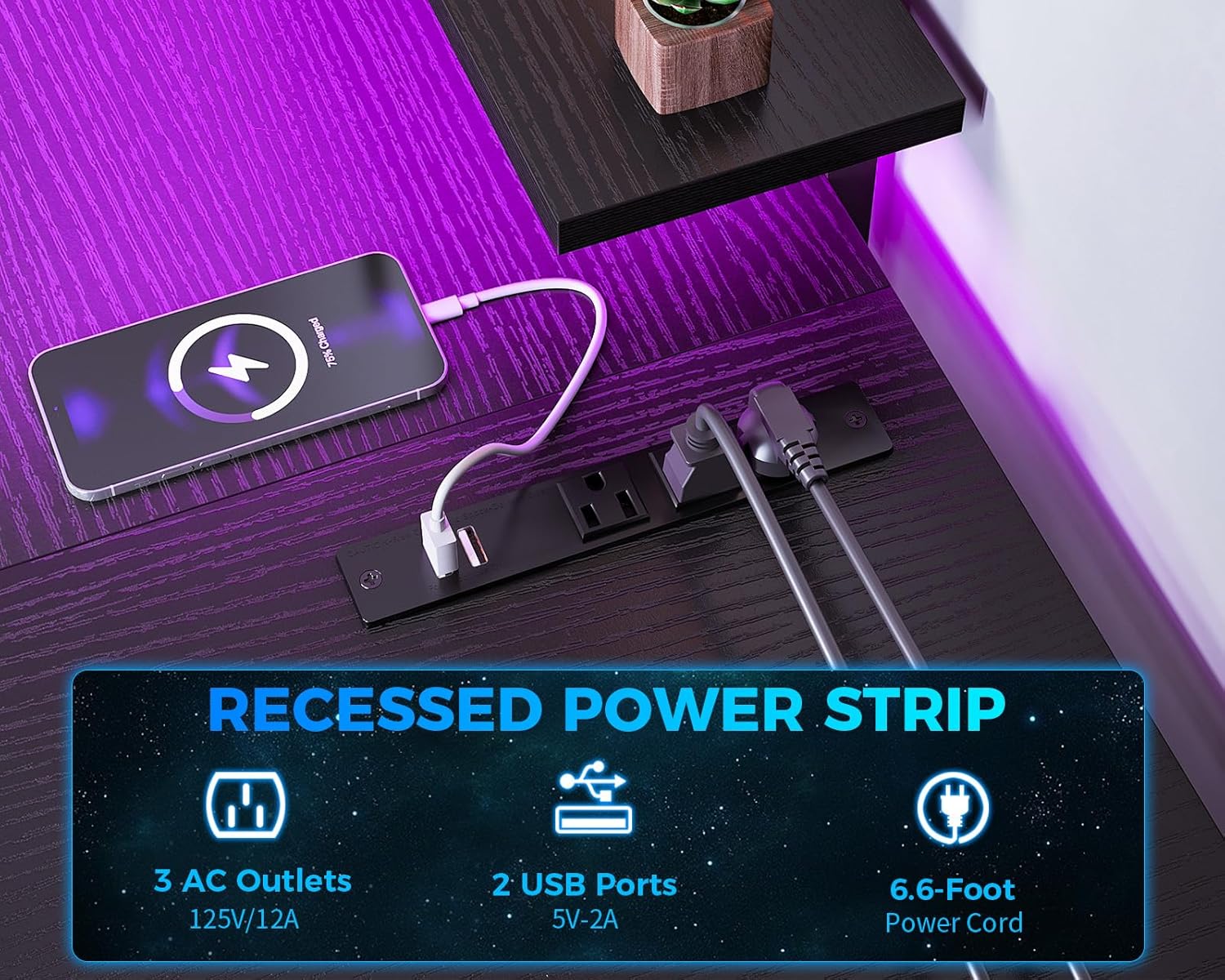
Image: A close-up view of the recessed power strip integrated into the desk, showing 3 AC outlets and 2 USB ports, with a smartphone charging via USB.
3.2 LED Lighting System
Enhance your gaming or work atmosphere with the integrated LED lighting system. This system offers 7 distinct colors and 20 lighting modes. A memory function ensures the lights return to the last selected mode when turned on. Use the controls to cycle through colors and modes to customize your environment.

Image: A view of the desk's RGB LED strips illuminating the workspace, with icons showing 7 color variations and text indicating 20 lighting modes.
3.3 Ample Storage Solutions
The desk is equipped with various storage options to keep your workspace organized. It includes a monitor stand, a UPC stand, 2 open shelves, and 4-tier fabric drawers. The open shelves are ideal for frequently used items, while the drawers provide classified storage, reducing desktop clutter.

Image: A split image showing a close-up of the fabric storage drawers filled with items on the left, and a metal storage shelf with a computer tower and other accessories on the right, demonstrating the desk's storage capabilities.
4. Maintenance
To maintain the longevity and appearance of your ODK U Shaped Desk, follow these simple maintenance guidelines:
- Cleaning: Wipe surfaces with a soft, damp cloth. Avoid harsh chemicals or abrasive cleaners that may damage the finish.
- Spills: Clean up spills immediately to prevent staining or damage to the wood and metal components.
- Weight Distribution: Distribute weight evenly across the desk surface and shelves. Do not exceed the maximum weight recommendation of 138 pounds.
- Electrical Components: Ensure the power strip and LED components are kept dry. Do not attempt to disassemble or repair electrical parts yourself.
5. Troubleshooting
If you encounter any issues with your ODK U Shaped Desk, consider the following common solutions:
- Stability Issues: If the desk feels wobbly, check all screws and bolts to ensure they are tightened securely. Ensure the desk is on a flat, even surface.
- LED Lights Not Working: Verify that the power cord for the LED strip is properly plugged into a working outlet and securely connected to the LED controller. Check if the remote control (if applicable) has working batteries.
- Power Outlets Not Functioning: Ensure the main power cord for the built-in power strip is fully inserted into a live wall outlet. Check if the circuit breaker has tripped.
- Drawers Sticking: Ensure the fabric drawers are correctly inserted into their compartments and are not overloaded.
For persistent issues not covered here, please contact ODK customer support.
6. Specifications
| Feature | Detail |
|---|---|
| Brand | ODK |
| Model Number | B02031601005USAN0907AQ2SUG4 |
| Product Dimensions | 19.69"D x 65.75"W x 29.72"H |
| Color | Black |
| Style | Modern |
| Base Material | Metal |
| Top Material Type | Engineered Wood |
| Special Feature | Reversible, Power Outlets, LED Strip, Monitor Stand, Storage Shelf, Drawers |
| Maximum Weight Recommendation | 138 Pounds |
| Number of Drawers | 4 |
| Number of Shelves | 2 (open shelves) |
| Power Outlets | 3 AC Outlets (125V/12A) |
| USB Charging Ports | 2 USB Ports (5V-2A) |
| LED Lighting | 7 Colors, 20 Lighting Modes, Memory Function |
| Required Assembly | Yes |
7. Safety Information
Please read and adhere to the following safety guidelines to ensure safe use of your ODK U Shaped Desk:
- Always assemble the desk according to the provided instructions.
- Ensure that the desk is stable and secure before placing any items on it or using it.
- Do not exceed the maximum weight recommendation of 138 pounds to prevent damage or injury.
- Take regular breaks to prevent strain and maintain proper posture while using the desk for extended periods.
- Keep liquids away from electrical outlets and components to prevent electrical hazards.
- Do not allow children to climb on or play with the desk.
8. Warranty and Support
The ODK U Shaped Desk comes with a Limited Warranty. For specific details regarding warranty coverage, terms, and conditions, please refer to the warranty card included with your product or visit the official ODK website.
For customer support, technical assistance, or to inquire about replacement parts, please contact ODK customer service through the contact information provided in your product packaging or on the ODK brand store page on Amazon.
You can visit the ODK Store for more information: ODK Store on Amazon
Related documentsB02031601005USAN0907AQ2SUG4


Ask a question about this manual
Ask about setup, troubleshooting, compatibility, parts, safety, or missing instructions. Manuals+ will review the question and use this page’s manual context to help answer it.