
ODK B02021001009USAN0419ASI9B8W
ODK L Shaped Desk User Manual
Model: B02021001009USAN0419ASI9B8W | Brand: ODK
Introduction
This manual provides comprehensive instructions for the assembly, operation, maintenance, and troubleshooting of your ODK L Shaped Desk. Designed for versatility and functionality, this desk offers ample workspace, integrated power solutions, and smart storage options to enhance your home office or gaming setup.
1. Setup & Assembly
Your ODK L Shaped Desk features a reversible design, allowing you to configure it as a left or right corner desk to best suit your space. Detailed assembly instructions are included in the packaging. Please follow them carefully. All necessary tools are provided.

Figure 1: Overall view of the ODK L Shaped Desk, showcasing its spacious design and integrated features.

Figure 2: Product dimensions and layout, highlighting the reversible L-shape configuration.
Video 1: ODK Reversible L Shaped Desk with File Drawer, Power Outlet - An overview of the desk's features and reversible design.
2. Features & Components
The ODK L Shaped Desk is equipped with several features designed for convenience and organization:
- Ample Storage Space: Includes 2 file drawers, a printer cabinet, a 2-tier under bookshelf, and a computer tower stand.
- Cool LED Lighting: Features 7 colors, 13 modes, 8 adjustable brightness levels, and 9 flicker frequencies with memory function.
- Convenient Charging & Monitor Stand: Power outlet with 3 standard plugs and 2 USB ports. Long monitor stand for ergonomic viewing and extra storage.
- Extra Large Desktop & High Stability: Main desktop length of 46.1 inches, built with a sturdy metal frame and high-quality MDF board.
- Reversible L Shaped Design: Customizable to suit your space, allowing setup as a left or right corner desk.
2.1 Storage Solutions
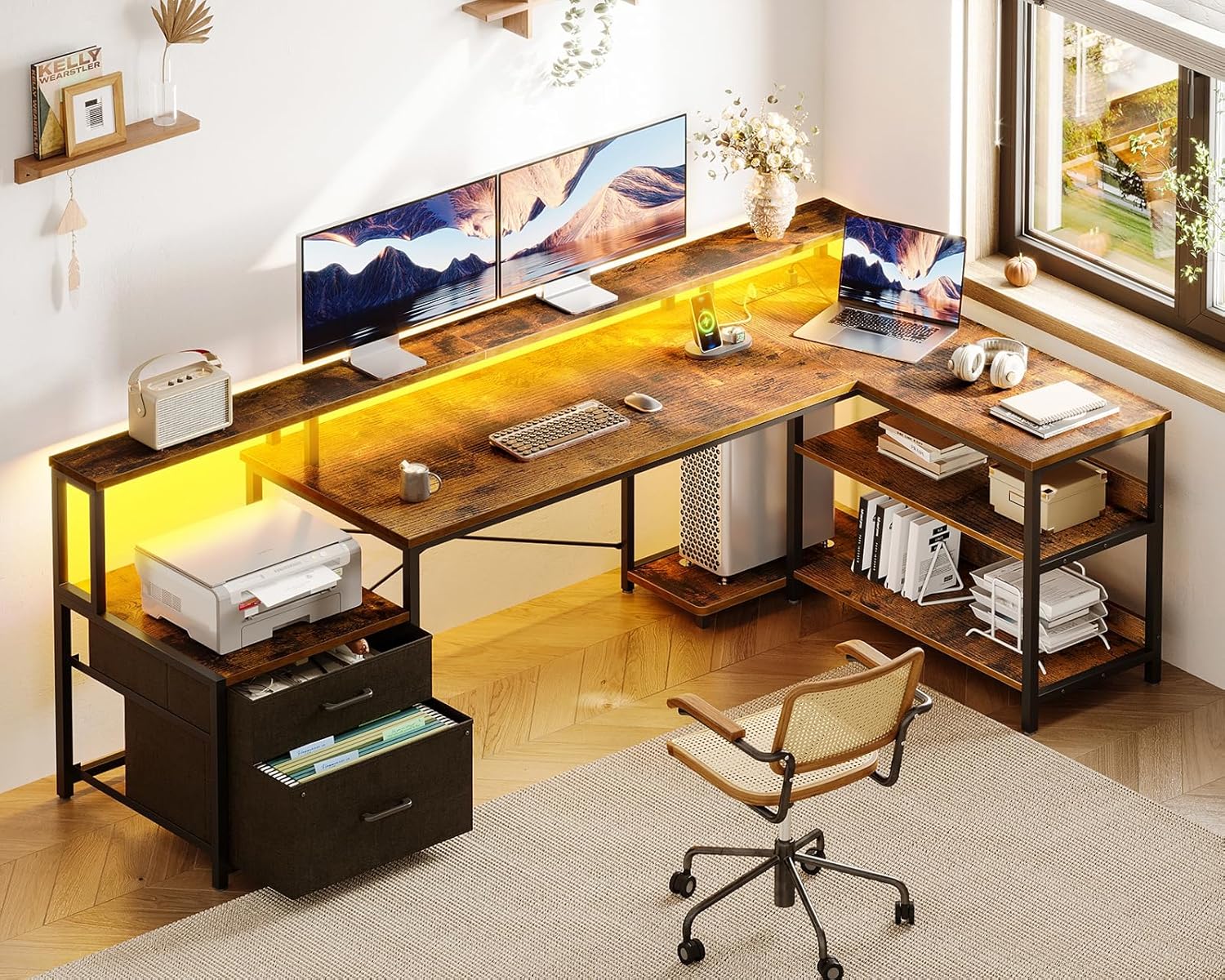
Figure 3: Integrated storage solutions, including file drawers and multi-tier shelving for organization.

Figure 4: Detailed view of the large file drawer, suitable for legal/A4 size documents, and additional storage shelves.
2.2 Integrated Power & Lighting

Figure 5: The built-in power strip provides convenient access to 3 AC outlets (120V/12A) and 2 USB ports (5V/2A) with a 6.6-foot power cord.

Figure 6: The desk features cool LED lighting with multiple color variations and lighting modes to customize your ambiance.
2.3 Ergonomics & Durability
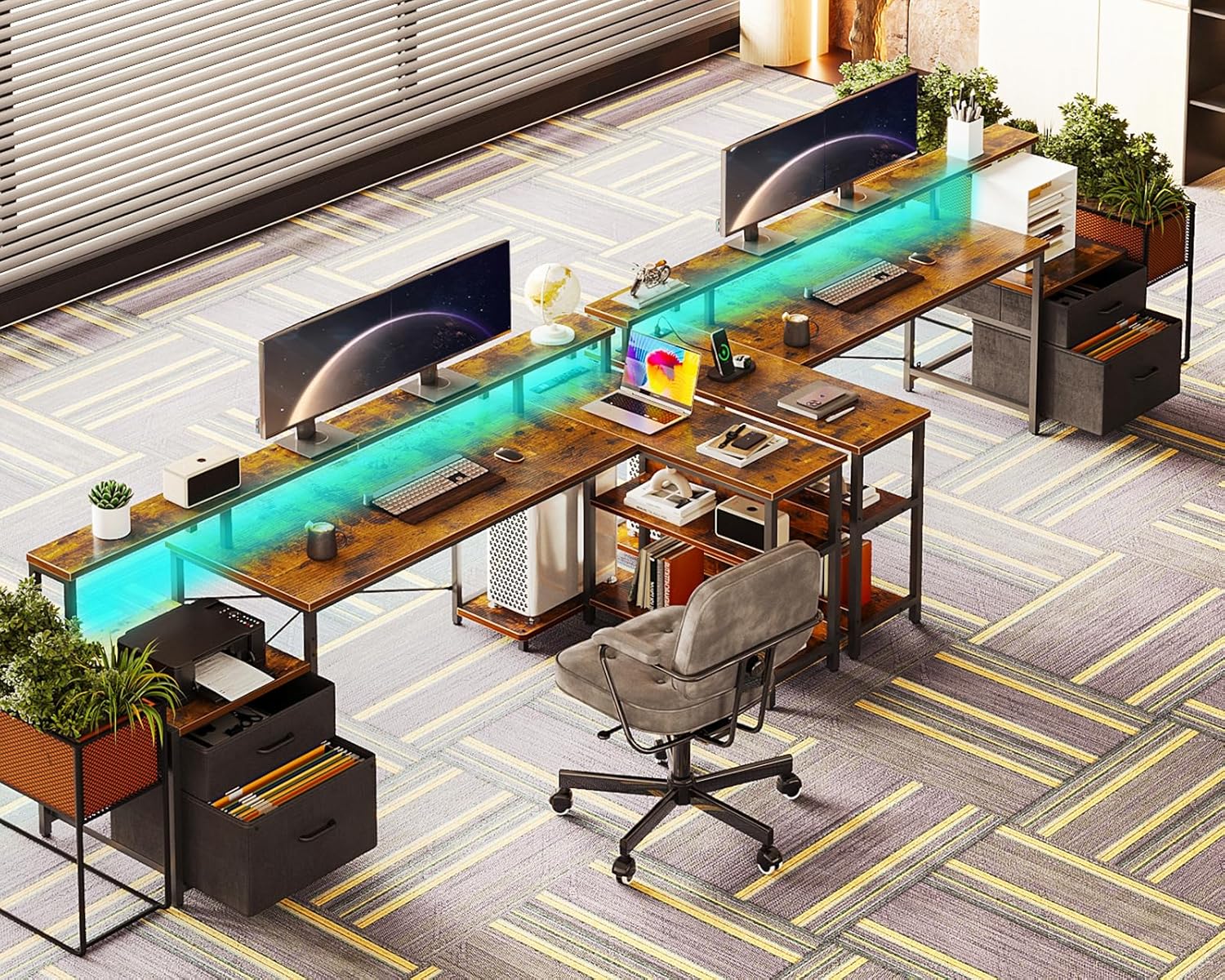
Figure 7: The long monitor stand promotes ergonomic posture, protecting neck and spine health, while also providing additional storage space.

Figure 8: Construction details showcasing the high-quality MDF desktop, enhanced X brackets for stability, and adjustable foot pads for leveling.
3. Operating Instructions
3.1 LED Lighting Control
The LED strip is located beneath the monitor shelf. Use the integrated controller to adjust settings:
- Color Selection: Cycle through 7 available colors.
- Mode Selection: Choose from 13 different lighting modes (e.g., static, flashing, fading).
- Brightness Adjustment: Adjust brightness across 8 levels.
- Flicker Frequency: Set the flicker frequency to 9 different speeds.
- Memory Function: The lights will remember the last used mode when turned on again.
3.2 Power Outlet Usage
The recessed power strip provides convenient access to power for your devices:
- Plug laptops, monitors, and other electronics into the 3 standard AC outlets.
- Use the 2 USB ports to charge phones, tablets, and other USB-powered devices.
- Ensure the desk's main power cord is securely plugged into a wall outlet.
4. Maintenance
To ensure the longevity and appearance of your ODK L Shaped Desk, follow these maintenance guidelines:
- Cleaning: Wipe surfaces with a soft, damp cloth. Avoid harsh chemicals or abrasive cleaners that may damage the finish.
- Spills: Immediately wipe up any spills to prevent staining or damage to the MDF board.
- Stability: Periodically check all screws and connections to ensure they are tight. Re-tighten if necessary to maintain stability.
- Fabric Drawers: The fabric drawers can be spot cleaned with a mild detergent and water. Allow to air dry completely. Avoid overloading drawers with excessively heavy items.
- LED Strip: Keep the LED strip clean and free from dust. Avoid direct contact with water.
5. Troubleshooting
If you encounter any issues with your ODK L Shaped Desk, refer to the following common troubleshooting steps:
| Problem | Possible Cause | Solution |
|---|---|---|
| Desk wobbles or is unstable. | Loose screws or uneven floor. | Check and tighten all assembly screws. Adjust the adjustable foot pads on the desk legs to level the desk on uneven surfaces. |
| LED lights not working. | Power connection issue, faulty LED strip. | Ensure the LED strip is properly connected to the power outlet. Check if the main power outlet is working. If issues persist, contact customer support. |
| Power outlets not providing power. | Desk's main power cord unplugged, circuit overload. | Verify the desk's main power cord is securely plugged into a functional wall outlet. Avoid overloading the outlets with too many high-power devices. |
| Drawers are difficult to open/close. | Overloaded or misaligned fabric. | Reduce the weight in the drawers. Ensure the fabric is properly aligned within the drawer frame. |
If these steps do not resolve the issue, please contact ODK Customer Support for further assistance.
6. Specifications
| Attribute | Detail |
|---|---|
| Brand | ODK |
| Product Dimensions | 75"D x 39.4"W x 35"H |
| Color | Vintage |
| Style | Office |
| Base Material | Metal |
| Finish Type | Powder Coated |
| Special Feature | Reversible |
| Room Type | Office |
| Recommended Uses For Product | Working |
| Mounting Type | Floor Mount |
| Included Components | File Drawers, Printer Cabinet, 2-tier Bookshelf, Computer Tower Stand, Long Monitor Stand |
| Model Number | B02021001009USAN0419ASI9B8W |
| Model Name | ODK L Shaped Desk |
| UPC | 850052654085 |
| Item Weight | 64.4 Pounds |
| Number of Drawers | 2 |
| Number Of Shelves | 3 |
| Required Assembly | Yes |
7. Warranty & Support
ODK provides a standard return policy of 30 days. For specific warranty details and to register your product, please refer to the documentation included with your purchase or visit the official ODK website. For any questions, technical support, or assistance with parts, please contact ODK Customer Support.
Customer Support: Refer to your product packaging or the ODK official website for contact information.
Related documentsB02021001009USAN0419ASI9B8W


Ask a question about this manual
Ask about setup, troubleshooting, compatibility, parts, safety, or missing instructions. Manuals+ will review the question and use this page’s manual context to help answer it.