
1. Introduction
This manual provides essential information for the safe and effective use of your HW USB Rechargeable AA Batteries. These lithium-ion batteries offer a constant 1.5V output, fast charging via Type-C, and are designed for high-performance devices. Please read this manual thoroughly before first use and retain it for future reference.

Image 1: HW USB Rechargeable AA Batteries and charging cable.
2. Important Safety Information
To prevent injury, property damage, or damage to the batteries, always observe the following safety precautions:
- Do not disassemble, crush, puncture, or short-circuit the batteries.
- Do not expose batteries to fire, high temperatures (above 60°C / 140°F), or direct sunlight.
- Do not immerse batteries in water or other liquids.
- Keep batteries out of reach of children and pets.
- Use only the provided Type-C charging cable or a compatible USB-C cable for charging.
- Do not use batteries if they show signs of damage, swelling, leakage, or discoloration.
- Dispose of used batteries according to local regulations for lithium-ion batteries.
- The batteries feature multiple built-in protections including over-charging, over-discharging, over-voltage, over-temperature, over-current, short circuit, and undervoltage protection. However, proper handling is still essential.

Image 2: Built-in safety protections of HW batteries.
3. Package Contents
Verify that all items are present in your package:
- 4 x HW USB Rechargeable AA Batteries (Model TH-ICR524C)
- 1 x Multi-headed USB-C Charging Cable
4. Setup
Before first use, it is recommended to fully charge the batteries.
- Locate the Type-C charging port on each battery.
- Connect the provided multi-headed USB-C charging cable to the Type-C port on each battery.
- Plug the USB-A end of the charging cable into a compatible USB power source (e.g., computer USB port, USB wall adapter, power bank, car charger).
- The LED indicator on the battery will flash green during charging. Once fully charged, the LED will turn solid green.

Image 3: Convenient USB charging options.
5. Operating Instructions
5.1 Charging the Batteries
The HW USB Rechargeable AA Batteries feature a direct Type-C charging port, eliminating the need for a separate charger.
- Charging Time: A full charge typically takes approximately 1.5 hours.
- LED Indicator:
- Green light flashing: Battery is currently charging.
- Green light solid: Battery is fully charged.

Image 4: Battery charging status indicated by LED lights.
Video 1: Demonstration of USB-C charging for HW AA batteries, showing the green LED indicator during charging.
5.2 Using the Batteries
These batteries provide a stable 1.5V output, making them suitable for a wide range of devices.
- Insert the batteries into your device according to the correct polarity (+/-).
- The constant 1.5V output ensures consistent performance, even in high-drain devices.
- Suitable applications include: remote controls, alarm clocks, toy vehicles, electric toothbrushes, calculators, digital cameras, flashlights, and other high-power demand devices.
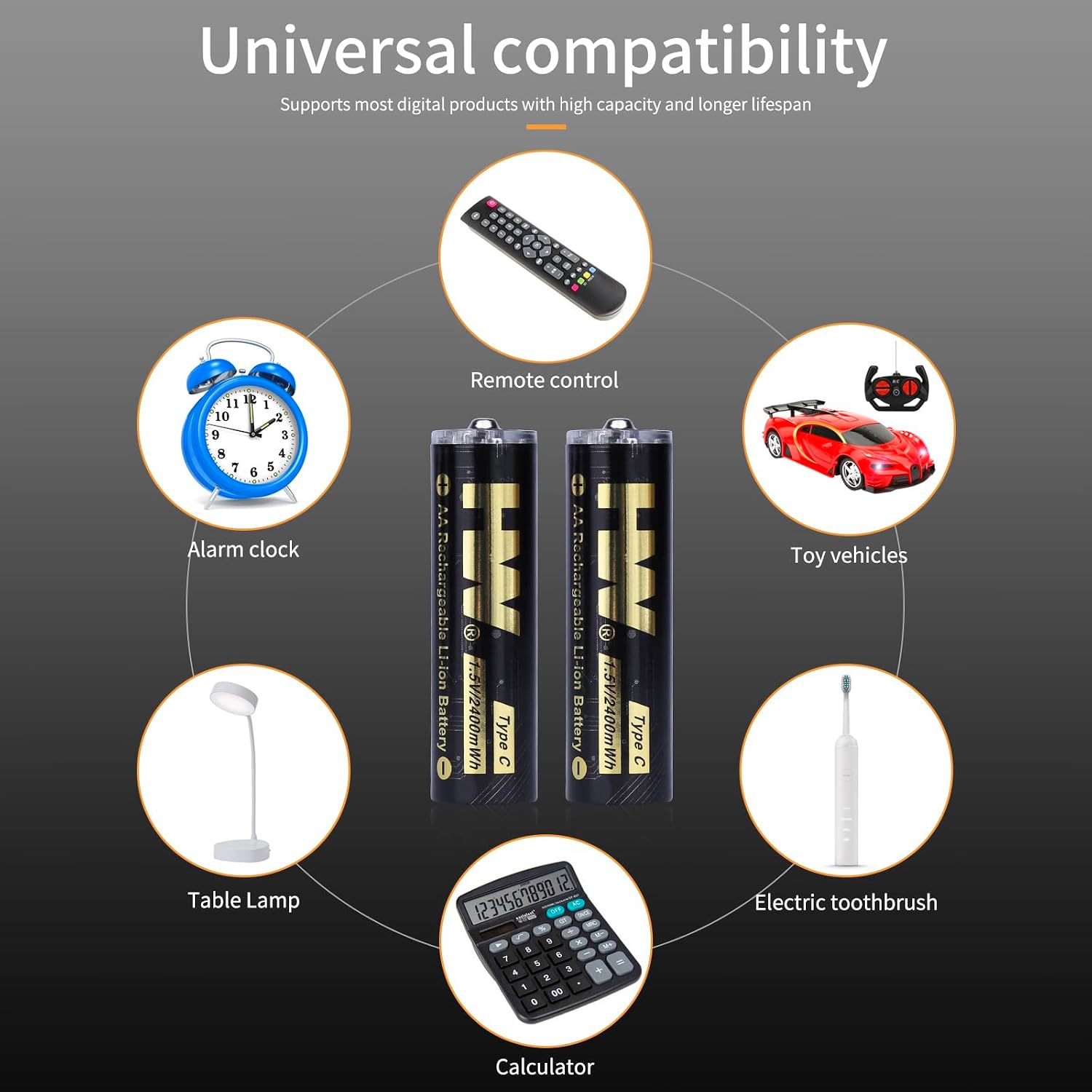
Image 5: Universal compatibility of HW rechargeable AA batteries.

Image 6: Constant 1.5V output performance.
6. Maintenance
- Storage: Store batteries in a cool, dry place away from direct sunlight and extreme temperatures.
- Lifespan: These batteries are designed for over 1000 charge cycles, offering long-term use and reducing waste.
- Cleaning: If necessary, gently wipe the battery contacts with a clean, dry cloth.
- Environmental Impact: Using rechargeable batteries helps reduce the environmental impact of disposable batteries.

Image 7: Long lifespan and environmental benefits.

Image 8: Key features of HW rechargeable batteries.
7. Troubleshooting
| Problem | Possible Cause | Solution |
|---|---|---|
| Battery not charging (LED not flashing green) |
|
|
| Battery not powering device |
|
|
| Battery gets unusually hot during charging or use |
|
|
8. Specifications
| Feature | Detail |
|---|---|
| Model Number | TH-ICR524C |
| Battery Type | Lithium Ion (Li-ion) |
| Battery Size | AA |
| Voltage Output | Constant 1.5V |
| Capacity | 2400mWh (equivalent to 1600mAh) |
| Charging Port | USB Type-C |
| Charging Time | Approx. 1.5 hours (Fast Charge) |
| Cycle Life | Over 1000 cycles |
| Item Weight | 2.47 ounces (for the pack) |
| Package Dimensions | 3.62 x 2.68 x 0.87 inches |
9. Warranty and Support
For warranty information or technical support, please refer to the product packaging or contact the manufacturer directly through their official website or the retailer where the product was purchased. Keep your purchase receipt as proof of purchase.


