
CHKOSDA B0C2YR8S87
CHKOSDA 27-Inch Large Digital Wall Clock
Instruction Manual
1. Introduction
Thank you for choosing the CHKOSDA 27-Inch Large Digital Wall Clock. This versatile device serves as a large digital clock, gym timer, and interval workout timer, offering multiple functions including time display, calendar, alarm, countdown, and stopwatch. With convenient APP control and WiFi connectivity, it is designed to meet various fitness and daily timing needs for both home and gym environments.
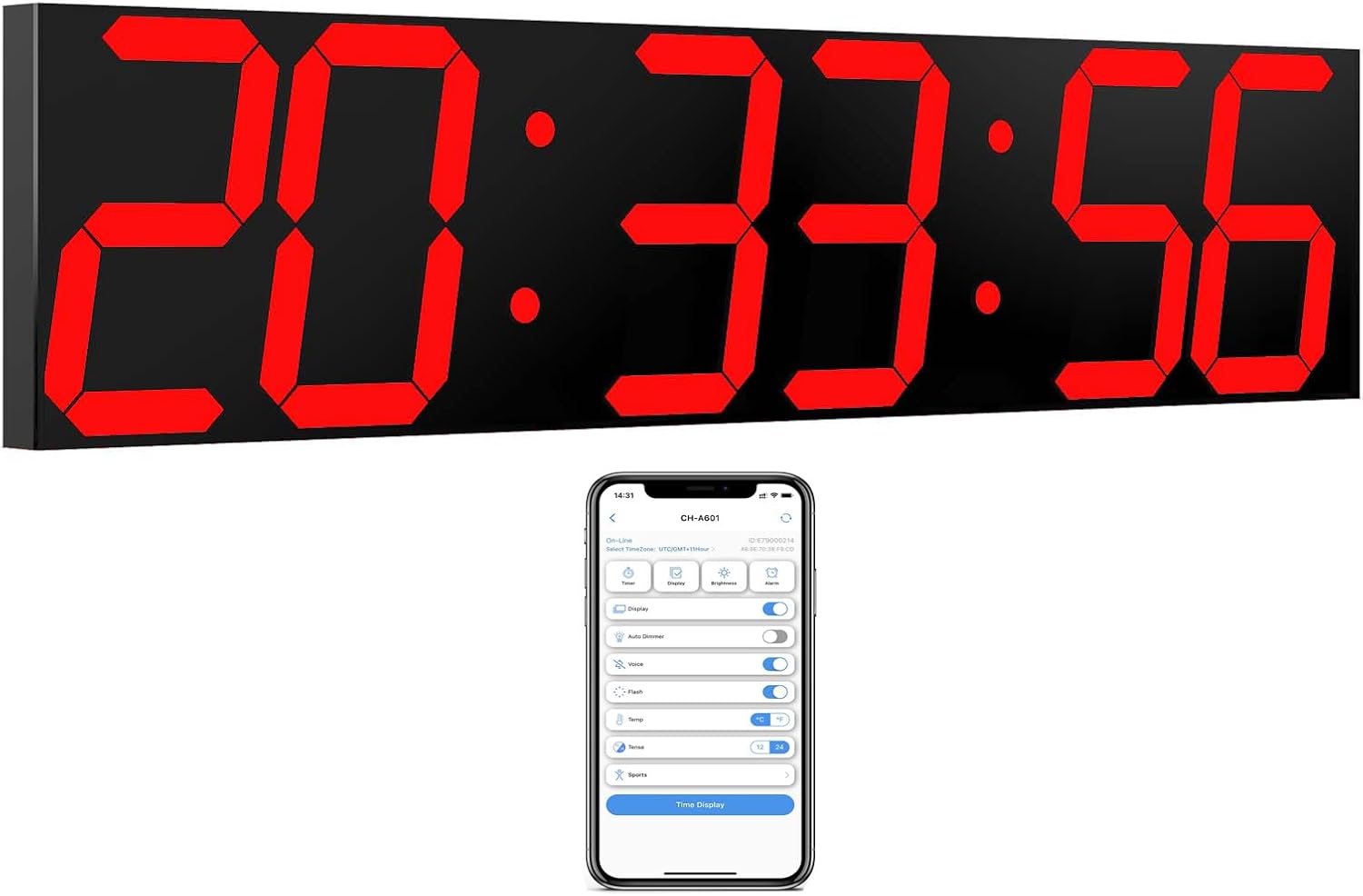
Figure 1.1: CHKOSDA 27-Inch Large Digital Wall Clock and its smartphone application.
2. Product Overview
The CHKOSDA Digital Wall Clock features a large, easy-to-read 6-inch LED display. Its extremely narrow bezel design enhances readability. The clock supports various display modes and can be controlled remotely via a smartphone application, offering seamless time synchronization and customization.
Key Features:
- Large Digital Display: 27-inch clock with 6-inch figures for clear visibility.
- Multi-functional: Includes alarm, calendar, countdown, and stopwatch functions.
- APP Control: Effortlessly set timers and customize settings via smartphone.
- WiFi Connectivity: Automatic time synchronization with phone via WiFi.
- Gym Timer Modes: Supports HIIT, MIIT, TABATA, EMOM1, EMOM2, and custom interval workouts.
- Remote Control: Traditional remote control for direct operation.
- Auto Dimmer: Adjusts brightness automatically based on ambient light.
- Multiple Connections: One phone can control multiple clocks, and multiple phones can control one clock.
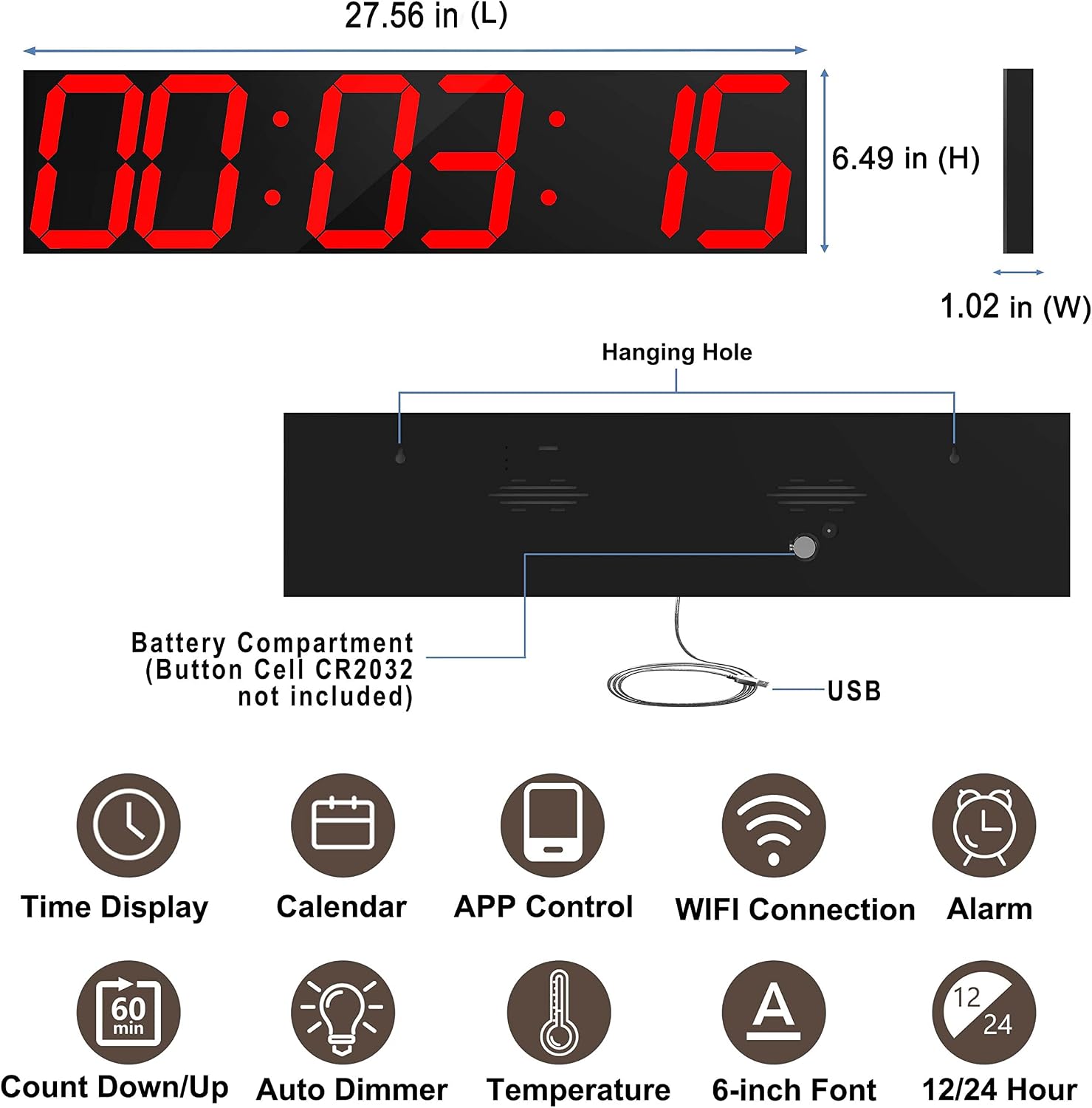
Figure 2.1: Product dimensions and key features overview.
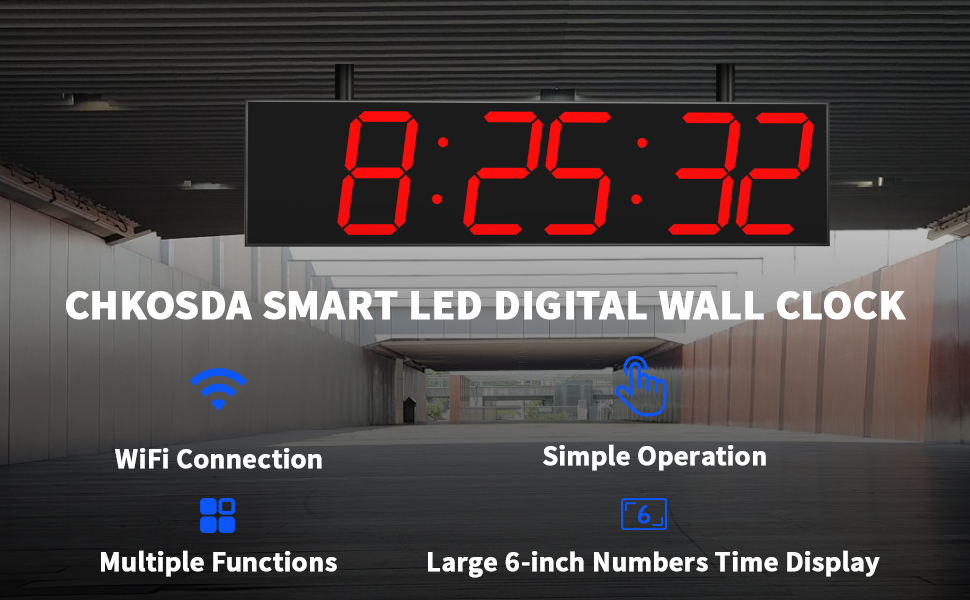
Figure 2.2: Smart WiFi Digital Wall Clock highlighting WiFi and APP control.
3. Package Contents
Please check the package for the following items:
- CHKOSDA 27-Inch Large Digital Wall Clock
- Remote Control
- USB Cable (9.8-ft)
- Power Adapter (Included)
- Instruction Manual

Figure 3.1: Power supply options for the clock.
4. Setup Guide
4.1. Powering On
Connect the provided USB cable to the clock and a power source (e.g., wall adapter, power bank, or laptop). The clock will power on and display the current time.
4.2. Battery Installation (Optional)
The clock is designed to function without batteries when connected to power. However, for time memory after power failure or for remote control operation, batteries can be installed:
- Clock (Time Memory): Install a CR2032 coin cell battery in the designated compartment on the back of the clock. This allows the clock to memorize the time even if power is lost.
- Remote Control: Install a CR2025 battery into the remote control.

Figure 4.1: Back of the clock showing battery compartment and hanging holes.
4.3. APP Control Setup (Recommended)
For full functionality and ease of use, it is highly recommended to control the clock via the CHKOSDA smartphone application. Follow these steps:
- Download the APP: Scan the QR code provided in the physical manual or search for "CHKOSDA" directly in your app store (Google Play Store or Apple App Store).
- Enable Phone Settings: Turn on your phone's WiFi, Bluetooth, and Location services.
- Open CHKOSDA APP: Launch the application and click "Add Device".
- Select Communication: Choose "Wi-Fi Communication".
- Reset Clock: Press and hold the reset button on the back of the clock for more than 10 seconds. The clock's small green light will come on and flash. Then click "Confirm" in the app.
- Allow Location Access: When prompted, allow the CHKOSDA app to access your location information. This is crucial for the app to find and connect to the clock. If denied, you may need to manually enable location permissions in your phone's settings.
- Connect to Clock: Click on the detected clock name (e.g., "CH-A601") to connect.
- Input WiFi Credentials: Enter your WiFi network's account (SSID) and password. Ensure you select the correct 2.4GHz WiFi network. Click "Config".
- Set Time Zone: Once connected, click on the clock device name to enter the APP interface. Click the left corner "Select TimeZone" to select your correct time zone (e.g., GMT+8).
After successful configuration, the clock will automatically synchronize the time with your phone, and you can operate all functions of the clock through the app.
Video 4.1: CHKOSDA 6-digit Smart WiFi Clock Operation Tutorial. This video demonstrates the unboxing, battery installation considerations, and the step-by-step process of connecting the clock to your smartphone via WiFi using the CHKOSDA app, including enabling necessary phone permissions and setting the time zone.
5. Operating Instructions
5.1. Basic Display Modes
The clock can display time, date, and temperature. These can be cycled or set to loop through the app's display settings.
- Time Display: Shows current time in 12-hour or 24-hour format.
- Date Display: Shows the current date.
- Temperature Display: Shows the ambient temperature.

Figure 5.1: Switching between 12-hour and 24-hour time formats.
5.2. Brightness Control
The clock features an auto-dimmer function that adjusts brightness based on ambient light. You can also manually control the brightness levels via the app.

Figure 5.2: Auto dimmer and manual brightness control options.
5.3. Gym Timer Functions
The clock offers various pre-programmed and customizable workout modes, ideal for home gyms and professional fitness settings.
- Countdown/Count-up: Basic timer functions for general use.
- Pre-set Modes: Includes TABATA (20s exercise, 10s rest, 8 cycles), HIIT (30s exercise, 30s rest, 99 cycles), MIIT (60s exercise, 60s rest, 99 cycles), EMOM1 (60s exercise, 0s rest, 17 cycles), EMOM2 (90s exercise, 60s rest, 17 cycles).
- Custom Interval: Create and save your own exercise patterns.

Figure 5.3: Overview of various gym timer modes.

Figure 5.4: Gym timer modes for diverse fitness needs.
5.4. Alarm Clock Function
Set alarms directly through the CHKOSDA app for daily reminders or wake-up calls.

Figure 5.5: Alarm clock functionality.
5.5. Remote Control Operation
The included remote control provides an alternative method for operating the clock's basic functions without the need for the smartphone app.
6. Maintenance
To ensure the longevity and optimal performance of your CHKOSDA Digital Wall Clock:
- Wipe the display and casing with a soft, dry cloth.
- Avoid using abrasive cleaners or solvents.
- Keep the clock away from direct sunlight and extreme temperatures.
- Ensure the USB cable is not kinked or damaged.
7. Troubleshooting
| Problem | Possible Cause | Solution |
|---|---|---|
| Clock not powering on. | No power supply or faulty cable. | Check USB cable connection and power adapter. Try a different USB port or adapter. |
| Time not synchronizing with phone. | Incorrect WiFi credentials, location services disabled, or 5GHz WiFi network. | Ensure correct WiFi password. Enable location services for the app. Connect to a 2.4GHz WiFi network. Re-perform the WiFi connection steps in the app. |
| Remote control not working. | Remote battery depleted or incorrectly installed. | Replace the CR2025 battery in the remote control. Ensure it is installed with correct polarity. |
| Display is too dim or too bright. | Auto dimmer setting or manual brightness level. | Adjust brightness settings in the CHKOSDA app. Check if auto dimmer is enabled/disabled as desired. |
| App cannot find the clock. | Clock not in pairing mode, location services disabled, or Bluetooth/WiFi off. | Ensure the clock's reset button has been pressed for >10 seconds. Verify phone's WiFi, Bluetooth, and Location are enabled. Check app permissions. |
8. Specifications
| Feature | Detail |
|---|---|
| Brand | CHKOSDA |
| Model Number | B0C2YR8S87 |
| Color | Red |
| Display Type | Digital |
| Style | Modern |
| Special Feature | Timer |
| Power Source | Corded Electric |
| Room Type | Usb |
| Shape | Rectangular |
| Indoor/Outdoor Usage | Indoor |
| Material | Plastic (Frame: Acrylonitrile Butadiene Styrene) |
| Theme | Sport |
| Are Batteries Included | No (for clock memory, CR2032 required; for remote, CR2025 required) |
| Mounting Type | Wall Mount |
| Alarm Clock | Yes |
| Watch Movement | Automatic |
| Item Dimensions (LxWxH) | 1.02 x 27.55 x 6.49 inches |
| Item Weight | Approx. 1.86 Kilograms |
| UPC | 777989114454 |
9. Warranty & Support
For warranty information and technical support, please refer to the contact details provided on the product packaging or visit the official CHKOSDA website. Keep your purchase receipt for warranty claims.
Related documentsB0C2YR8S87


Ask a question about this manual
Ask about setup, troubleshooting, compatibility, parts, safety, or missing instructions. Manuals+ will review the question and use this page’s manual context to help answer it.