
1. Introduction
The iFamily Baby Monitor system provides a secure and reliable way to monitor your baby. This system includes a high-definition camera unit and a portable monitor unit, offering features such as 720P HD video, night vision, remote pan, tilt, and zoom, two-way audio communication, lullabies, and thermal monitoring. The system operates on a secure 2.4GHz FHSS wireless connection, ensuring privacy and a stable signal up to 960 feet.
2. Package Contents
Please verify that all items are present in your package:
- 1 x Monitor Unit (Parent Unit)
- 1 x Camera Unit (Baby Unit)
- 2 x Power Adapters (for Monitor and Camera)
- 1 x User Manual
3. Product Overview
Familiarize yourself with the components of your iFamily Baby Monitor system.

Image: The iFamily Baby Monitor system, featuring the parent unit displaying a baby and the camera unit.
3.1 Monitor Unit (Parent Unit)
The monitor unit features a large 5-inch LCD screen for clear viewing of your baby. It includes control buttons for power, volume, brightness, menu access, two-way talk activation, and camera control (pan, tilt, zoom). An integrated antenna ensures stable signal reception.
3.2 Camera Unit (Baby Unit)
The camera unit is equipped with a 720P HD camera lens, infrared LEDs for night vision, a microphone, and a speaker for two-way audio. It also includes a temperature sensor for thermal monitoring. The camera can be remotely controlled to pan 355 degrees horizontally and tilt 115 degrees vertically.

Image: The camera unit demonstrating its remote pan (355° horizontal) and tilt (115° vertical) capabilities.
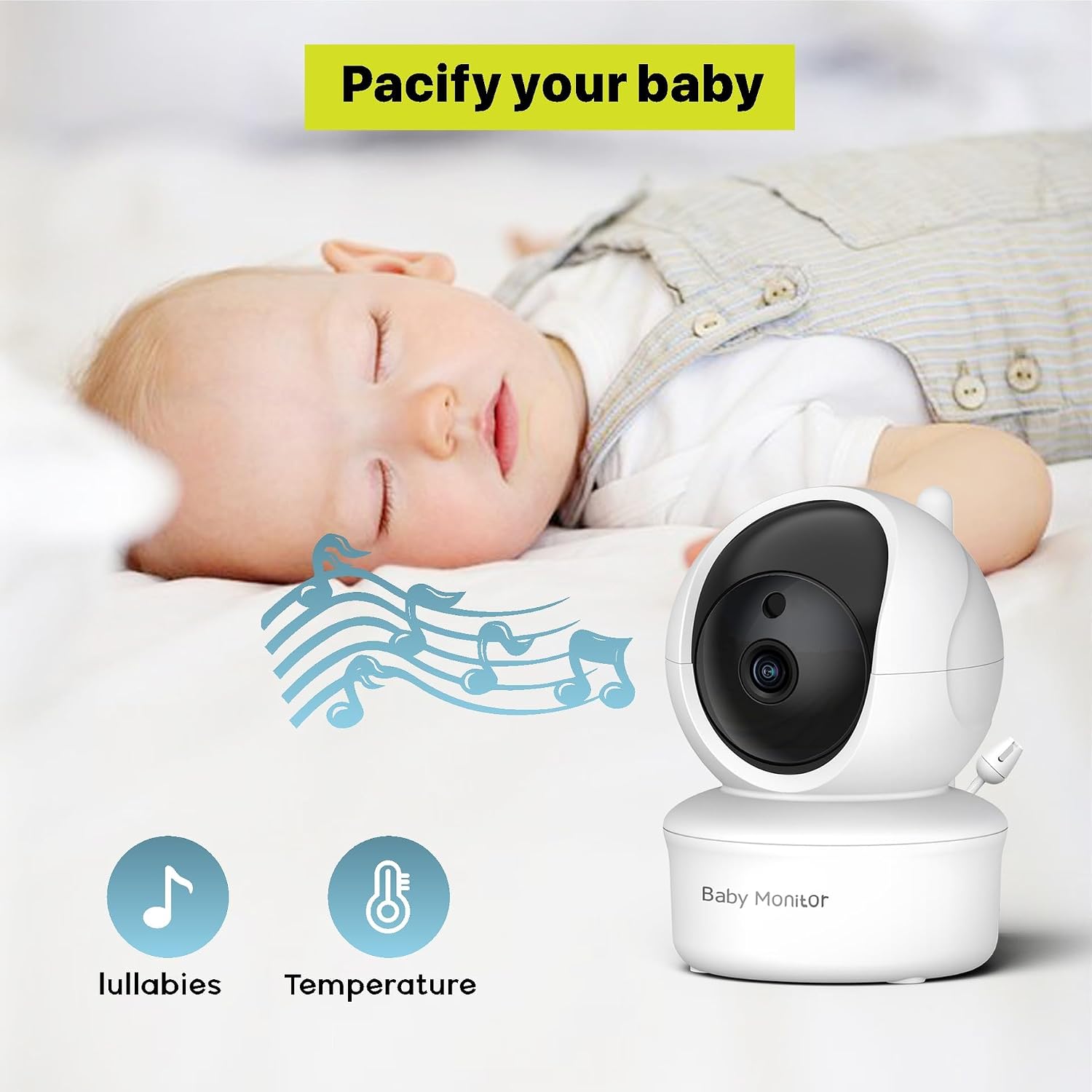
Image: The camera unit offers lullaby playback and room temperature monitoring.
4. Setup
Follow these steps for initial setup of your baby monitor system:
- Charge the Monitor Unit: Connect the monitor unit to a power outlet using its power adapter. Charge for at least 4 hours before first use to ensure optimal battery performance.
- Power the Camera Unit: Connect the camera unit to a power outlet using its power adapter. The camera will automatically power on.
- Position the Camera: Place the camera unit in a location that provides a clear view of your baby. Ensure it is out of reach of children and at least 3 feet (1 meter) away from the crib to prevent entanglement hazards.
- Power On the Monitor: Press and hold the power button on the monitor unit until the screen turns on. The monitor and camera should automatically connect. If they do not connect, refer to the 'Troubleshooting' section for pairing instructions.
5. Operating Instructions
5.1 Basic Functions
- Power On/Off: Press and hold the power button on the monitor unit.
- Volume Control: Use the volume buttons on the monitor to adjust the audio level from the camera.
- Screen Brightness: Adjust screen brightness via the menu settings for optimal viewing in different lighting conditions.
- ECO Mode: Activate ECO mode to conserve battery. The screen and audio will turn off when no sound is detected from the baby's room and reactivate when sound is detected.
5.2 Advanced Features
- Remote Pan, Tilt, and Zoom: Use the directional buttons on the monitor unit to remotely adjust the camera's viewing angle (355° horizontal, 115° vertical) and zoom in/out on the image.
- Two-Way Talk: Press and hold the microphone button on the monitor unit to speak to your baby through the camera's speaker. Release the button to hear your baby.
- Night Vision: The camera automatically activates infrared night vision in low-light conditions, providing a clear black and white image of your baby.
- Lullabies: Access the menu to select and play built-in lullabies to soothe your baby.
- Thermal Monitoring: The monitor displays the room temperature detected by the camera unit, helping you ensure a comfortable environment for your baby.
5.3 Battery Information
The monitor unit is equipped with a 3500mAh rechargeable battery. It provides approximately 12 hours of operation with the display continuously on, and up to 30 hours with the display turned off (e.g., in ECO mode).
6. Maintenance
- Cleaning: Use a soft, dry cloth to clean the monitor and camera units. Do not use abrasive cleaners or solvents.
- Storage: If storing the unit for an extended period, ensure the battery is fully charged and store in a cool, dry place.
7. Troubleshooting
- No Picture/Sound:
- Ensure both units are powered on and connected to power outlets.
- Check if the monitor unit's battery is charged.
- Ensure the units are within range (up to 960ft in open space). Obstacles like walls can reduce range.
- Try re-pairing the camera and monitor (refer to manual for specific pairing steps, usually found in the monitor's menu).
- Poor Picture Quality:
- Adjust the camera's position for better lighting.
- Clean the camera lens and monitor screen.
- Reduce interference by moving other 2.4GHz devices away from the monitor.
- Short Battery Life:
- Ensure the monitor is fully charged before use.
- Utilize ECO mode to conserve battery power.
- Battery performance may decrease over time with regular use.
8. Specifications
| Feature | Specification |
|---|---|
| Model Number | B0C2YCT4ZW |
| Connectivity Technology | Wireless (2.4GHz FHSS) |
| Video Capture Resolution | 720p HD |
| Monitor Screen Size | 5-inch LCD |
| Camera Pan Angle | 355 degrees |
| Camera Tilt Angle | 115 degrees |
| Battery Capacity (Monitor) | 3500mAh |
| Battery Life (Display On) | Up to 12 hours |
| Battery Life (Display Off/ECO) | Up to 30 hours |
| Range | Up to 960ft (open space) |
| Night Vision | Infrared LED |
| Thermal Monitor | Yes |
| Two-Way Talk | Yes |
| Lullabies | Yes |
| UPC | 716695913982 |
9. Warranty and Support
iFamily is committed to providing reliable products. For any concerns, questions, or technical support regarding your baby monitor, please contact iFamily customer service. Refer to the product packaging or the official iFamily website for contact information.