
Edillas 8206B
Edillas Digital Sports Watch User Manual
Model: 8206B
1. Product Overview
The Edillas Digital Sports Watch (Model 8206B) is designed for children and adolescents, offering a blend of durability, functionality, and comfort. This watch features a digital display with multiple functions, including time, date, alarm, stopwatch, and LED backlight. Its 5ATM water resistance makes it suitable for various outdoor activities.
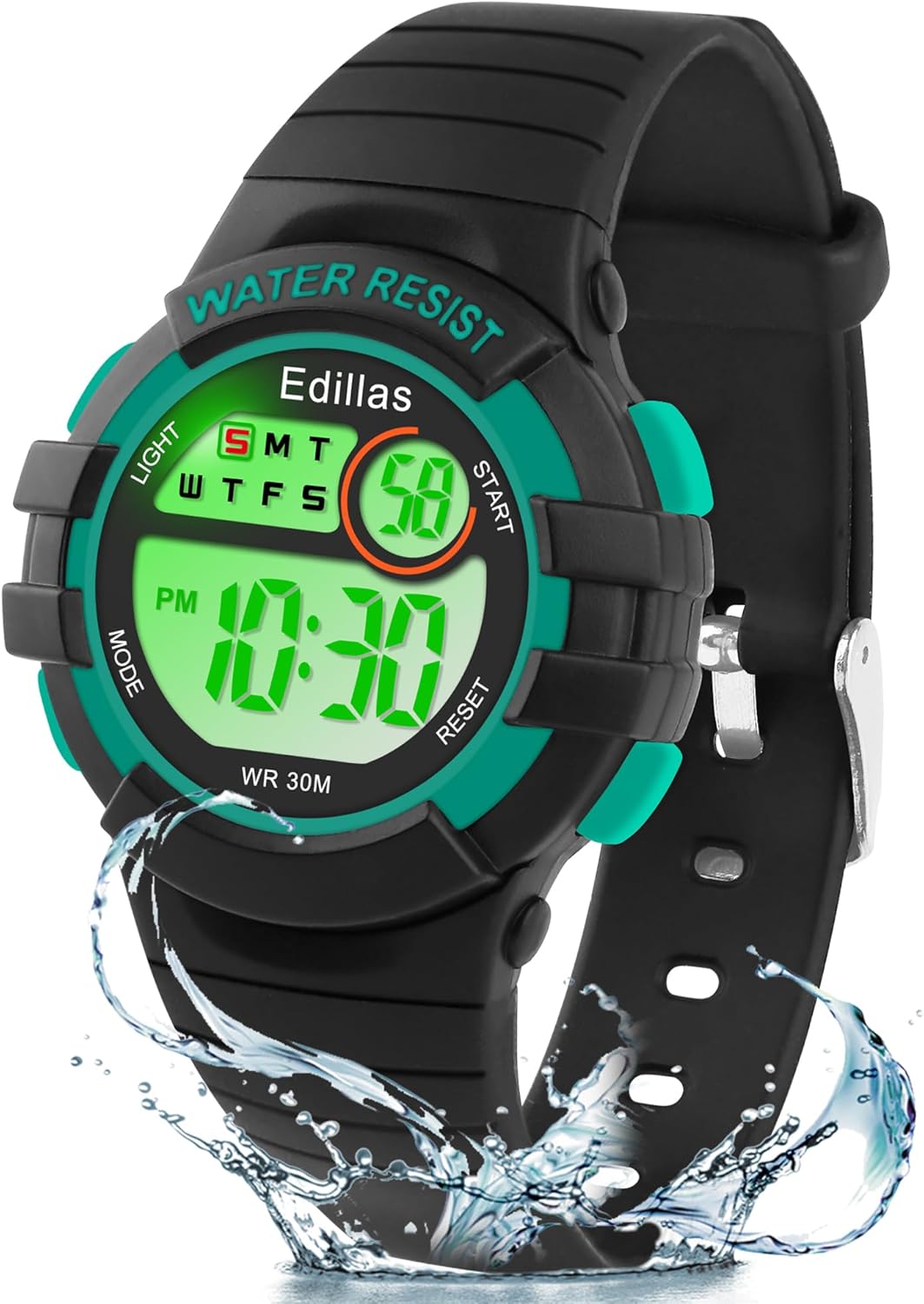
Figure 1: Front view of the Edillas Digital Sports Watch.
2. Product Specifications
| Feature | Specification |
|---|---|
| Model Number | 8206B |
| Dial Diameter | 38mm (1.49in) |
| Dial Thickness | 10mm (0.39in) |
| Band Width | 16mm (0.63in) |
| Belt Length | 23cm (9.06in) |
| Minimum Circumference | 15cm (5.9in) |
| Maximum Circumference | 20.5cm (8.07in) |
| Watch Weight | 32g (1.12oz) |
| Case Material | TPU Resin (Environmentally Friendly) |
| Mirror Material | High Transparent Plexiglass (Scratch-Resistant) |
| Back Cover Material | Stainless Steel |
| Water Resistance | 50 meters (5ATM) |
| Battery | 1 A (Included, Built-in) |
| Package Dimensions | 25.5 x 5.8 x 2.4 cm |
| Country of Origin | China |

Figure 2: Detailed dimensions and material breakdown of the watch.
3. Setup and Button Functions
Your Edillas watch comes with a pre-installed battery and is ready for use. The watch features four main buttons for operation:
- LIGHT Button: Activates the LED backlight for visibility in dark conditions.
- MODE Button: Cycles through different display modes (Time, Alarm, Stopwatch).
- START Button: Used to start/stop functions like the stopwatch, or to adjust settings.
- RESET Button: Used to reset functions like the stopwatch, or to confirm settings.
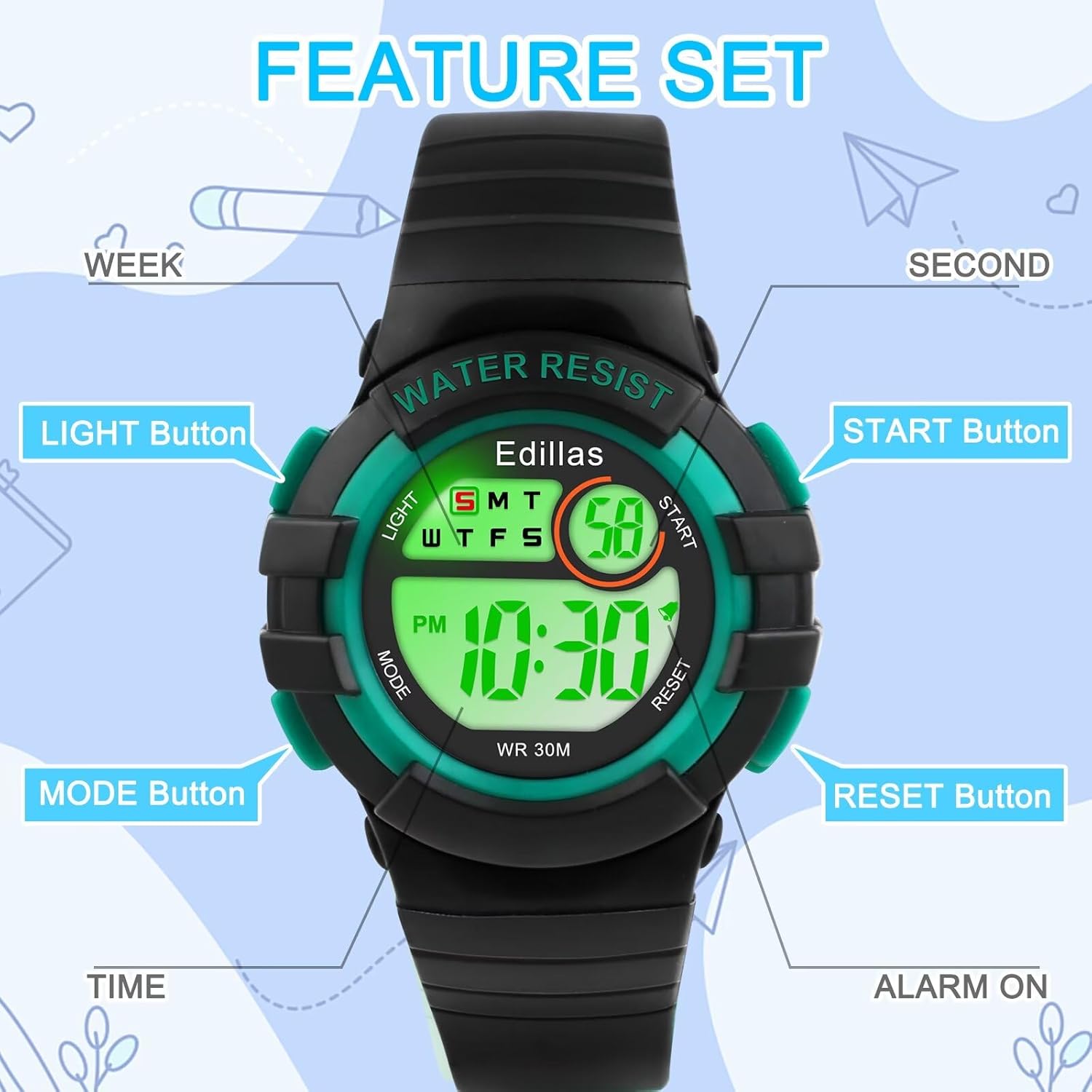
Figure 3: Button layout and their primary functions.
4. Operating Instructions
4.1 Setting Time and Date
The watch is typically pre-set. If adjustment is needed:
- Press the MODE button repeatedly until the time setting mode is displayed (usually indicated by flashing digits).
- Use the START button to adjust the flashing digit (hours, minutes, seconds).
- Use the RESET button to move to the next digit or setting (e.g., from hours to minutes, then to date).
- Once all settings are correct, press the MODE button to exit the setting mode.
4.2 Using the Alarm Function
The watch includes an alarm feature to help with daily reminders.
- Press the MODE button until the alarm setting mode is displayed.
- Use the START button to adjust the alarm time.
- Use the RESET button to toggle the alarm on/off or move between hour/minute settings.
- Press the MODE button to save and exit.

Figure 4: The watch's alarm function helps with daily routines.
4.3 Using the Stopwatch
The stopwatch function is useful for timing activities.
- Press the MODE button until the stopwatch mode is displayed (usually showing 00:00:00).
- Press the START button to begin timing.
- Press the START button again to pause timing.
- Press the RESET button to clear the stopwatch to zero.

Figure 5: The stopwatch function for timing sports and activities.
4.4 LED Backlight
Press the LIGHT button to illuminate the display. The watch features a luminous display with various LED light colors for enhanced visibility in low-light conditions.
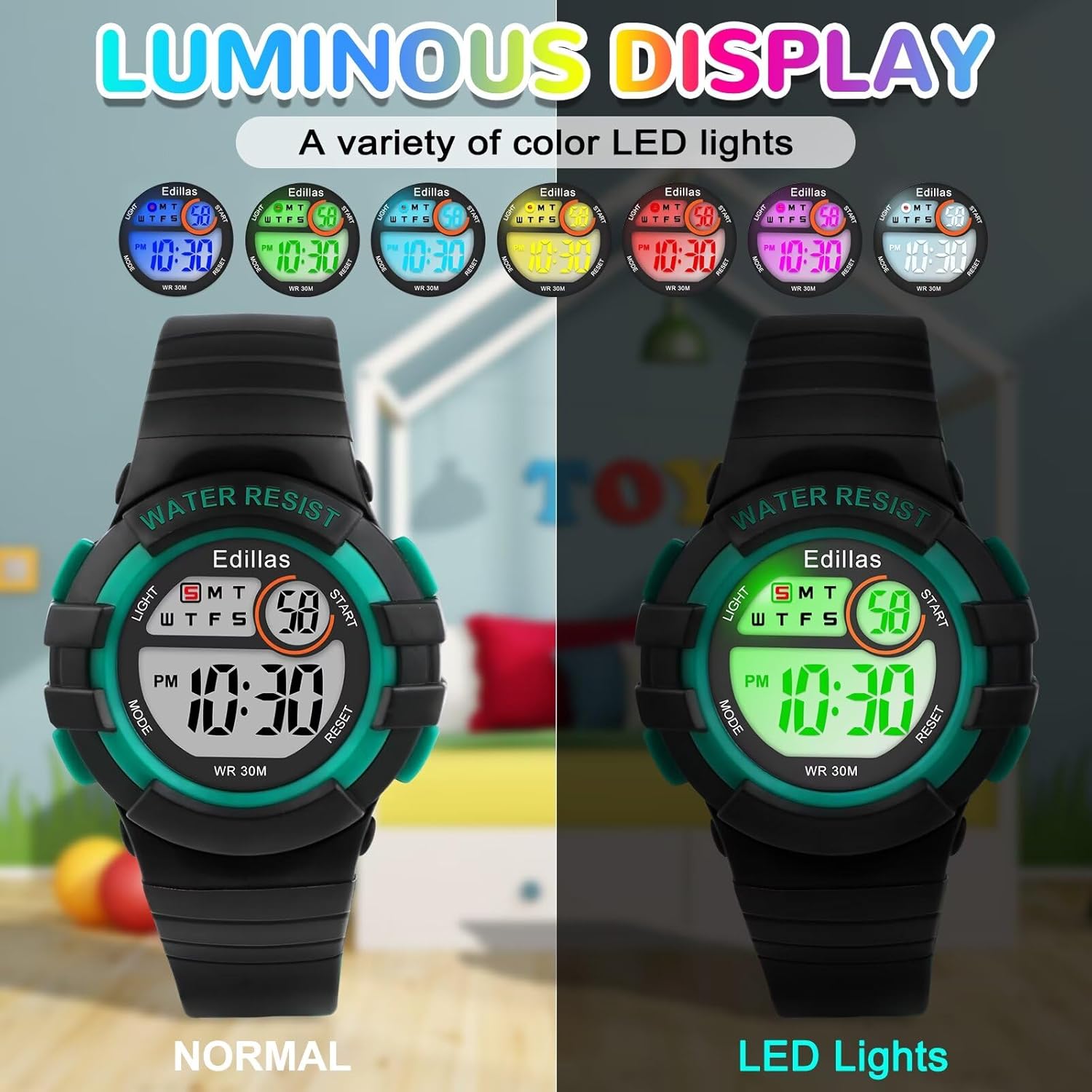
Figure 6: The luminous display with multiple LED light color options.
4.5 Water Resistance (50M / 5ATM)
The watch is designed to be water-resistant up to 50 meters (5ATM), making it suitable for:
- Hand washing
- Raining
- Splashing
- Swimming
Important Note:
- DO NOT press any buttons while the watch is submerged in water.
- Avoid wearing the watch for long-term diving activities.
- Excessive exposure to water, or extreme hot/cold temperatures, can shorten the watch's lifespan.
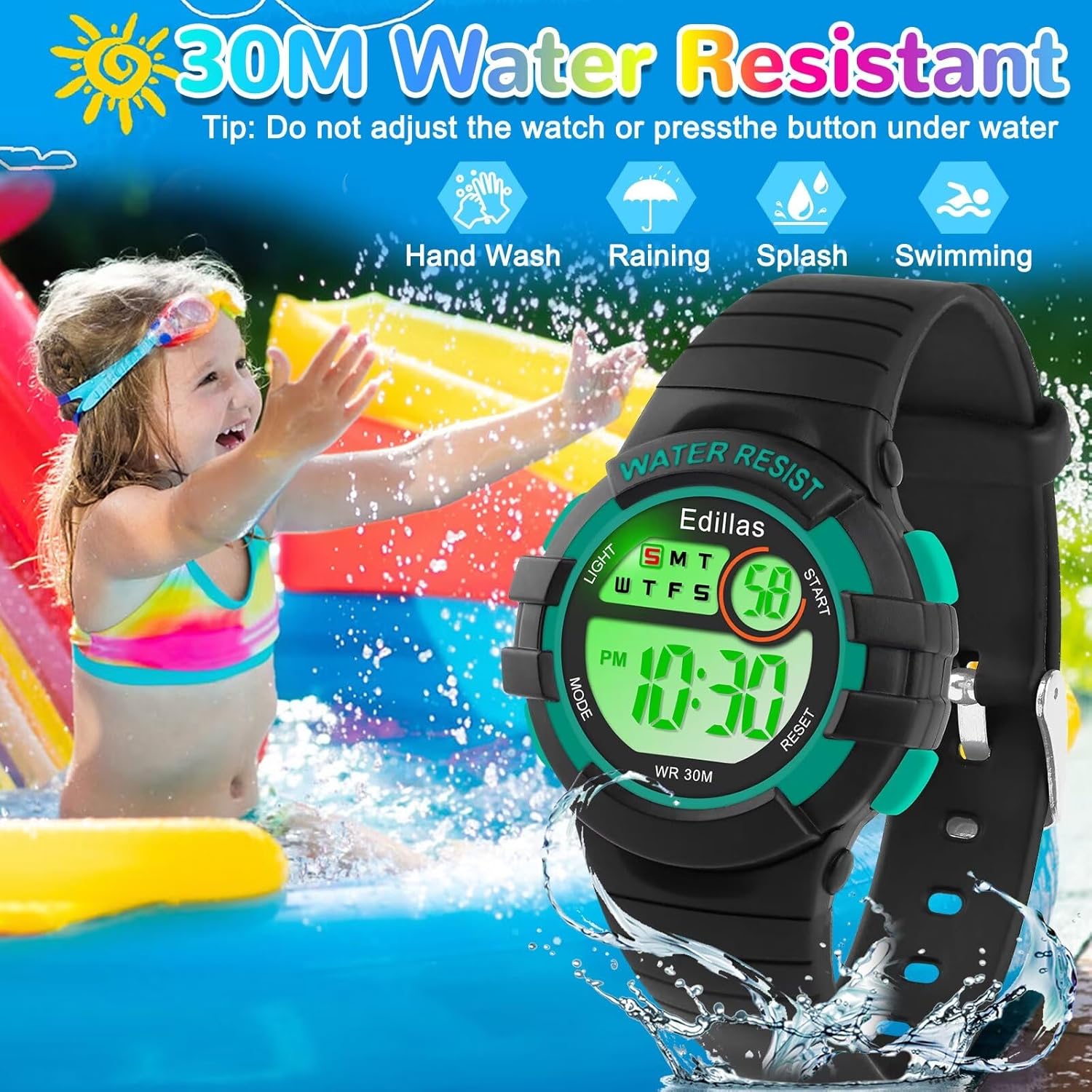
Figure 7: The watch is suitable for various water activities, but avoid pressing buttons underwater.
5. Care and Maintenance
To ensure the longevity and optimal performance of your Edillas Digital Sports Watch, follow these maintenance guidelines:
- Cleaning: Regularly clean the watch strap and case with a soft, damp cloth. Avoid using harsh chemicals or abrasive materials.
- Temperature Exposure: Do not expose the watch to extremely hot or cold temperatures, as this can affect its functionality and battery life.
- Water Exposure: While the watch is water-resistant, prolonged or excessive contact with water, especially hot water (e.g., in showers or saunas), should be avoided as it can shorten the watch's lifespan. Always ensure the crown is pushed in completely after any water exposure.
- Storage: When not in use for extended periods, store the watch in a cool, dry place away from direct sunlight.
6. Troubleshooting
If you encounter any issues with your Edillas Digital Sports Watch, please refer to the following common troubleshooting tips:
- Display is Blank or Faint: This may indicate a low battery. Although the watch has a high-capacity built-in battery, if it's been in use for a very long time, it might need professional service for battery replacement.
- Time is Inaccurate: Re-check the time setting procedure as described in Section 4.1. Ensure you have correctly set the hours, minutes, and AM/PM (if applicable).
- Buttons Not Responding: Ensure the watch is not wet. If it is, dry it thoroughly. If the issue persists, there might be an internal malfunction.
- Water Inside the Watch: If you notice condensation or water droplets inside the watch, stop using it immediately. This indicates a breach in the water resistance. Contact customer support for assistance.
If these steps do not resolve the issue, please contact our customer support for further assistance.
7. Warranty and Support
Edillas is committed to providing high-quality products and excellent customer service. Your Edillas Digital Sports Watch comes with a 12-month warranty from the date of purchase.
During the warranty period, if any defects arise due to manufacturing faults, we will provide repair or replacement services. This warranty does not cover damage caused by misuse, accidents, unauthorized repairs, or normal wear and tear.
For any questions, concerns, or support needs, please do not hesitate to contact us. We strive to provide 24-hour service to resolve any issues you may encounter.
Thank you for choosing Edillas.
Related documents8206B


Ask a question about this manual
Ask about setup, troubleshooting, compatibility, parts, safety, or missing instructions. Manuals+ will review the question and use this page’s manual context to help answer it.