
Saphe 1014
Saphe Drive Pro User Manual
Model: 1014 | Brand: Saphe
Introduction
The Saphe Drive Pro is an advanced speed camera and hazard warning device designed to enhance road safety and help drivers avoid fines. Featuring a vibrant color display, it provides real-time information on speed limits, current speed, and alerts for various traffic incidents. The device integrates seamlessly with Apple CarPlay and Android Auto, ensuring all critical information is readily available. It operates using data from a large European traffic community, including Blitzer.de, and comes with a 12-month Saphe Premium subscription for continuous updates and features.

Image: Saphe Drive Pro device with its retail packaging, highlighting its compact design and key features.
Setup and Installation
What's Included
Your Saphe Drive Pro package includes the following components:
- 1 x Saphe Drive Pro Traffic Alarm device
- 2 x Mounting Sets
- 1 x Saphe Drive Pro Adhesive Pad
- (Note: No cable is included as the device is battery-powered and connects wirelessly.)
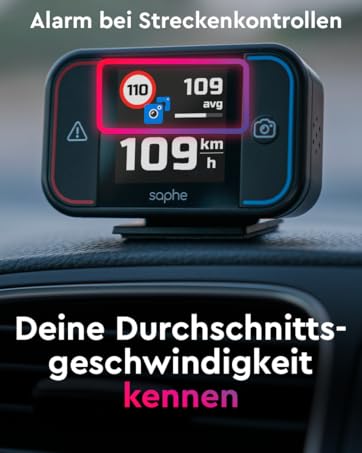
Image: The contents of the Saphe Drive Pro box, showing the device, two mounting sets, and an adhesive pad.
Mounting the Device
The Saphe Drive Pro is designed for easy installation on your car's dashboard. Use the provided adhesive pad and mounting sets to secure the device in a position that offers a clear line of sight to the road and is easily visible to the driver.
- Choose a flat, clean surface on your dashboard.
- Attach the adhesive pad to one of the mounting sets.
- Securely attach the device to the mounting set.
- Press the mounted device firmly onto the chosen dashboard location.

Image: The Saphe Drive Pro device securely mounted on a car's dashboard, ready for use.
Initial Connection and App Setup
To activate your Saphe Drive Pro and access its full features, you need to connect it to your smartphone via Bluetooth and set up the Saphe Link App.
- Download the "Saphe Link" app from your smartphone's app store (compatible with iOS 16+ and Android).
- Ensure Bluetooth is enabled on your smartphone.
- The device will automatically start when your car door opens or closes (due to vibration).
- Open the Saphe Link app and follow the on-screen instructions to pair your device.
- Allow the app to maintain a permanent Bluetooth connection for optimal performance.
- Activate your included 12-month Saphe Premium subscription within the app to unlock all features and future updates.
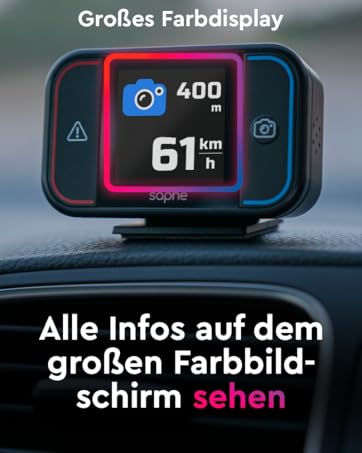
Image: Illustration of Saphe Drive Pro's compatibility with Apple CarPlay and Android Auto, and its ability to display GPS-measured speed.
Operating the Saphe Drive Pro
Display Information
The 1.54-inch color display provides clear and concise information to the driver:
- Current Speed: Displays your real-time speed, measured by GPS.
- Speed Limits: Shows the current speed limit for the road you are on, and can indicate upcoming changes.
- Warning Type: Uses intuitive symbols to indicate speed cameras, traffic light cameras, or general hazards.
- Distance to Incident: Shows the remaining distance to the detected incident.
- Average Speed: For section controls, it can display your average speed.
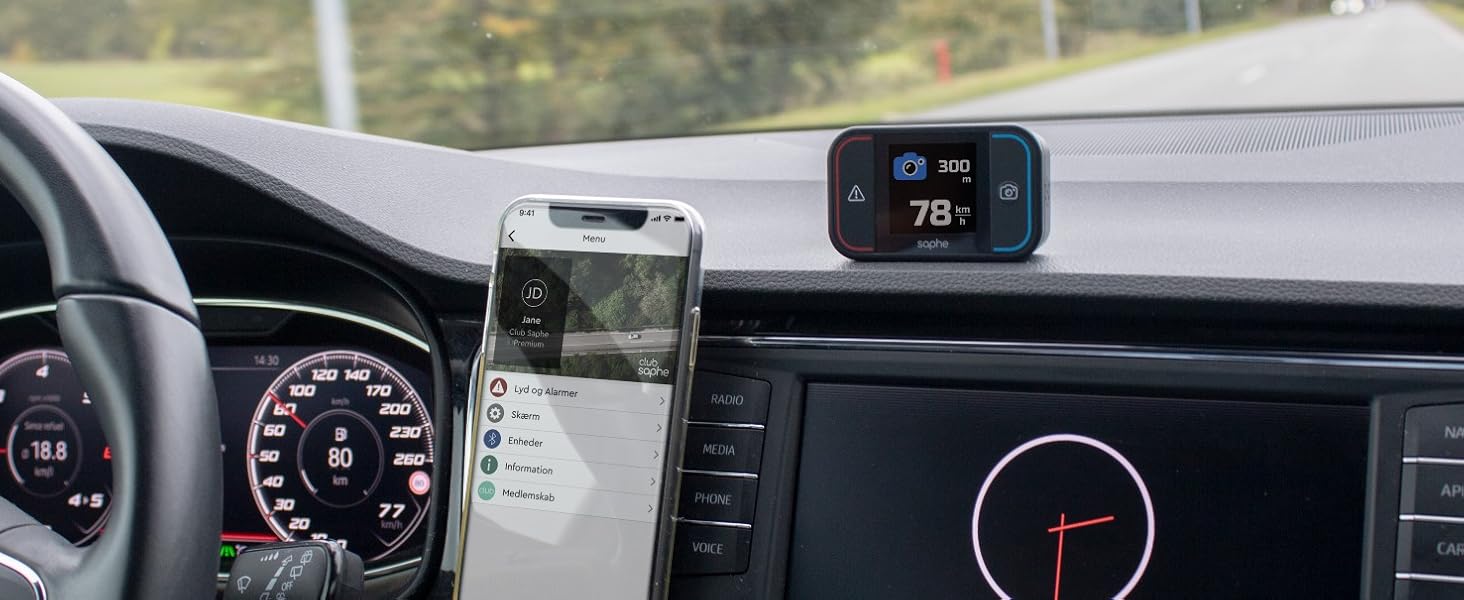
Image: The Saphe Drive Pro display indicating current speed, a speed camera warning, and the distance to the camera.
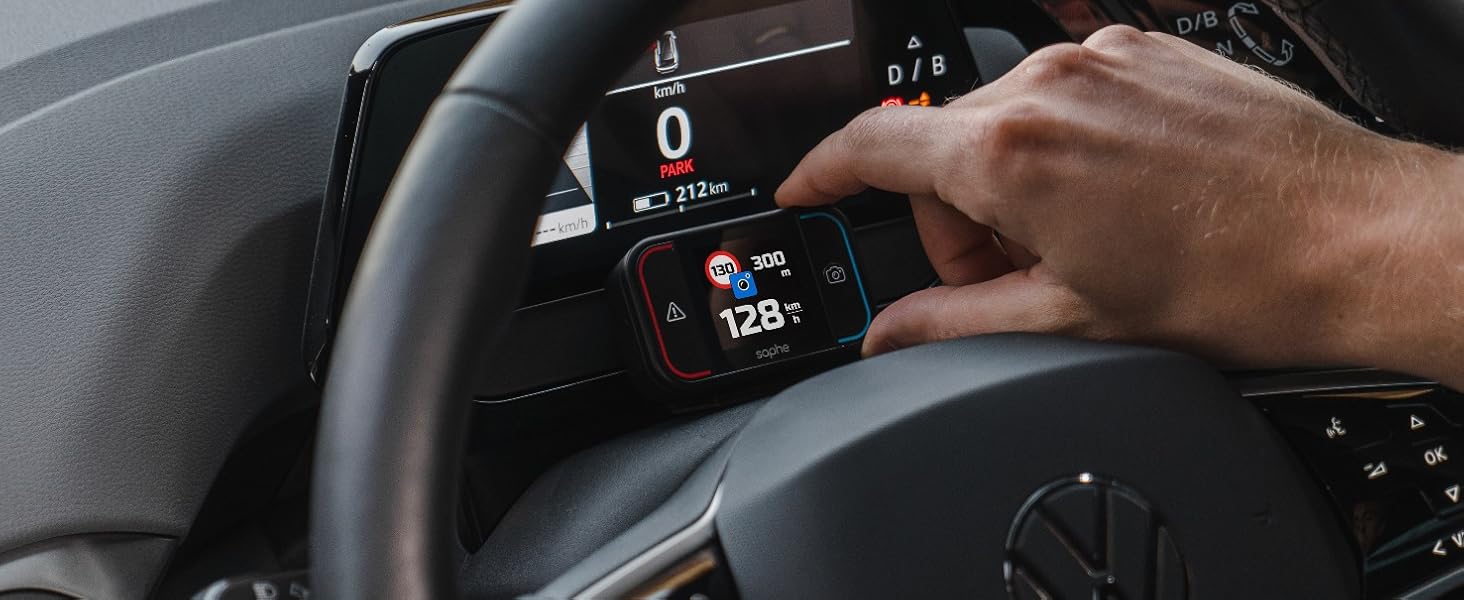
Image: The Saphe Drive Pro display showing both the current speed limit and the next upcoming speed limit.
Warning System
The device provides timely warnings for various road conditions:
- Speed Cameras: Alerts you to fixed and mobile speed cameras based on community data.
- Hazards: Warns of dangerous situations on the road, such as accidents or obstacles.
- Speed Limit Assistant: Can be configured to provide an acoustic warning if you exceed the posted speed limit.

Image: Saphe Drive Pro's core functions: helping to avoid fines and accidents, and warning of hazardous locations.
Reporting Incidents
You can contribute to the community by reporting new incidents with a single button press:
- Press the left button to report a hazard or accident.
- Press the right button to report a speed camera.
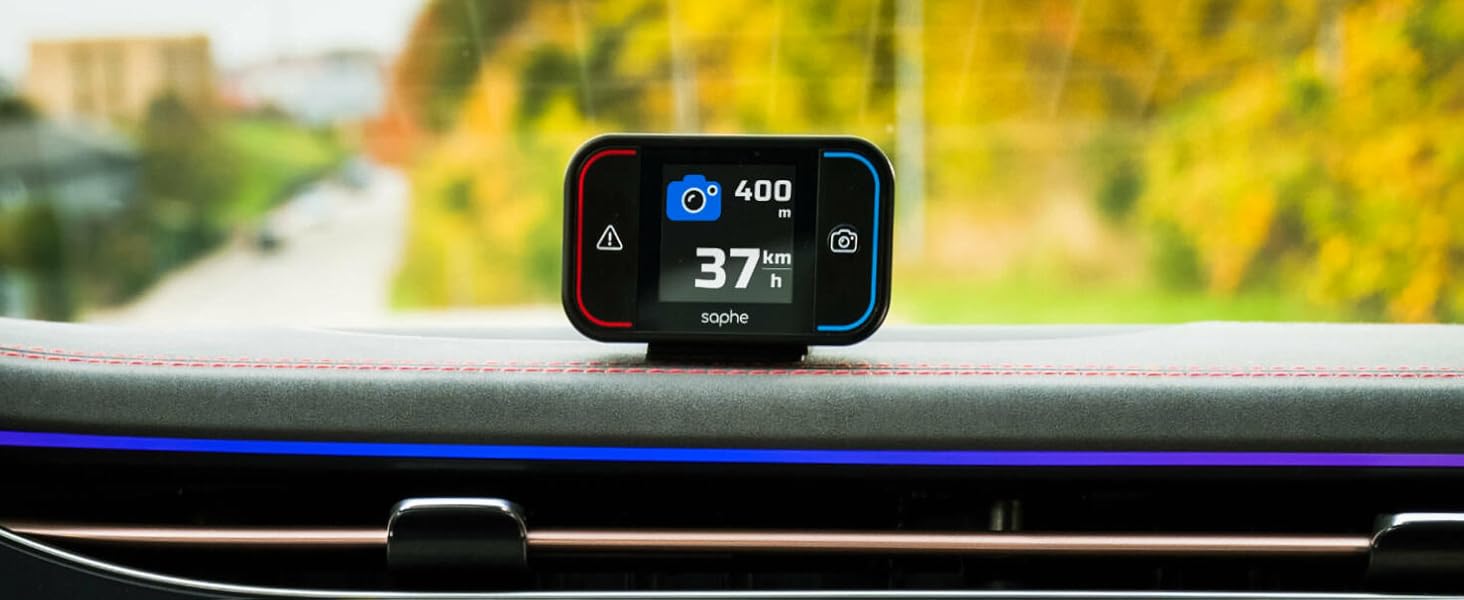
Image: The Saphe Drive Pro device illustrating the one-button press function to report speed cameras or accidents.
CarPlay and Android Auto Integration
The Saphe Link App can be mirrored onto your car's main display via Apple CarPlay or Android Auto, providing a larger view of warnings and traffic information.

Image: The Saphe Drive Pro device on the dashboard, with the car's main screen displaying a map and integrated Saphe app information.
Maintenance
Charging
The Saphe Drive Pro is battery-powered. While charging time may be slow, a full charge provides a long operating time. Ensure the device is charged regularly to maintain optimal performance.
Software Updates
Regular software updates are provided through the Saphe Link app. It is recommended to update your device periodically to ensure you have the latest features and traffic data. Your 12-month Premium subscription includes free access to these updates.
Troubleshooting
- Connection Issues: Ensure your smartphone is close to the device and has a clear, unobstructed line of sight. The Saphe Link app should be allowed to maintain a permanent Bluetooth connection.
- Inaccurate Speed/Warnings: This can sometimes occur if the phone's GPS signal is weak or if the app is not running optimally. Ensure your phone is not in a pocket where the signal might be blocked.
- General Glitches: Many issues can be resolved by ensuring your device and the Saphe Link app are running the latest software updates. Check the app for available updates.
- Compatibility: The Saphe Link app requires iOS 16 or higher for Apple devices. Ensure your smartphone meets the minimum operating system requirements.
Specifications
| Feature | Detail |
|---|---|
| Product Dimensions | 6.92 x 4.22 x 2.03 cm |
| Weight | 100 grams |
| Model Number | 1014 |
| Brand | Saphe |
| Compatible Devices | Smartphones with Apple CarPlay or Android Auto |
| Power Source | Battery Powered |
| Display Type | LCD |
Official Product Videos
Saphe Drive Pro Speed Camera Warning Device with Color Display
Video: An overview of the Saphe Drive Pro, demonstrating its features and how it functions as a speed camera warning device with its color display.
The Saphe Drive Pro Radar Detector with Data from Blitzer.de
Video: This video highlights the Saphe Drive Pro's radar detection capabilities and its reliance on comprehensive data from Blitzer.de for accurate warnings.
Legal Notice
The Saphe Drive Pro car gadget traffic alarm was developed to increase road safety. Use of the device is subject to local traffic regulations (StVO in Germany) and is at your own risk. Always adhere to traffic laws and drive responsibly.
Related documents1014


Ask a question about this manual
Ask about setup, troubleshooting, compatibility, parts, safety, or missing instructions. Manuals+ will review the question and use this page’s manual context to help answer it.