
candytech
Generic Candytech Loudy 5W Portable Bluetooth Speaker User Manual
Model: candytech
Introduction
Thank you for purchasing the Generic Candytech Loudy 5W Portable Bluetooth Speaker. This manual provides essential information for setting up, operating, and maintaining your speaker. Please read it carefully before use and retain it for future reference.
Safety Information
- Do not expose the speaker to extreme temperatures, direct sunlight, or high humidity.
- Avoid dropping or subjecting the speaker to strong impacts.
- Do not disassemble or attempt to repair the speaker yourself. This may void the warranty and cause damage.
- Keep the speaker away from water and other liquids. While it is waterproof, prolonged submersion is not recommended.
- Use only the specified charging voltage and current.
- Keep out of reach of children.
Package Contents
Please check the box for the following items:
- Generic Candytech Loudy 5W Portable Bluetooth Speaker
- Charging Cable (USB)
- User Manual (this document)
Product Overview
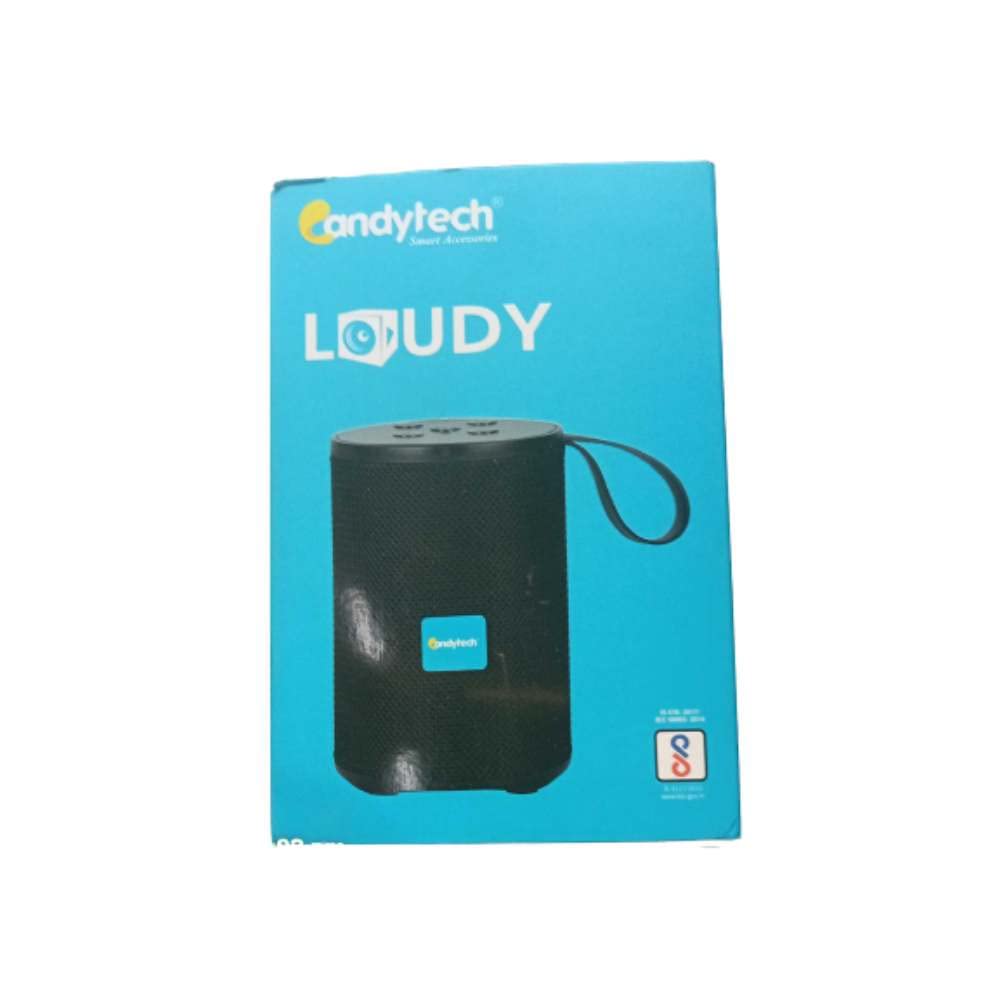
Image: Front view of the Generic Candytech Loudy 5W Portable Bluetooth Speaker. It features a black cylindrical design with a mesh grille, a blue Candytech logo on the front, and a black carrying strap attached to the top. The control buttons are located on the top surface.
The Candytech Loudy speaker is designed for portable audio playback with multiple connectivity options. It features a compact, cylindrical design with intuitive controls.
Controls and Ports:
- Power Button: Press and hold to turn on/off.
- Mode Button: Short press to switch between Bluetooth, FM, AUX, USB, and TF Card modes.
- Play/Pause Button: Short press to play or pause music.
- Volume Up / Next Track Button: Short press for next track, long press for volume up.
- Volume Down / Previous Track Button: Short press for previous track, long press for volume down.
- Charging Port: Micro USB port for charging.
- AUX-in Port: 3.5mm audio input for wired connection.
- USB Port: For USB drive playback.
- TF Card Slot: For TF (MicroSD) card playback.
Setup
1. Charging the Speaker
- Connect the provided USB charging cable to the speaker's charging port.
- Connect the other end of the USB cable to a USB power adapter (not included) or a computer's USB port.
- The charging indicator light will illuminate during charging.
- Charging time is approximately 1-2 hours for a full charge. The indicator light will turn off or change color when fully charged.
2. Powering On/Off
- To turn on: Press and hold the Power Button for 2-3 seconds. You will hear an audible prompt.
- To turn off: Press and hold the Power Button for 2-3 seconds. You will hear an audible prompt.
3. Bluetooth Pairing
- Ensure the speaker is powered on and in Bluetooth mode. If not, short press the Mode Button until you hear the Bluetooth mode prompt. The indicator light will flash, indicating it's ready for pairing.
- Enable Bluetooth on your smartphone, tablet, or other Bluetooth-enabled device.
- Search for available Bluetooth devices and select "Candytech" or "Loudy" from the list.
- Once paired, the speaker will emit a confirmation sound, and the indicator light will stop flashing.
- The speaker will automatically reconnect to the last paired device when powered on, if the device is within range and Bluetooth is enabled.
4. Auxiliary (AUX) Connection
- Connect one end of a 3.5mm audio cable (not included) to the speaker's AUX-in port.
- Connect the other end to the audio output jack of your device (e.g., MP3 player, computer).
- Short press the Mode Button to switch to AUX mode.
- Control playback and volume from your connected device.
5. USB / TF Card Playback
- Insert a USB drive or a TF (MicroSD) card into the respective port/slot on the speaker.
- The speaker will automatically switch to USB or TF Card mode and begin playing audio files. If not, short press the Mode Button to select the correct mode.
- Use the speaker's controls for playback (play/pause, next/previous track, volume).
6. FM Radio
- Short press the Mode Button to switch to FM Radio mode.
- To auto-scan for stations, press and hold the Play/Pause Button. The speaker will scan and save available FM stations.
- Use the Next Track and Previous Track buttons to navigate between saved stations.
Operating Instructions
Music Playback
- Play/Pause: Short press the Play/Pause Button.
- Next Track: Short press the Volume Up / Next Track Button.
- Previous Track: Short press the Volume Down / Previous Track Button.
- Volume Up: Long press the Volume Up / Next Track Button.
- Volume Down: Long press the Volume Down / Previous Track Button.
Call Handling (Bluetooth Mode)
- Answer Call: Short press the Play/Pause Button when an incoming call rings.
- End Call: Short press the Play/Pause Button during a call.
- Reject Call: Long press the Play/Pause Button when an incoming call rings.
Maintenance
- Cleaning: Use a soft, dry cloth to wipe the speaker's surface. Do not use abrasive cleaners or solvents.
- Storage: Store the speaker in a cool, dry place away from direct sunlight and extreme temperatures when not in use for extended periods.
- Battery Care: To prolong battery life, fully charge the speaker before first use and recharge it at least once every three months if not used regularly.
Troubleshooting
| Problem | Solution |
|---|---|
| Speaker does not turn on. | Ensure the speaker is charged. Connect it to a power source and try again. |
| Cannot pair via Bluetooth. |
|
| No sound. |
|
| Poor FM reception. | Move the speaker to an open area, away from obstructions or interference. Re-scan for stations. |
Specifications
| Model Name | candytech |
| Brand | Generic |
| Speaker Output Power | 5 Watts |
| Connectivity Technology | Auxiliary, Bluetooth, USB |
| Wireless Technology Type | Bluetooth |
| Audio Output Mode | Stereo |
| Control Method | Touch |
| Battery Life | Up to 6 Hours (Music Playtime) |
| Charging Time | 1-2 Hours |
| Waterproof | Yes (TRUE) |
| Compatible Devices | Smartphone, Tablet |
| Item Dimensions (D x W x H) | 20D x 20W x 3H Centimeters |
Warranty and Support
This product comes with no explicit warranty description provided in the product information. For any support or service inquiries, please refer to your retailer or the point of purchase.
Ask a question about this manual
Ask about setup, troubleshooting, compatibility, parts, safety, or missing instructions. Manuals+ will review the question and use this page’s manual context to help answer it.