
LENRUE HU-XI-201
LENRUE Bluetooth Speaker User Manual
Model: HU-XI-201 (A22)
Introduction
Thank you for choosing the LENRUE Bluetooth Speaker. This portable, waterproof speaker is designed to deliver crisp stereo sound with versatile connectivity options, making it ideal for home use, showers, pools, beaches, and outdoor activities. Please read this manual carefully to ensure proper use and maintenance of your device.

Image: The LENRUE Bluetooth Speaker, showcasing its waterproof design with water splashes.
What's Included
- 1 × LENRUE Bluetooth Speaker
- 1 × Micro USB Charge Cable
- 1 × Lanyard
- 1 × AUX Cable
Product Overview
Familiarize yourself with the speaker's components and controls.
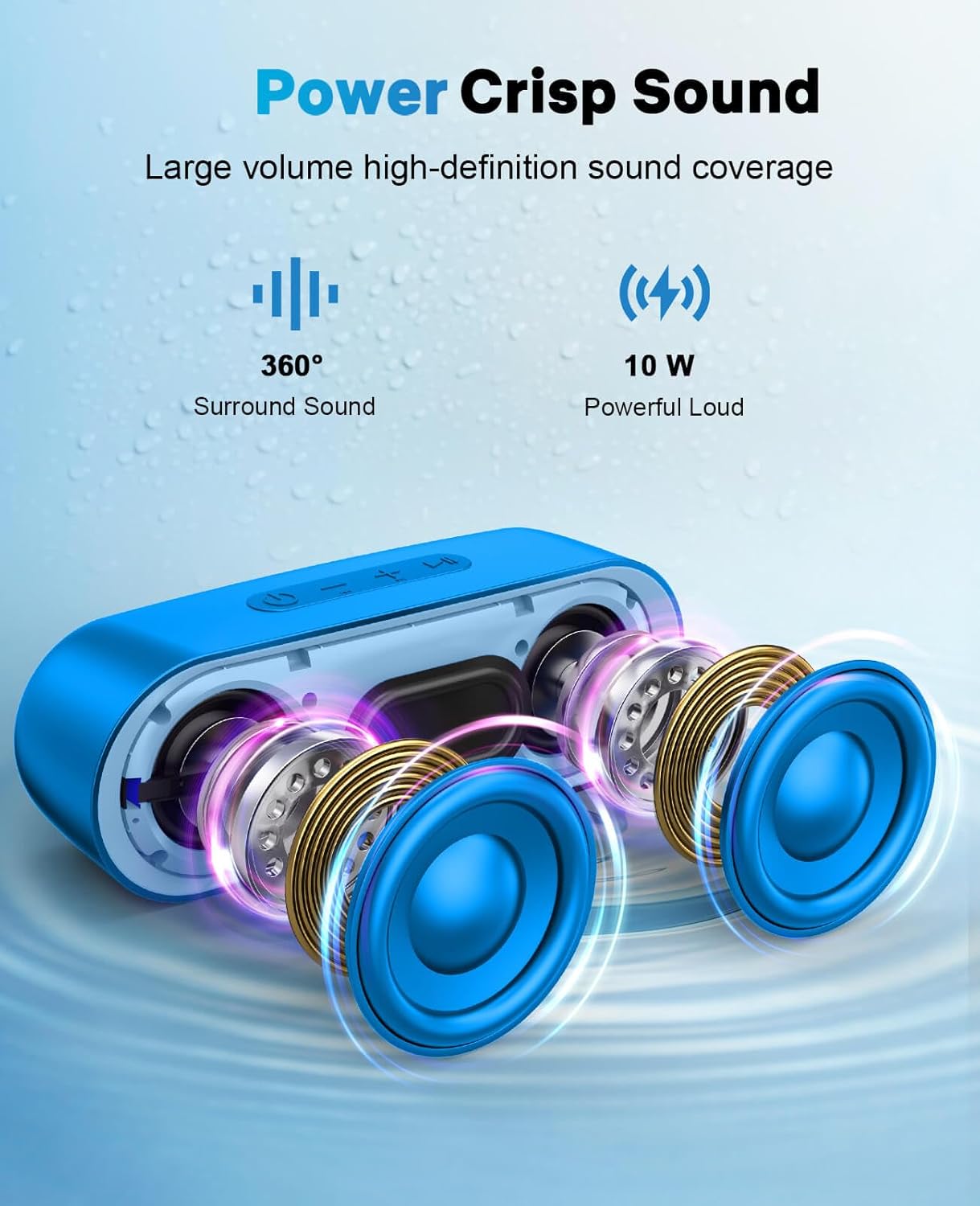
Image: An exploded view of the speaker's internal components, highlighting the dual high-quality horns for crisp sound.
Controls and Ports
- Power Button: Turns the speaker on/off.
- Volume Buttons (+/-): Adjusts volume.
- Play/Pause Button: Controls media playback.
- Mode Button: Switches between Bluetooth, TF card, and AUX modes.
- TF Card Slot: For playing music directly from a TF card.
- AUX Port: For wired connection to audio devices.
- Micro USB Charging Port: For charging the speaker.
Setup
Charging the Speaker
Before first use, fully charge the speaker. Connect the provided Micro USB charge cable to the speaker's charging port and the other end to a USB power adapter (not included) or a computer's USB port. The charging indicator light will show the charging status. A full charge takes approximately 8 hours.
Powering On/Off
- To power on, press and hold the Power button until you hear an audible prompt.
- To power off, press and hold the Power button again until the speaker shuts down.
Operating Instructions
Bluetooth Pairing
- Ensure the speaker is powered on and in Bluetooth pairing mode (indicated by a flashing blue light). If not, press the Mode button to switch to Bluetooth mode.
- On your device (phone, tablet, laptop), enable Bluetooth and search for available devices.
- Select "LENRUE A22" from the list of devices.
- Once paired, the speaker will indicate a successful connection, and the blue light will become solid.

Image: The speaker demonstrating its compatibility with various devices like laptops, tablets, and smartphones via Bluetooth, AUX, and TF card.
True Wireless Stereo (TWS) Pairing
To achieve powerful surround sound, you can pair two LENRUE Bluetooth Speakers together.
- Turn on both LENRUE speakers.
- Ensure both speakers are disconnected from any Bluetooth devices.
- Double-click the Power button on one of the speakers to enter TWS pairing mode.
- The speakers will automatically pair with each other, indicated by an audible "beep" sound.
- Once TWS paired, turn on Bluetooth on your phone and select "LENRUE A22" to connect to the primary speaker.
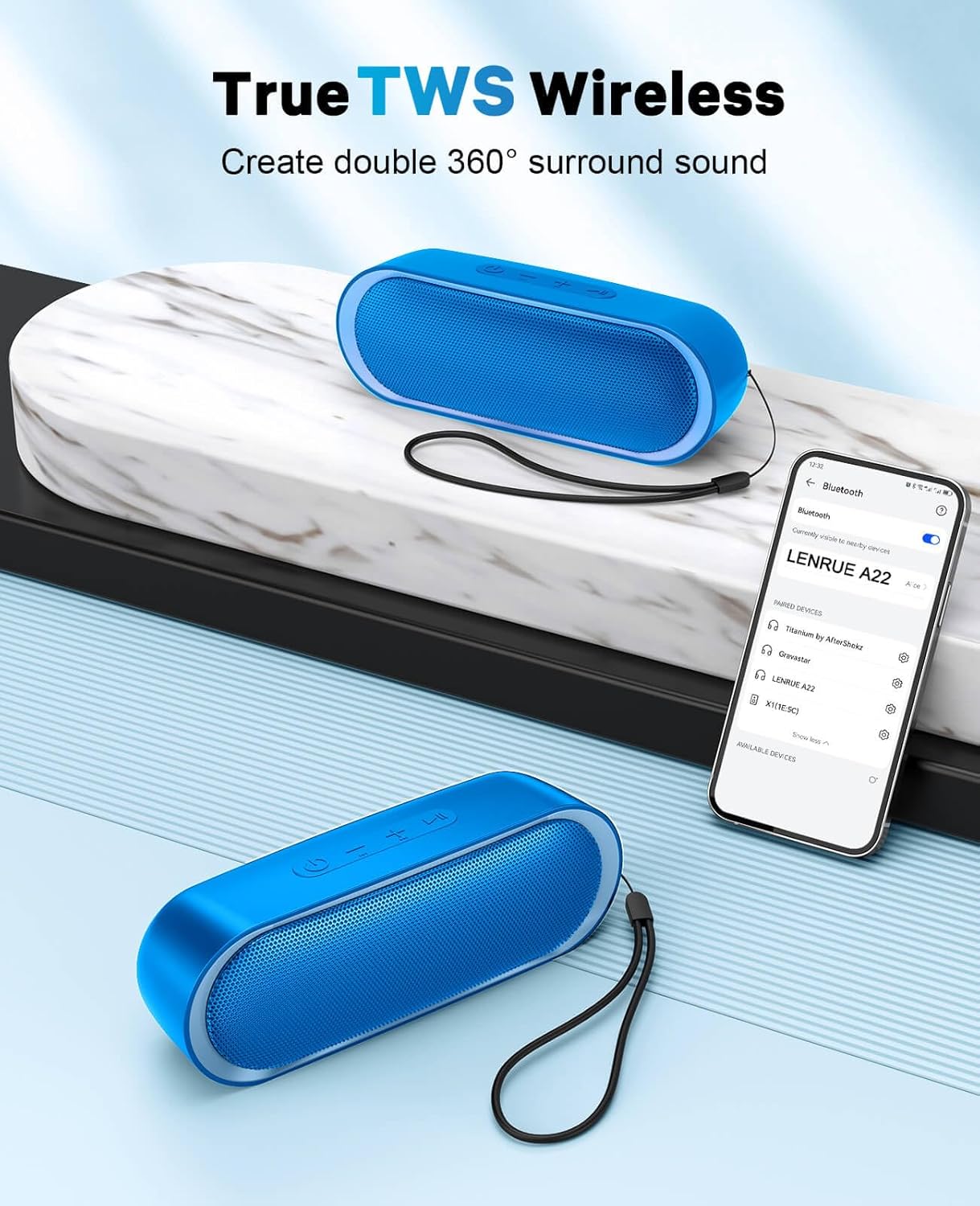
Image: Two LENRUE speakers demonstrating True Wireless Stereo (TWS) pairing for enhanced audio experience.
Using TF Card and AUX Modes
- TF Card Mode: Insert a TF card with music files into the TF card slot. The speaker will automatically switch to TF card mode and begin playback.
- AUX Mode: Connect one end of the provided AUX cable to the speaker's AUX port and the other end to your audio device's headphone jack. The speaker will automatically switch to AUX mode.
Maintenance
- Cleaning: Wipe the speaker with a soft, damp cloth. Do not use harsh chemicals or abrasive cleaners.
- Water Resistance: The speaker is IPX6 waterproof, protecting it from splashes and rain. Do not immerse the speaker completely in water. Ensure the port cover is securely closed when exposed to water.
- Storage: Store the speaker in a cool, dry place away from direct sunlight and extreme temperatures.
- Battery Care: To prolong battery life, avoid fully discharging the battery frequently. Charge the speaker regularly, even if not in use for extended periods.

Image: A hand holding the speaker, demonstrating its IPX6 waterproof capability against splashes and rain.
Troubleshooting
| Problem | Possible Solution |
|---|---|
| Speaker does not turn on. | Ensure the battery is charged. Connect the speaker to a power source and try again. |
| Cannot pair with Bluetooth device. |
|
| No sound or low volume. |
|
| TWS pairing fails. |
|
Specifications
| Feature | Detail |
|---|---|
| Brand | LENRUE |
| Model Name | A22 |
| Item Model Number | HU-XI-201 |
| Connectivity Technology | Bluetooth 5.0, AUX, TF Card |
| Wireless Communication Technology | Bluetooth |
| Bluetooth Range | Up to 33 Feet (10 meters) |
| Speaker Type | Outdoor, Portable |
| Water Resistance Level | IPX6 (Water Resistant) |
| Audio Output Mode | Stereo |
| Speaker Maximum Output Power | 3 Watts |
| Battery Life | Up to 24 Hours (at 50% volume) |
| Charging Time | Approx. 8 Hours |
| Product Dimensions | 1.96"D x 7.08"W x 2.56"H |
| Item Weight | 10.8 ounces |
| Material | Plastics |
| Control Method | Button, Touch |
Warranty and Support
The LENRUE Bluetooth Speaker comes with a Limited Warranty. For detailed warranty information, product support, or technical assistance, please refer to the contact information provided on the product packaging or visit the official LENRUE website.
For further assistance, you may also visit the LENRUE Store on Amazon.
Related documentsHU-XI-201


Ask a question about this manual
Ask about setup, troubleshooting, compatibility, parts, safety, or missing instructions. Manuals+ will review the question and use this page’s manual context to help answer it.