
1. Introduction
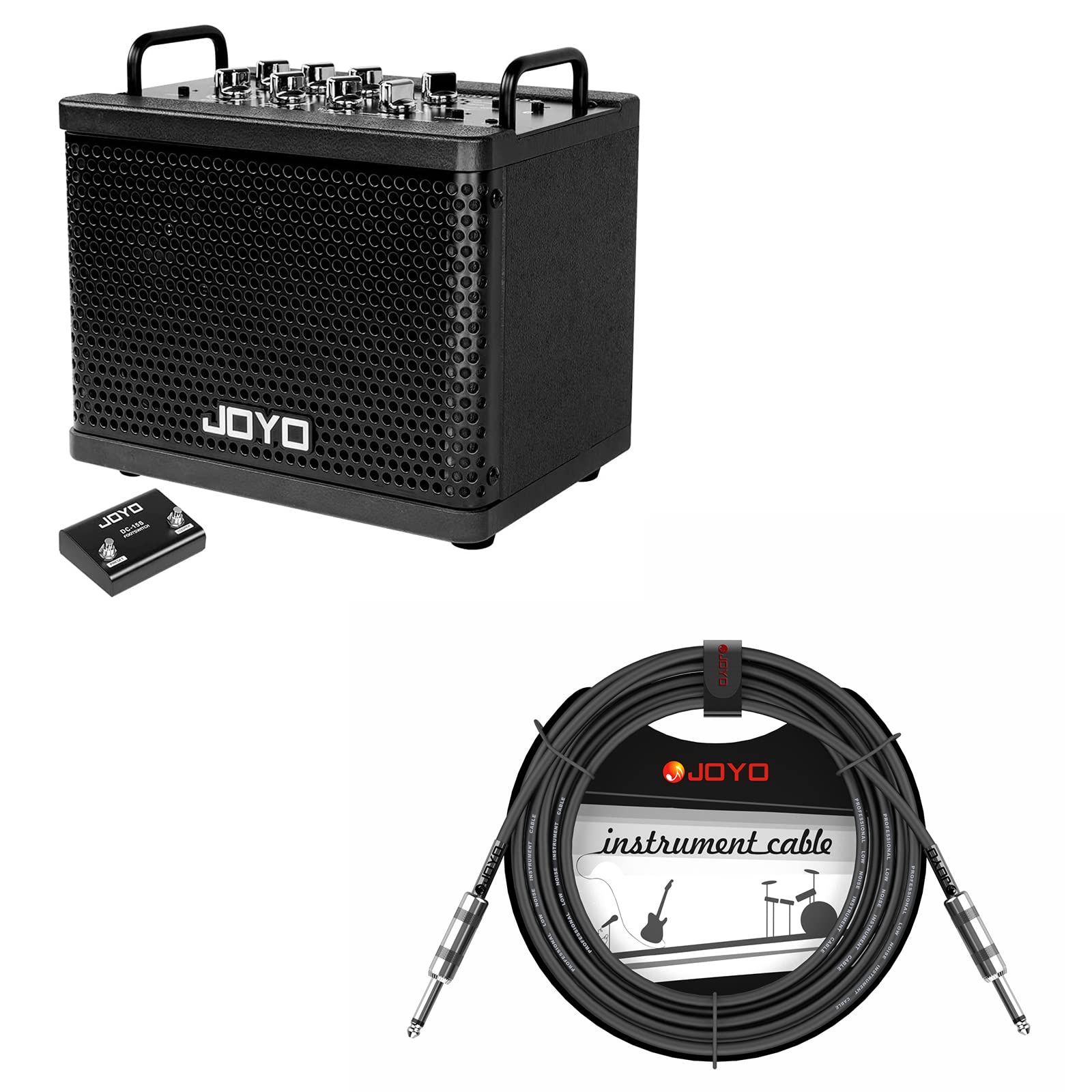
Thank you for purchasing the JOYO DC-15S Digital Modeling Combo Amplifier. This amplifier is designed for guitarists seeking a versatile and portable practice solution. This manual provides detailed instructions for the setup, operation, and maintenance of your amplifier and the included instrument cable.
2. Product Features
The JOYO DC-15S amplifier offers a range of features for diverse musical applications:
- 9 Amp Models: Provides a variety of tonal options for electric and acoustic guitars.
- 4 Modulation Effects: Enhances your sound with various modulation types.
- 2 Space Simulation Effects: Adds depth and ambiance to your playing.
- Bluetooth Connectivity: Allows for audio playback from external devices.
- Rechargeable Battery: Offers portability and extended use without a power outlet.
- 15W Output: Suitable for practice and small gatherings.
- Looper Function: Enables recording and playback of short musical phrases.
- 36 Drum Machine Effects: Provides rhythmic accompaniment for practice.
- Lightweight & Portable Design: Easy to transport for practice sessions anywhere.


3. Setup
3.1 Initial Charging
Before first use, ensure the amplifier's internal rechargeable battery is fully charged. Connect the provided power adapter to the amplifier's power input and a suitable power outlet. The charging indicator will show the charging status.
3.2 Connecting Your Instrument
Use the included CM-04 Mono 6.35mm Instrument Cable to connect your guitar or other instrument to the amplifier's input jack. Ensure the cable is securely plugged into both the instrument and the amplifier.


3.3 Connecting the Footswitch
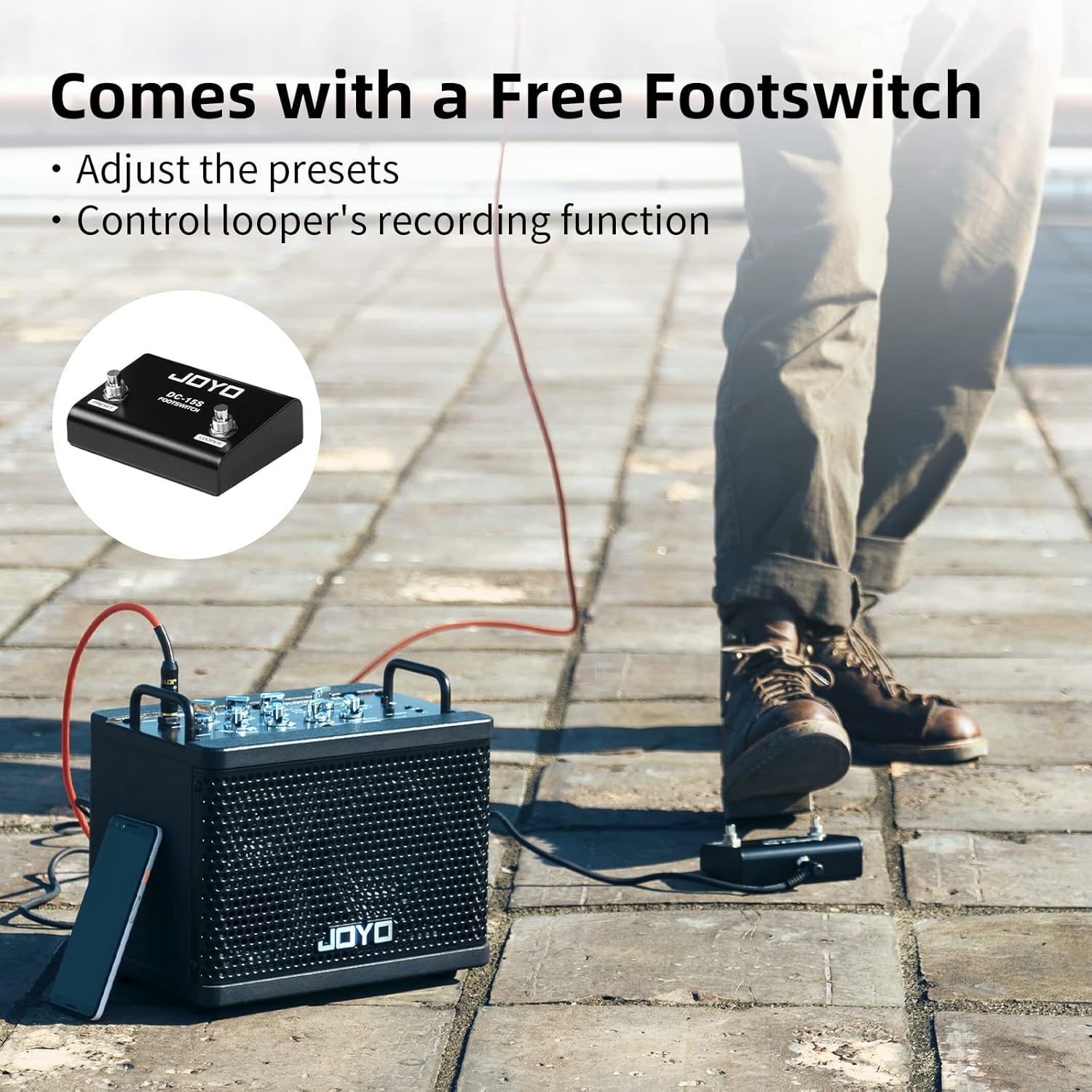
The included footswitch can be connected to the amplifier's dedicated footswitch input. This allows for hands-free control over certain functions, such as adjusting presets and controlling the looper's recording function.
4. Operating Instructions
4.1 Powering On/Off
Locate the power switch on the amplifier. Press it to turn the unit on. Press it again to turn it off. Ensure the volume is set to a low level before powering on to avoid sudden loud noises.
4.2 Selecting Amp Models and Effects
The amplifier features dedicated controls for selecting and adjusting amp models, modulation effects, and space simulation effects. Refer to the control panel layout on your amplifier for specific knob functions. Rotate the respective knobs to cycle through options and adjust parameters.
4.3 Bluetooth Connectivity
- Activate the Bluetooth function on the amplifier (refer to the amplifier's control panel for the specific button/indicator).
- On your external device (smartphone, tablet, etc.), search for available Bluetooth devices.
- Select "JOYO DC-15S" from the list to pair.
- Once paired, you can play audio from your device through the amplifier.
4.4 Looper Function
The looper allows you to record and layer short musical phrases. Consult the amplifier's control panel and specific looper buttons for detailed operation. The footswitch can also be used to control recording, playback, and overdubbing.
4.5 Drum Machine
The built-in drum machine provides various rhythm patterns for practice. Use the dedicated controls to select drum patterns, adjust tempo, and set volume levels.
5. Maintenance
5.1 Cleaning the Amplifier
To clean the amplifier, use a soft, dry cloth. For stubborn dirt, a slightly damp cloth can be used, followed by a dry cloth. Avoid using abrasive cleaners, solvents, or excessive moisture, as these can damage the finish or internal components.
5.2 Instrument Cable Care
To prolong the life of your instrument cable, avoid sharp bends or kinks. Store it coiled loosely. If the cable becomes dirty, wipe it with a damp cloth. The CM-04 cable is designed for durability and ease of cleaning.

6. Troubleshooting
If you encounter issues with your JOYO DC-15S amplifier, refer to the following common problems and solutions:
- No Sound:
- Ensure the amplifier is powered on and charged.
- Check all cable connections (instrument to amp, power).
- Verify that the volume knobs on both your instrument and the amplifier are turned up.
- Ensure no headphones are plugged in if you expect sound from the speaker.
- Bluetooth Connection Issues:
- Make sure Bluetooth is enabled on both the amplifier and your device.
- Ensure the amplifier is not already paired with another device.
- Try unpairing and re-pairing the device.
- Move your device closer to the amplifier.
- Distorted Sound:
- Check if the gain or volume levels are set too high.
- Ensure your instrument's output is not overloading the amplifier's input.
- Inspect the instrument cable for damage.
- Footswitch Not Responding:
- Ensure the footswitch cable is securely connected to the amplifier.
- Verify that the footswitch is compatible with the selected amplifier function.
If these steps do not resolve your issue, please contact customer support.
7. Specifications
| Feature | Detail |
|---|---|
| Model Name | DC-15S |
| Brand | JOYO |
| Compatible Devices | Guitar |
| Connector Type | 6.35mm Jack |
| Material | Metal |
| Power Source | Battery Powered |
| Color | Black |
8. Warranty Information
JOYO products are manufactured to high-quality standards. For specific warranty terms and conditions, please refer to the warranty card included with your product or visit the official JOYO website. Keep your proof of purchase for warranty claims.
9. Customer Support
If you have any questions, require technical assistance, or need to report an issue with your JOYO DC-15S amplifier, please contact us directly through Amazon email. Our support team is available to assist you.


