
1. Introduction
This manual provides instructions for the ALLIMITY remote control, designed for seamless operation with Xbox One, Xbox One S, and Xbox One X series consoles. This remote requires no complex setup or programming; simply install the batteries, and it is ready for use.
2. Package Contents
- 1 x ALLIMITY Remote Control
Note: 2 x AAA Alkaline Batteries are not included and must be purchased separately.
3. Setup
3.1 Battery Installation
The remote control operates on two (2) AAA alkaline batteries. Follow these steps to install them:
- Locate the battery compartment cover on the back of the remote control.
- Slide the cover downwards or press the latch (if present) to open the compartment.
- Insert two AAA batteries, ensuring that the positive (+) and negative (-) terminals align correctly with the markings inside the compartment.
- Replace the battery compartment cover, sliding it back into place until it clicks securely.

Image: Back of the remote control with the battery compartment open for AAA battery insertion.
4. Operating Instructions
4.1 Basic Operation
Once the batteries are correctly installed, the remote control is ready for immediate use. No additional pairing or programming is required.
- Point the remote control directly towards your Xbox console or the device's infrared receiver.
- Press the desired buttons for navigation, media playback, or system control functions.
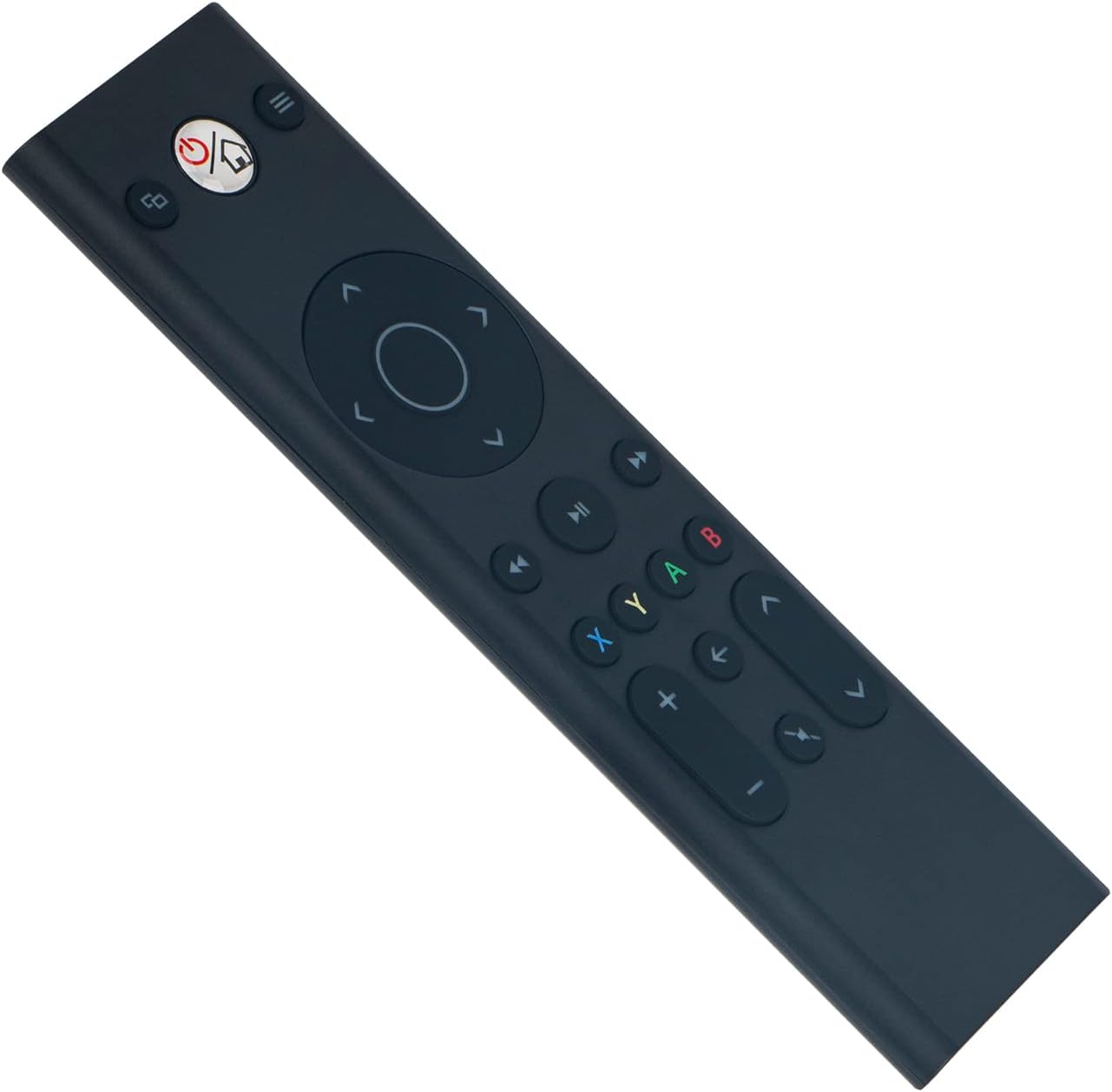
Image: Front view of the ALLIMITY remote control, illustrating button layout.
4.2 Compatibility
This remote control is fully compatible with the following Microsoft Xbox console models:
- Xbox One
- Xbox One S
- Xbox One X
5. Maintenance
- Cleaning: Use a soft, dry cloth to clean the remote control. Do not use liquid cleaners, abrasive materials, or solvents, as these may damage the surface or internal components.
- Storage: Store the remote in a cool, dry place, away from direct sunlight, extreme temperatures, and high humidity.
- Battery Care: If the remote will not be used for an extended period (e.g., one month or more), remove the batteries to prevent potential leakage and damage to the device.
6. Troubleshooting
6.1 Remote Not Responding
- Check Batteries: Ensure the batteries are inserted with the correct polarity (+/-). Replace old batteries with fresh AAA alkaline batteries.
- Obstruction: Verify there are no objects blocking the line of sight between the remote control and the Xbox console's infrared (IR) receiver.
- Range: Ensure you are within the maximum operating range of 33 feet (10 meters) from the console.
6.2 Intermittent Operation
- Battery Level: Low battery power can cause inconsistent performance. Replace batteries if necessary.
- Interference: Strong light sources, such as direct sunlight or certain types of fluorescent lighting, can interfere with the remote's infrared signal. Try operating the remote in a different lighting environment.
7. Specifications
| Brand | ALLIMITY |
| Model Number | YK33-MB1356-BK3-RC |
| Connectivity Technology | Infrared |
| Power Supply | 2 x AAA Alkaline Batteries (not included) |
| Maximum Number of Supported Devices | 1 |
| Controller Type | Button Control |
| Button Quantity | 21 |
| Maximum Range | 33 Feet (10 meters) |
| Item Weight | 55 Grams |
| Special Feature | No Programming Required |
| Compatible Devices | Xbox One, Xbox One S, Xbox One X series |
8. Warranty and Support
For product support, warranty information, or any inquiries regarding your ALLIMITY remote control, please contact the retailer from whom you purchased the product or refer to the manufacturer's official support channels. Please retain your proof of purchase for warranty claims.
