
Product Overview
The URBN USB Type-C 3.4A Fast Charging Cable is designed for efficient charging and data transfer for compatible devices. This 5-foot (1.5m) cable features a durable nylon braided exterior and an HD copper core for reliable performance.
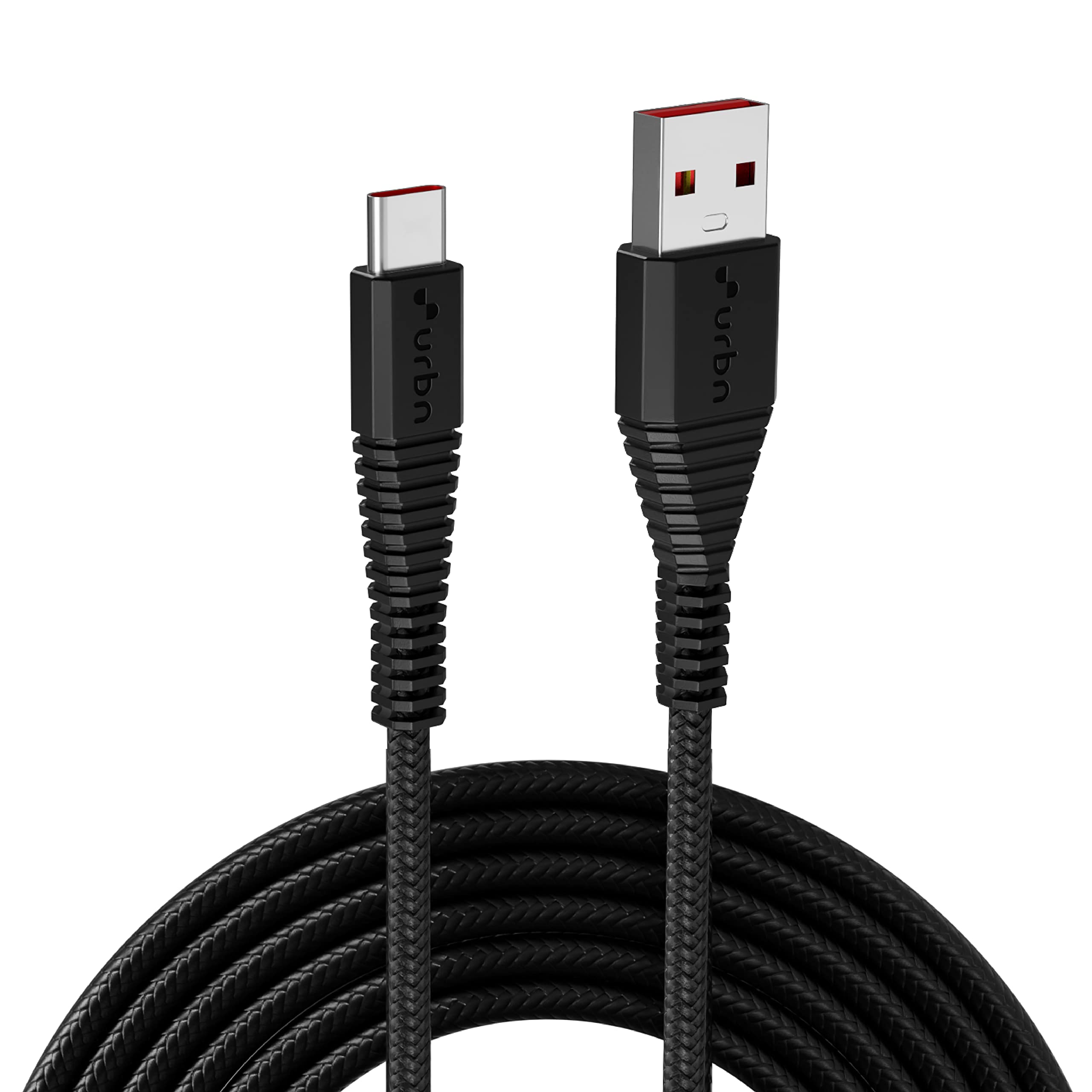
Image: URBN USB Type-C to USB-A Fast Charging Cable, showing both ends of the cable.
Key Features
- Fast Charging: Supports up to 40W Quick Charge (QC) compatibility for various protocols including OnePlus (Vooc, Warp, Dash, Supervooc), MI (Turbo), Realme (Dart, Superdart), OPPO (Vooc, Supervooc), and Vivo (Dual Engine, Flash Charging), as well as Samsung (superfast charging).
- Durable Construction: Features an HD core copper and double-shielded nylon braiding, designed to withstand over 15,000 bends.
- High-Speed Data Transfer: Capable of data transfer speeds up to 480 Mbps.
- Optimal Length: 5 feet (1.5 meters) for flexible use.

Image: Diagram illustrating various fast charging protocols supported by the URBN Type-C cable, including OnePlus, MI, Realme, Oppo, Vivo, and Samsung.

Image: Illustration of the cable's durability features, including reinforced tips, HD core copper, double-shielded nylon braiding, and a 15,000+ bend test rating.
Setup and Connection
- Identify Ports: Locate the USB Type-A port on your charging adapter, computer, or power bank, and the USB Type-C port on your smartphone or compatible device.
- Connect to Power Source: Insert the USB Type-A end of the URBN cable into a compatible USB Type-A charging adapter or computer port.
- Connect to Device: Insert the USB Type-C end of the URBN cable into the USB Type-C port of your smartphone or other compatible device.
- Verify Connection: Ensure both ends are securely connected. Your device should indicate that it is charging or connected for data transfer.

Image: Depiction of the URBN Type-C cable connected to a laptop and a smartphone, illustrating both charging and data transfer capabilities.
Operating Instructions
Charging Your Device:
- For optimal fast charging, use a compatible charging adapter that supports the fast charging protocols mentioned in the Key Features section (e.g., 40W QC compatible adapter).
- Connect the cable as described in the "Setup and Connection" section.
- Monitor your device's screen to confirm fast charging activation (e.g., "Super Fast Charging" message).
Data Transfer:
- Connect your device to a computer using the URBN cable.
- On your device, select the "File Transfer" or "Data Transfer" option when prompted.
- You can now access your device's storage from your computer to transfer files.
Maintenance and Care
- Storage: Store the cable in a clean, dry place away from extreme temperatures.
- Handling: Avoid excessive bending or sharp angles, especially near the connectors, to prolong cable life.
- Cleaning: If necessary, gently wipe the cable with a soft, dry cloth. Do not use harsh chemicals or abrasive materials.
- Inspection: Periodically inspect the cable and connectors for any signs of damage, fraying, or corrosion. Discontinue use if damage is observed.
Troubleshooting
- Device Not Charging:
- Ensure both ends of the cable are securely connected.
- Verify that the charging adapter is functioning correctly and plugged into a live power outlet.
- Check if your device's charging port is clean and free of debris.
- Try using a different charging adapter or power source.
- Slow Charging:
- Confirm that your charging adapter supports fast charging and is compatible with your device's fast charging protocol.
- Ensure your device's fast charging feature is enabled in its settings.
- Avoid using the device heavily while charging, as this can slow down the process.
- Data Transfer Issues:
- Ensure your device is set to "File Transfer" mode when connected to a computer.
- Try connecting to a different USB port on your computer.
- Restart both your device and computer.
Specifications
| Brand | URBN |
| Model Name | UPC206_BK |
| Connector Type | USB Type-A to USB Type-C |
| Cable Type | USB |
| Length | 5 feet (1.5 meters) |
| Maximum Current | 3.4 Amps |
| Wattage | 40 Watts (Quick Charge Compatible) |
| Data Transfer Rate | 480 Megabytes Per Second |
| Outer Material | Nylon Braided |
| Compatible Devices | Smartphones (OnePlus, Samsung, MI, Realme, OPPO, Vivo), Charging Adapters |
| Included Components | 1N Cable, 1N Warranty Card |
| Country of Origin | India |
Warranty Information
This URBN USB Type-C Fast Charging Cable comes with a 6-month replacement warranty from the date of purchase. Please retain your purchase receipt for warranty claims.
The warranty covers manufacturing defects. It does not cover damage caused by misuse, accidents, unauthorized modifications, or normal wear and tear.

Image: Graphic indicating a 6-month replacement warranty and BIS approval for the product.
Customer Support
For any queries, support, or warranty claims, please contact URBN customer service:
- Phone: 1800 22 2468 (Monday to Friday, 10 am to 6 pm)
- Email: support@urbnworld.com
- Manufacturer Address: ACETRON TECH VENTURES PVT LTD Rajprabha Enclave, Building No. 6, Unit No. 111&112, 1st Floor, Bhoidapada, Sativali Road, Vasai (E) Pin code : - 401208
