
1. Introduction and Overview
This manual provides detailed instructions for the setup, operation, and maintenance of your OHYEAHSPIN iPad Photo Booth. Designed for versatility and ease of use, this photo booth is compatible with a wide range of iPad sizes, including 10.2-inch, 10.9-inch, 11-inch, and 12.9-inch models. It features an integrated RGB ring light with app and remote control, music synchronization capabilities, and a durable flight case for portability.
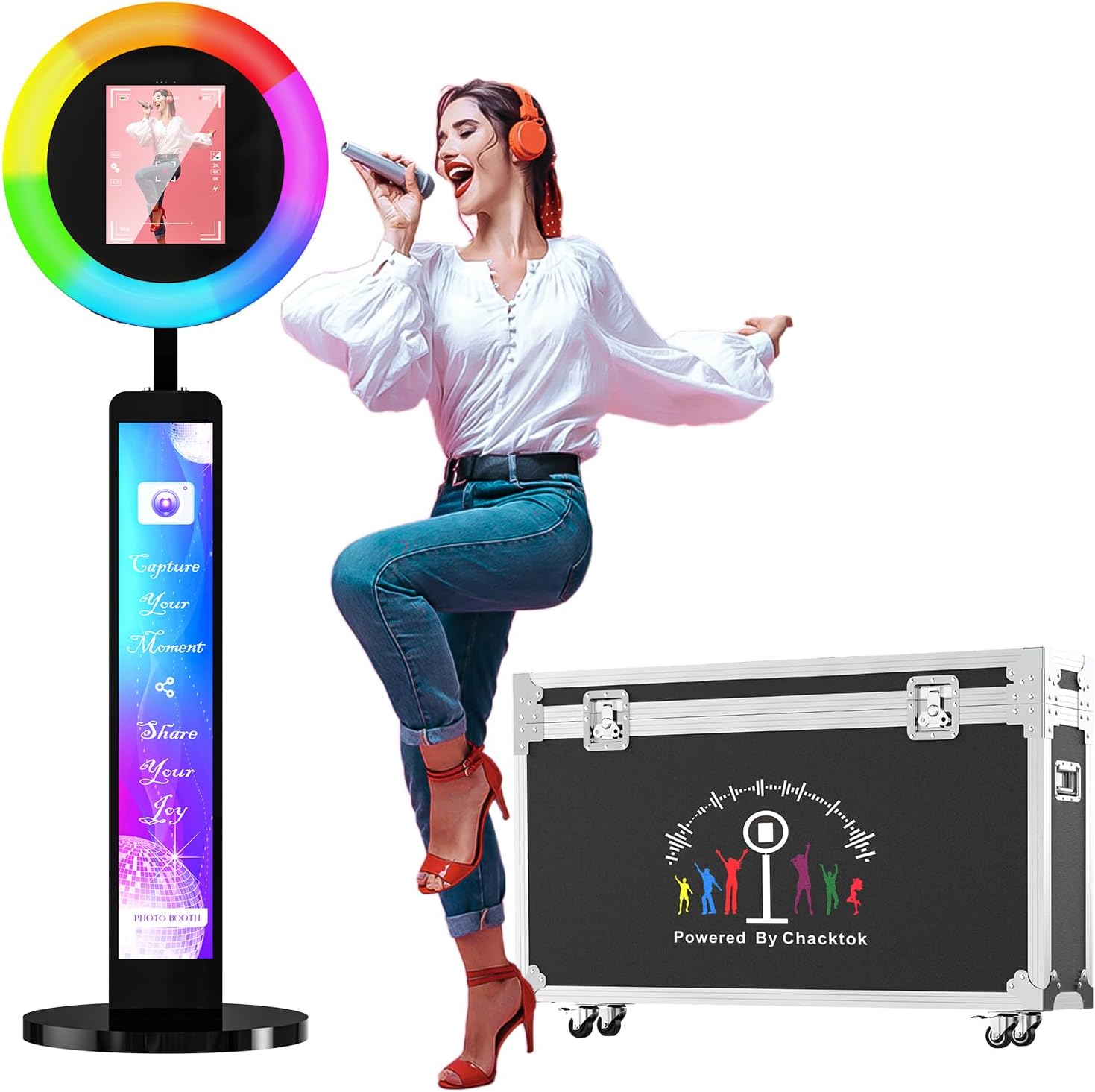
Image 1.1: The OHYEAHSPIN iPad Photo Booth, showcasing its main components including the ring light, iPad stand, and accompanying flight case.
2. Product Features
- Universal iPad Compatibility: Supports all iPad sizes (10.2in, 10.9in, 11in, 12.9in), offering flexibility for various devices.
- Integrated RGB Ring Light: Features 20+ color lighting modes, adjustable brightness (1%-100%), and color temperature (2700K-6500K). The ring light angle is flexible and adjustable.
- Dual Control Methods: RGB light box can be controlled via a dedicated mobile application or the included remote control.
- Music Synchronization: The RGB lighting effect can synchronize with music, changing rhythmically to enhance the atmosphere.
- Photo and Video Recording: Easily record and share moments, supporting image, video, and live streaming capture.
- Durable and Portable Design: Constructed from sheet metal for durability, lightweight, and includes a flight case for easy transport.
- Printer Connectivity: Allows for instant printing of photos when connected to a compatible printer.
2.1 iPad Compatibility

Image 2.1: Illustration of the photo booth's universal compatibility with various iPad sizes, including 10.2, 10.9, 11, and 12.9 inches.
2.2 RGB Ring Light and Controls

Image 2.2: The RGB ring light offers a spectrum of colors and adjustable brightness, enhancing photo and video quality.

Image 2.3: The ring light's angle can be rotated from -15 to 15 degrees and the iPad stand can rotate 90 to 180 degrees for optimal positioning.

Image 2.4: The Chacktok app and remote control provide convenient ways to manage the photo booth's lighting and functions.
2.3 Music Sync Feature
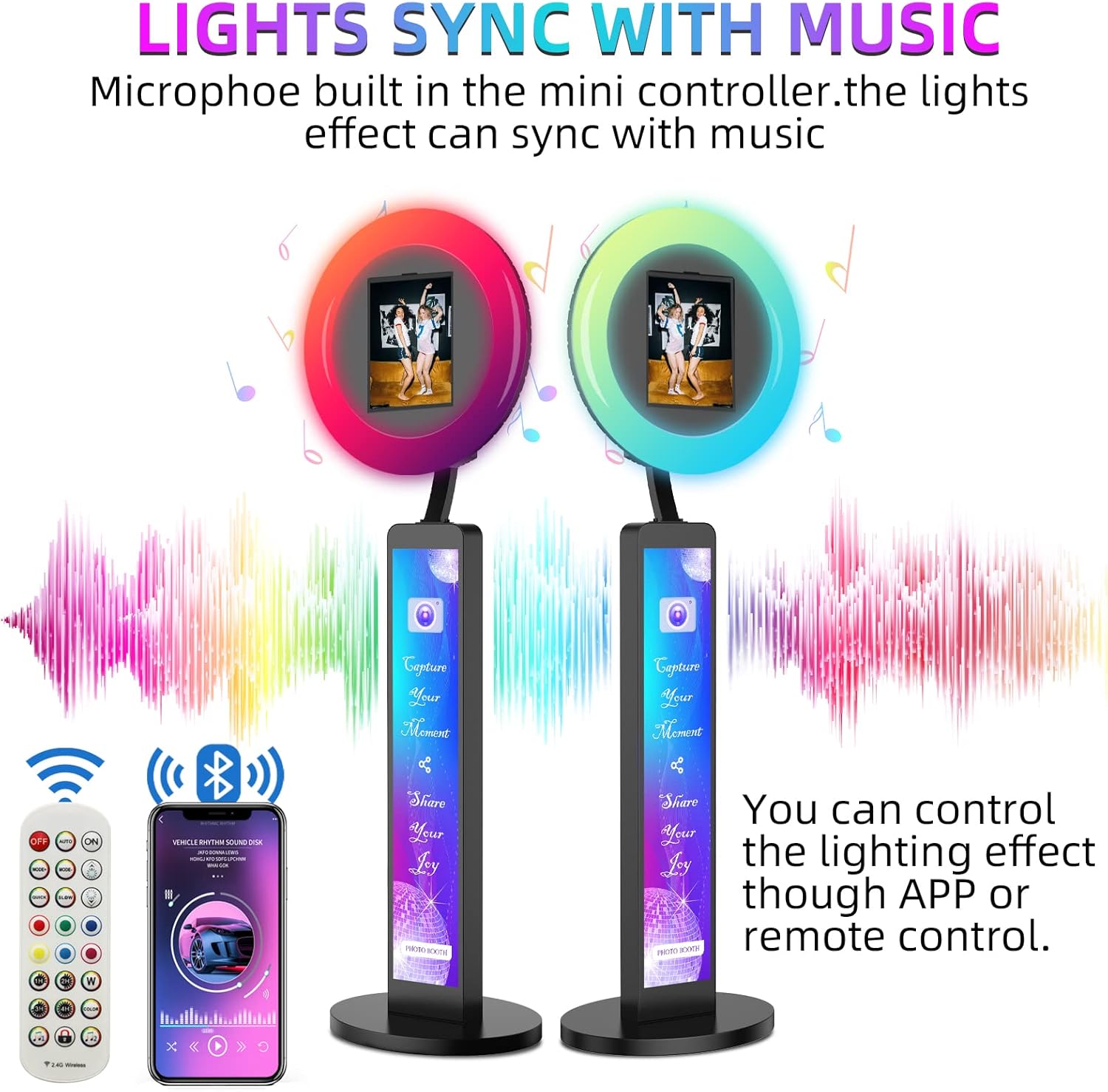
Image 2.5: The built-in microphone allows the lights to sync with music, creating dynamic visual effects.
2.4 Printer Connectivity

Image 2.6: Connect a compatible printer to instantly print photos captured by the photo booth.
3. Setup and Assembly
The OHYEAHSPIN iPad Photo Booth is designed for straightforward assembly. For detailed step-by-step instructions, please refer to the user manual included in the product packaging. An installation video is also available on the product page for visual guidance.
3.1 Unpacking and Component Identification
Carefully unpack all components from the flight case. Verify that all parts listed in the packing list are present and undamaged. Key components include the main stand, iPad holder with ring light, power adapter, and remote control.

Image 3.1: Overview of the main product components and their functions.
3.2 Assembly Steps
- Attach the main stand to the base, ensuring it is securely fastened.
- Mount the iPad holder and ring light assembly onto the top of the main stand.
- Connect all necessary cables, including the power cable.
- Insert your iPad into the designated holder.
3.3 Power Connections and Controls

Image 3.2: Key functional areas including the power port, main switch, and adjustment points.
Locate the power port and switch on the unit. Ensure the power cable is securely connected. The unit also features heat dissipation vents to prevent overheating during extended use.
4. Operating Instructions
4.1 Powering On and Off
To power on the photo booth, connect the power cable and flip the main switch to the 'ON' position. To power off, flip the switch to the 'OFF' position and disconnect the power cable.
4.2 iPad Installation and Removal
Gently slide your iPad into the holder. Ensure it is seated firmly and securely. To remove, carefully slide the iPad out of the holder.
4.3 Controlling the RGB Ring Light
The RGB ring light can be controlled using either the provided remote control or the dedicated Chacktok mobile application. Both methods allow you to:
- Select from over 20 color lighting modes.
- Adjust brightness from 1% to 100%.
- Set color temperature between 2700K (warm) and 6500K (cold).
- Activate music synchronization mode.
4.4 Photo and Video Capture
Utilize your iPad's camera and preferred photo booth software (e.g., Chacktok app) to capture images and videos. The adjustable ring light and iPad angle allow for optimal framing and lighting.
4.5 Sharing and Printing
Captured content can be easily shared to various social media platforms directly from your iPad. For physical prints, connect a compatible printer to your iPad via Bluetooth or Wi-Fi, and use your photo booth software's printing function.

Image 4.1: The photo booth in use at various events, demonstrating its versatility for capturing memorable moments.
Video 4.1: An official product video demonstrating the setup and operation of the OHYEAHSPIN iPad Photo Booth, including its lighting effects and ease of use.
5. Maintenance
5.1 Cleaning
To maintain the appearance and functionality of your photo booth, regularly wipe down surfaces with a soft, dry cloth. For stubborn marks, a slightly damp cloth with mild soap can be used, followed by drying. Avoid abrasive cleaners or solvents.
5.2 Storage and Transport
When not in use, store the photo booth in its provided flight case. The flight case is designed with corner protection and thick crash foam to ensure the unit's safety during transport. Utilize the portable belt for easier carrying.

Image 5.1: The robust flight case provides secure storage and convenient portability for the photo booth.
6. Troubleshooting
If you encounter any issues with your OHYEAHSPIN iPad Photo Booth, please refer to the following common troubleshooting tips. For more complex problems, contact customer support.
6.1 Power Issues
- No Power: Ensure the power cable is securely connected to both the unit and a working power outlet. Check that the main power switch is in the 'ON' position.
6.2 Ring Light Malfunction
- Lights Not Responding: Verify that the remote control batteries are functional. If using the app, ensure Bluetooth is enabled on your iPad and the app is properly connected to the photo booth.
- Inconsistent Lighting: Check for any obstructions around the ring light. Ensure the power supply is stable.
6.3 iPad Connectivity
- iPad Not Fitting: Ensure you are using a compatible iPad size (10.2'', 10.9'', 11'', or 12.9''). Do not force the iPad into the holder.
- Charging Issues: Verify the iPad charging port on the photo booth is clean and the cable is properly inserted.
7. Specifications
| Feature | Detail |
|---|---|
| Model Number | Light Box Blcak |
| Package Dimensions | 43 x 23 x 8.25 inches |
| Item Weight | 61.4 pounds |
| Compatible iPad Sizes | 10.2'', 10.9'', 11'', 12.9'' |
| Ring Light Color Modes | 20+ RGB modes |
| Ring Light Brightness | 1% - 100% adjustable |
| Ring Light Color Temperature | 2700K - 6500K |
| Manufacturer | Marvel Technology CO.,LTD (MWE) |
| First Available Date | April 11, 2023 |
8. Warranty and Support
8.1 Product Warranty
Your OHYEAHSPIN iPad Photo Booth comes with a 3-year warranty covering quality defects. Please retain your proof of purchase for warranty claims.
8.2 Customer Support
For any questions, technical assistance, or support, the professional technical team at MWE (Marvel Technology CO.,LTD) is available to provide online support and quick solutions. Contact information can be found in the product packaging or on the official OHYEAHSPIN website.
For additional resources, including installation and usage videos, please refer to the product page where this item was purchased.