
1. Introduction
Thank you for choosing the SENSSUN Bluetooth Body Composition Scale. This intelligent scale is designed to provide comprehensive insights into your body health by measuring various body composition metrics. Please read this manual carefully before use to ensure proper operation and to maximize the benefits of your new scale.

Image: The SENSSUN Bluetooth Body Composition Scale, black with a clear LED display, shown alongside a smartphone displaying the associated MovingLife app interface. The scale measures 26x26cm.
2. Safety Information
- Do not use if you have a pacemaker or other internal medical device.
- Do not use if you are pregnant.
- Always place the scale on a hard, flat surface. Using it on soft surfaces like carpet may affect accuracy.
- The scale surface can be slippery when wet. Ensure the surface is dry before stepping on.
- Do not jump on the scale.
- Keep the scale away from strong electromagnetic fields.
- This scale is for household use only and not for medical diagnosis or treatment.

Image: Details of the scale's safety features, including rounded corners to prevent injury, anti-slip feet for stability, and a clear LED display for easy reading.
3. Package Contents
- SENSSUN Bluetooth Body Composition Scale (Model: IF1131D)
- 3 x AAA Batteries
- User Manual
4. Product Overview
The SENSSUN Bluetooth Body Composition Scale utilizes Bioelectrical Impedance Analysis (BIA) to provide a comprehensive overview of your body's health. It features a sleek design with a clear LED display and four high-precision sensitive electrodes.
4.1 Key Features
- 15 Body Composition Measurements: Includes body weight, body fat, muscle, protein, bone, BMI, BMR, hydration, lean body mass, AMR, subcutaneous fat, skeletal muscle, body shape, body age, and body score.
- High Precision: Equipped with 4 sensitive electrodes, automatic calibration, and measures up to 150kg (330lbs) in 0.1kg (0.2lbs) increments.
- Bluetooth Connectivity: Compatible with Bluetooth 4.0 and iOS 8.0/Android 4.3 or higher.
- App Integration: Syncs data with the free MovingLife App, Apple Health, Google Fit, and FitBit.
- Easy to Use: Automatic on/off, automatic calibration, and allows weighing without a phone, syncing data later.
- Durable Design: Rounded corners and anti-slip feet for safety and stability.
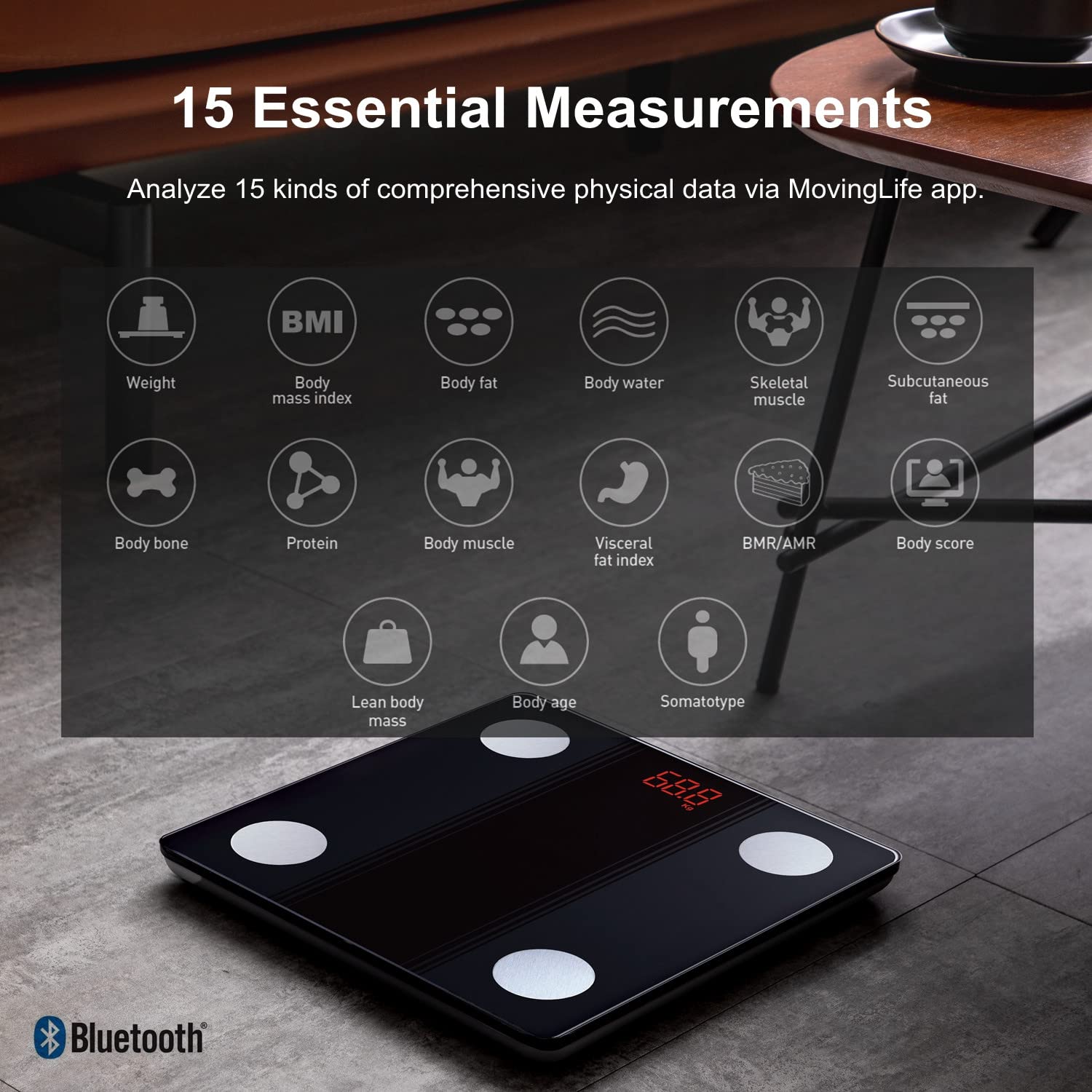
Image: An infographic illustrating the 15 different body composition measurements the scale can analyze, including Weight, BMI, Body Fat, Body Water, Skeletal Muscle, Subcutaneous Fat, Body Bone, Protein, Body Muscle, Visceral Fat Index, BMR/AMR, Body Score, Lean Body Mass, Body Age, and Somatotype.

Image: The scale's ultra-slim profile is highlighted, demonstrating its compact size (26cm x 26cm) in comparison to a 10.2-inch tablet, emphasizing its portability and ease of storage.
5. Setup
5.1 Battery Installation
- Open the battery compartment on the back of the scale.
- Insert the 3 AAA batteries, ensuring correct polarity (+/-).
- Close the battery compartment securely.
5.2 App Installation and Pairing
The SENSSUN scale works with the free MovingLife App. It is also compatible with Apple Health, Google Fit, and FitBit.
- Download the "MovingLife" App from the App Store (iOS) or Google Play Store (Android).
- Ensure Bluetooth is enabled on your smartphone.
- Open the MovingLife App and follow the on-screen instructions to create your user profile.
- Step onto the scale to activate it. The display will light up.
- The app should automatically detect and pair with the scale. If not, navigate to the device pairing section within the app and select your SENSSUN scale.
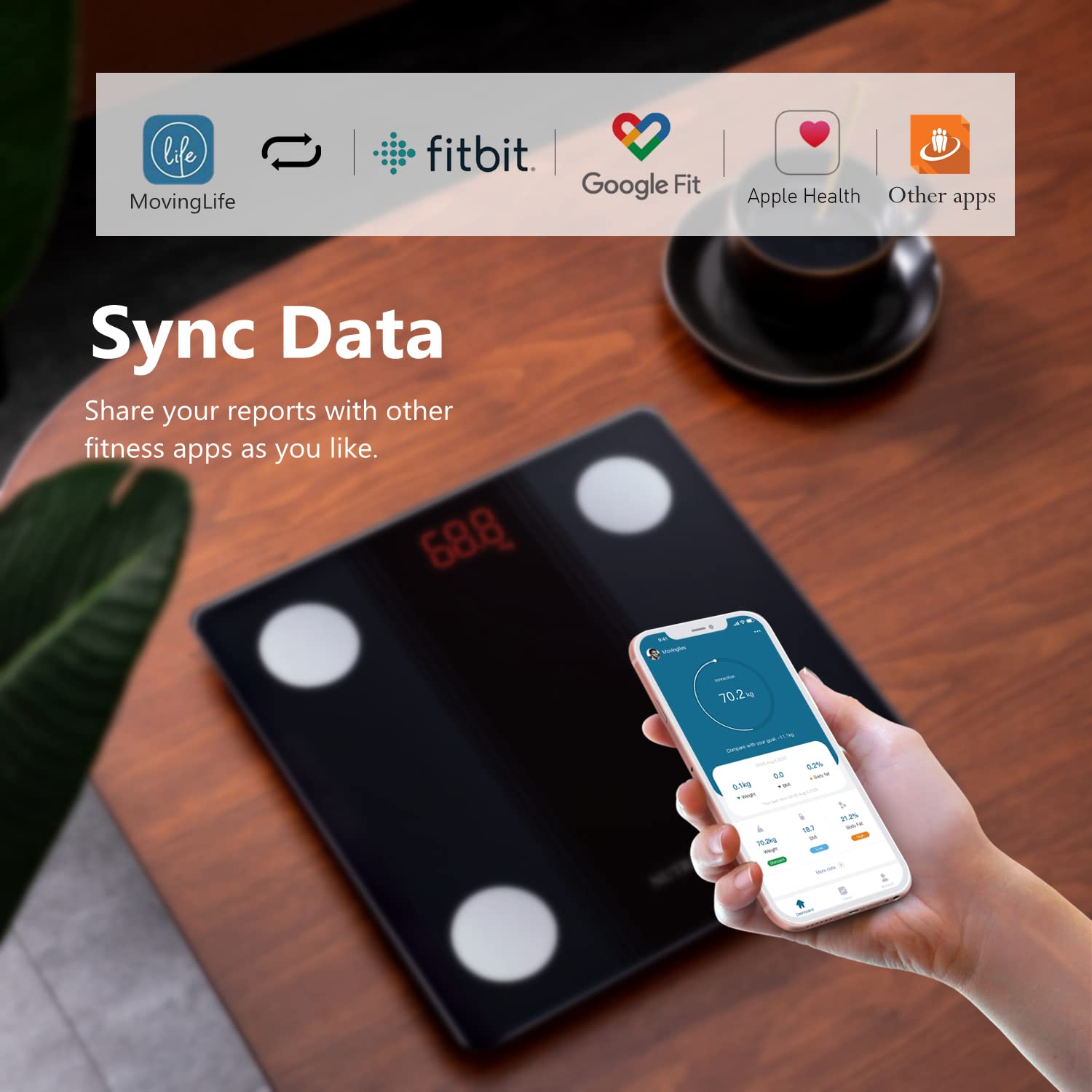
Image: A visual representation of the MovingLife app's ability to sync data with popular fitness platforms such as Fitbit, Google Fit, and Apple Health, allowing for comprehensive health tracking.
6. Operation
6.1 Taking Measurements
- Place the scale on a hard, flat surface.
- Ensure your feet are clean and dry.
- Step onto the scale barefoot, placing your feet on the four electrode pads. Stand still until your weight is displayed and the measurement is complete.
- If the app is open and connected, your data will automatically sync. If not, the scale will store the weight, and other body composition data will sync once reconnected to the app.
6.2 Understanding Your Measurements
The MovingLife App provides detailed explanations for each of the 15 body composition metrics. Regularly tracking these metrics can help you understand your body better and achieve your health goals.
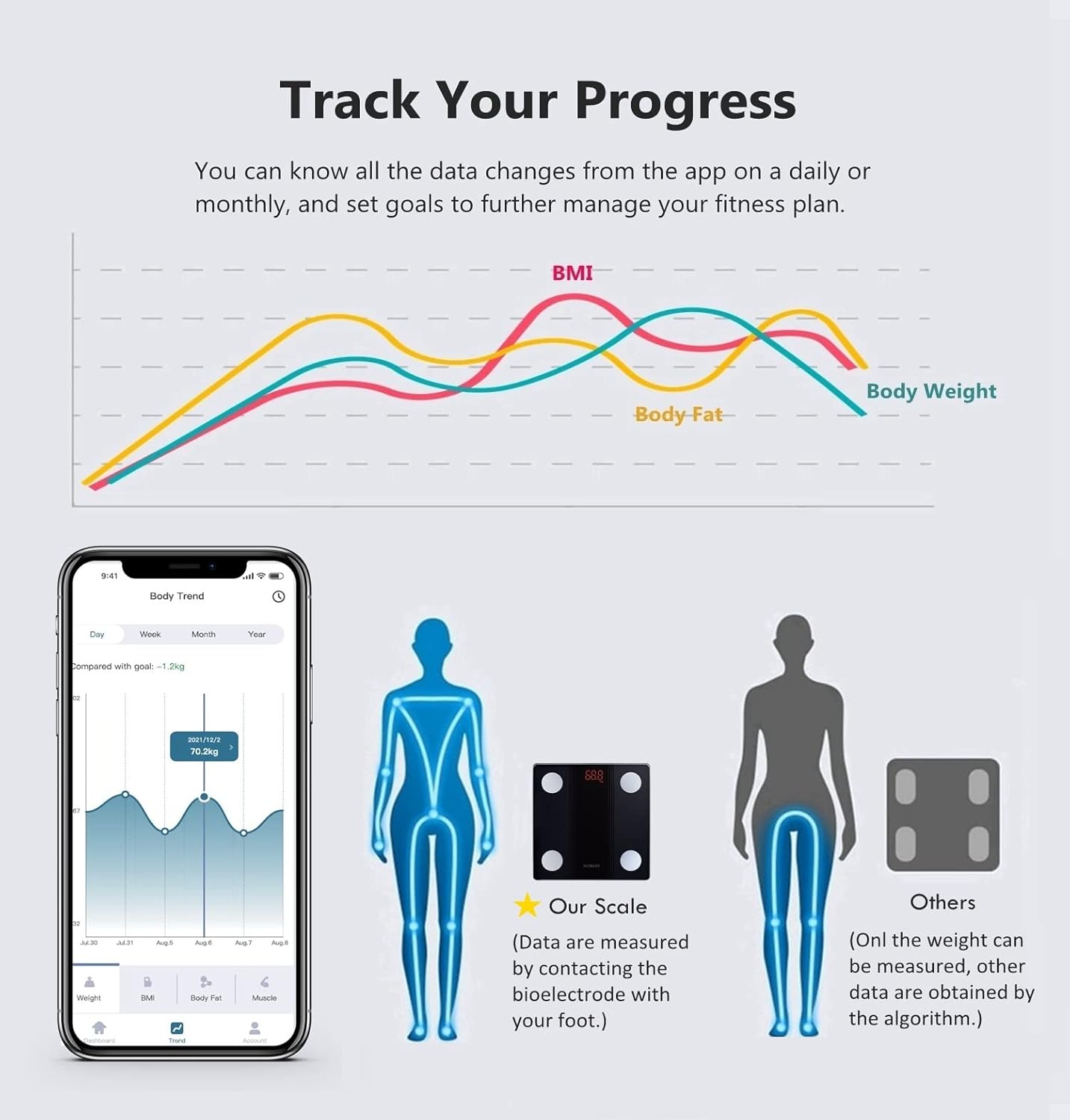
Image: A visual representation of the app's progress tracking feature, showing trend lines for Body Weight, BMI, and Body Fat over time. The smartphone screen displays a detailed daily, weekly, monthly, and yearly view of body data, enabling users to monitor their health journey.
6.3 High Accuracy Technology
The scale incorporates a self-developed chip to ensure sensitive response and accurate results. This advanced technology allows for precise measurements of your body composition.

Image: A magnified view of the scale's internal self-developed chip, illustrating the technology responsible for its sensitive response and accurate measurement capabilities.
7. Maintenance
- Clean the scale surface with a damp cloth and mild detergent. Do not use abrasive cleaners or immerse the scale in water.
- Store the scale in a cool, dry place.
- If the scale will not be used for an extended period, remove the batteries to prevent leakage.
8. Troubleshooting
| Problem | Possible Cause | Solution |
|---|---|---|
| Scale does not turn on. | Batteries are dead or incorrectly installed. | Check battery polarity or replace with new AAA batteries. |
| Inaccurate readings. | Scale on uneven surface; not calibrated; feet not clean/dry. | Place on hard, flat surface. Step on briefly to calibrate, then step off and on again. Ensure feet are clean and dry. |
| Cannot connect to app. | Bluetooth off; app not open; scale not activated. | Ensure Bluetooth is on. Open MovingLife App. Step on scale to activate. Restart phone/app if needed. |
| "Lo" displayed. | Low battery. | Replace batteries. |
| "Err" displayed. | Overload or measurement error. | Ensure weight is within 150kg limit. Step off and on again. |
9. Specifications
- Model: IF1131D
- Brand: SENSSUN
- Manufacturer: CAMRY
- Dimensions: 25.4 x 2.54 x 25.4 cm
- Weight: 1.16 kg
- Weight Limit: 150 kg (330 lbs)
- Readout Accuracy: 0.1 kg (0.2 lbs)
- Display Type: LED
- Power Source: 3 x AAA Batteries (included)
- Connectivity: Bluetooth 4.0
- Compatible OS: iOS 8.0 / Android 4.3 or higher
- Color: Black
- Special Features: Body Fat, Muscle Mass, Bodyweight measurement, 15 body composition metrics.
10. Warranty and Support
SENSSUN provides professional support for its products. If you encounter any issues or have questions regarding your scale, please contact the SENSSUN support team. We aim to provide assistance within 24 hours.
Please refer to your purchase documentation for specific warranty terms and contact information.


