
1. Introduction
This manual provides essential information for the safe and effective use of your UPBRIGHT 24.8V 0.8A AC/DC Adapter, Model DK33-248080H-U. This power supply is designed for compatibility with specific Shark Cordless Pro Lightweight Stick Vacuum Cleaner models, including UZ565H, UZ565HT6, UZ565HV5, and those utilizing the XBATR620SL Li-ion battery pack. Please read this manual thoroughly before use to ensure proper operation and to prevent damage to the adapter or your vacuum cleaner.
2. Important Safety Information
- Voltage Compatibility: This adapter provides an output of 24.8V. It is NOT compatible with 28.8V versions of vacuum cleaners. Ensure your device requires a 24.8V input.
- Battery Voltage vs. Charger Voltage: The 21.6V specification often refers to the vacuum's battery voltage, not the charger's output voltage. This adapter is designed for devices with a 21.6V battery that require a 24.8V charging input.
- Dry Location Use Only: To prevent electric shock, use this adapter in dry indoor locations only. Do not expose it to water or moisture.
- Protection Features: The adapter includes Over Voltage Protection (OVP), Over Current Protection (OCP), and Short Circuit Protection (SCP) to safeguard your devices.
- Model Verification: Always verify that your vacuum cleaner's model number or part number (P/N) matches the compatible models listed in this manual before connecting the adapter.
- Cable Care: Do not pull on the power cord to disconnect the adapter from the wall outlet or the device. Always grasp the plug. Avoid bending, twisting, or crushing the cable.
3. Product Overview
The UPBRIGHT AC/DC Adapter (Model DK33-248080H-U) is a Class 2 switching power supply designed to provide reliable power for charging compatible Shark cordless vacuum cleaners. It features a standard barrel connector for easy attachment.

Image 3.1: Front view of the UPBRIGHT AC/DC Adapter.
This adapter is specifically designed for Shark Cordless Pro models such as UZ565H, UZ565HT6, UZ565HV5, and other variants that use the XBATR620SL Li-ion battery pack. It ensures your vacuum cleaner receives the correct power for efficient charging.

Image 3.2: Example of a compatible Shark Cordless Pro UZ565H vacuum cleaner (machine not included with adapter).
4. Setup
- Unpack the Adapter: Carefully remove the adapter from its packaging. Inspect it for any signs of damage.
- Verify Compatibility: Before connecting, confirm that your Shark vacuum cleaner model (e.g., UZ565H, UZ565HT6, UZ565HV5) is listed as compatible and requires a 24.8V input.
- Connect to Power Outlet: Plug the AC adapter into a standard 100-240VAC 50/60Hz wall outlet.
- Connect to Vacuum Cleaner: Locate the charging port on your Shark vacuum cleaner. Insert the barrel connector of the adapter firmly into the charging port.
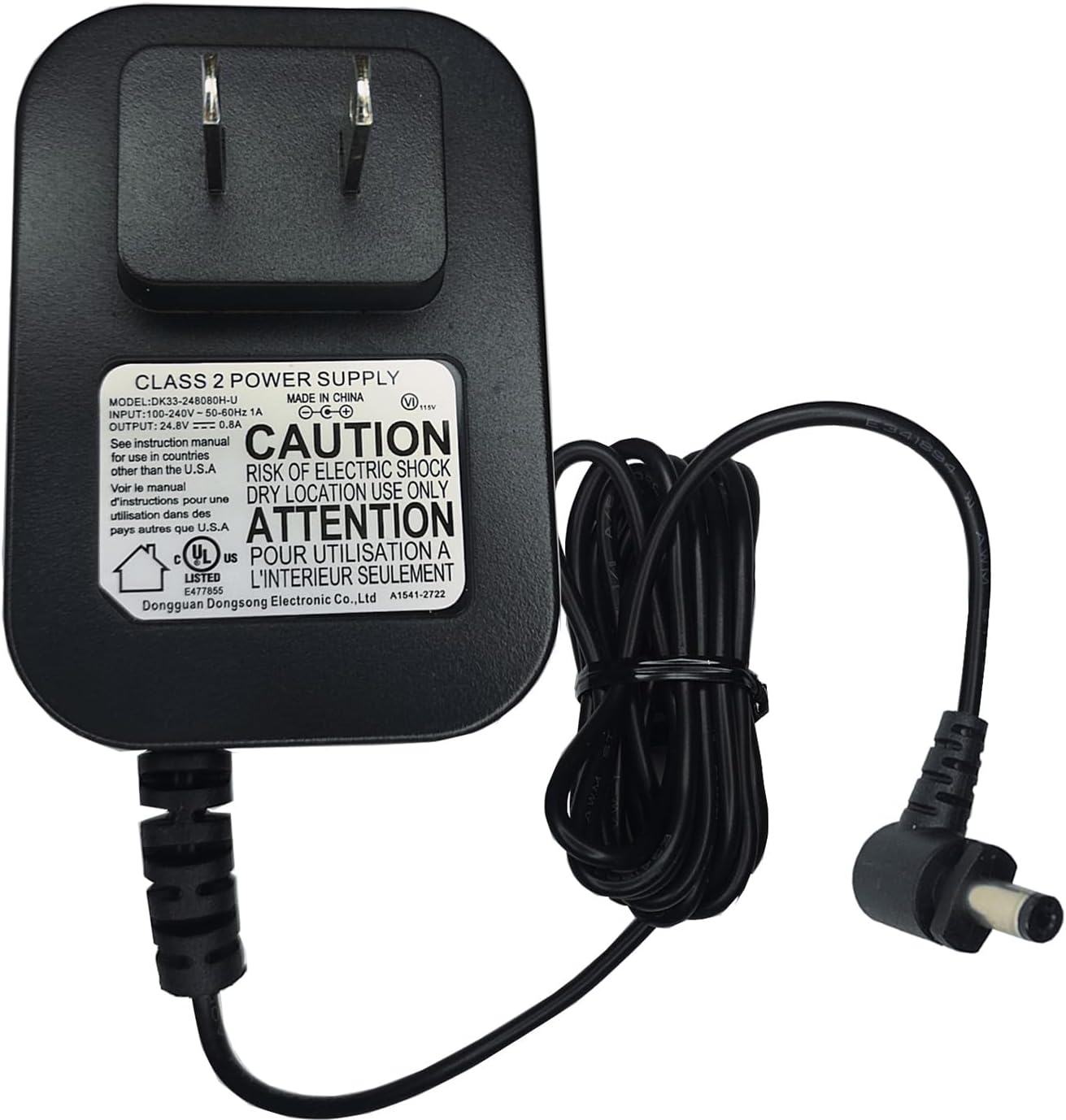
Image 4.1: The adapter with its cable and barrel connector.
5. Operating Instructions
Once the adapter is correctly connected to both the power outlet and the vacuum cleaner, the charging process will begin automatically.
- Charging Indication: Refer to your vacuum cleaner's user manual for specific information on its charging indicator lights. Typically, these lights will illuminate or change color to indicate charging status (e.g., charging, fully charged).
- Charging Time: Charging times vary depending on the battery's current charge level and capacity. Consult your vacuum cleaner's manual for estimated charging durations.
- Disconnection: Once the battery is fully charged, you may disconnect the adapter. While the adapter has built-in protections, it is good practice to disconnect it when not in use or when the device is fully charged.
6. Maintenance
- Cleaning: Clean the adapter and its cable with a soft, dry cloth only. Do not use liquid cleaners or solvents.
- Storage: Store the adapter in a cool, dry place away from direct sunlight and extreme temperatures when not in use.
- Cable Inspection: Regularly inspect the power cable and connector for any signs of wear, cuts, or damage. If damage is found, discontinue use immediately and replace the adapter.
7. Troubleshooting
If you encounter issues with your adapter, refer to the following troubleshooting steps:
- Vacuum Cleaner Not Charging:
- Check Compatibility: Ensure your vacuum cleaner model is compatible with a 24.8V output adapter and is not a 28.8V version.
- Secure Connection: Verify that the adapter's barrel connector is fully and securely inserted into the vacuum's charging port.
- Power Outlet: Test the wall outlet with another device to confirm it is supplying power.
- Battery Condition: Rechargeable batteries have a limited lifespan (typically 1 to 3 years). If the vacuum's battery is old or dead, it may no longer accept a charge, which is a battery issue, not an adapter issue.
- Adapter Functionality: If you suspect the adapter is faulty, use a voltmeter to test its output. It should read approximately 24.8V when plugged into the wall.
- Adapter Overheating: Disconnect the adapter immediately. Ensure it is used in a well-ventilated area and not covered. If overheating persists, discontinue use.
- No Power Output: Check for visible damage to the adapter or cable. Ensure the adapter is firmly plugged into a working wall outlet.
8. Specifications
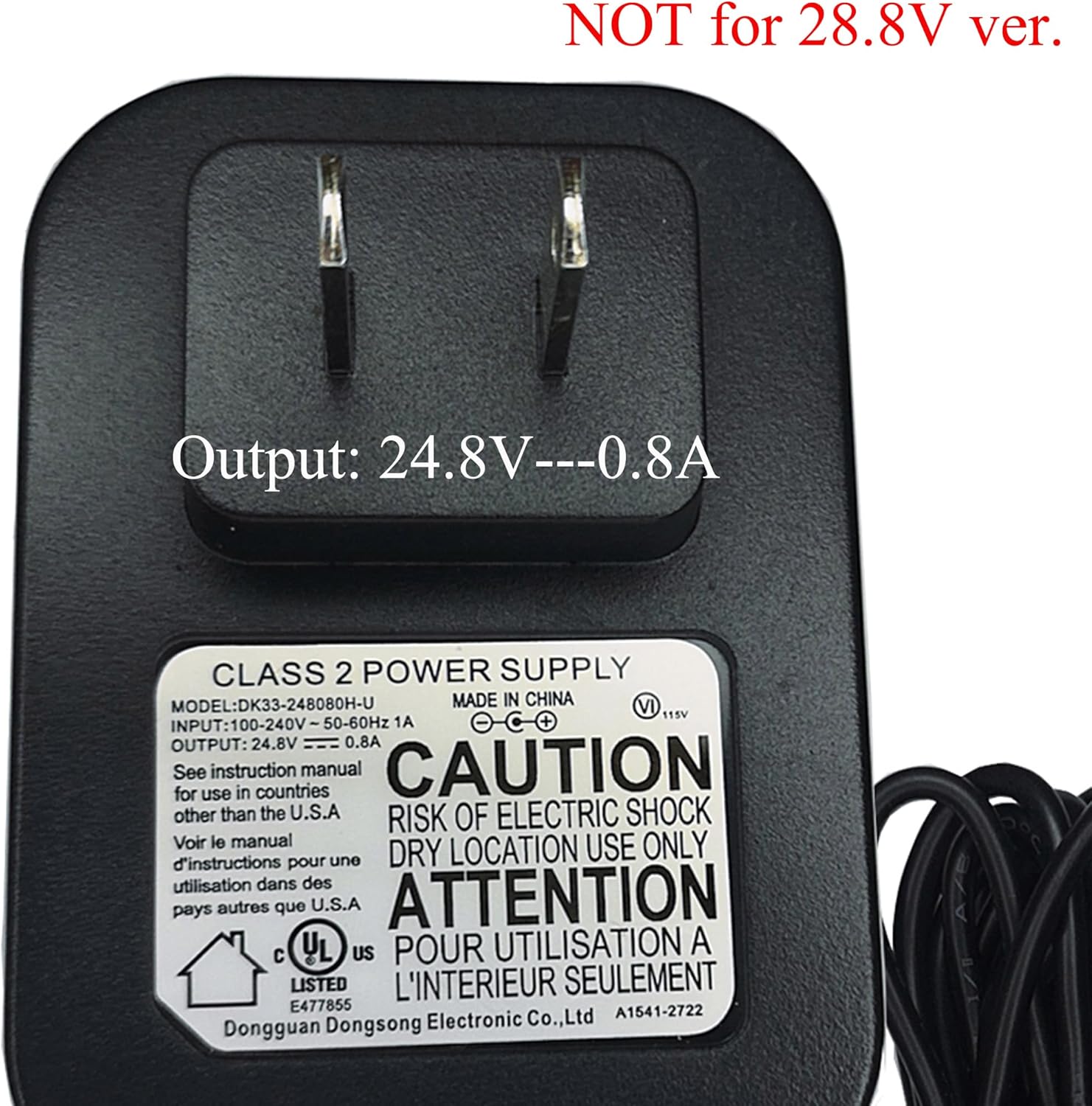
Image 8.1: Adapter label showing model and output specifications.
| Feature | Specification |
|---|---|
| Model Number | DK33-248080H-U |
| Input Voltage | 100-240VAC, 50/60Hz |
| Output Voltage | 24.8V |
| Output Current | 0.8A |
| Output Wattage | 19.84W |
| Connector Type | Barrel Connector |
| Protection Features | OVP, OCP, SCP (Over Voltage, Over Current, Short Circuit Protection) |
| Product Dimensions | 4 x 3 x 2 inches (approximate) |
| Item Weight | 4 ounces (approximate) |
| Compatible Devices | Shark Cordless Pro UZ565H, UZ565HT6, UZ565HV5, UZ565, UZ 565 H, and models using XBATR620SL battery. |
9. Warranty and Support
UPBRIGHT offers a 30-day refund policy and a 24-month exchange warranty for this product. For warranty claims, technical assistance, or any questions regarding your adapter, please refer to your purchase documentation for specific contact details or visit the UPBRIGHT store page on Amazon.
Amazon Store Link: UPBRIGHT Amazon Store
