
Otlonpe F20
Otlonpe Handheld Misting Fan Portable Instruction Manual
Model: F20 | Brand: Otlonpe
1. Introduction
Thank you for purchasing the Otlonpe Handheld Misting Fan Portable. This device is designed to provide personal cooling with both fan and misting functions, making it ideal for various indoor and outdoor activities. It features a powerful rechargeable battery that can also serve as an emergency power bank for your mobile devices. Please read this manual carefully before use to ensure proper operation and maintenance.

Image: The Otlonpe Handheld Misting Fan in Dark Blue, showcasing its compact design and misting nozzle.
2. Important Safety Instructions
To reduce the risk of fire, electric shock, or injury, please observe the following safety precautions:
- Do not immerse the fan in water or other liquids.
- Keep out of reach of children and pets.
- Use only clean tap water for the misting function. Other liquids may clog the atomizer.
- Do not block the fan blades or misting nozzle during operation.
- Do not disassemble, repair, or modify the device yourself. Contact qualified personnel for service.
- Charge the fan using the provided USB Type-C cable and a compatible power adapter (5V DC).
- Avoid extreme temperatures and direct sunlight.
- Remove water from the tank if storing for extended periods.
3. Package Contents
Please check the package for the following items:
- Otlonpe Handheld Misting Fan (Model: F20)
- USB Type-C Charging Cable
- Water Bottle (30ml)
- User Manual
4. Product Overview
Familiarize yourself with the different parts of your Otlonpe Misting Fan:
- Fan Grille
- Misting Nozzle
- Fan Blades
- Power Button (Fan Control)
- Mist Button (Mist Control)
- LED Indicator Lights (Power/Charging)
- Water Tank (internal)
- Water Inlet Port
- USB-C Charging Port
- USB-A Output Port (Power Bank)
- Rotatable Head Hinge
- Base (for desk use)

Image: A person holding the Otlonpe Misting Fan, demonstrating the refreshing mist function. Note the mist emanating from the fan's center.
5. Setup
5.1 Charging the Fan
Before first use, fully charge the fan. The fan is equipped with a 4000mAh rechargeable battery.
- Connect the USB Type-C charging cable to the fan's USB-C charging port.
- Connect the other end of the cable to a USB power source (e.g., wall adapter, computer, power bank).
- The LED indicator lights will show the charging status. When fully charged, all lights will be solid.
- A full charge typically takes approximately 3.5 hours and provides 6-15 hours of operation depending on speed and mist usage.

Image: The Otlonpe Misting Fan connected to a laptop via its USB-C charging cable, illustrating its charging capability.
5.2 Filling the Water Tank for Misting
To use the misting function, fill the internal water tank:
- Locate the water inlet port on the fan.
- Use the provided 30ml water bottle to carefully fill the water tank with clean tap water. Do not overfill.
- Ensure the water inlet is securely closed after filling to prevent leaks.
- The 20ml water tank provides approximately 3x10 minutes of misting.
6. Operation
6.1 Fan Function
The fan has 3 adjustable speed settings:
- Press the Power Button once for Speed 1 (Soft Wind).
- Press again for Speed 2 (Cozy Wind).
- Press a third time for Speed 3 (Powerful Wind).
- Press a fourth time to turn the fan off.

Image: A visual representation of the three fan speed settings, indicating increasing airflow from Soft to Powerful Wind.
6.2 Misting Function
To activate the misting function:
- Press the Mist Button once to activate continuous misting. The mist will automatically turn off after 10 minutes.
- Press the Mist Button again to turn off the misting function manually.
6.3 Using as a Power Bank
The fan can be used as an emergency power bank:
- Connect your mobile device's charging cable to the USB-A output port on the fan.
- The fan's battery will begin charging your device.

Image: The Otlonpe Misting Fan connected to a smartphone, demonstrating its emergency power bank capability.
6.4 Rotatable Head
The fan head can be rotated 90 degrees to adjust the airflow direction, making it versatile for both handheld and desk use.
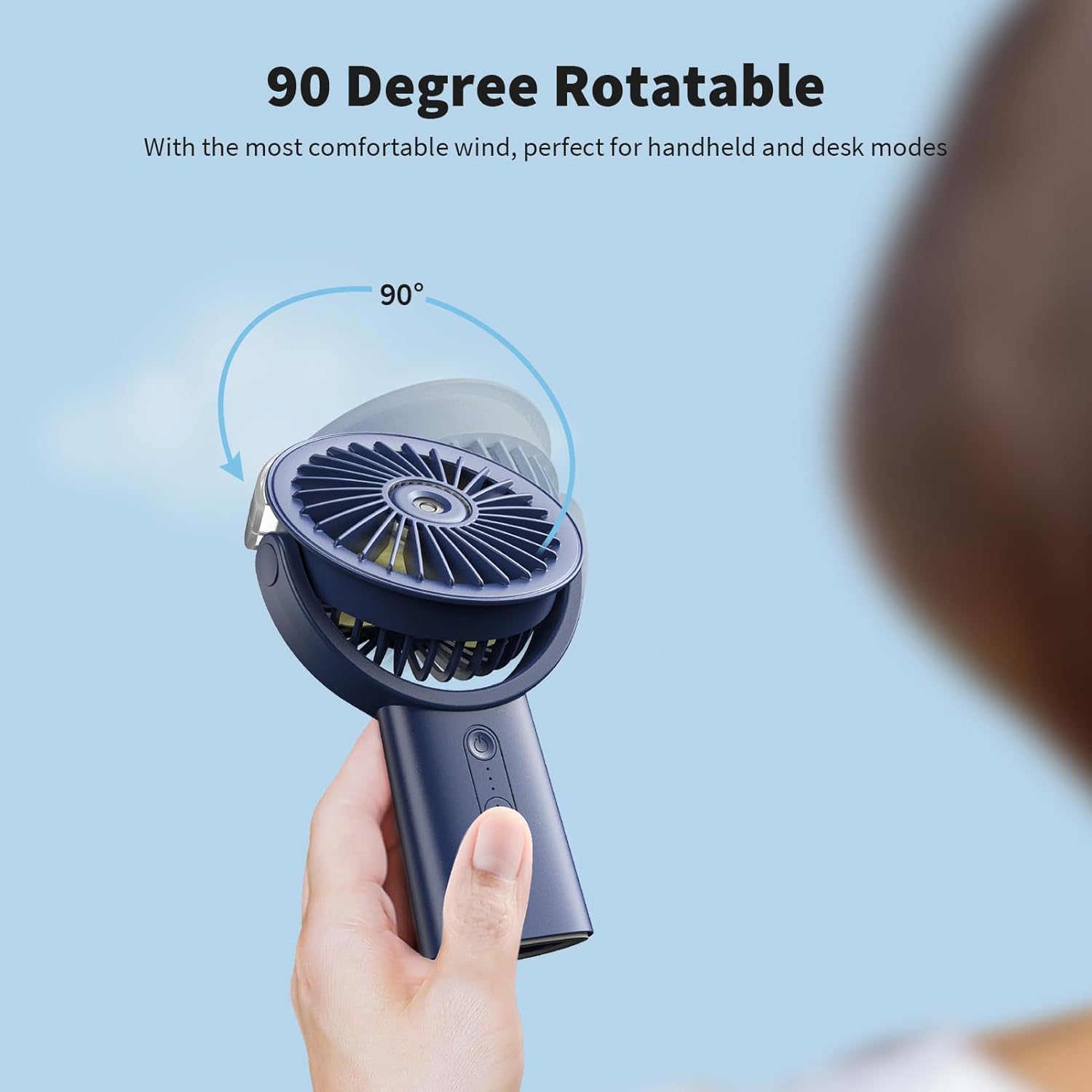
Image: An illustration demonstrating the 90-degree rotatable head of the fan, allowing for flexible positioning.
7. Maintenance
7.1 Cleaning
- Ensure the fan is turned off and unplugged before cleaning.
- Wipe the exterior of the fan with a soft, damp cloth. Do not use abrasive cleaners or solvents.
- For the misting nozzle, if clogging occurs, gently wipe the opening with a cotton swab dampened with clean water.
- Do not rinse the fan directly under water.
7.2 Storage
- If storing for an extended period, ensure the water tank is empty and dry.
- Store the fan in a cool, dry place, away from direct sunlight and extreme temperatures.
8. Troubleshooting
| Problem | Possible Cause | Solution |
|---|---|---|
| Fan does not turn on. | Battery is low or depleted. | Charge the fan fully. |
| No mist is produced. | Water tank is empty; Atomizer is clogged. | Refill the water tank; Clean the misting nozzle. |
| Weak airflow. | Fan speed is too low; Obstruction in front/back of fan. | Increase fan speed; Remove any obstructions. |
| Cannot charge external device. | Fan battery is low; Incorrect cable/port. | Charge the fan; Ensure correct USB-A output port and cable are used. |
9. Specifications
- Brand: Otlonpe
- Model Name: F20 (S-F20)
- Color: Dark Blue
- Power Source: Battery Powered
- Battery Capacity: 4000mAh (2 Lithium Polymer batteries included)
- Product Dimensions: 1.7"D x 4.2"W x 7"H
- Item Weight: 8.5 ounces (240 Grams)
- Number of Fan Speeds: 3
- Rotation: 90 Degree Rotatable Head
- Misting Water Tank: 20ml (approx.)
- Charging Port: USB Type-C
- Power Bank Output: USB Type-A
- Noise Level: 45 dB
- Voltage: 5 Volts (DC)
- Wattage: 7.5 Watt-hours
- Control Method: Touch (Push Button)
- Certifications: CE, FCC, RoHS
- UPC: 704444257494
- Country of Origin: China
10. Warranty and Support
Otlonpe products are manufactured to the highest quality standards. For warranty information, technical support, or customer service inquiries, please refer to the contact details provided on the product packaging or visit the official Otlonpe website. Please retain your proof of purchase for warranty claims.
For further assistance, you may contact Otlonpe customer service through their official channels. They are dedicated to providing high-quality products and support.
Ask a question about this manual
Ask about setup, troubleshooting, compatibility, parts, safety, or missing instructions. Manuals+ will review the question and use this page’s manual context to help answer it.