
ZEBRONICS ZEB-PODS I
ZEBRONICS PODS 1 Wireless TWS Earbuds User Manual
Model: ZEB-PODS I
1. Product Overview
The ZEBRONICS PODS 1 Wireless TWS Earbuds are designed to provide a superior audio experience with advanced features. These earbuds come equipped with Powerful Active Noise Cancellation (ANC) and Environmental Noise Cancellation (ENC) for crystal-clear calls. They also feature a dedicated Gaming Mode with low latency, ensuring an immersive experience for mobile gamers. With up to 28 hours of backup, Bluetooth 5.2 connectivity, voice assistant support, splash-proof design, and Flash Connect for instant pairing, the ZEB-PODS I are built for convenience and performance.

Image: ZEBRONICS PODS 1 Wireless TWS Earbuds, showcasing their sleek black design.
2. What's in the Box
Upon opening your ZEBRONICS PODS 1 package, you will find the following items:
- Earbuds - 2 units (Left and Right)
- Charging case - 1 unit
- Eartips - 4 units (various sizes for optimal fit)
- Charging cable - 1 unit (Type-C)
- QR Code Guide - 1 Unit (for quick access to digital manual/support)
3. Key Features
The ZEB-PODS I earbuds are packed with features to enhance your listening and communication experience:
- Powerful ANC Earbuds: Active Noise Cancellation for an immersive audio experience.
- ENC Calling: Environmental Noise Cancellation ensures crystal-clear voice clarity during calls.
- Gaming Mode: Low latency (60ms) for a lag-free gaming experience.
- Extended Battery Backup: Up to 28 hours without ANC, and up to 22 hours with ANC enabled.
- Bluetooth v5.2: Stable and efficient wireless connectivity.
- Voice Assistant Support: Compatible with Android Google Assistant and Apple iOS Siri.
- Splash Proof: Designed to withstand splashes and light rain.
- Flash Connect: Instant pairing by simply opening the charging case lid.
- Dynamic 13mm Drivers: Delivers crisp trebles and deep bass output.
- Comfortable & Cozy Fit: In-ear design for prolonged comfortable use.
- Type C Charging: Modern and convenient charging port.

Image: A collage highlighting key features including splash proofing, Type-C charging, 13mm drivers, touch control, gaming mode, and voice assistant support.
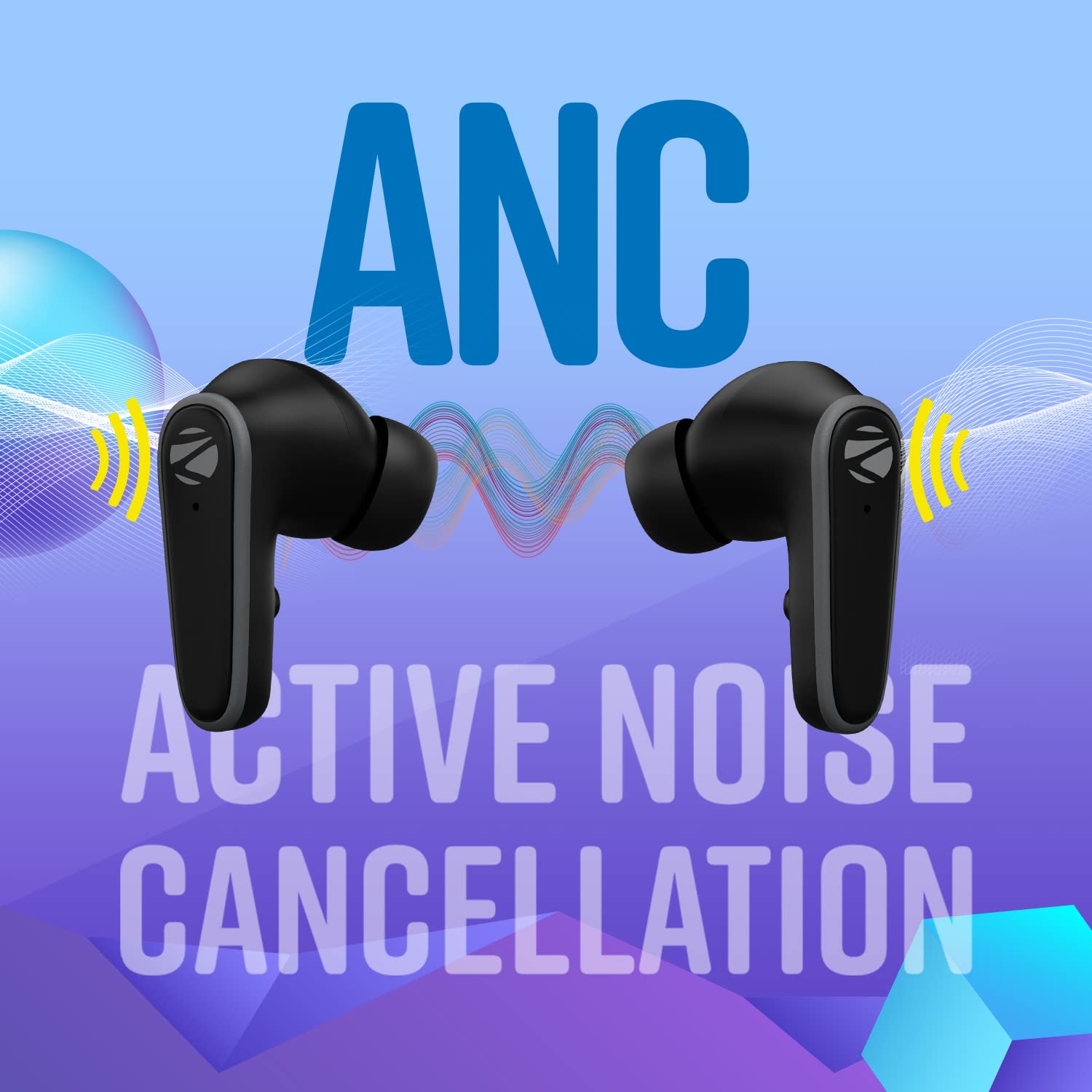
Image: Visual representation of Active Noise Cancellation (ANC) in action, showing sound waves being cancelled.
4. Setup Guide
4.1. Charging the Earbuds and Case
Before first use, fully charge the earbuds and the charging case. Use the provided Type-C charging cable.
- Place the earbuds into the charging case, ensuring they are correctly seated.
- Connect the Type-C charging cable to the charging port on the case and the other end to a USB power source (e.g., wall adapter, computer USB port).
- The LED indicators on the case will show the charging status. Once fully charged, the indicators will change or turn off.
A full charge provides up to 28 hours of playback without ANC and 22 hours with ANC enabled.
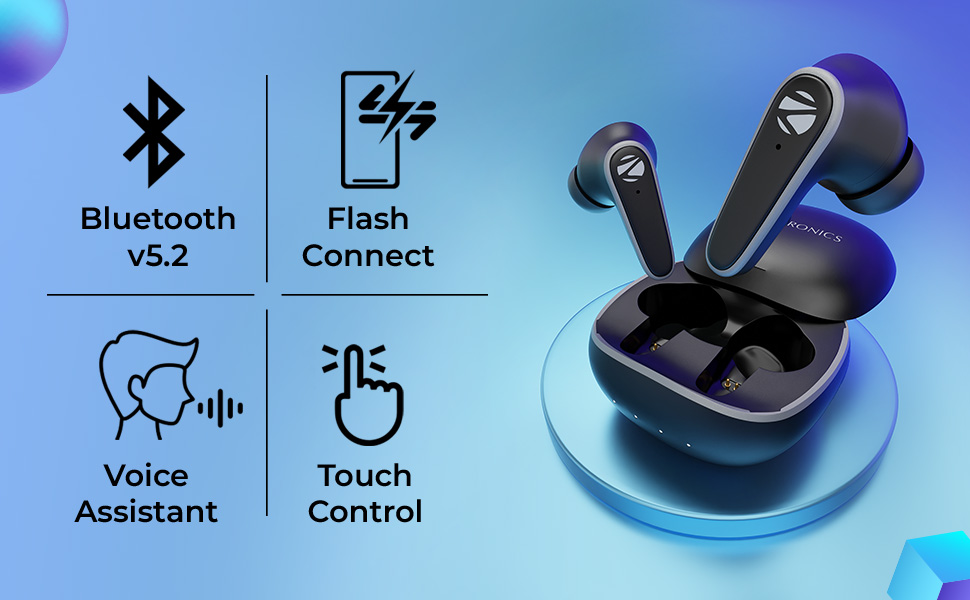
Image: Illustration of the portable charging case and the Type-C charging port, showing battery life with ANC on and off.
4.2. Pairing with Your Device (Flash Connect)
The ZEB-PODS I feature 'Flash Connect' for quick and easy pairing:
- Ensure Bluetooth is enabled on your smartphone, laptop, or tablet.
- Open the lid of the charging case. The earbuds will automatically enter pairing mode.
- On your device, search for Bluetooth devices and select "ZEB-PODS I" from the list.
- Once connected, you will hear an audio prompt, and the earbuds will be ready for use.
The earbuds offer wide compatibility with various Bluetooth v5.2 enabled devices.

Image: An icon representing the Flash Connect feature for quick pairing.
5. Operating Instructions
5.1. Touch Controls
The ZEB-PODS I feature intuitive touch controls for easy management of music, calls, and modes. Refer to the QR Code Guide for detailed touch gestures.
- Play/Pause: Single tap on either earbud.
- Next Track: Double tap right earbud.
- Previous Track: Double tap left earbud.
- Answer/End Call: Single tap on either earbud.
- Reject Call: Long press on either earbud.
- Activate Voice Assistant: Triple tap on either earbud.
- Toggle ANC/Transparency Mode: Long press on the left earbud (specific gesture may vary, refer to guide).
- Toggle Gaming Mode: Long press on the right earbud (specific gesture may vary, refer to guide).

Image: An icon representing the touch control functionality of the earbuds.
5.2. Active Noise Cancellation (ANC) & Environmental Noise Cancellation (ENC)
The earbuds feature advanced noise cancellation technologies:
- ANC: Reduces ambient noise for an undisturbed listening experience. Activate/deactivate via touch control.
- ENC: Enhances call clarity by filtering out environmental noise during phone conversations. This feature is automatically active during calls.
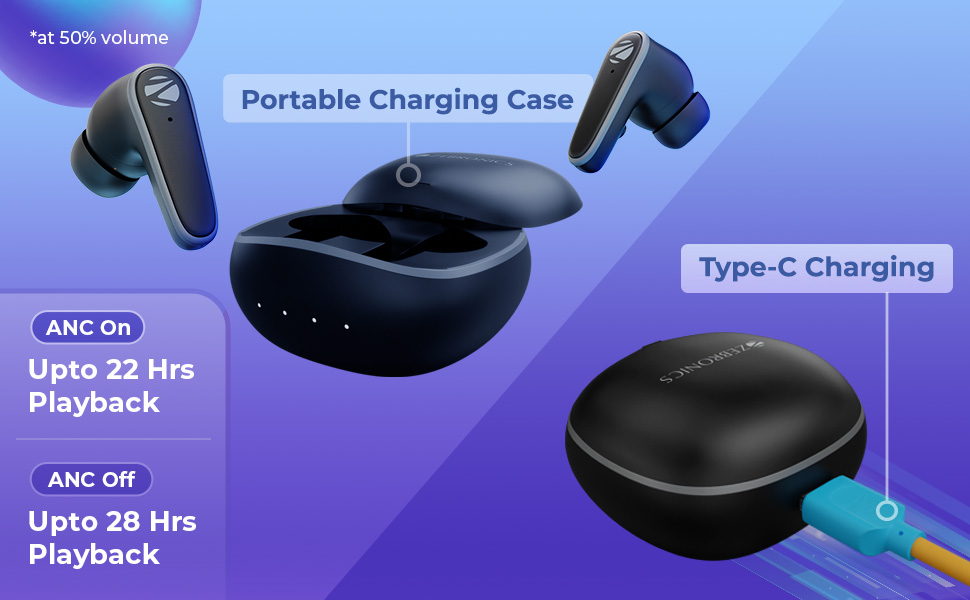
Image: A visual demonstrating the Environmental Noise Cancellation (ENC) feature for clearer calls.
5.3. Gaming Mode
Activate Gaming Mode for ultra-low latency (60ms) to ensure synchronized audio and video during gaming sessions. This mode is ideal for competitive gaming on smartphones and tablets.

Image: An icon representing the Gaming Mode feature.
6. Maintenance
To ensure the longevity and optimal performance of your ZEB-PODS I earbuds:
- Cleaning: Regularly clean the earbuds and charging case with a soft, dry cloth. Avoid using harsh chemicals or abrasive materials.
- Water Resistance: The earbuds are splash-proof. Avoid submerging them in water or exposing them to heavy rain. Dry them thoroughly if they get wet.
- Storage: When not in use, store the earbuds in their charging case to protect them and keep them charged.
- Temperature: Avoid exposing the earbuds to extreme temperatures (hot or cold) or direct sunlight for extended periods.
- Charging: Use only the provided Type-C cable or a certified equivalent for charging.

Image: The stylish design of the ZEB-PODS I earbuds and their charging case, emphasizing their durable build quality.
7. Troubleshooting
If you encounter any issues with your ZEB-PODS I earbuds, please refer to the following common solutions:
| Problem | Possible Solution |
|---|---|
| Earbuds not pairing/connecting. |
|
| No sound or low volume. |
|
| ANC not working effectively. |
|
| Earbuds not charging. |
|
8. Specifications
| Feature | Detail |
|---|---|
| Model Name | ZEB-PODS I |
| Noise Control | Active Noise Cancellation (ANC) |
| Connectivity Technology | Wireless (Bluetooth v5.2) |
| Bluetooth Range | 10 Metres |
| Battery Life (without ANC) | Up to 28 Hours |
| Battery Life (with ANC ON) | Up to 22 Hours |
| Audio Driver Type | Dynamic Driver (13mm) |
| Control Type | Touch Control, Voice Control |
| Microphone Format | Built-In (with ENC) |
| Water Resistance Level | Splash Resistant |
| Item Weight | 45 Grams |
| Product Dimensions | 5.7 x 6 x 3.6 cm |
| Material | Plastic |
| Compatible Devices | Smartphones, Laptops, Tablets |
9. Official Product Videos
Watch these official videos for more information and visual guides on your ZEBRONICS PODS 1 earbuds:
Product Overview Video
Description: A comprehensive overview video showcasing the features and benefits of the ZEBRONICS PODS 1 Wireless TWS Earbuds, including ANC, ENC, Gaming Mode, and battery life.
Zeb-Pods 1 TWS Earphone Highlights
Description: A short highlight video focusing on key aspects and design of the Zeb-Pods 1 TWS earphone.
10. Warranty & Support
Your ZEBRONICS PODS 1 Wireless TWS Earbuds come with a standard brand warranty. For detailed warranty information, service requests, or further assistance, please refer to the official ZEBRONICS website or the product detail page on Amazon.in.
You can also find additional support and frequently asked questions by scanning the QR Code Guide included in your package.
For direct support, visit the ZEBRONICS Store on Amazon.
Related documentsZEB-PODS I


Ask a question about this manual
Ask about setup, troubleshooting, compatibility, parts, safety, or missing instructions. Manuals+ will review the question and use this page’s manual context to help answer it.